LEVEL 2 REPORT
18 / 10 / 2026
TASK 1: AWS Lambda – Serverless Chat App
Introduction
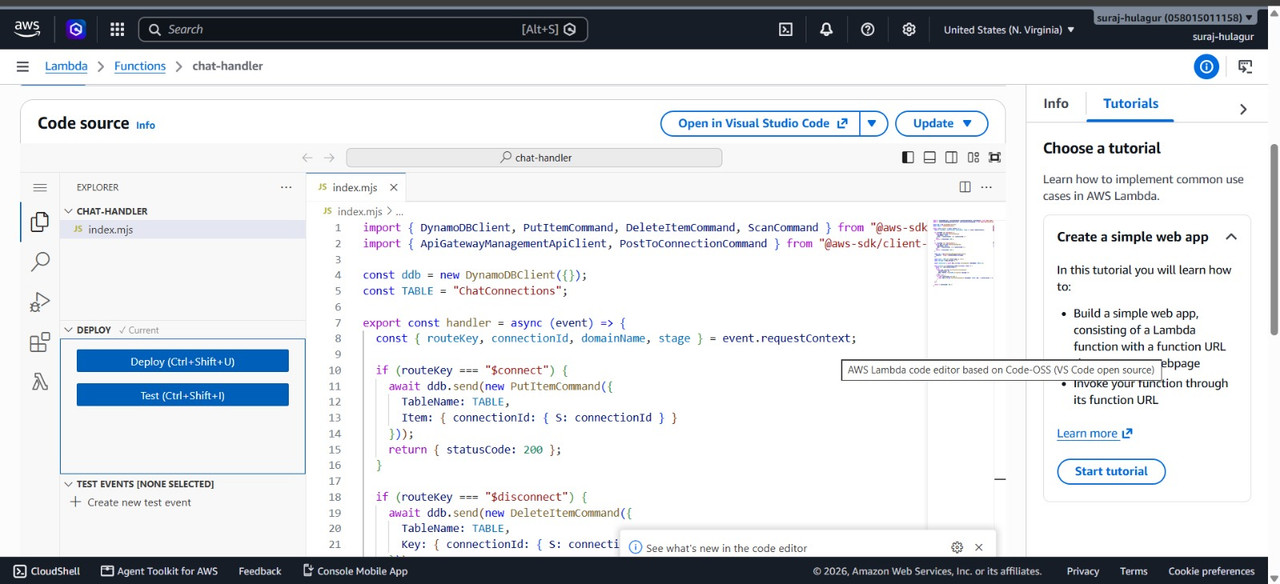
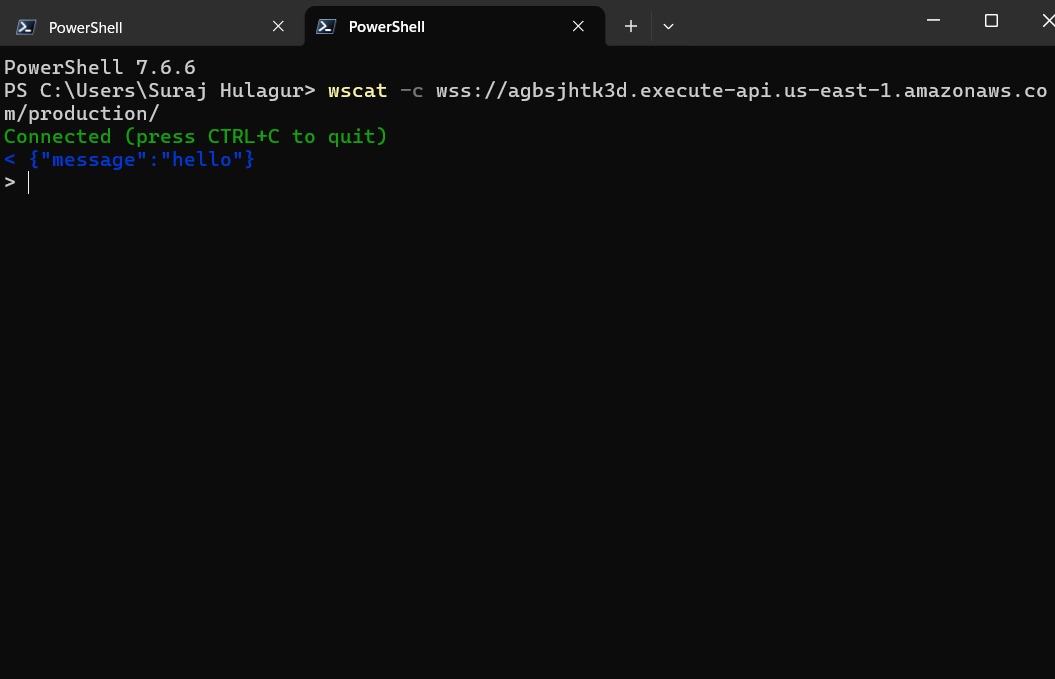
For this task I deployed a real time chat app using AWS Lambda and API Gateway WebSocket instead of a normal server. A single Lambda handles everything, and connections are tracked in DynamoDB so it can broadcast to everyone.
What I Did
- Made a DynamoDB table (
ChatConnections) to store active connection IDs and a Node.js Lambda to handle$connect,$disconnectand$default. - Gave the Lambda role DynamoDB access and
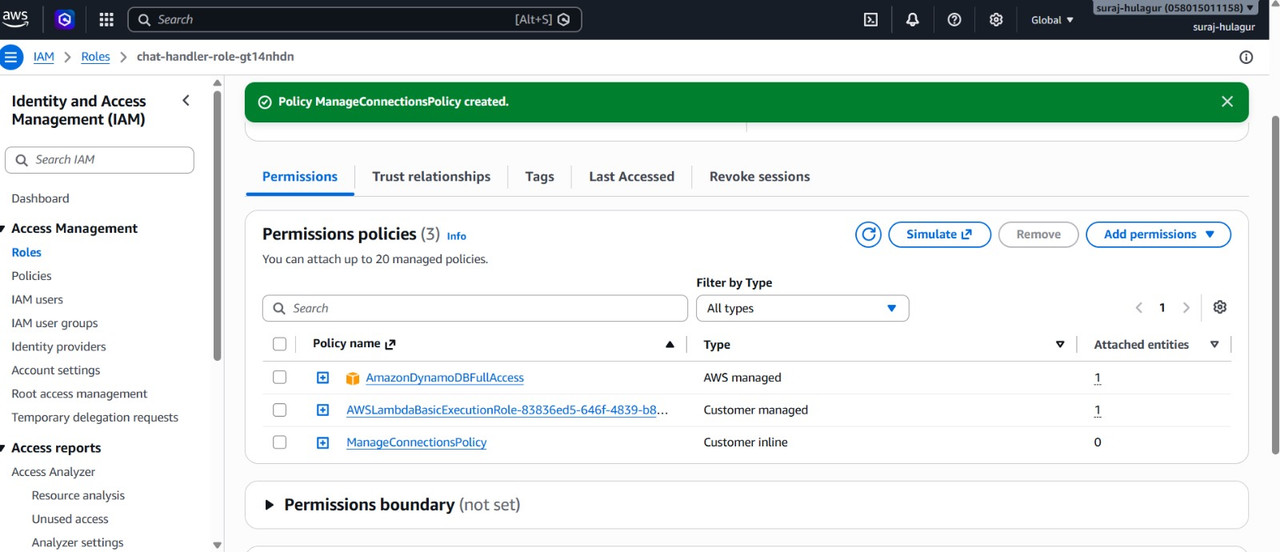
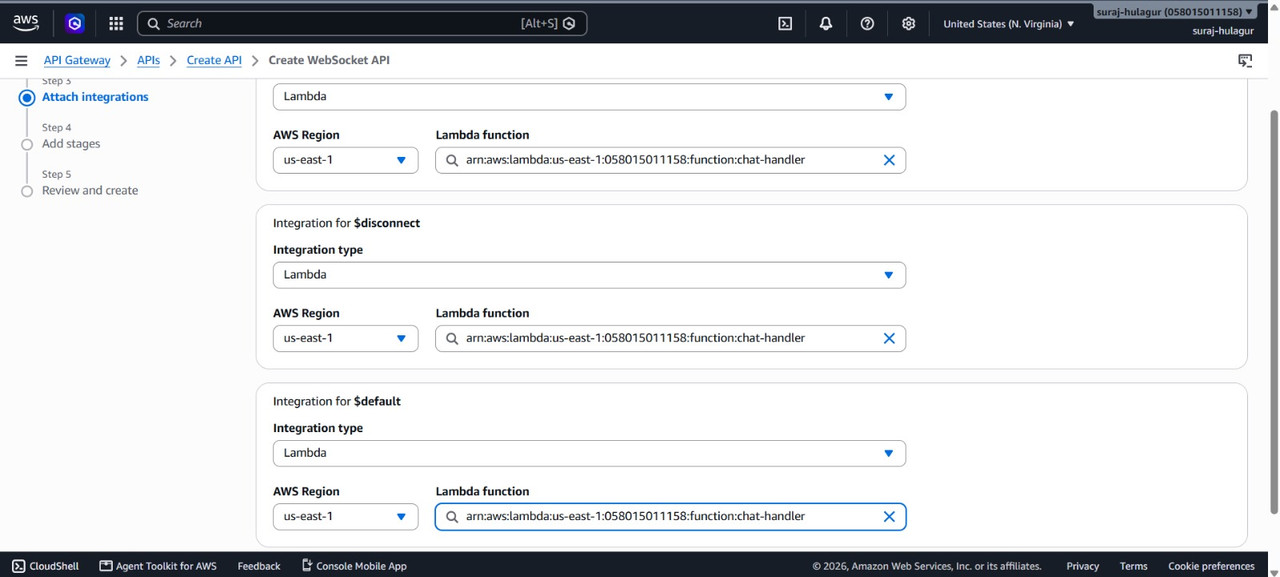
execute-api:ManageConnectionsto push messages back to clients. - Built the WebSocket API in API Gateway with the three routes pointing to the Lambda and deployed it.
- Tested with two wscat clients, sent a message from one and it was received on the other.
Screenshots
Conclusion
This task helped me understand serverless and how a WebSocket chat works with no server to manage.
TASK 2: CI/CD – Jenkins
Introduction
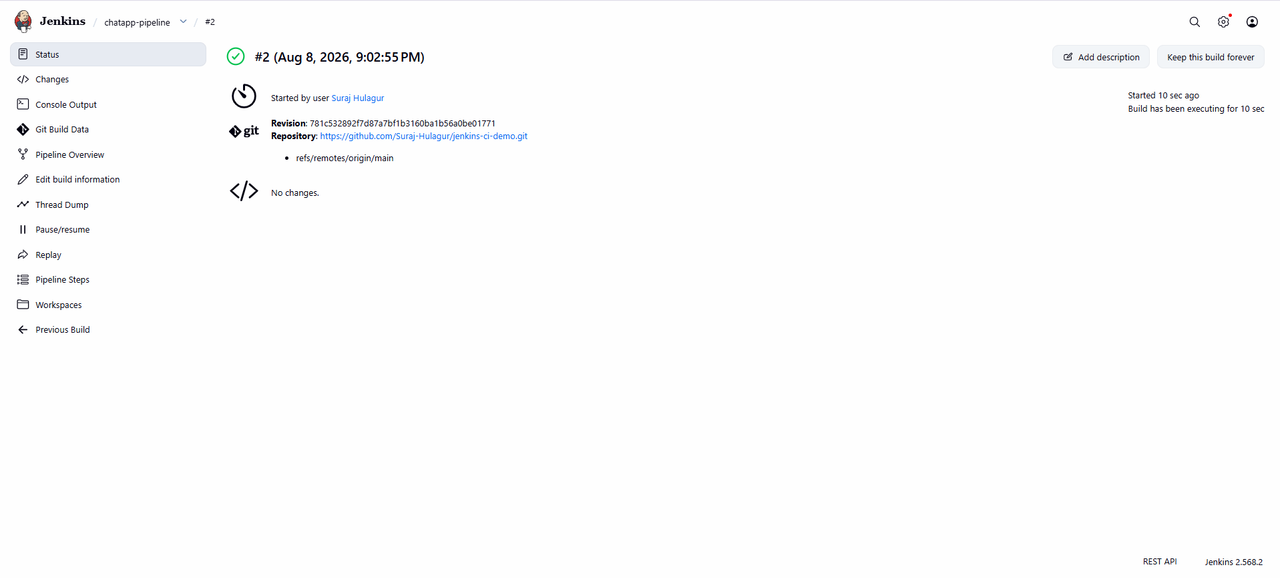
For this task I set up Jenkins and built a pipeline to see how CI/CD works. Jenkins automatically pulls code, installs dependencies, runs tests and deploys whenever code is pushed.
What I Did
- Ran Jenkins as a Docker container on port 8081 and set up an admin account with the suggested plugins.
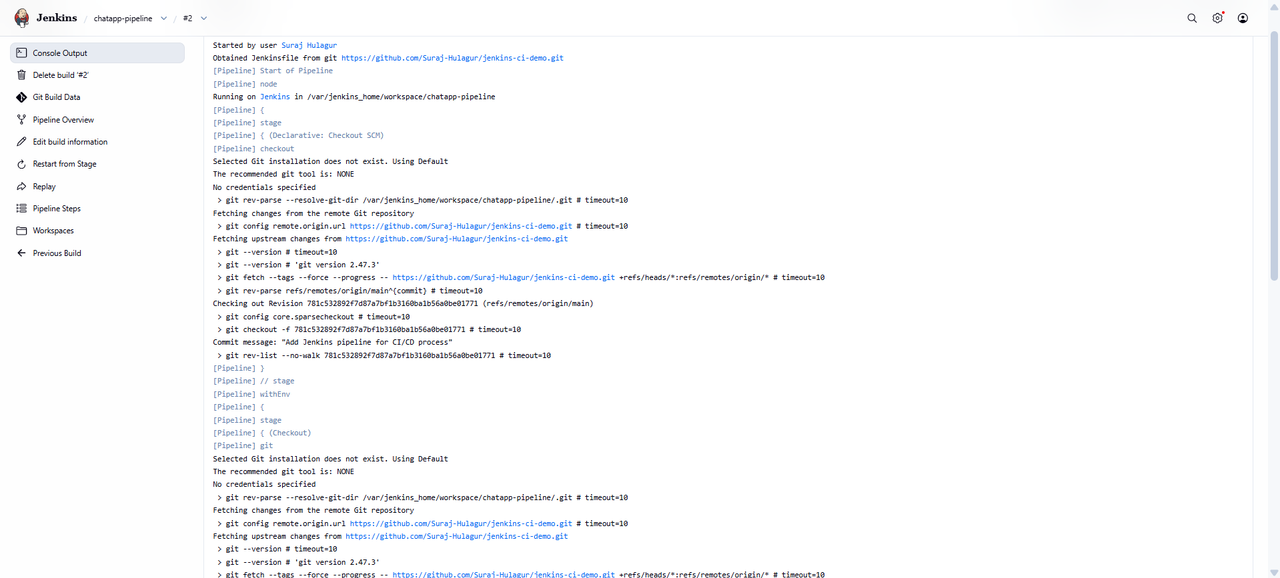
- Made a small JS repo with package.json, server.js and a Jenkinsfile, pulled using Pipeline script from SCM.
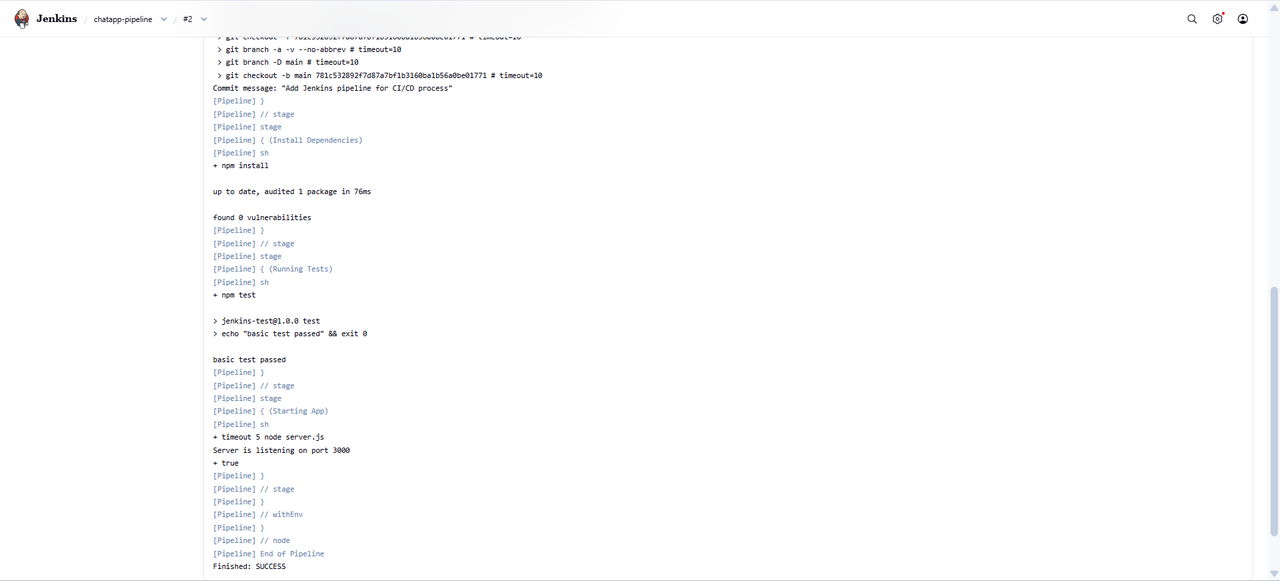
- Wrote the Jenkinsfile with four stages: Checkout, Install Dependencies, Running Tests, Starting App.
- Installed Node.js and npm inside the container since the base image doesn't have them, then ran the build.
Results
The pipeline pulled the repo, ran npm install, passed the test, and started the server on port 3000. All four stages finished with status SUCCESS.
Screenshots
Repository Used
TASK 3: SSH – Scripted Key Discovery and Transfer Between Servers
Introduction
For this task I wrote a shell script that logs into one server over SSH, searches it for key files, and transfers them to a second server. I used two Docker containers as the two servers so I didn't touch any real machine.
What I Did
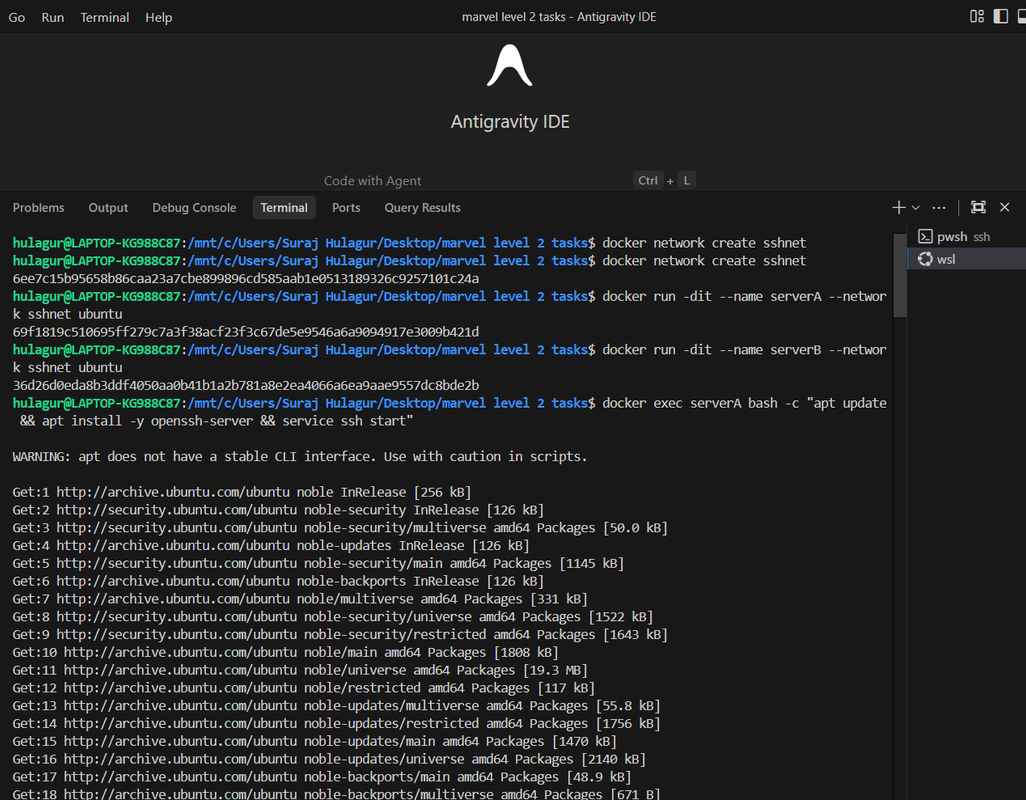
- Created a Docker network and ran two Ubuntu containers, serverA and serverB, installing SSH and setting a root password on each.
- Hit a permission denied error because Ubuntu blocks root password login by default, fixed it by editing sshd_config on both.
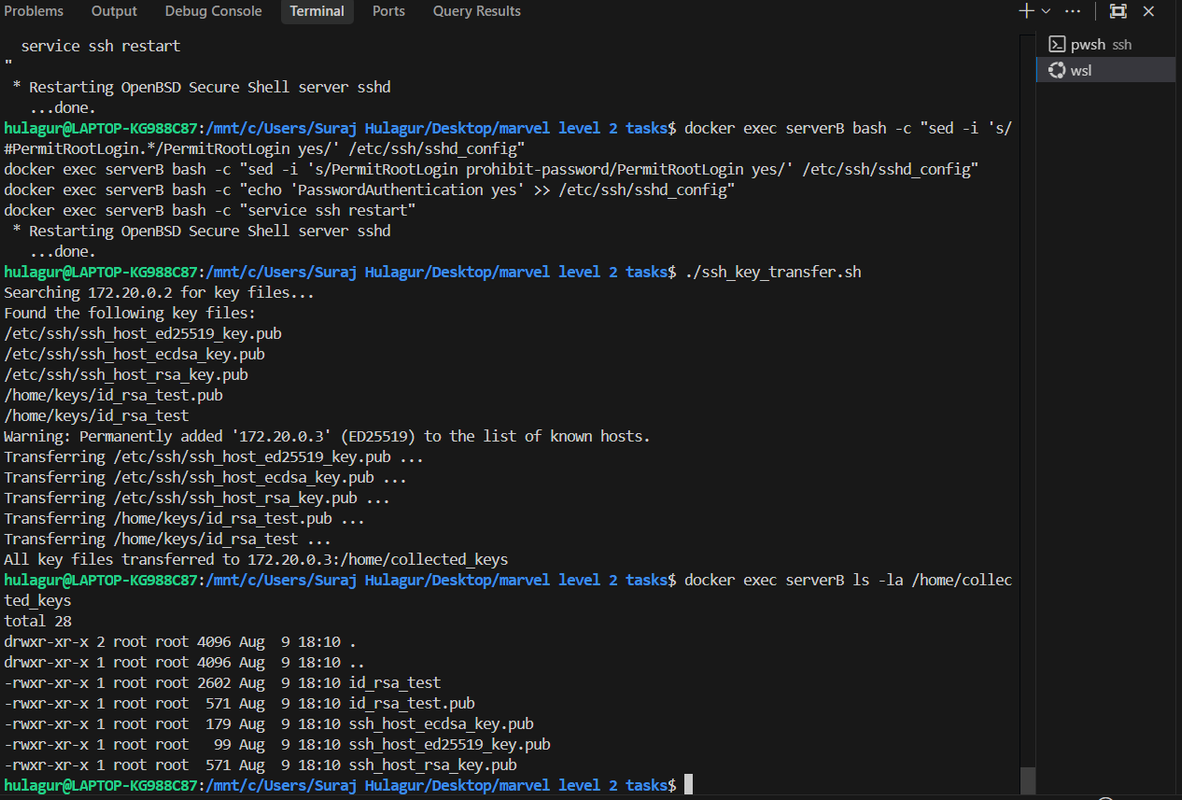
- Generated a test RSA key pair in serverA using ssh-keygen.
- Wrote a script that SSHes into the source, runs find for key files, pulls them with scp and pushes them to the destination, using sshpass for the password.
Results
The script found 5 key files in serverA (3 auto generated SSH host keys plus my test pair) and transferred all of them to serverB, confirmed by matching file sizes.
Screenshots

TASK 4: Terraform
Introduction
For this task I used Terraform to set up AWS using code instead of clicking in the console. You write what you want in a file and it builds, changes or deletes it for you.
What I Did
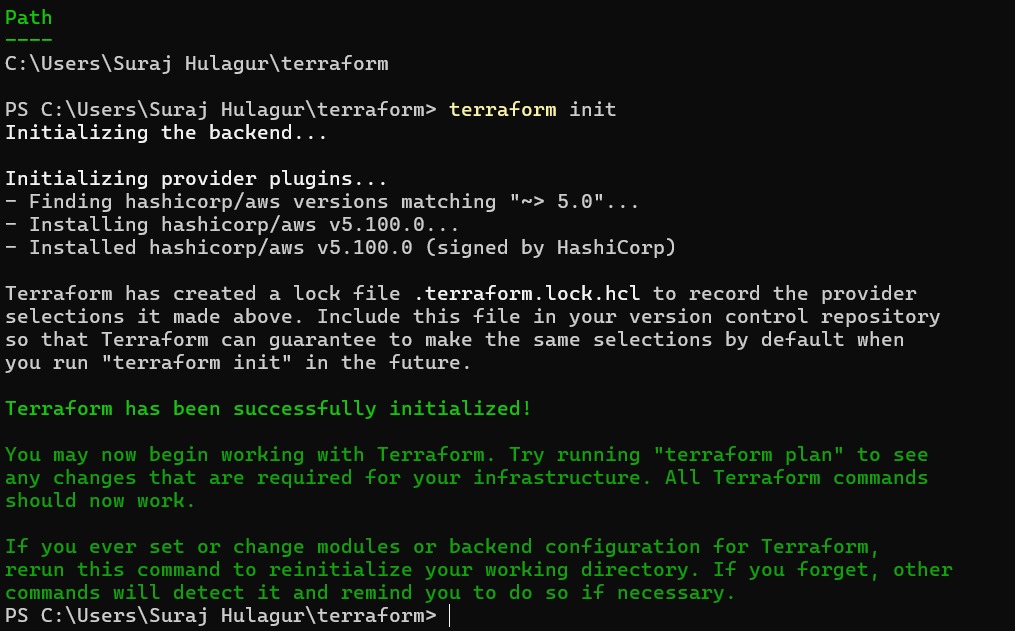
- Installed Terraform and AWS CLI and made a dedicated IAM user instead of using root.
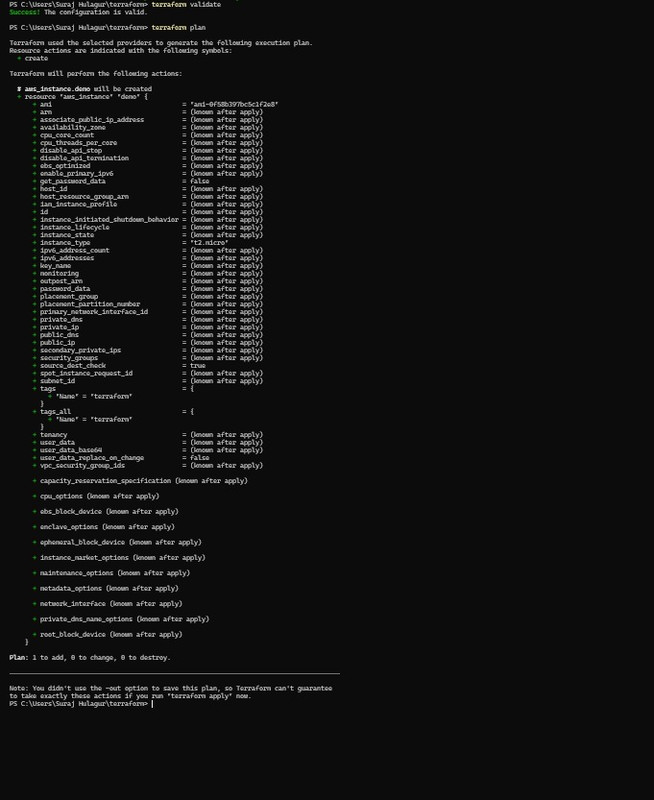
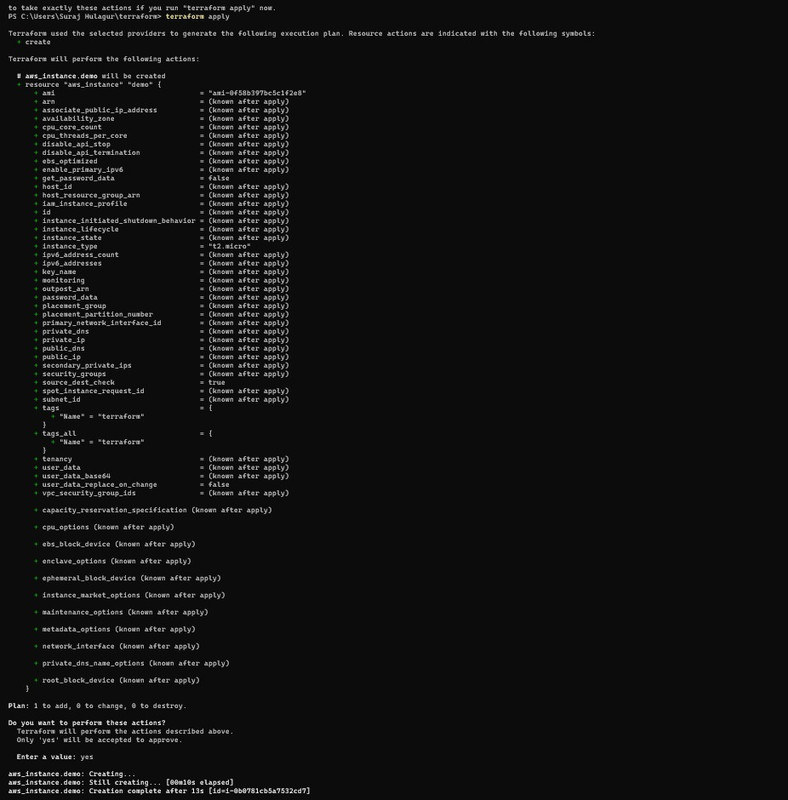
- Wrote a main.tf for one EC2 instance and ran through init, validate, plan, apply and destroy.
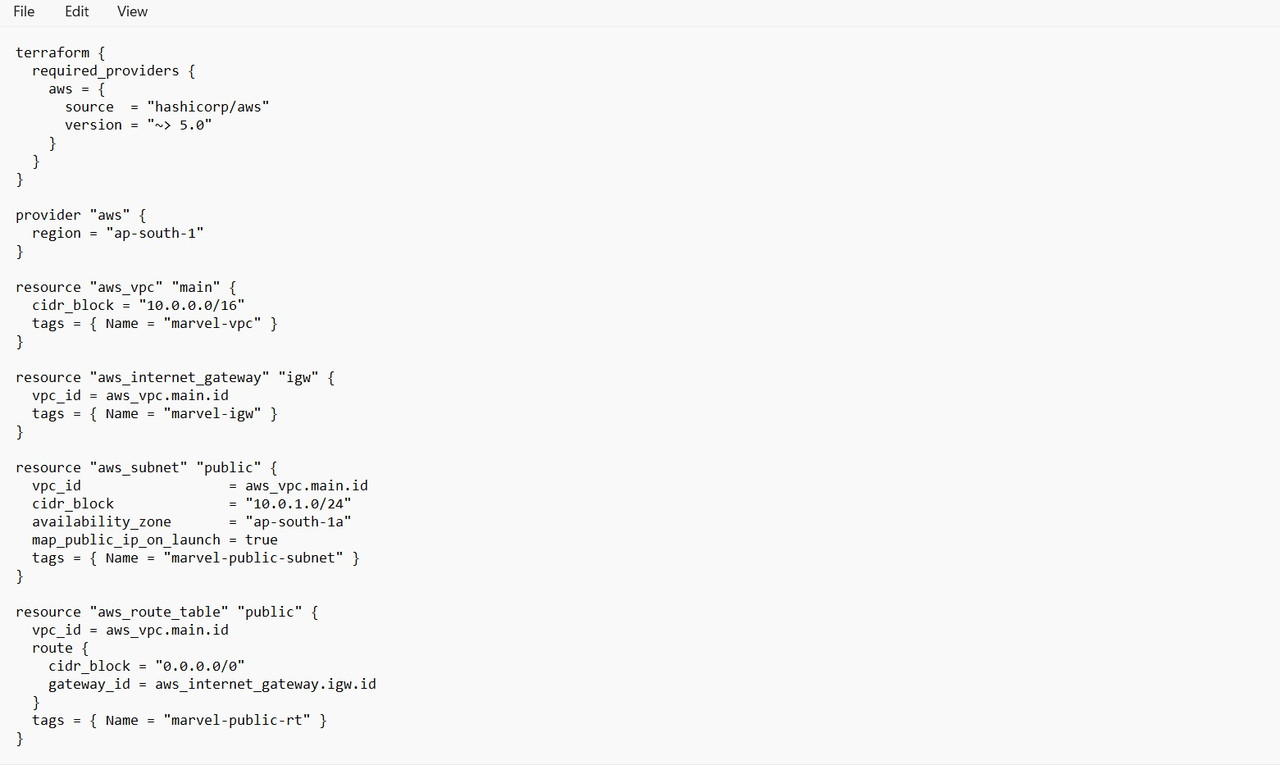
- Built a full network around it: a VPC, subnet, internet gateway, route table and security group (SSH, HTTP, HTTPS), with Apache via a user_data script.
- The instance was slow to attach through a separate network interface, so I attached the subnet and security group directly on the instance, which brought create time down to ~12 seconds.
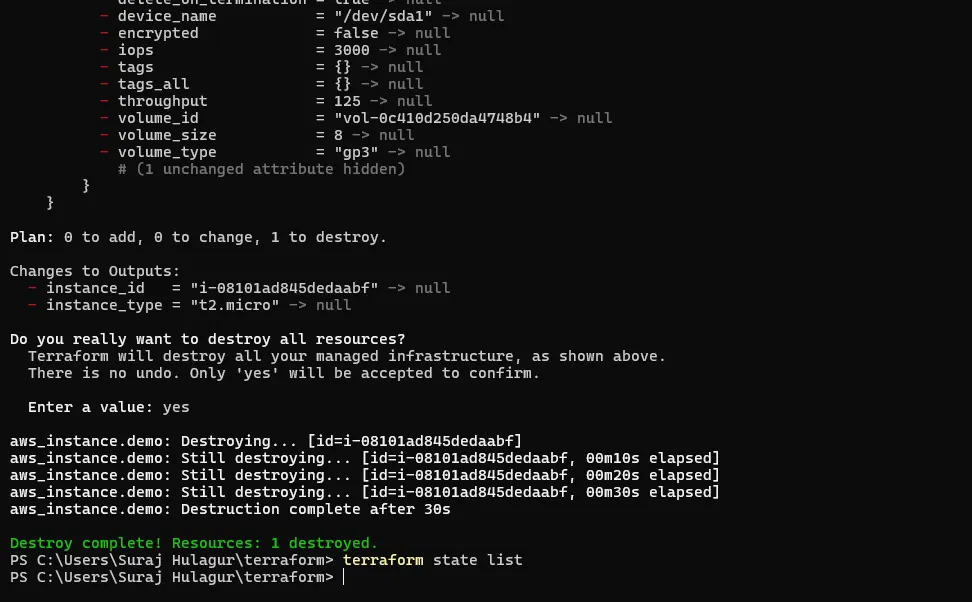
- Changed the name tag and reapplied to see it update in place, then destroyed everything with state list coming back empty.
Screenshots
Conclusion
The config itself was the easy part. The useful bit was using plan before every apply, checking state list and output to see what's live, and using destroy to clean up properly.
TASK 5: Wireshark – Packet Capture and Network Analysis
Introduction
For this task I used Wireshark in my Kali VM to capture live traffic on eth0 and see how data moves at the packet level.
What I Did
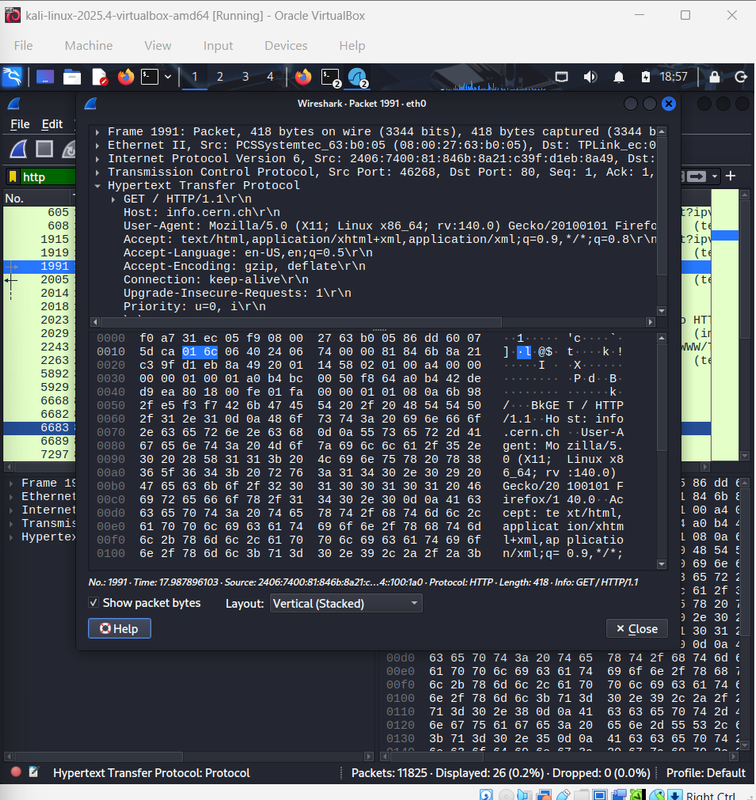
- Captured traffic while browsing, including a plain HTTP site to get some unencrypted traffic.
- Used the
httpfilter and opened a packet to see the full request in plain text (Host, User Agent, Accept headers). - Used
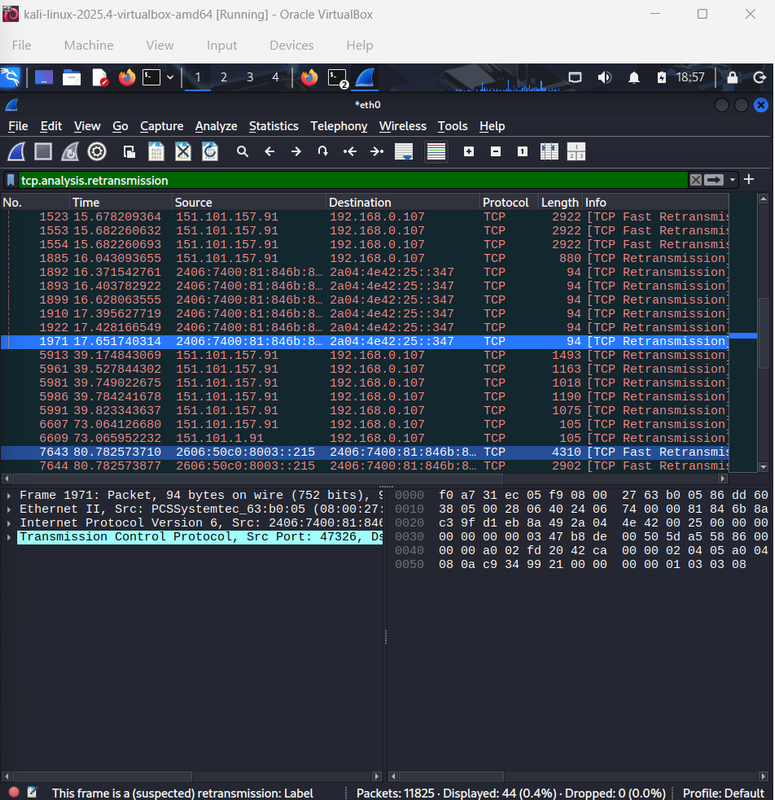
tcp.analysis.retransmissionto spot resent packets, a sign of packet loss. - Used
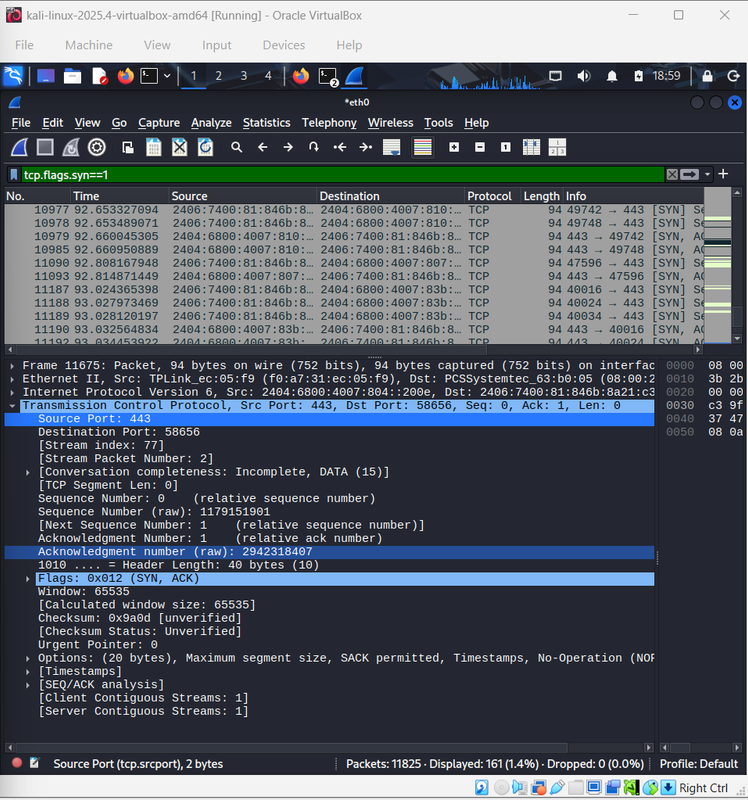
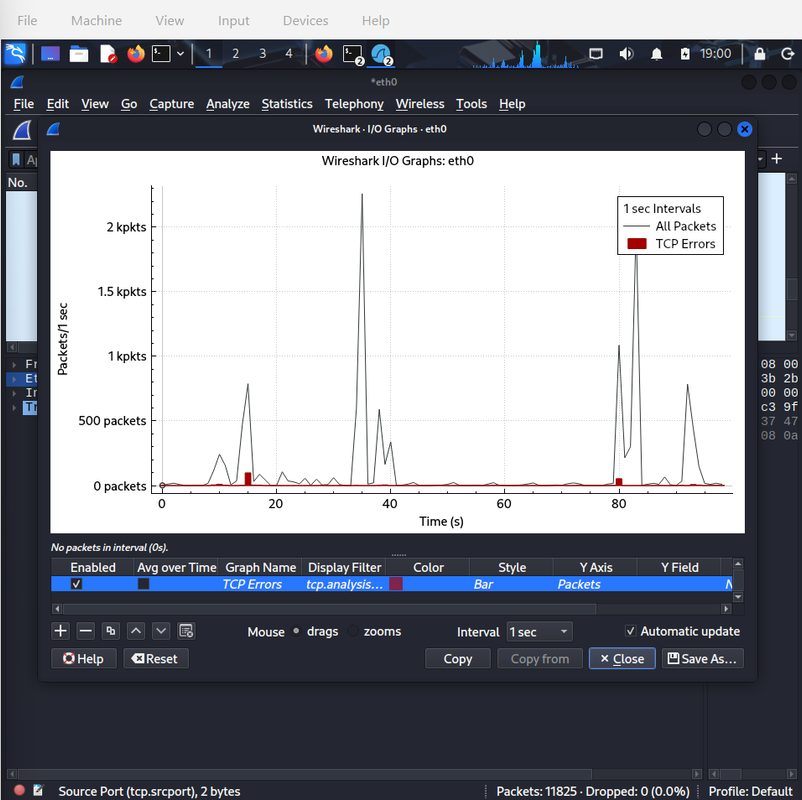
tcp.flags.syn==1to find the 3 way handshake, and saw the0x012flag confirming SYN and ACK set together. - Used the I/O Graph to see traffic over time with TCP errors marked separately.
Screenshots
Conclusion
This task showed me in practice that plain HTTP sends everything in readable text, how retransmissions look, and how the 3 way handshake appears packet by packet.
TASK 6: Docker – Containers, Images and Dockerfiles
Introduction
For this task I containerized my Node.js and Socket.IO chat app to understand what a Docker image and container actually are and how a Dockerfile builds one.
What I Did
- Learned that an image is a reusable blueprint and a container is a running instance of it.
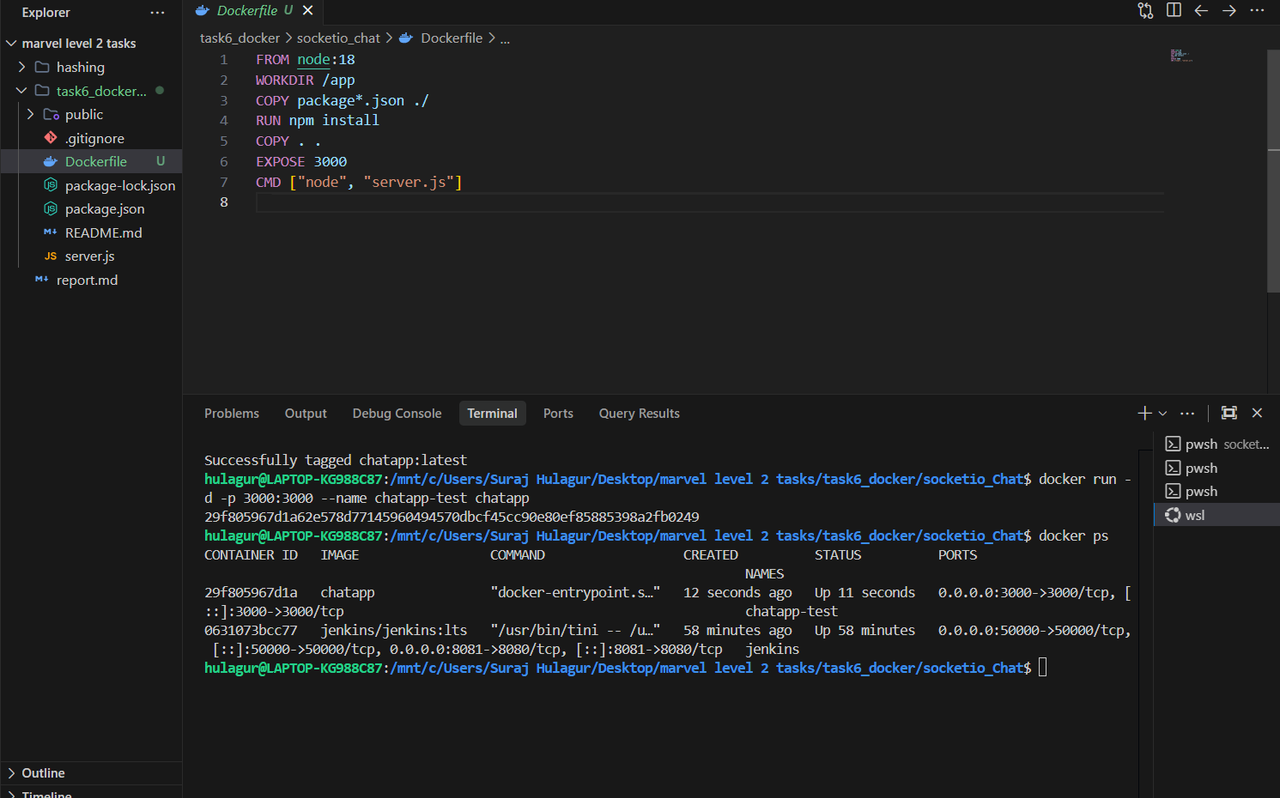
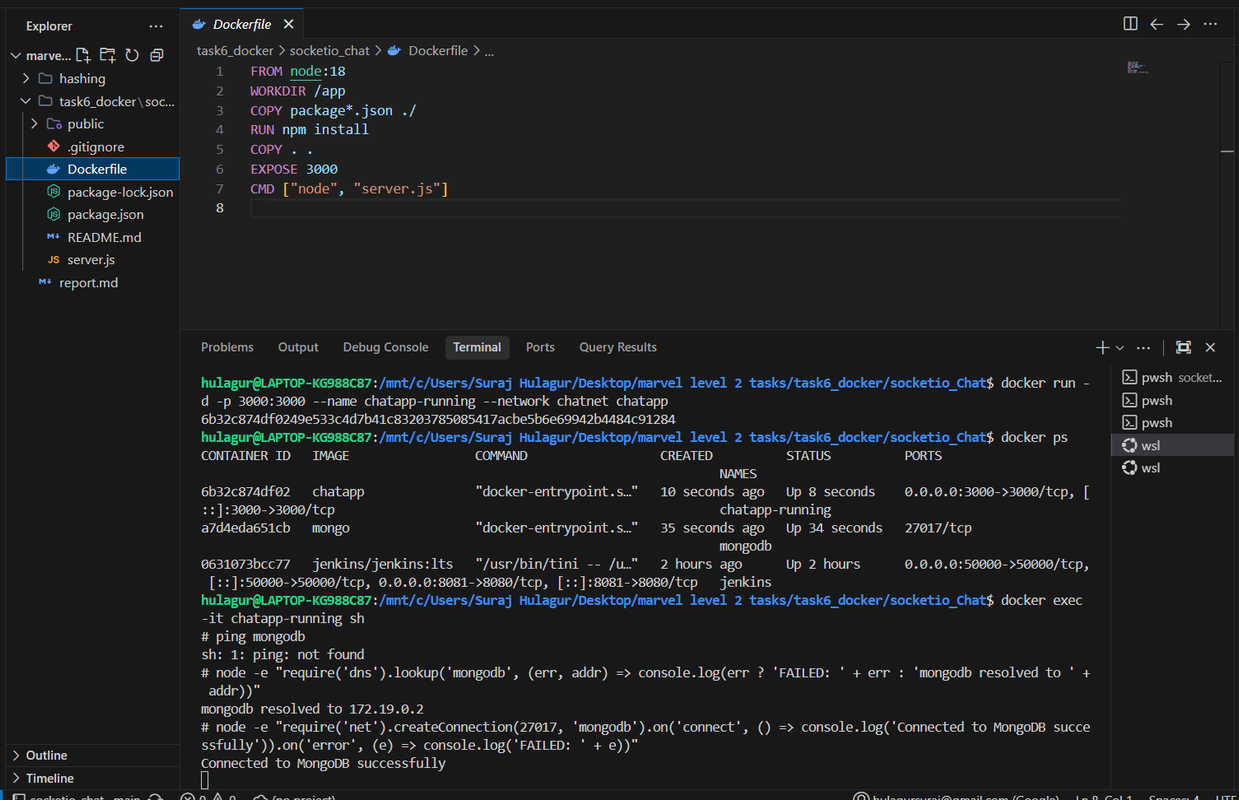
- Wrote a Dockerfile starting from an official Node base image, installing dependencies in a separate step so Docker can cache it.
- Built the image with
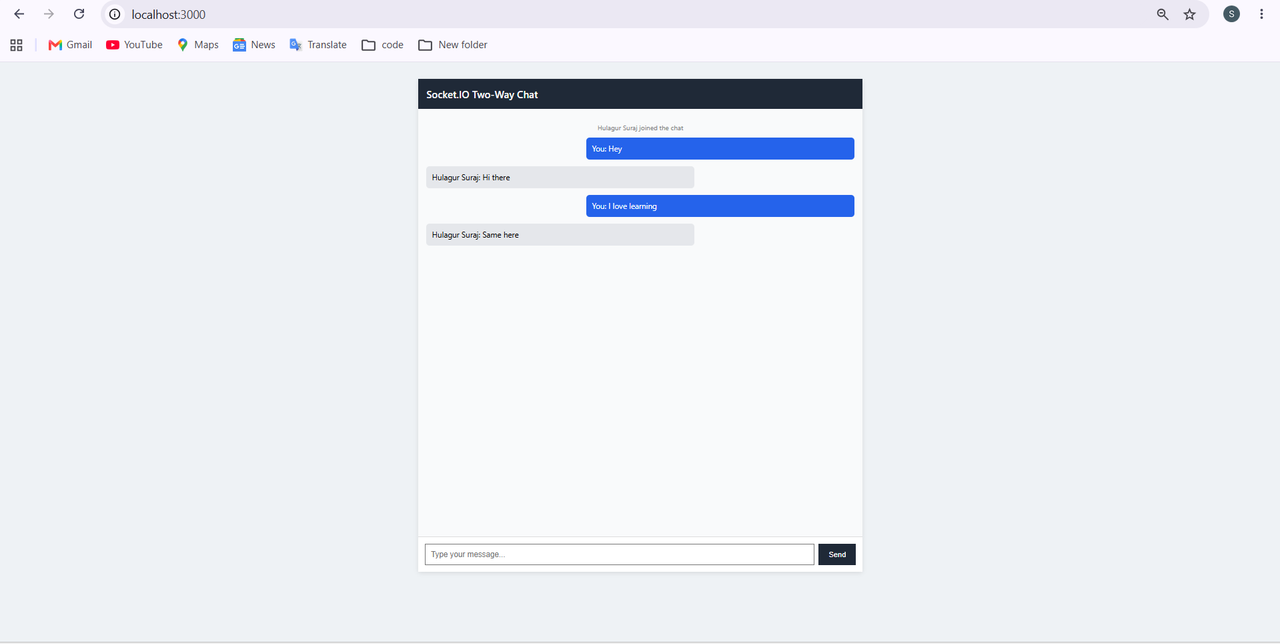
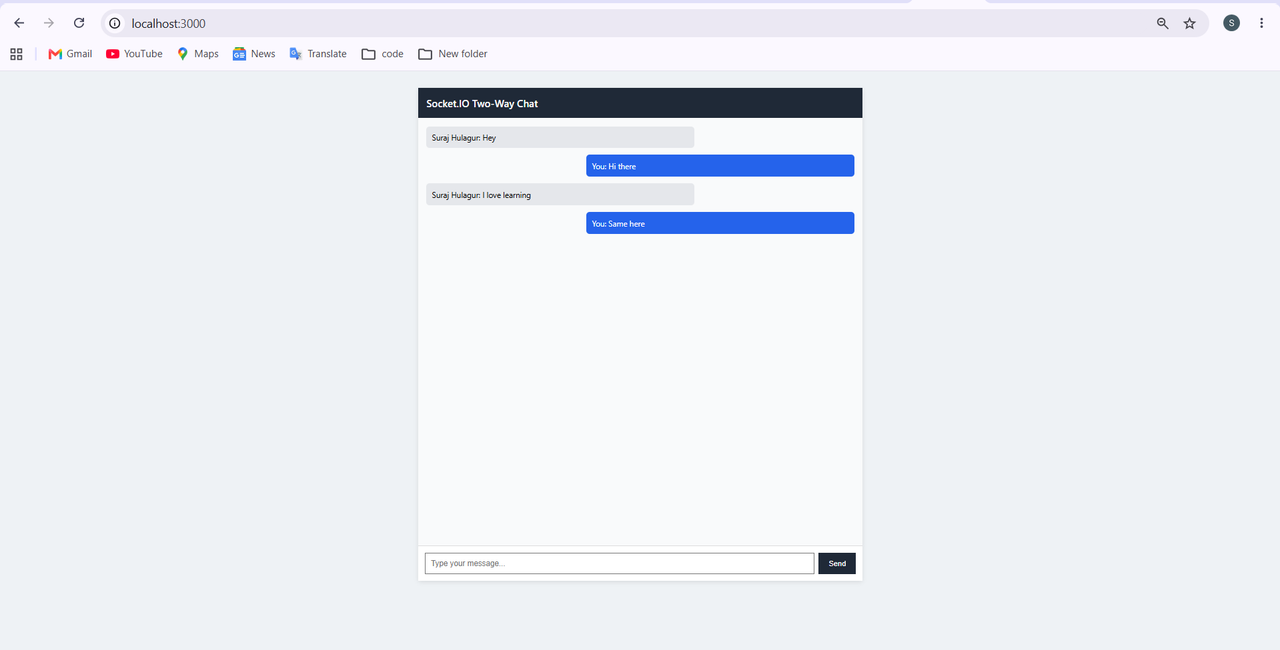
docker buildand ran it withdocker run, mapping port 3000. - Confirmed the app worked by chatting across two browser tabs from inside the container.
Screenshots
Repository Used
TASK 7: Dockerize – Networking, Volumes and Storage
Introduction
For this task I ran my chat app backend and a MongoDB container together on a custom bridge network and used a volume so the database data survives the container being removed.
What I Did
- Created a bridge network so containers could reach each other by name instead of a fixed IP.
- Ran MongoDB with a volume attached, then ran my chat app container on the same network.
- Opened a shell in the chat container and reached MongoDB by its name using Node (since ping wasn't installed), confirming the networking worked.
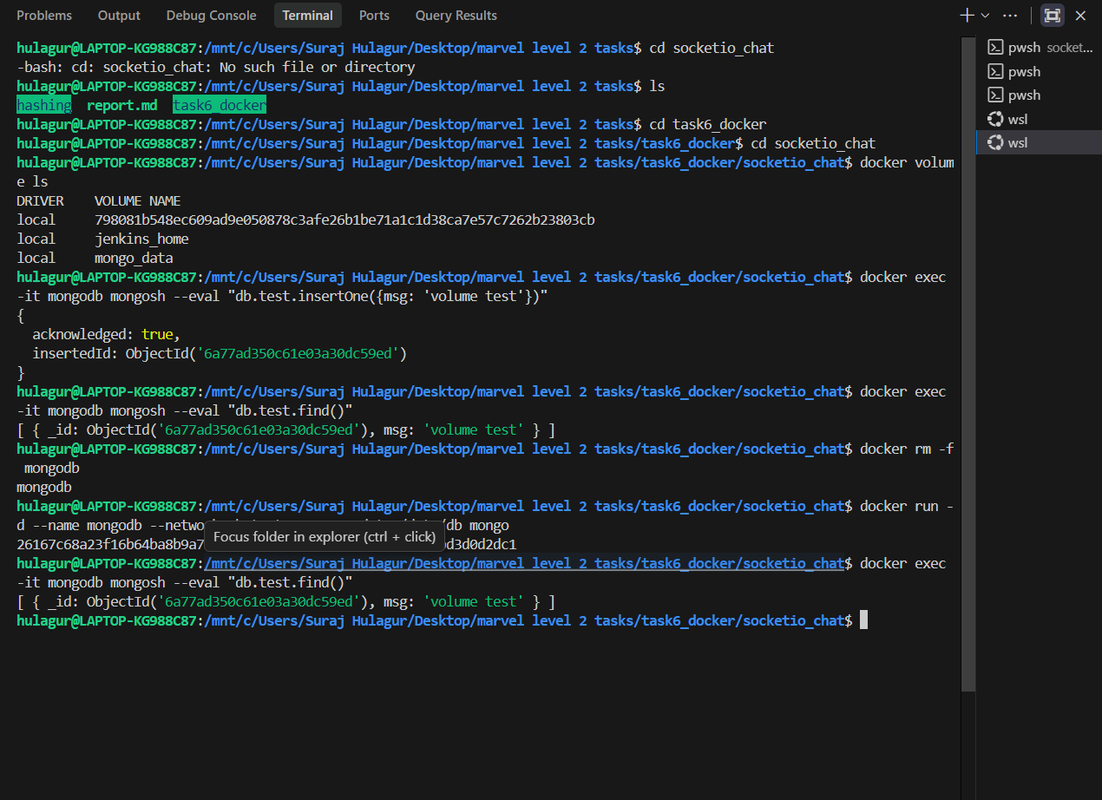
- Inserted a test document, deleted the MongoDB container, recreated it on the same volume, and the document was still there, proving the volume persists data.
Screenshots
Repository Used
TASK 8: Web Scraping and Automation – Flight Price Analysis
Introduction
For this task I built a script that searches flights on Kayak, scrapes the prices, saves them to a CSV and emails it. I used Selenium to control a real Chrome browser since Kayak loads everything with JavaScript.
What I Did
- Set up Selenium with ChromeDriver using webdriver manager.
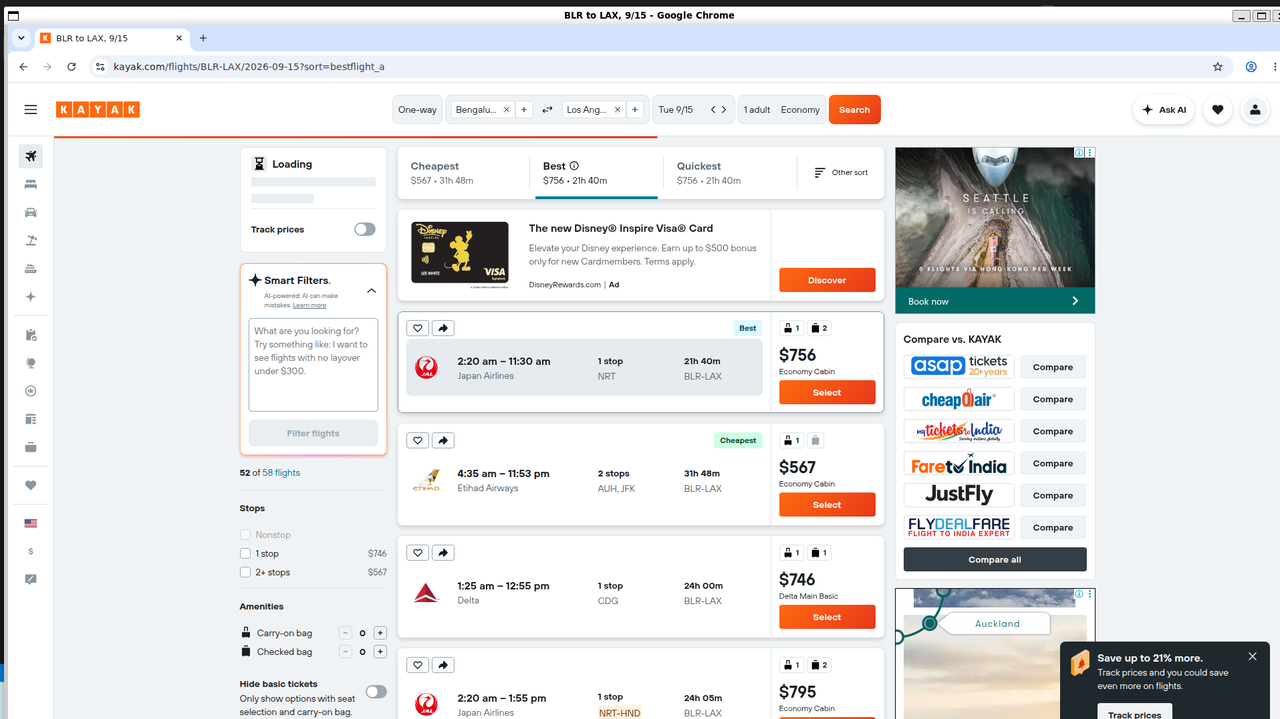
- Pointed the script at a direct Kayak results URL for Bengaluru to Los Angeles instead of filling the form.
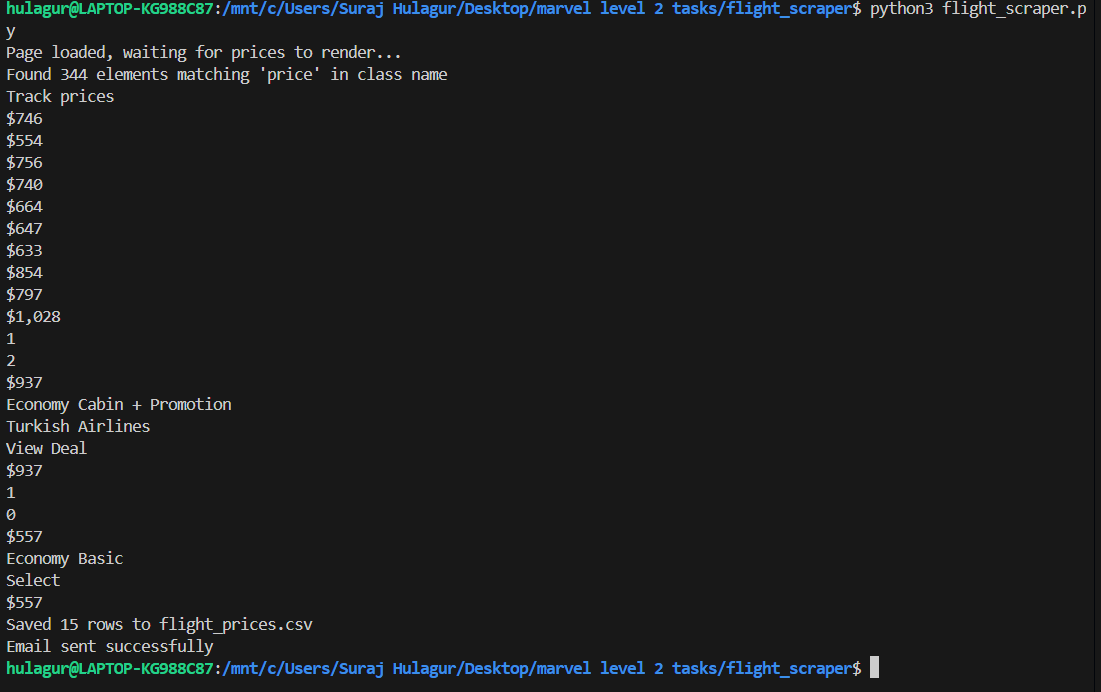
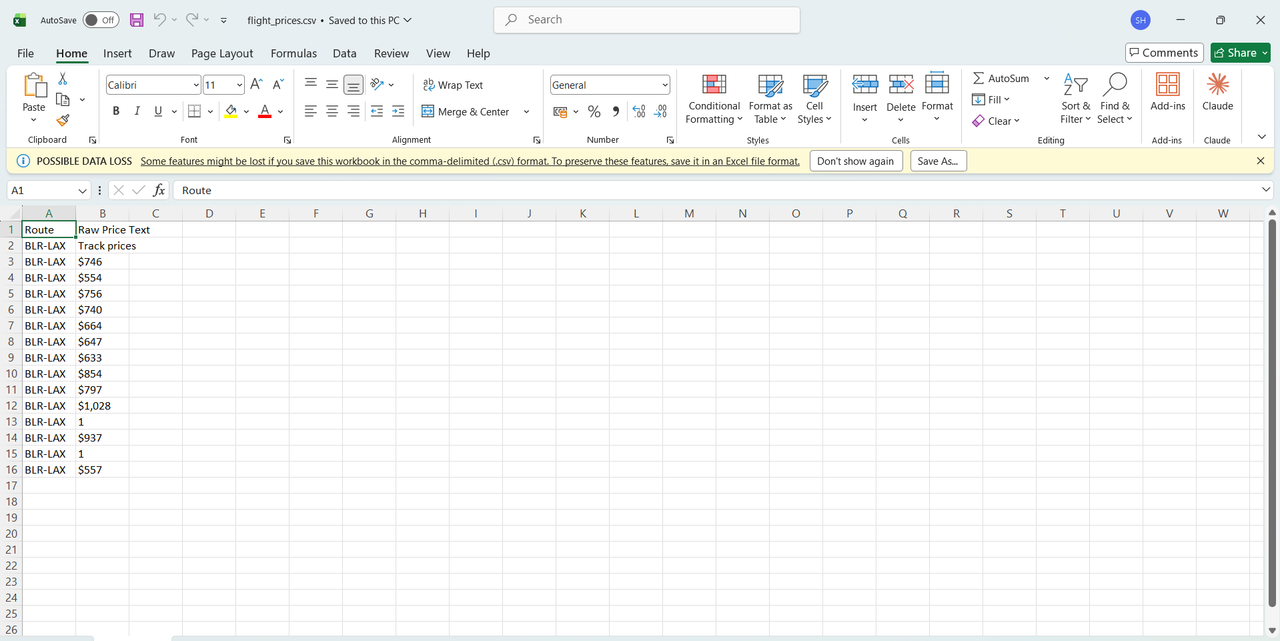
- Saved the scraped prices into a CSV and emailed it using a Gmail App Password through smtplib.
- Biggest hurdle was bot detection: headless Chrome got blocked, so I ran a visible browser and hid the automation signals, which got past it.
Results
Loaded real results and captured prices from around $554 to over $1000 with fare labels, saved them to a CSV and emailed it successfully.
Screenshots
TASK 9: Hashing – Secure Password Storage
Introduction
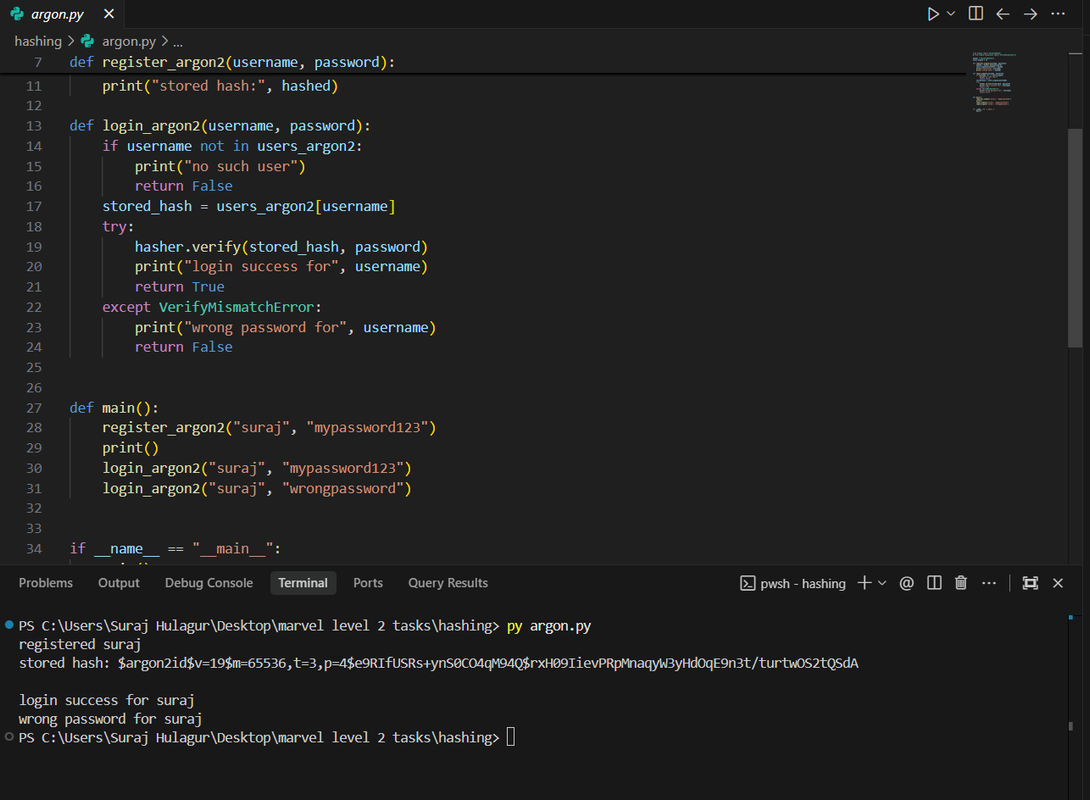
For this task I looked at how passwords should be stored and wrote a Python program to store and verify them securely, once with hashlib and once with argon2.
What I Did
- Learned why plain text and even plain hashing aren't enough, and why encryption isn't right since it can be reversed.
- Rainbow tables are precomputed hash lookups of common passwords used against leaked hashes.
- Salting adds a random value per user so the same password gives different hashes, which breaks rainbow tables.
- Slow hashing (argon2, bcrypt) adds cost and memory to each hash, which salting alone doesn't do.
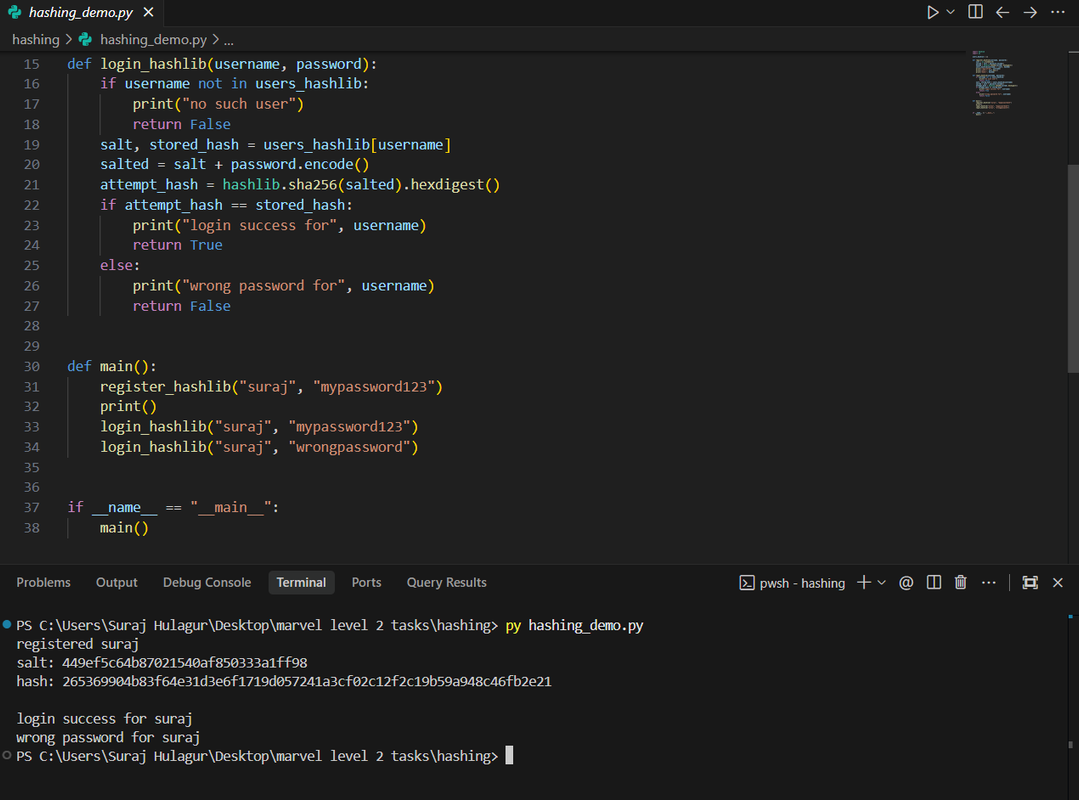
- Wrote a hashlib version using an os.urandom salt + SHA256, and an argon2 version that bundles the salt and settings into one string.
Screenshots
Repository Used
TASK 10: NMap – Network Scanning and Host Analysis
Introduction
For this task I used Nmap in a Kali VM to scan my own Windows machine and see what a scan reveals about a target.
What I Did
- Set the Kali VM to Bridged mode so it got its own IP on the same subnet as Windows.
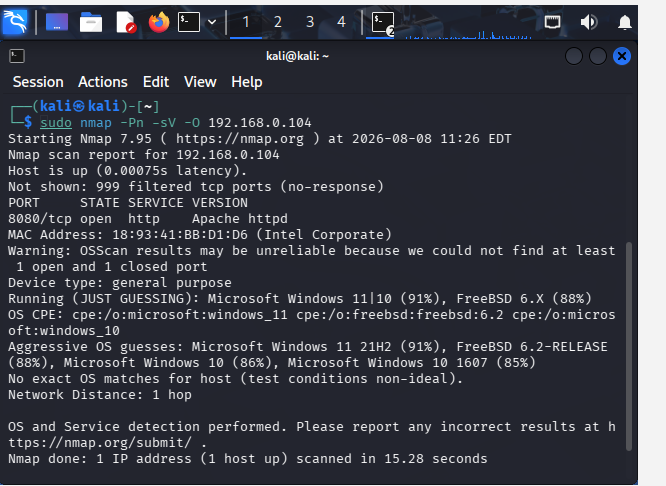
- A basic ping got no reply since Windows silently blocks ICMP, so I used
nmap -Pnto scan anyway. - Ran
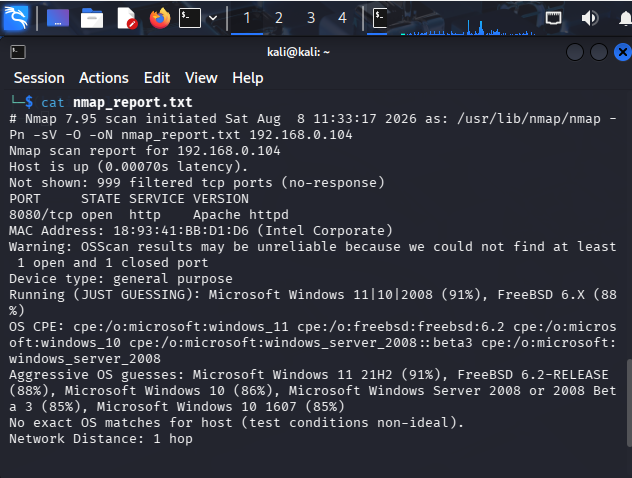
-sVfor service and version detection and-Ofor OS detection. - Saved the output to a file with
-oN nmap_report.txt.
Results
Of the top 1000 ports, 999 came back filtered (Windows Firewall dropping probes). Only 8080 was open, running Apache httpd. OS detection identified Windows 11 at 91% confidence.
Screenshots
Conclusion
This task made the difference between open, closed and filtered ports concrete, and showed how Nmap finds services and fingerprints an OS purely from network responses.