LEVEL 1 REPORT
9 / 10 / 2026
TASK 1: Working of a Version Control
Introduction
In this task, I learned the basics of Git version control and practiced the main commands for managing code repositories.
What I Did
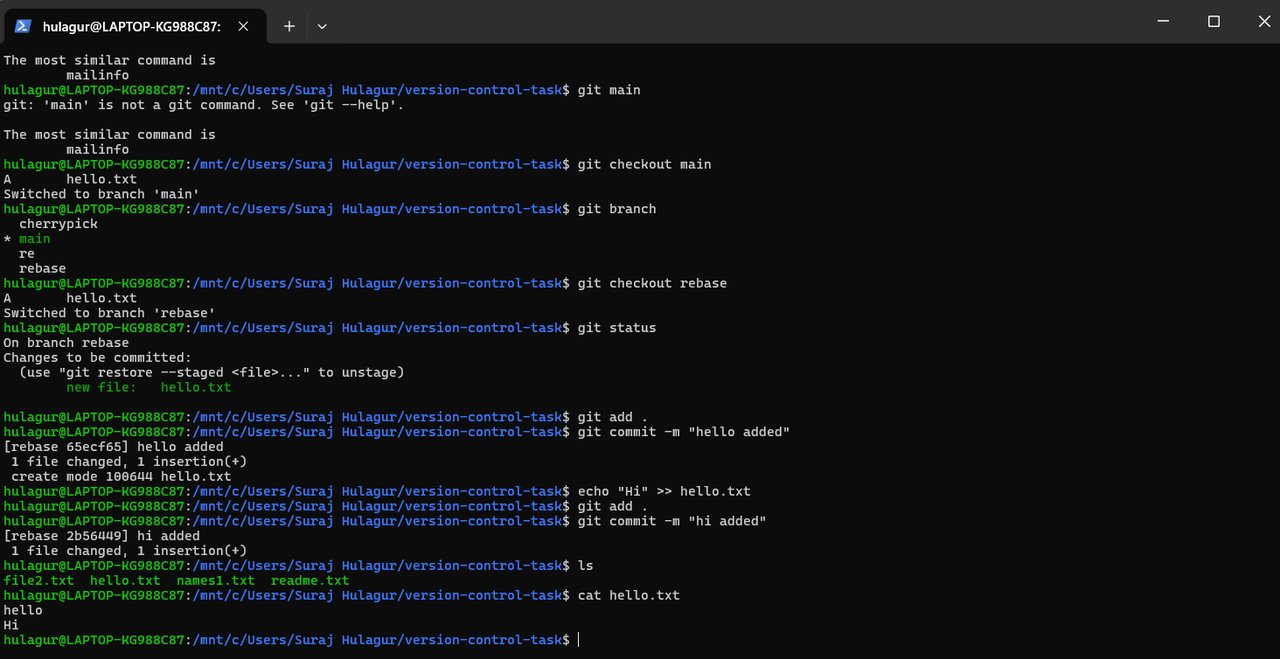
- Initialized a local repository using git init, made multiple commits and practiced branching.
- Practiced git merge and understood fast forward vs three way merge, and used git rebase to keep a linear history.
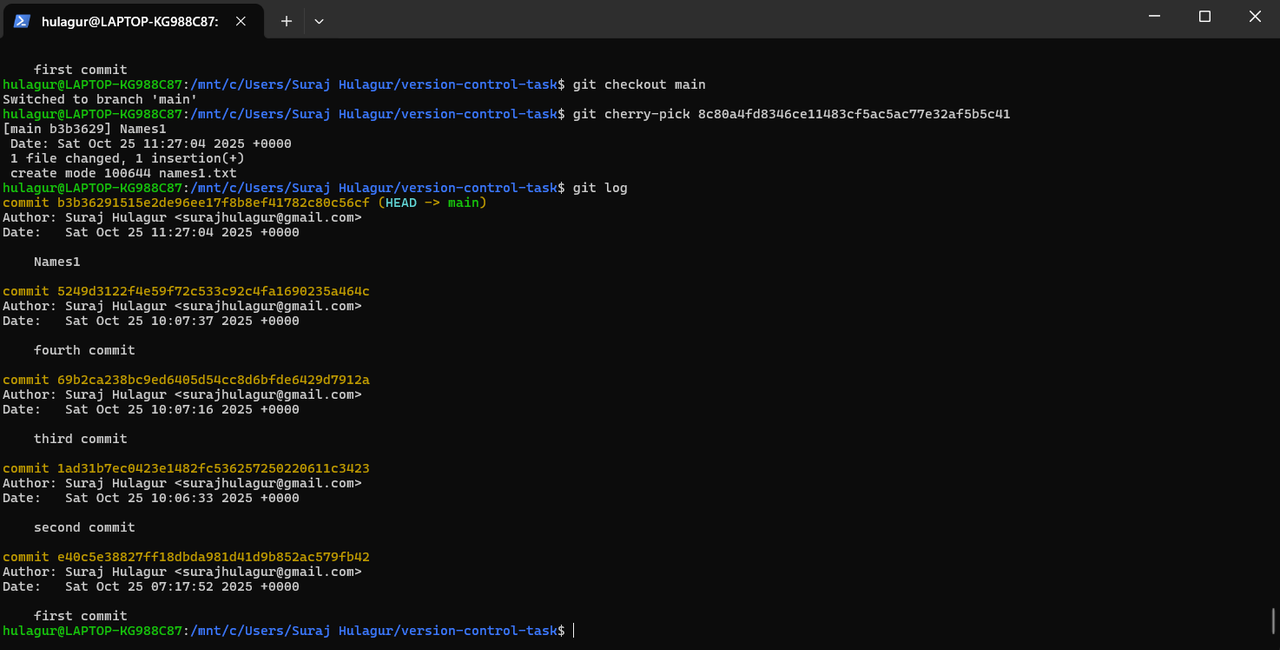
- Used git reset --hard, git revert and git cherry-pick, and checked commit history using git log.
Screenshots

Conclusion
This task helped me understand the difference between merge vs rebase, reset vs revert, and when to use cherry-pick.
TASK 2: Database Task – DynamoDB
Introduction
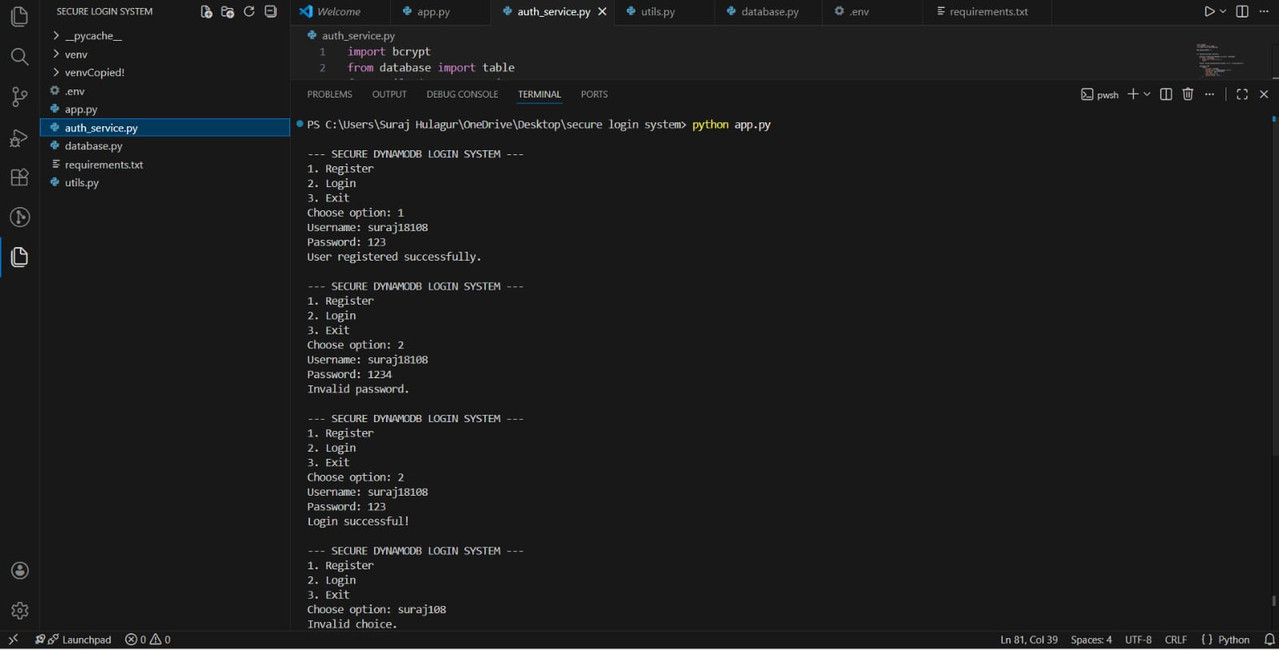
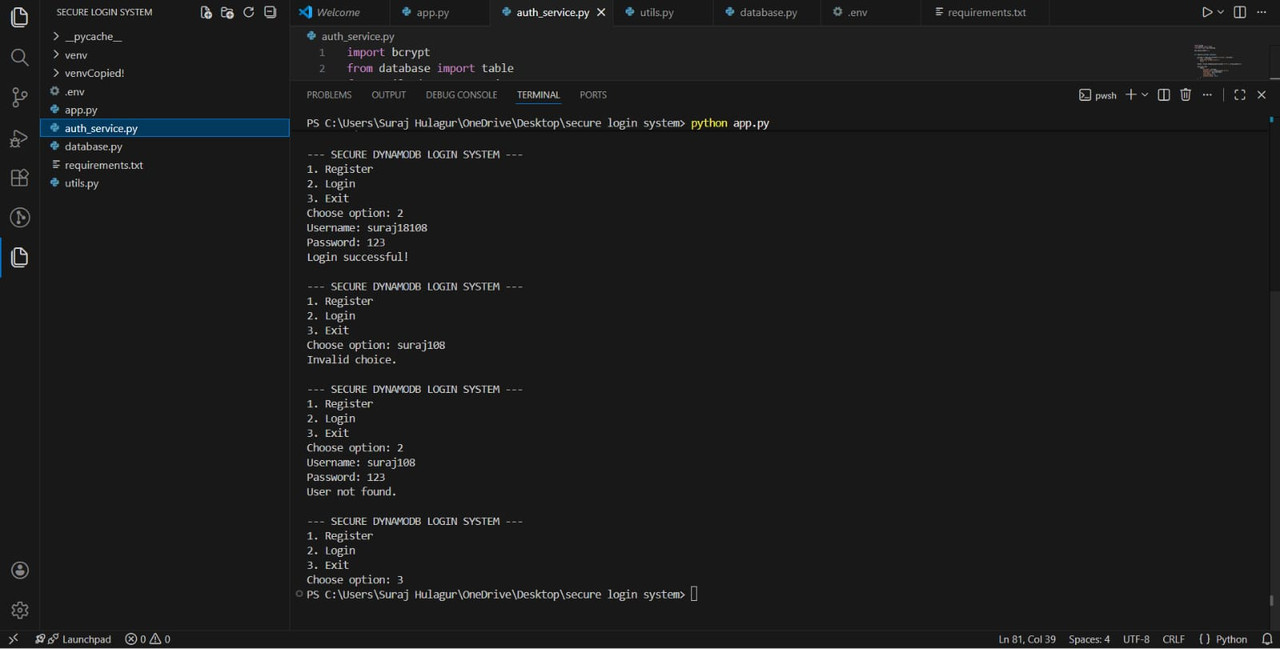
In this task, I made a secure user login system using Amazon DynamoDB, where users can register and login with a username and password.
What I Did
- Created a table named users with username as the partition key.
- Passwords are hashed using bcrypt before storing, and plain text passwords are never saved.
- Used put_item, get_item and update_item with Boto3, and the account gets locked after 3 wrong attempts.
- Faced a schema mismatch and IAM permission errors, fixed it by recreating the table and setting proper permissions.
Repository Used
Screenshots
Conclusion
This task gave me hands on experience with DynamoDB, NoSQL database design and secure password storage.
TASK 3: Create an Application on EC2 Instance
Introduction
In this task, I learned to deploy a web application on AWS EC2 instance and understood why AWS gives better control than platforms like Vercel.
What I Did
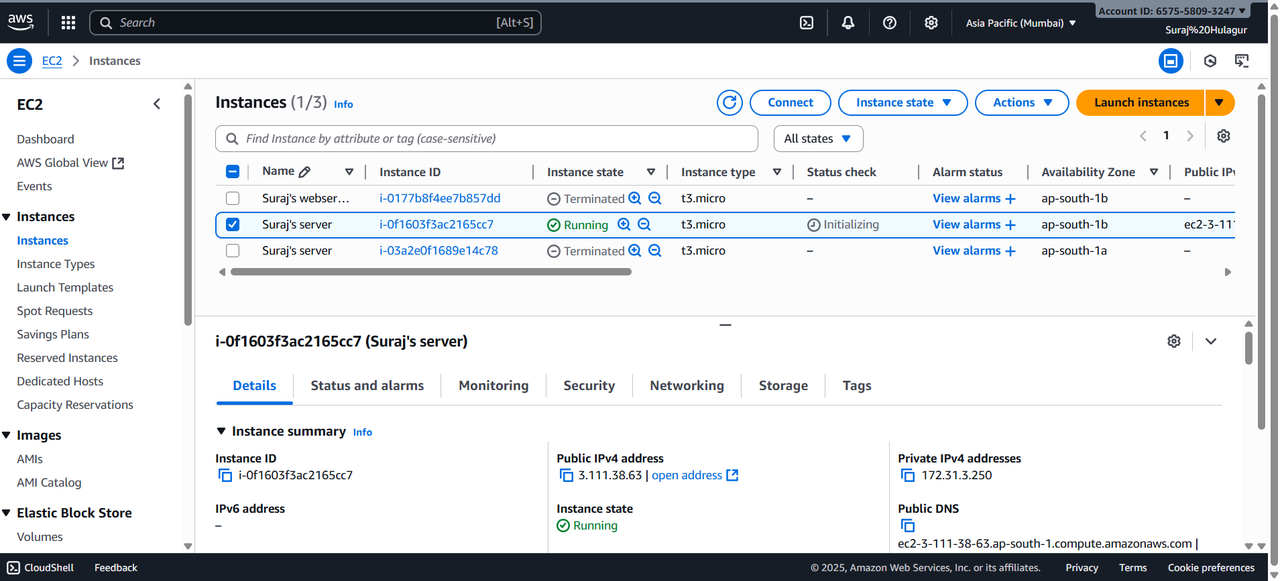
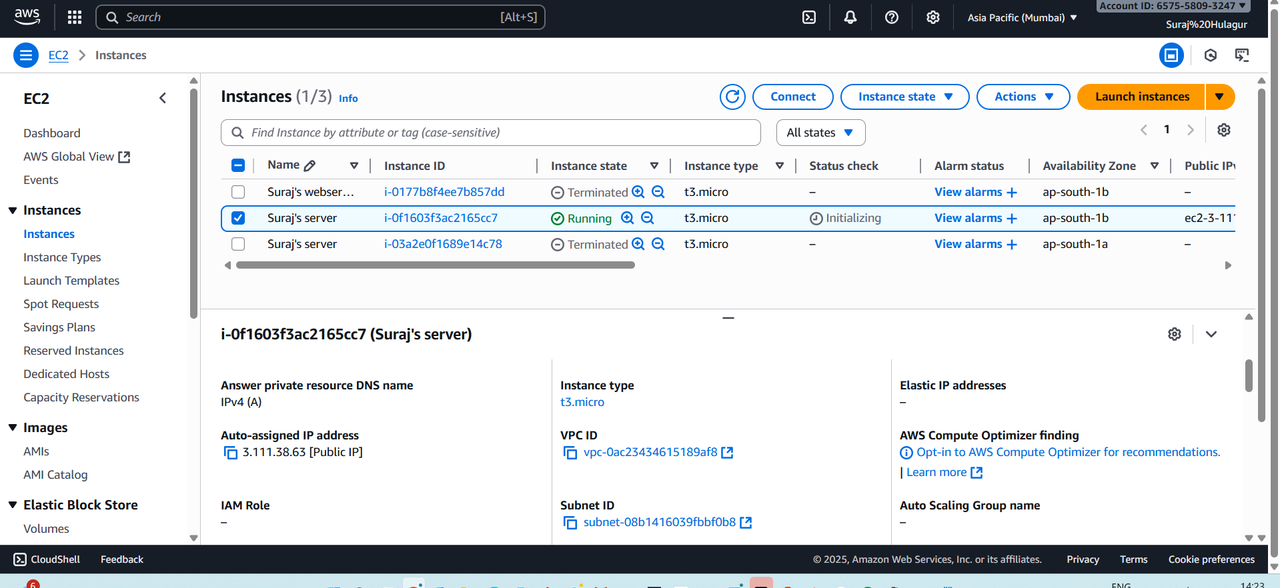
- Launched a t3.micro instance with Amazon Linux 2023 in Mumbai region (ap-south-1).
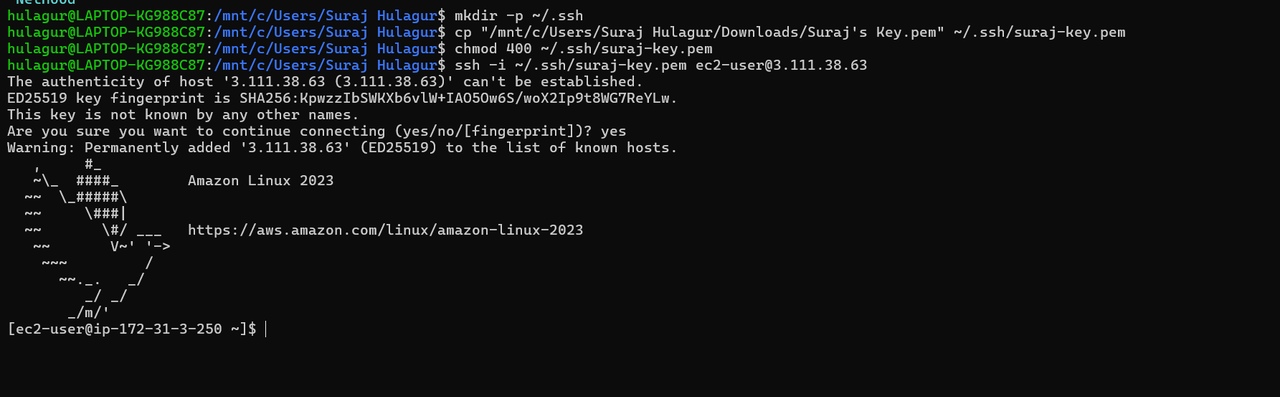
- Allowed HTTP (port 80) and SSH (port 22) in security groups and connected via SSH using WSL with the .pem key.
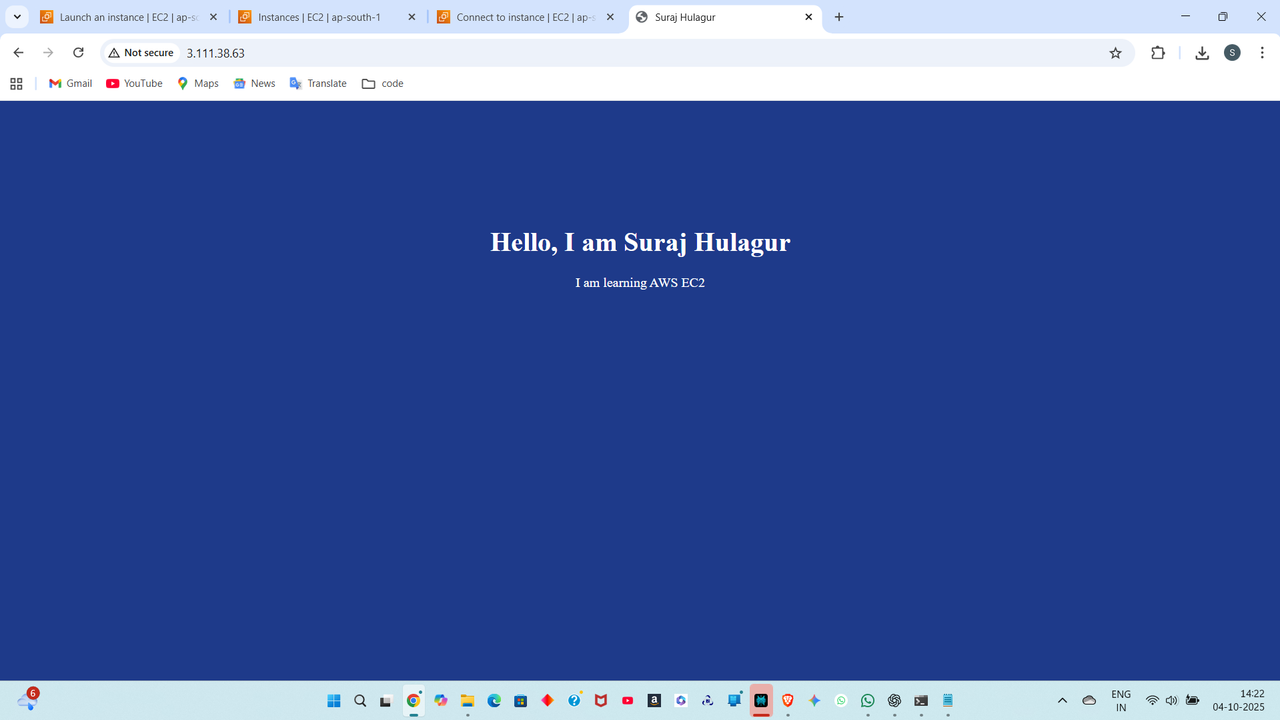
- Installed Apache and deployed a simple HTML page, accessed it using the public IP.
- Set up billing alerts and terminated the instance after testing.
Screenshots
Conclusion
This task gave me hands on experience with cloud deployment and learned the importance of security and cost management in AWS.
TASK 4: AWS CloudFront – Serve Content from Multiple S3 Buckets
Introduction
In this task, I stored content in two S3 buckets and served it using Amazon CloudFront.
What I Did
- Created two buckets, one for static content and one for images and dynamic pages.
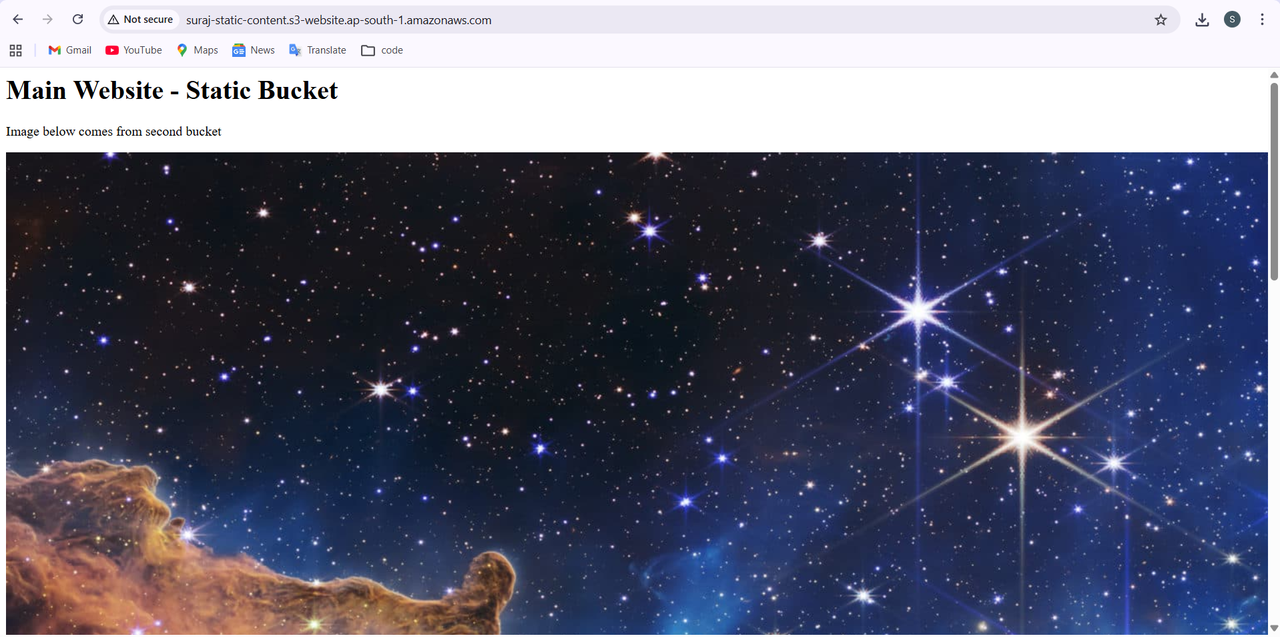
- Enabled static website hosting with index.html, which loads an image from the second bucket.
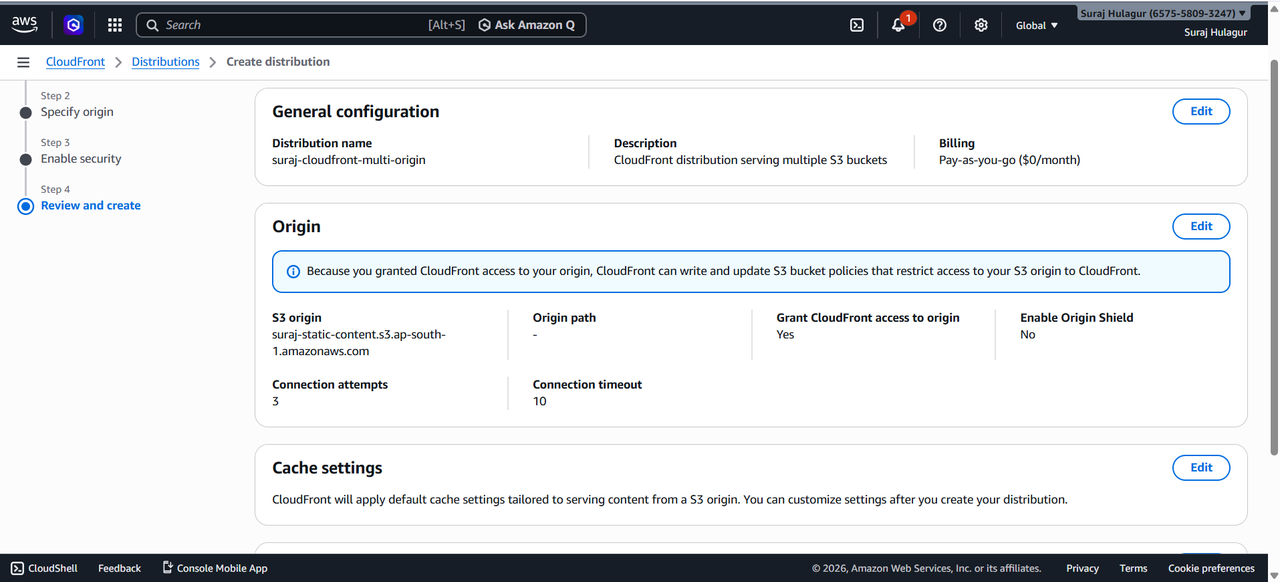
- Gave public read access using bucket policy and created a CloudFront distribution with S3 as the origin.
Screenshots
Conclusion
This task helped me understand how S3 and CloudFront are used together to deliver content faster.
TASK 5: Kali Linux – Basic Penetration Testing
Introduction
In this task, I explored Kali Linux, which is used for penetration testing and cybersecurity.
What I Did
- Installed Kali Linux as a virtual machine using VirtualBox.
- Learned the basic phases of penetration testing like reconnaissance and scanning.
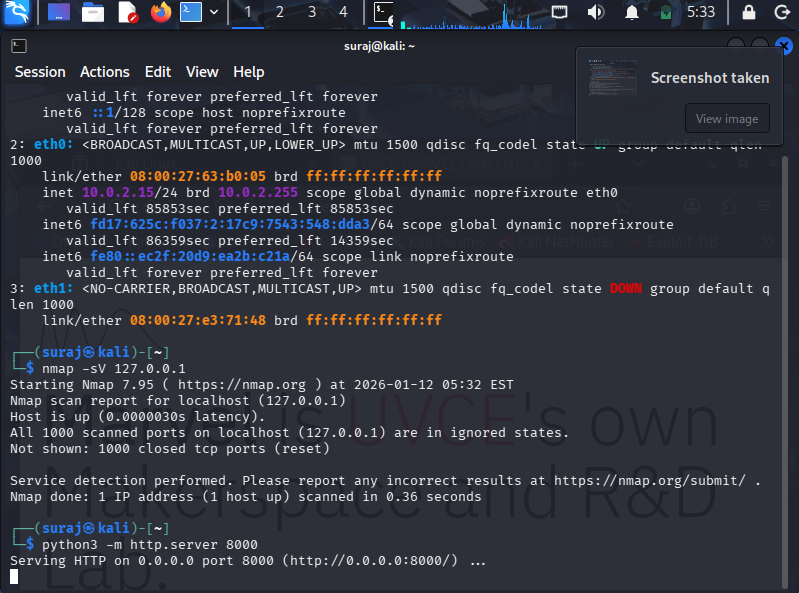
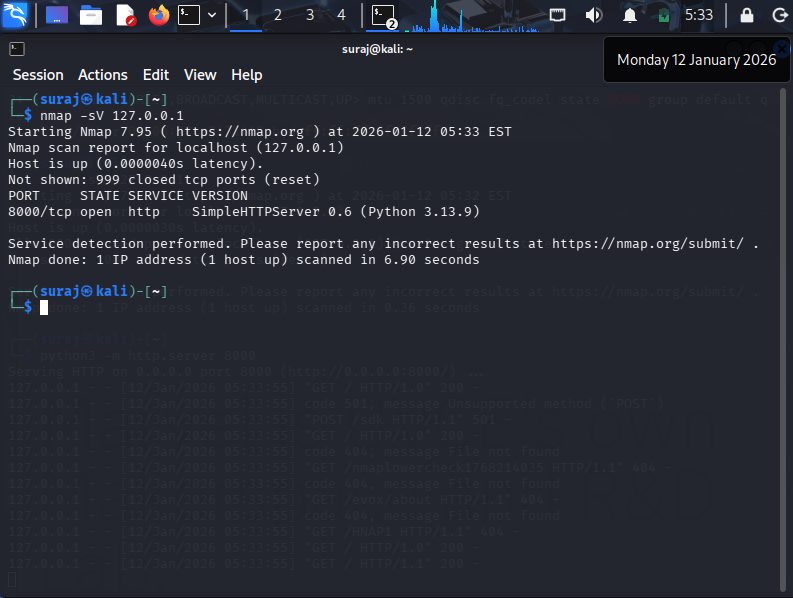
- Used Nmap to scan a target and found open ports, services and their versions.
Screenshots
Conclusion
This task gave me a basic idea of penetration testing and how tools like Nmap find security weaknesses. Also learned it should only be done with permission.
TASK 6: Socket.IO – Real Time Chat Application
Introduction
In this task, I made a real time chat app using Node.js and Socket.IO to understand two way communication between client and server.
What I Did
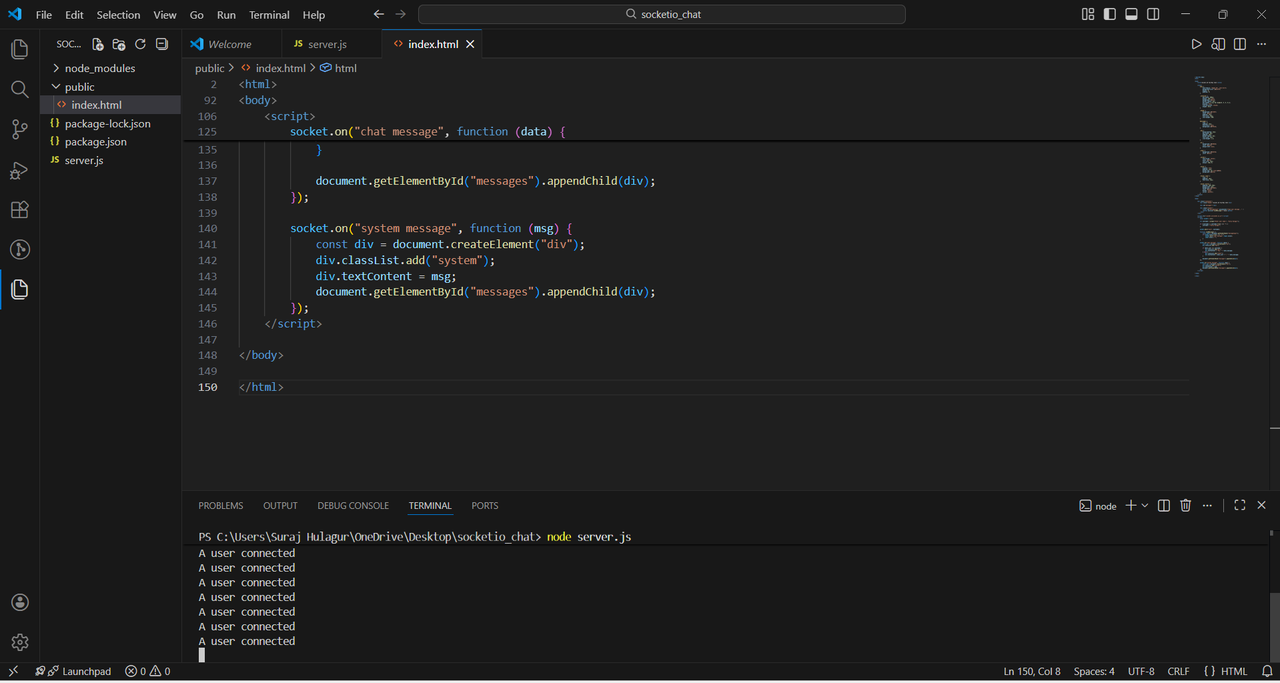
- Set up a Node.js project with Express and Socket.IO.
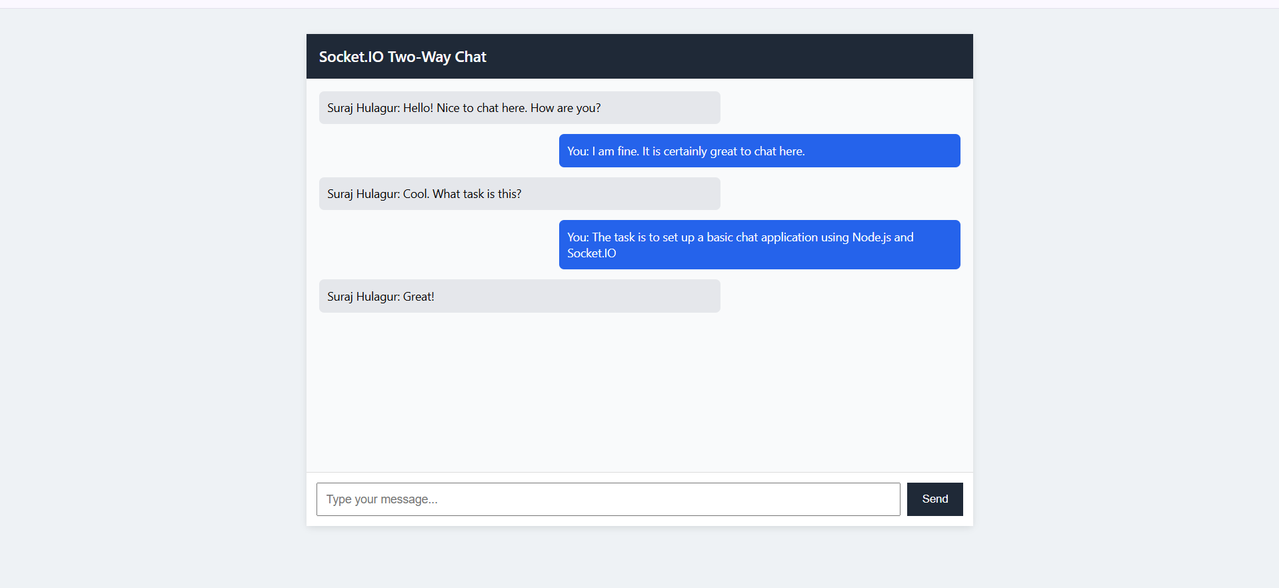
- When a user opens the app, it sends the username, and messages are sent as Socket.IO events instead of HTTP requests.
- The server broadcasts the message to everyone, tested it by opening the app in multiple browser tabs.
Screenshots
Conclusion
This task helped me understand how WebSockets work and how messages are sent instantly without refreshing the page.
TASK 7: OSI Model
Introduction
In this task, I studied the OSI model and understood how computers communicate over networks. OSI has 7 layers and TCP/IP is the practical version used on the internet.
What I Learned
- The 7 layers and protocols like HTTP, DNS, TCP, UDP and IP.
- IPv4 vs IPv6, subnet masks, DHCP, TCP 3 way handshake.
- Routers, switches, firewalls and NAT.
Notes Link
I made handwritten notes for this. Sorry for the bad handwriting, I had made these for myself. View My Notes (PDF)
Conclusion
This task helped me understand how data flows through the layers and the difference between OSI and TCP/IP.
TASK 8: IaaS, PaaS and SaaS
Introduction
In this task, I learned the three types of cloud services based on how much control the user has.
What I Learned
- IaaS gives servers, storage and networking, and we manage the OS and apps. Example: AWS EC2.
- PaaS gives a ready platform to build and deploy apps without managing servers. Example: Elastic Beanstalk.
- SaaS is ready to use software in the browser. Example: Gmail, Zoom.
Conclusion
This task helped me understand that IaaS gives the most control, PaaS is for developers and SaaS is for end users.
TASK 9: Encryption Techniques – Secure Messaging Application
Introduction
In this task, I learned encryption and decryption and made a simple secure messaging app in Python.
What I Did
- Learned Caesar, Vigenère and Substitution ciphers.
- Understood that SHA256 is hashing and not encryption since it can't be reversed.
- Learned symmetric vs asymmetric encryption and how RSA uses large prime numbers.
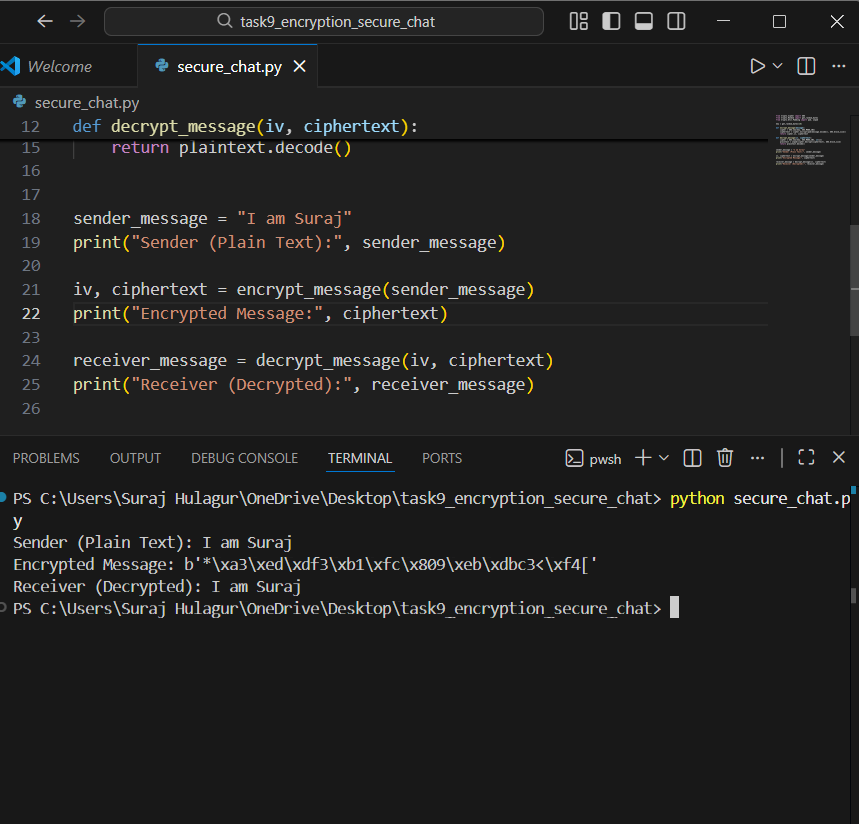
- Used PyCryptodome with AES to encrypt the message on sender side and decrypt it on receiver side using the same key.
Repository Used
Screenshot
Conclusion
This task helped me understand how secure messaging works and the difference between encryption and hashing.
TASK 10: IP Addressing and Web Scraping
Introduction
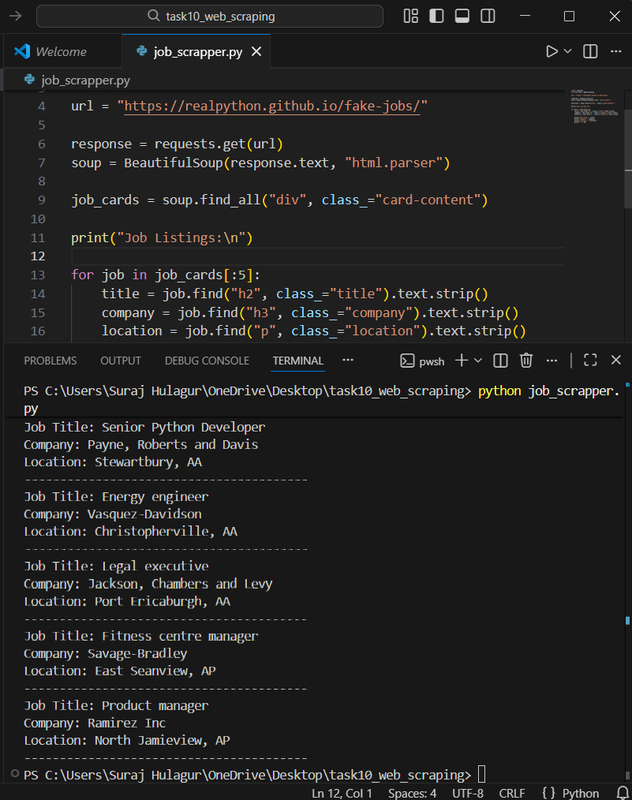
In this task, I made a job listings scraper in Python. Scraping sends an HTTP request to the server's IP address and gets HTML back, which helped me connect it with IP addressing and TCP/IP.
What I Did
- Sent HTTP GET requests to a static job listings page using Python.
- Parsed the HTML using BeautifulSoup and extracted the job details.
- Displayed the data in the terminal.
Repository Used
Screenshot
Conclusion
This task helped me understand how web scraping works and how it depends on IP addressing and protocols.