4 / 10 / 2026
MARVEL Level 1
My Level 1 journey in Cloud Computing (CL) and Cybersecurity (CY) covering practical implementation and key concepts.
CL – Cloud Computing
Task 1: Working with Git and GitHub Basics
I learned Git and GitHub for version control and collaboration. I practiced cloning, committing, pushing, branching, pull requests, merging, conflict resolution, rebase, revert, and cherry-pick.
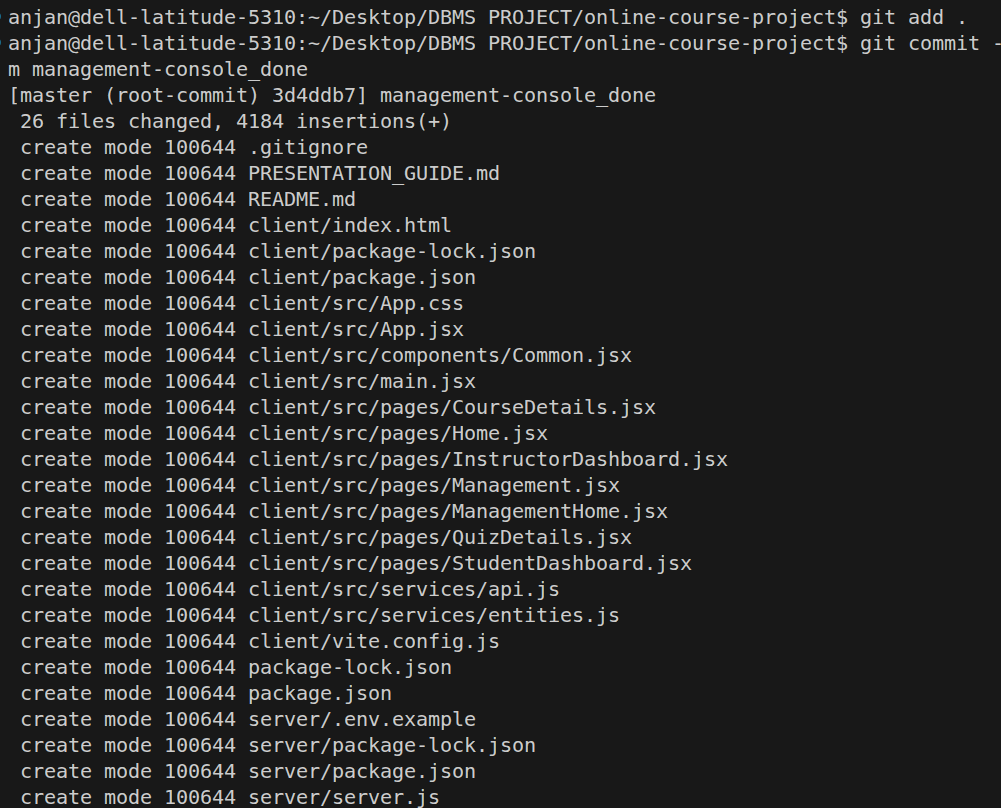
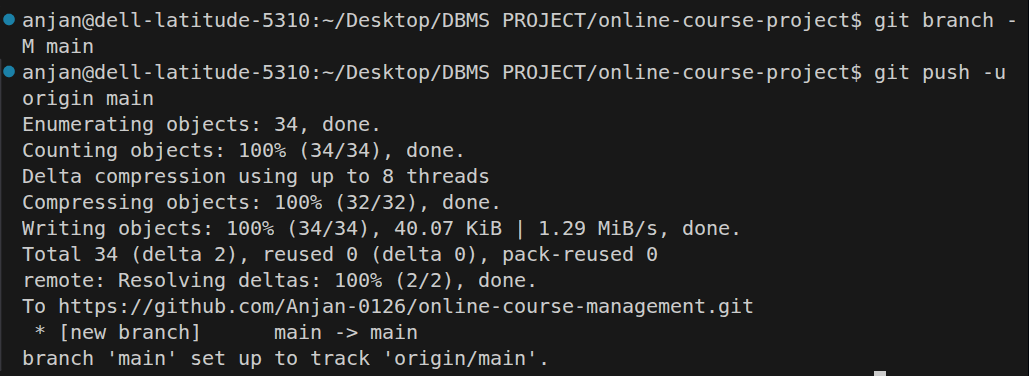
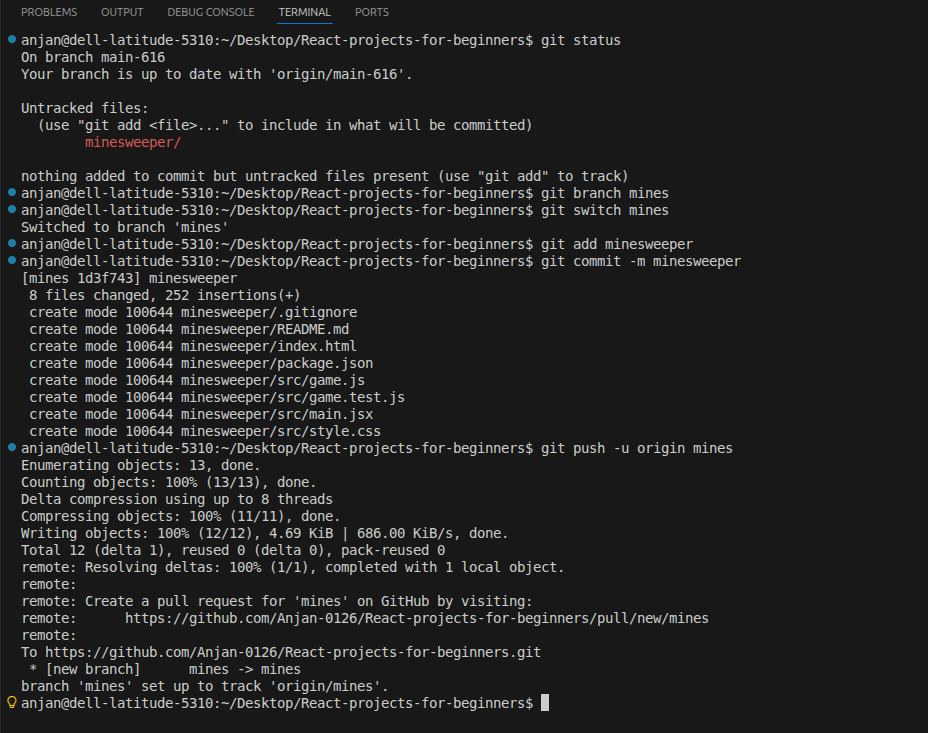
Outcome: Understood Git/GitHub workflows, branching, merging, conflict resolution, and open-source collaboration.
Task 2: Exploring Docker Fundamentals
I learned Docker fundamentals including images, containers, Docker Hub, and containers vs virtual machines. I practiced pulling images, creating containers, checking logs, inspecting containers, and managing their lifecycle.
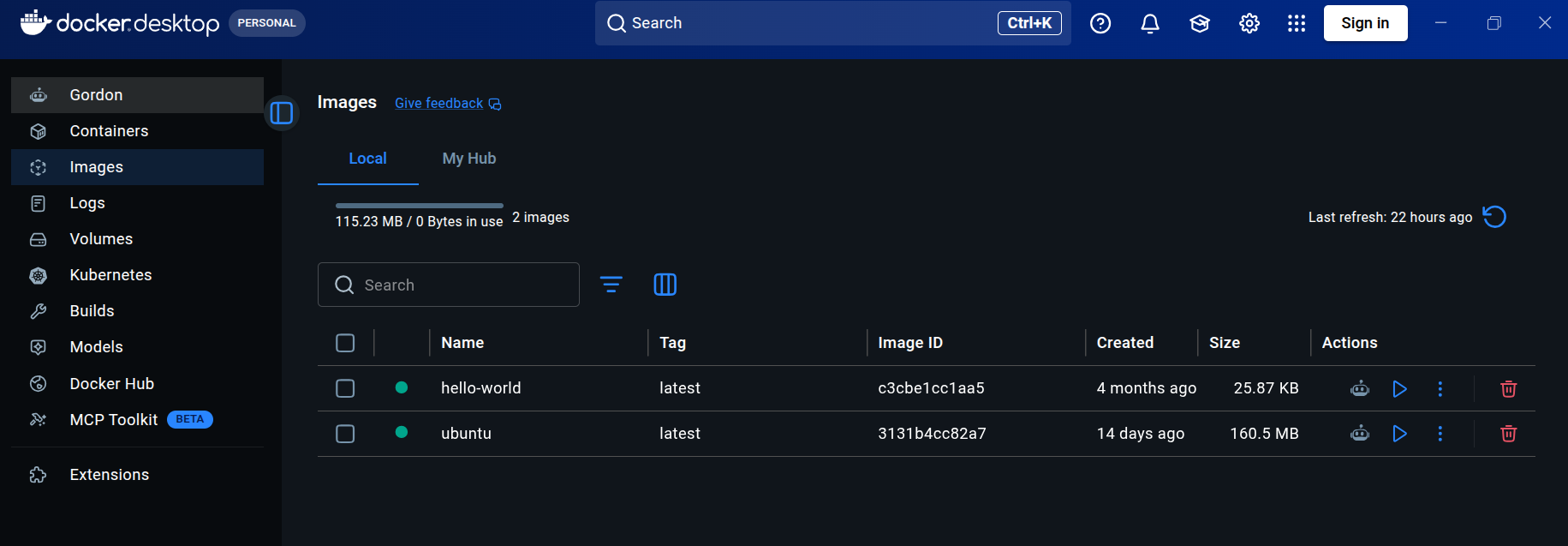
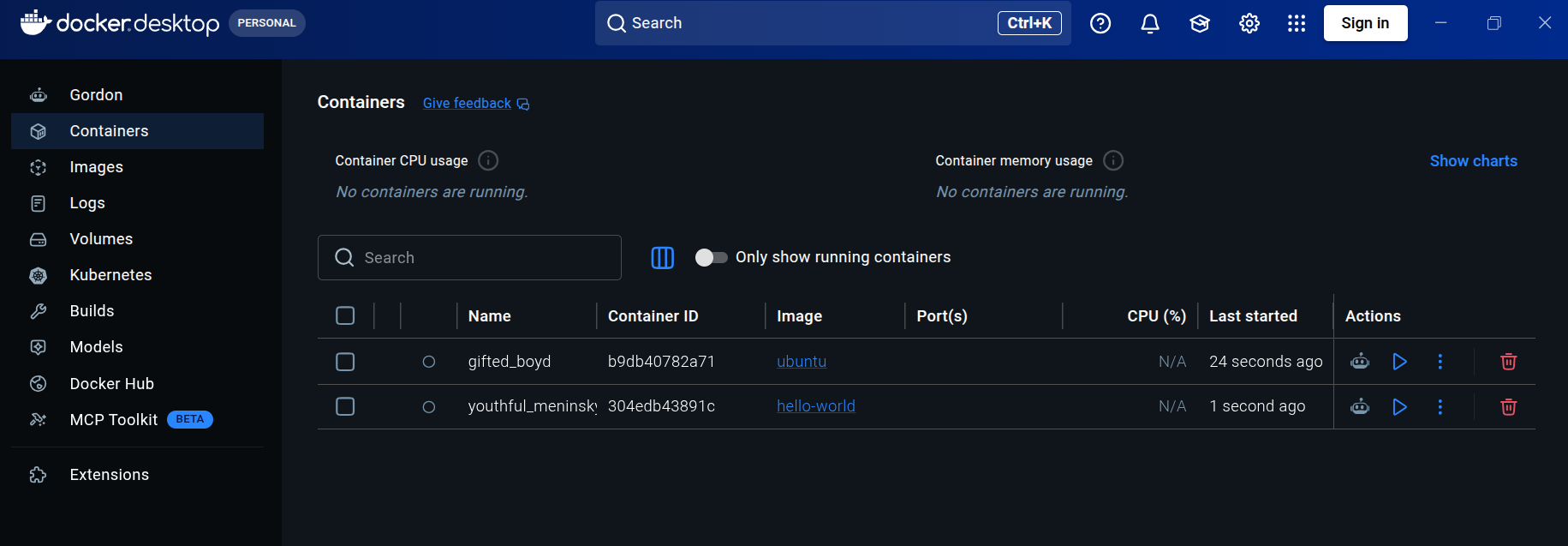
Outcome: Learned to create and manage Docker containers using Docker CLI.
Task 3: Dockerize a Simple Application
I created a simple application, wrote a Dockerfile, built its image, started a container, mapped the port, and accessed the application through a browser.
FROM nginx:alpine
COPY . /usr/share/nginx/html
EXPOSE 80
CMD ["nginx", "-g", "daemon off;"]
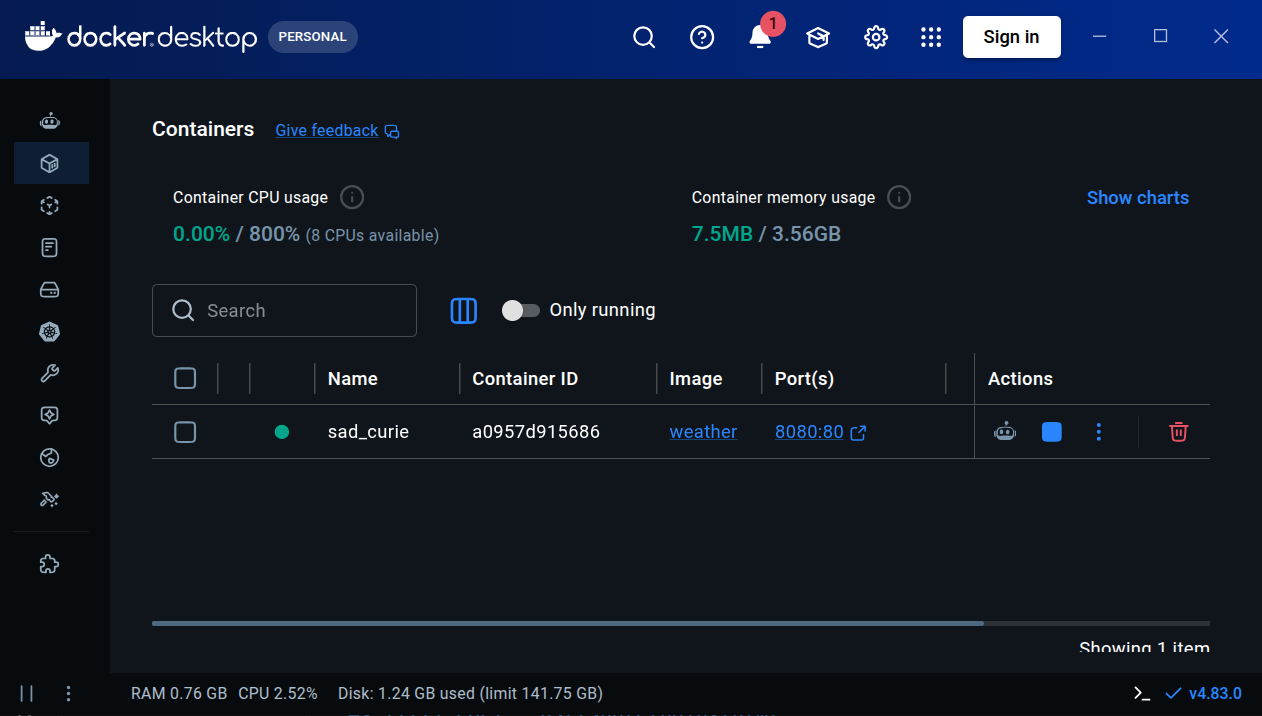
Outcome: Successfully containerized and ran an application using Docker.
Task 4: Launch and Manage an AWS EC2 Instance
I launched an AWS EC2 instance, configured security groups for SSH and HTTP, connected using SSH with a .pem key, installed Nginx, and accessed it using the public IP.
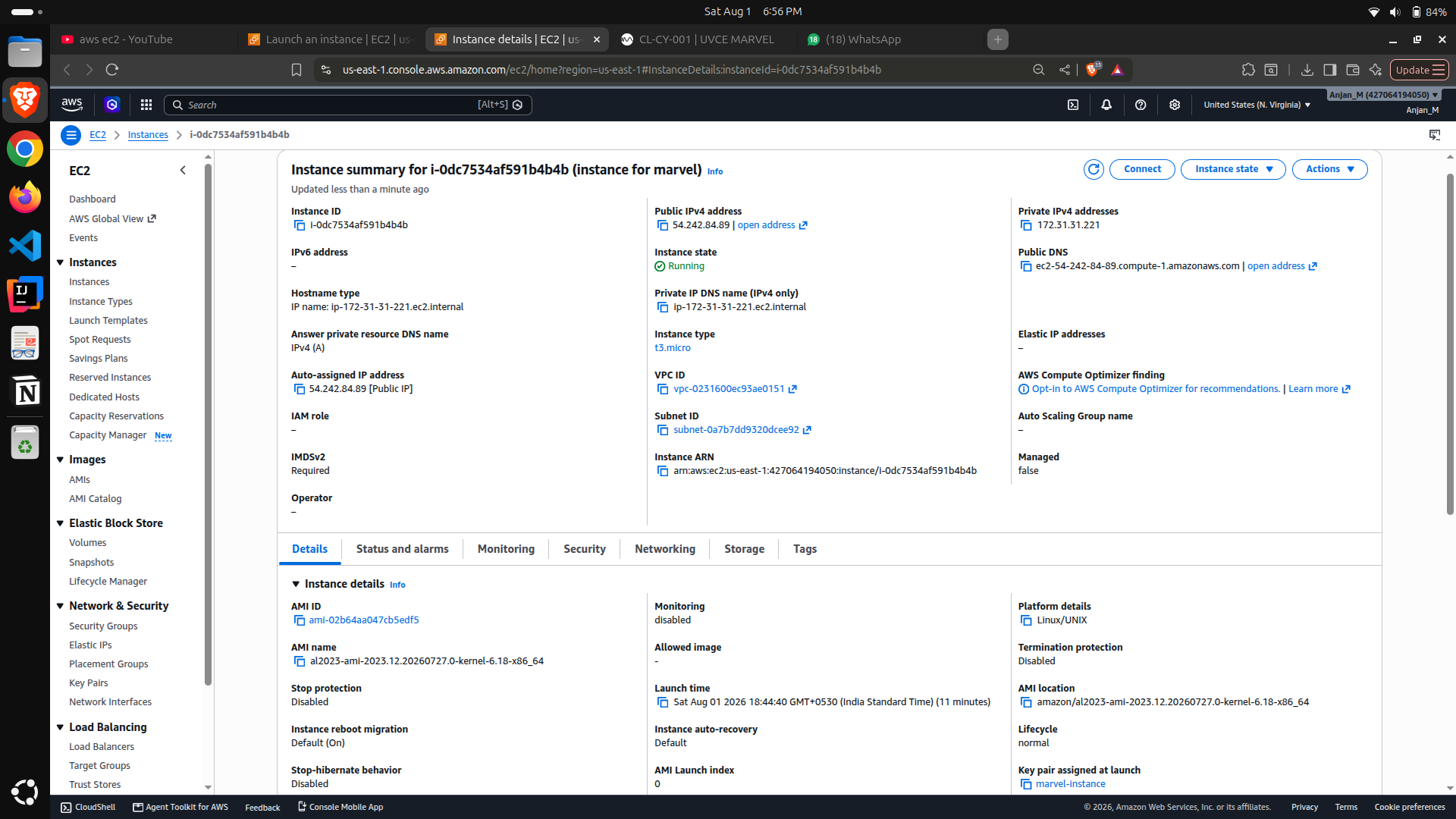
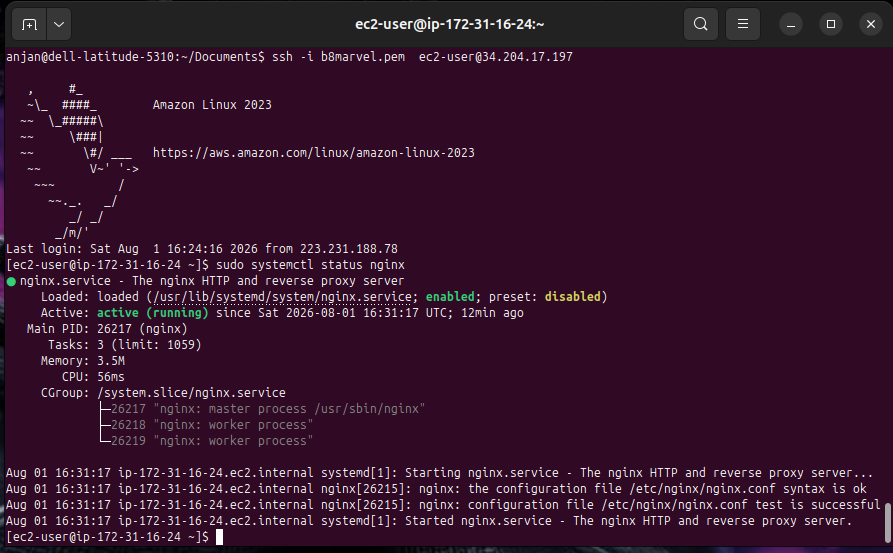
Outcome: Learned EC2, SSH, security groups, public IPs, and cloud web hosting.
Task 5: Kubernetes Basics and Writing Pod Specs
I learned Kubernetes clusters, nodes, Pods, and the Control Plane. Using Minikube, YAML, and kubectl, I created and managed a Pod and inspected its status and logs.
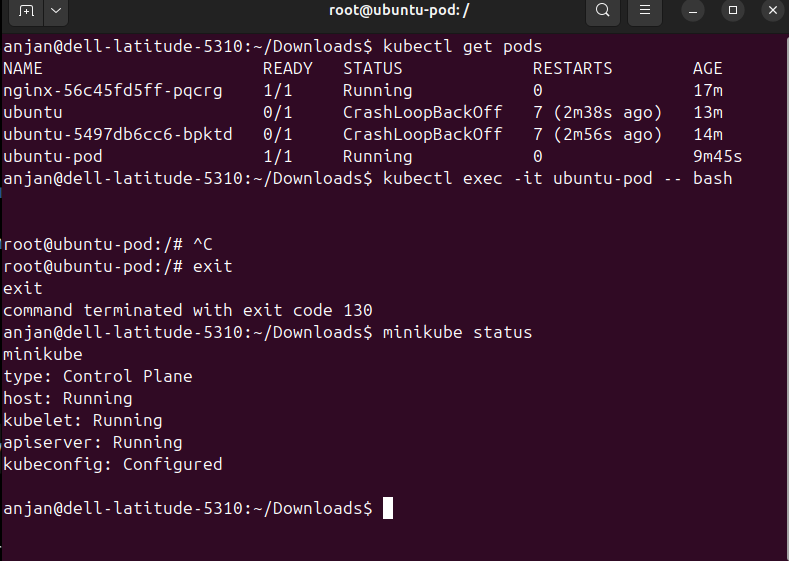
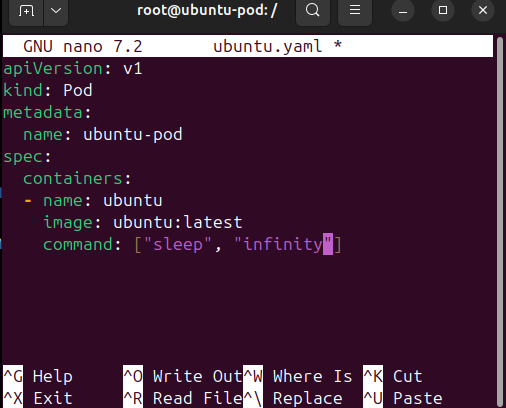
Outcome: Learned Kubernetes basics, Pods, YAML, Minikube, and kubectl.
Task 6: Manage AWS S3 and IAM with CLI
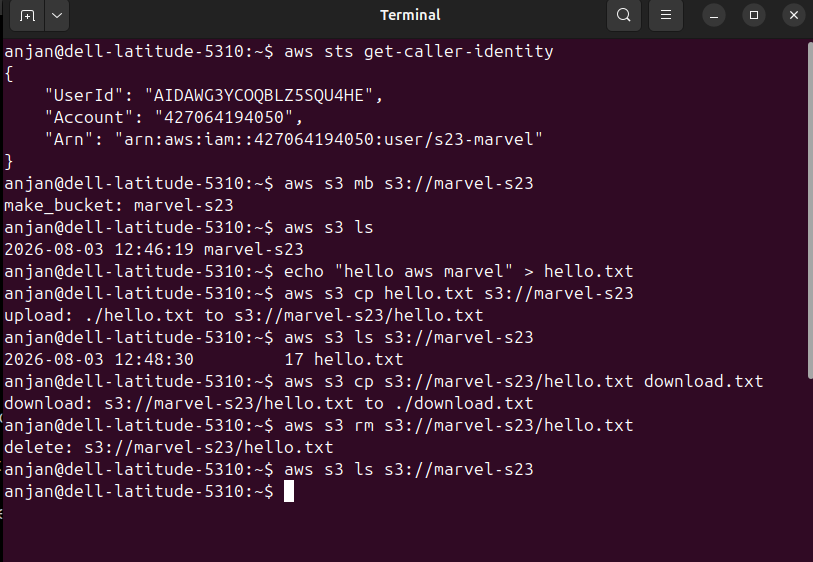
I created an IAM user, configured AWS CLI, created an S3 bucket, and practiced uploading, listing, downloading, and deleting objects.
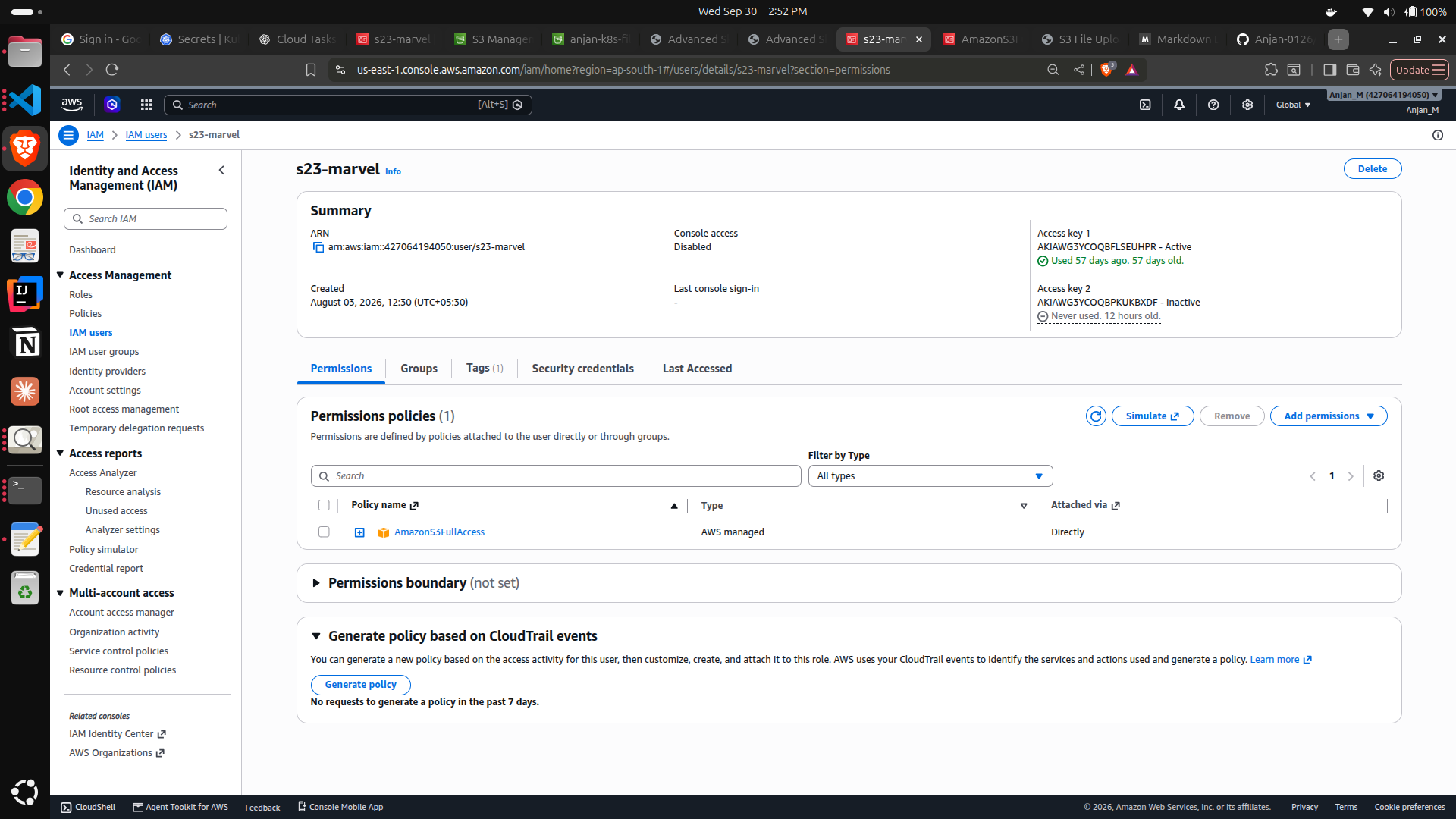
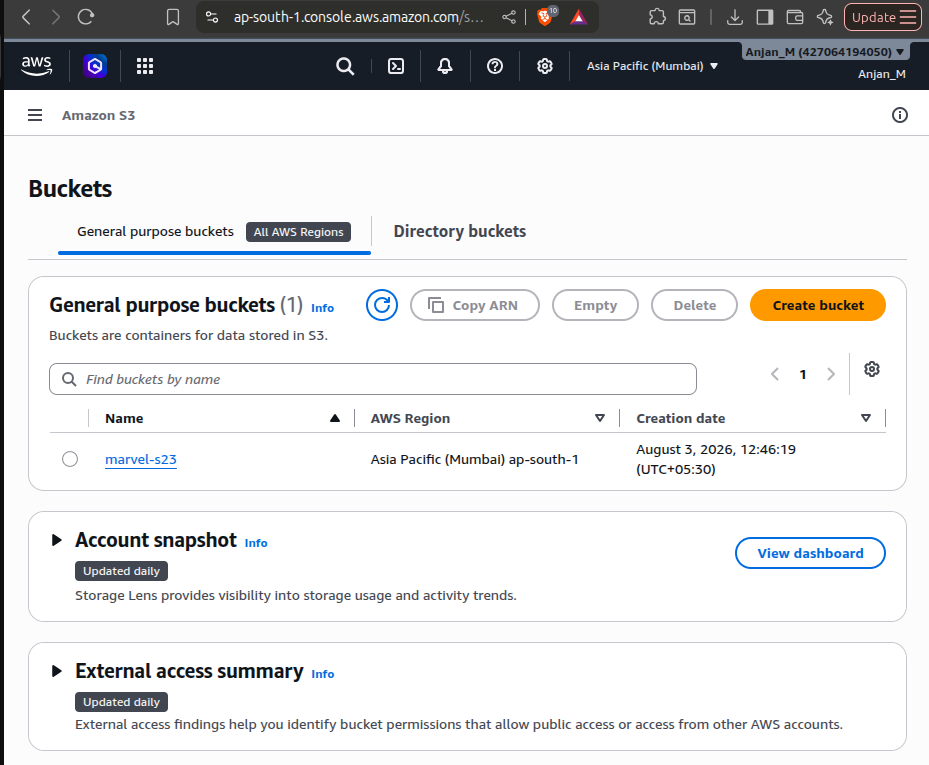
Outcome: Learned IAM permissions, AWS CLI, S3 buckets, objects, and least-privilege access.
Task 7: Deploy a Containerized Application on Kubernetes
I created a Kubernetes Deployment with multiple replicas and used ClusterIP and NodePort Services to expose the application. I also practiced scaling the Deployment.
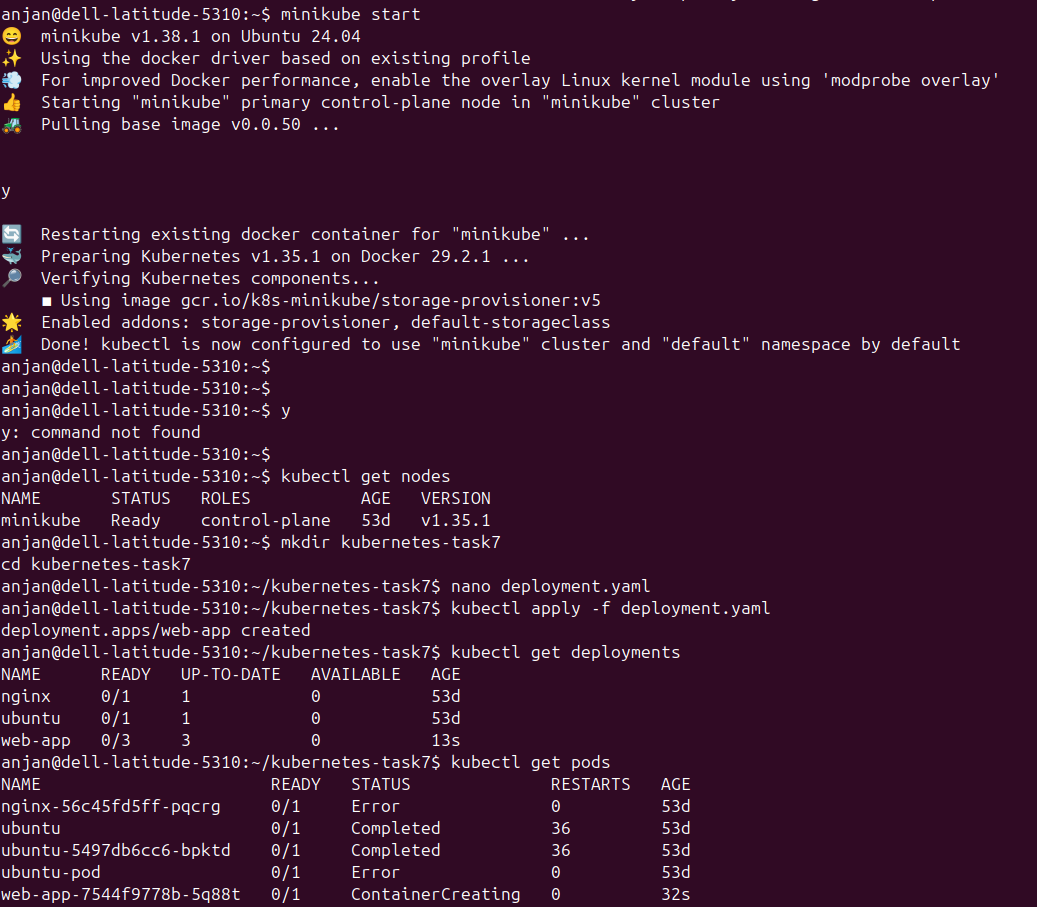
Outcome: Successfully deployed, exposed, and scaled a containerized application using Kubernetes.
Task 8: Use Kubernetes Secrets and Environment Variables
I created a ConfigMap for configuration and a Kubernetes Secret for AWS credentials. These values were injected into the container as environment variables instead of being hardcoded.
Outcome: Learned ConfigMaps, Secrets, environment variables, and secure credential management.
Task 9: Deploy an App to Push Files from Kubernetes to S3
I developed a file-upload application, containerized it with Docker, and deployed it on Minikube. AWS credentials were stored in Kubernetes Secrets, allowing the application to securely upload files to S3.
User → Application → Docker → Kubernetes → Kubernetes Secrets → AWS S3
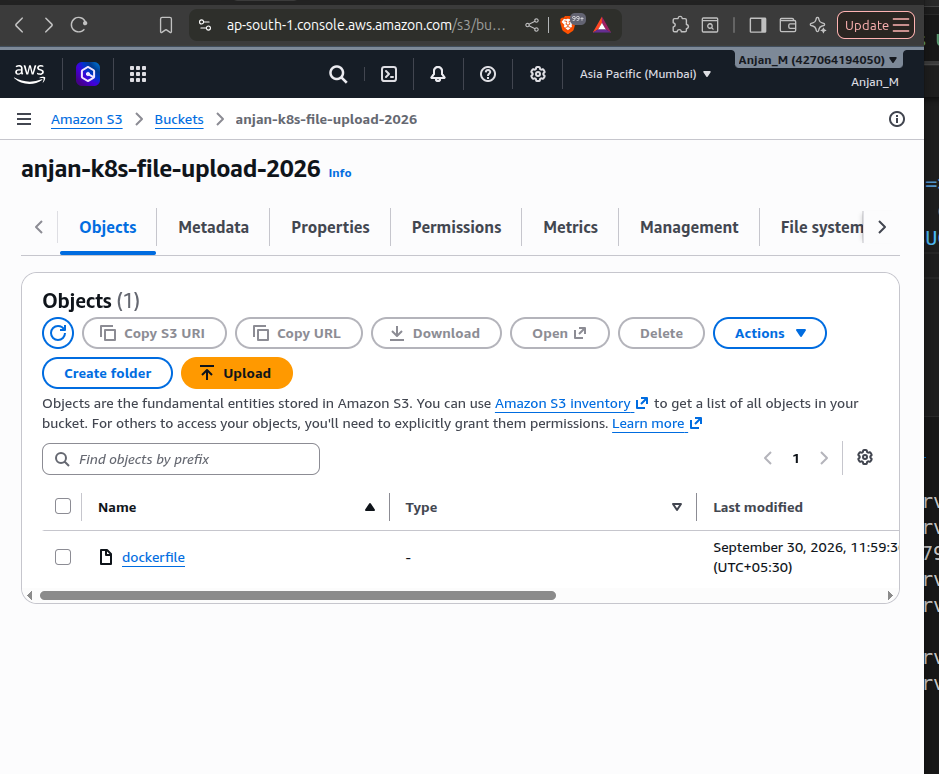
Outcome: Successfully integrated Docker, Kubernetes, IAM, Secrets, and AWS S3.
CY – Cybersecurity
The Cybersecurity tasks were completed through TryHackMe, covering networking, protocols, Windows, Linux, cryptography, cybersecurity principles, and Red Teaming.
Task 1: Fundamentals of Computer Networking – Introduction
Learned how computers and devices connect and communicate through networks, including LAN and WAN.
Task 2: Fundamentals of Computer Networking – Internet
Learned how the Internet connects multiple networks and how routers allow devices on different networks to communicate.
Task 3: Fundamentals of Computer Networking – IP Address
Learned how IP addresses identify devices and allow data to be routed between source and destination systems.
Task 4: Fundamentals of Computer Networking – Ports
Learned how ports identify applications and network services. Different services use specific TCP or UDP port numbers.
Task 5: Fundamentals of Computer Networking – Packets & Frames
Learned how data is divided for transmission and understood the role of packets, frames, and encapsulation in network communication.
Task 6: Fundamentals of Computer Networking – Networking Devices
Learned the functions of routers, switches, access points, and firewalls in connecting devices and protecting networks.
Task 7: Protocols – DNS
Learned how DNS (Domain Name System) translates human-readable domain names into IP addresses so devices can locate servers.
Task 8: Protocols – DHCP
Learned how DHCP automatically provides network configuration such as IP addresses to devices.
The DHCP process follows DORA: Discover → Offer → Request → Acknowledge.
Task 9: Protocols – ICMP
Learned how ICMP is used for network diagnostics and how commands such as ping test whether another device is reachable.
Task 10: Protocols – HTTP(S)
Learned how HTTP enables communication between web browsers and servers and how HTTPS secures this communication using encryption.
Task 11: Protocols – Other Important Models
Learned how networking models divide communication into layers and help explain how different networking protocols work together.
Task 12: Windows – Introduction
Learned Windows fundamentals and explored important operating-system components from a cybersecurity perspective.
Task 13: Windows – PowerShell
Learned how PowerShell commands and cmdlets can be used for Windows administration, scripting, and automation.
Task 14: Windows – PowerShell vs CMD
Compared CMD and PowerShell. CMD provides traditional command-line functionality, while PowerShell provides advanced scripting and automation capabilities.
Task 15: Windows – System32
Learned that the Windows System32 directory contains important executables, libraries, drivers, and system utilities.
Task 16: Windows – User Accounts & UAC
Learned about Windows accounts, privileges, permissions, administrator access, and how User Account Control helps prevent unauthorized administrative changes.
Task 17: Windows – Security
Learned Windows security mechanisms including authentication, access control, Windows Security, and firewall protection.
Task 18: Linux – Introduction
Learned Linux fundamentals, terminal usage, commands, and why Linux is widely used in servers, cloud computing, and cybersecurity.
Task 19: Linux – File Systems
Learned Linux filesystem organization and practiced navigating and managing files and directories using terminal commands.
Task 20: Cryptography – Part 1
Learned the fundamentals of cryptography and how it protects information. Encryption converts plaintext into ciphertext, while decryption converts ciphertext back into plaintext.
Task 21: Cryptography – Part 2
Learned the difference between symmetric encryption, which uses a shared secret key, and asymmetric encryption, which uses public and private keys.
Task 22: Cipher Breaker Challenge
Applied cryptography concepts to analyze encrypted information, identify patterns, and recover the original message.
Task 23: Principles of Cybersecurity – CIA
Learned the CIA Triad: Confidentiality protects information from unauthorized access, Integrity protects information from unauthorized modification, and Availability ensures systems and information remain accessible when required.
Task 24: Principles of Cybersecurity – CIA Explanation
Explored practical applications of the CIA Triad and how different security controls protect confidentiality, integrity, and availability.
Task 25: Red Teaming
Learned how authorized Red Teams simulate attacker behavior to identify vulnerabilities before malicious attackers can exploit them.
Task 26: Red Teaming Continuation
Learned Red Team methodology, vulnerability identification, security assessments, and the importance of authorization and clearly defined scope during penetration testing.
Overall Outcome
MARVEL Level 1 provided practical exposure to both Cloud Computing and Cybersecurity.
In Cloud Computing, I gained hands-on experience with Git, Docker, AWS EC2, IAM, S3, Kubernetes, Minikube, ConfigMaps, and Secrets.
In Cybersecurity, I developed a foundation in networking, protocols, Windows, Linux, cryptography, CIA security principles, and Red Teaming.
Cloud workflow: GitHub → Docker → Kubernetes → AWS