
SYEDA MIHAD'S EV-RE LEVEL 001 REPORT
11 / 10 / 2026
EV-RE LEVEL 2 REPORT
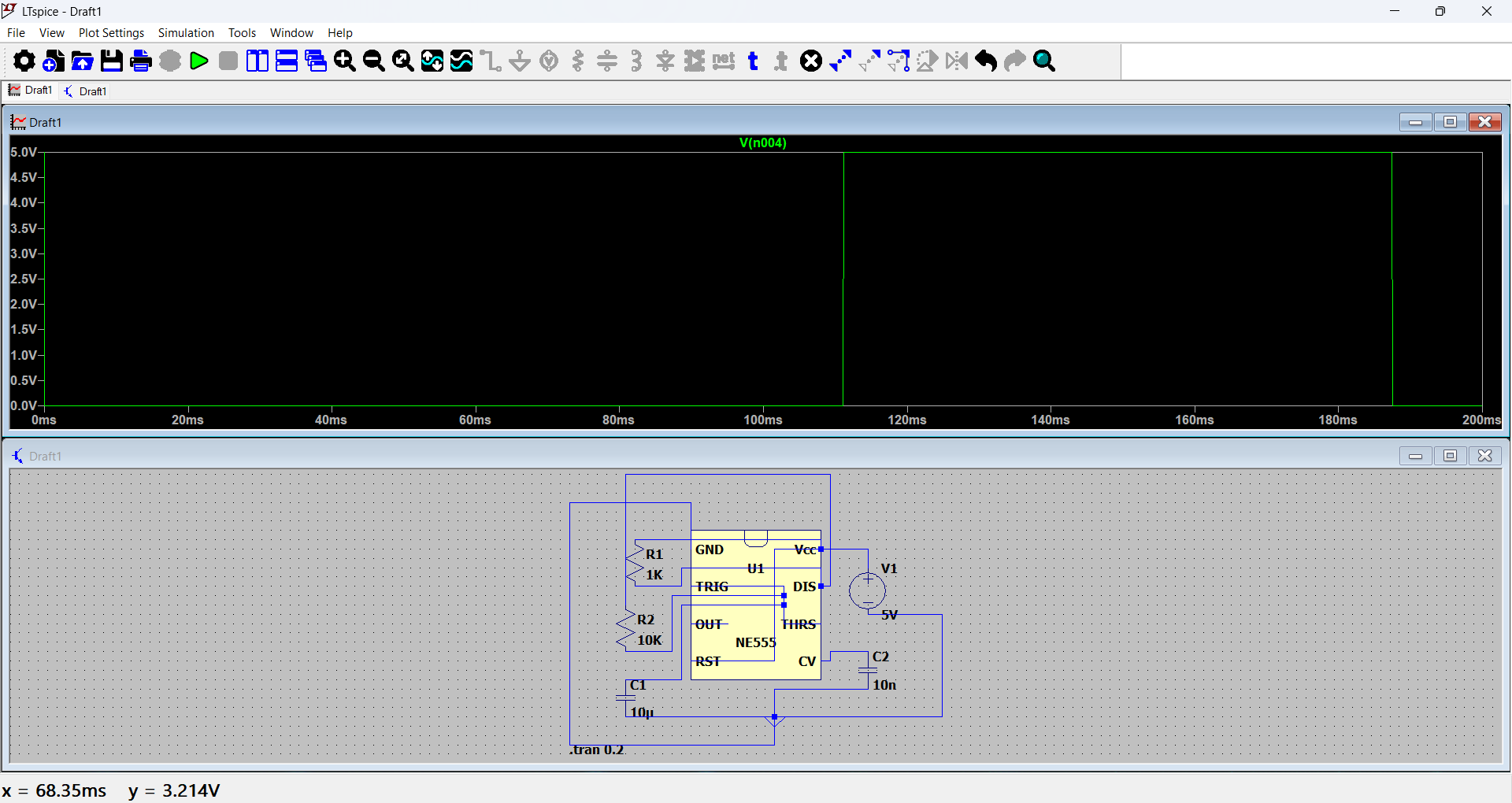
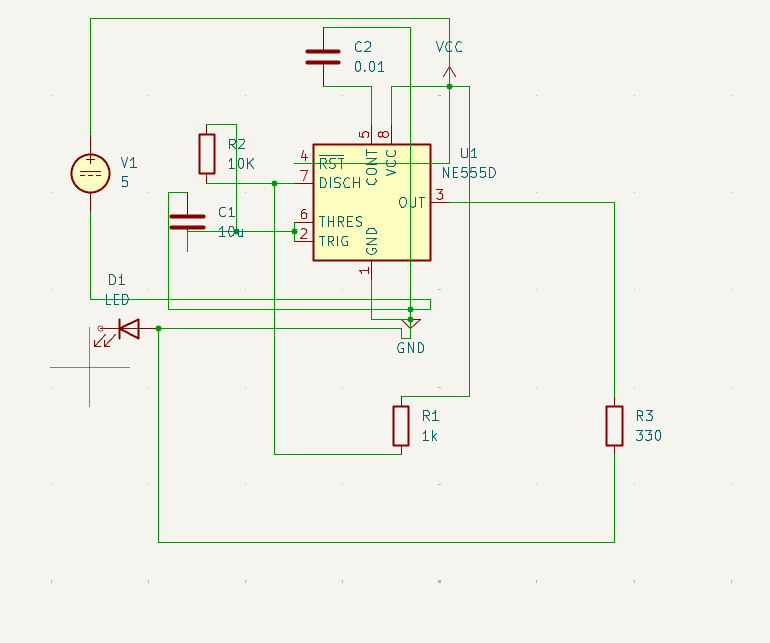
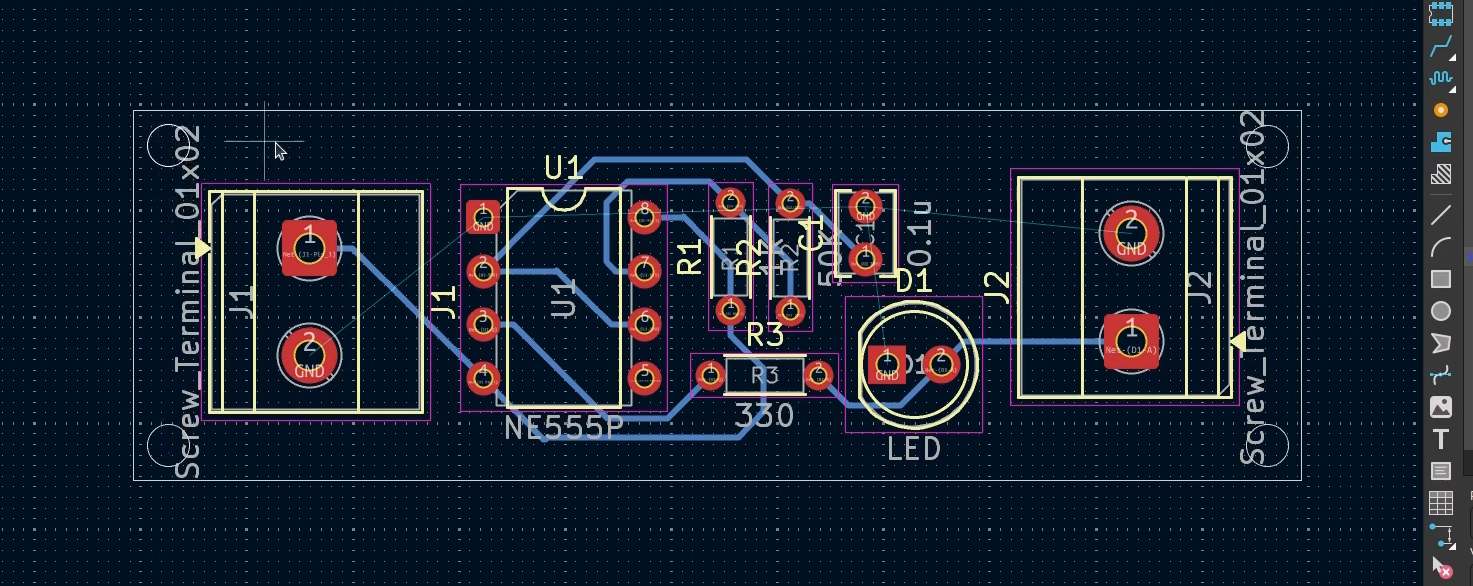
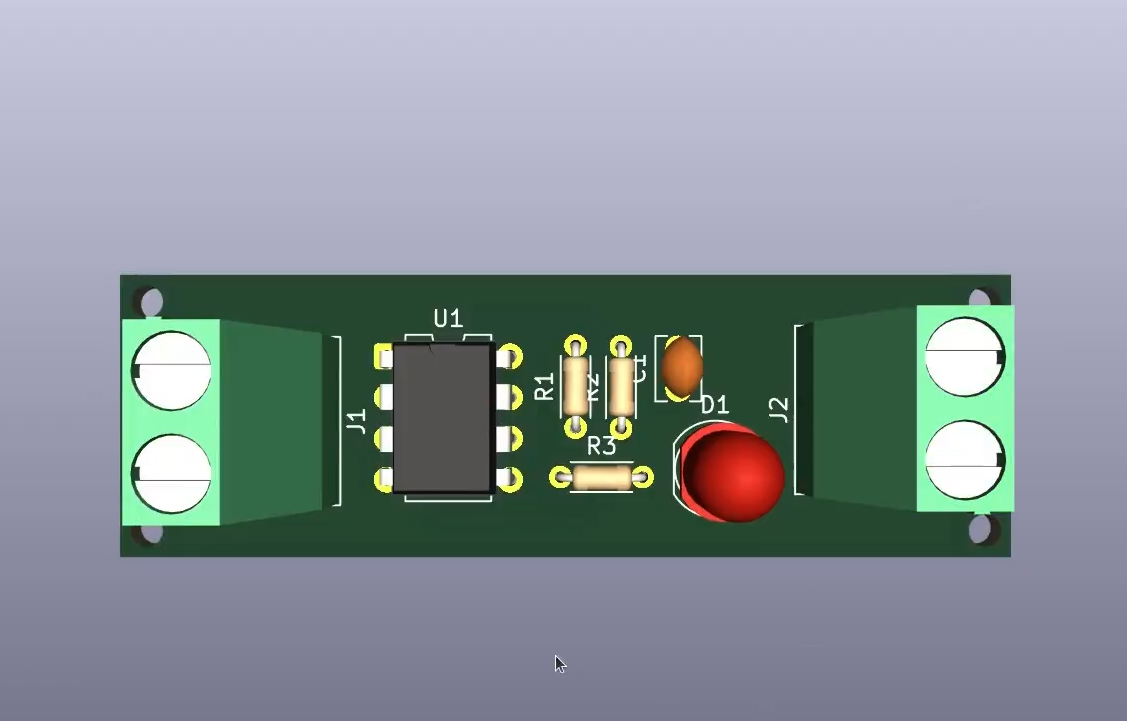
Task 1: 555 Timer Astable Multivibrator Simulation & PCB Design
Objective: Simulate a 555 astable multivibrator in LTspice and design a 2-layer LED-blinker PCB in KiCad.
Working: In LTspice, connected the NE555, resistors, capacitors, LED and 9V supply; configured .tran 0 1s 0 100us to observe oscillation and output waveforms. In KiCad, designed a 40 mm × 30 mm PCB, placed components, assigned footprints and routed signal/power tracks.
Learning Outcomes: Practised circuit simulation, waveform analysis, schematic design, PCB layout and routing.
Task 2 – Point Turn of a Vehicle with Ultrasonic Sensor
Objective: Interface an HC-SR04 ultrasonic sensor with Arduino to demonstrate obstacle detection.
Components: Arduino Uno, HC-SR04, SG90 servo, breadboard, jumper wires and USB cable.
Connections: HC-SR04 VCC–5V, GND–GND, Trig–D9, Echo–D10; servo signal–D6, VCC–5V, GND–GND.
Working: The HC-SR04 measures obstacle distance from the returning echo (distance = (time × speed)/2). The servo rotates the sensor to scan directions.
Outcome: Demonstrated obstacle detection and servo-based scanning; the complete motorized vehicle and point-turn mechanism were not implemented.
Performance Video: See my work here
Task 3 – Temperature and Humidity Detection
Objective: Measure temperature and humidity using LM35 and DHT11, and indicate high temperature with a BJT-controlled LED.
Components & Connections: LM35 (VCC–5V, Vout–A0, GND–GND); DHT11 (VCC–5V, DATA–D7, GND–GND); BJT base–D8 through 1 kΩ; Arduino Uno and LED.
Working: LM35 provides analog temperature readings and DHT11 sends digital temperature/humidity data. When the LM35 reading exceeds the set threshold, Arduino activates the BJT to switch on the LED. Readings appear on the Serial Monitor.
Outcome: Demonstrated analog/digital sensor interfacing, threshold-based switching and real-time readings.
Performance Video: YouTube Video
Task 5 – Battery Capacity Measurement
Objective: Monitor an 18650 Li-ion battery and disconnect its load with a MOSFET when voltage falls below a safe threshold.
Components: Arduino Uno, 18650 Li-ion cell, N-channel MOSFET, 10 Ω 5 W load resistor, 220 Ω and 10 kΩ resistors, multimeter, breadboard and jumper wires.
Connections: Battery (+) to Arduino A0 and 10 Ω load; other end of load to MOSFET Drain; Source to Arduino GND and battery (−); D2 through 220 Ω to Gate; Gate through 10 kΩ to GND.
Working: Arduino monitors battery voltage at A0. The MOSFET disconnects the load when voltage reaches the defined safe threshold.
Outcome: Demonstrated battery-voltage monitoring and basic battery-protection logic.
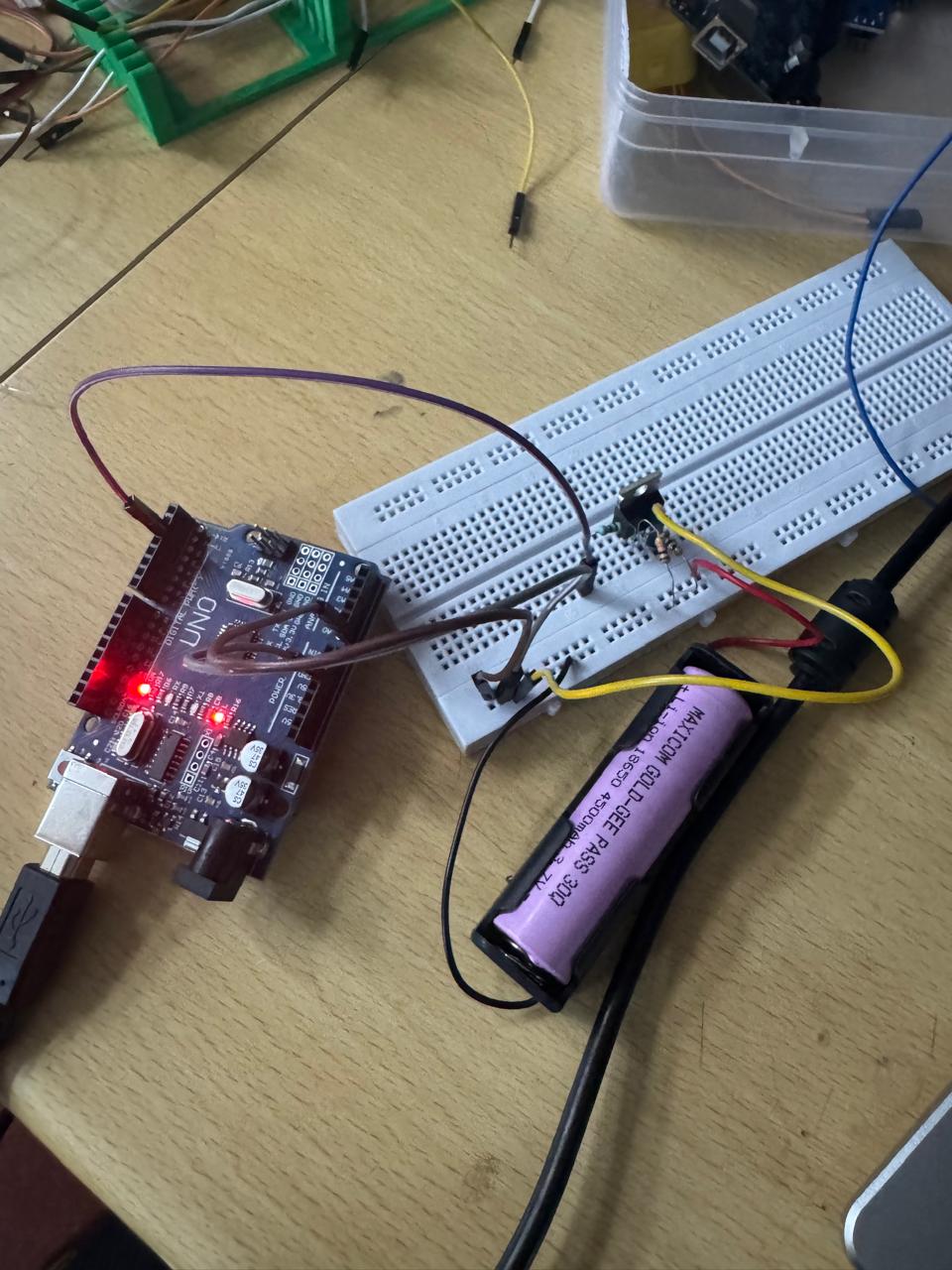
Arduino Output
Time(s), Voltage(V), Current(mA), Capacity(mAh)
1,   3.120, 312.0,  0.09
30,  3.090, 309.0,  2.59
60,  3.060, 306.0,  5.15
120, 3.030, 303.0, 10.23
180, 3.015, 301.5, 15.27
240, 3.002, 300.2, 20.28
295, 2.998, 299.8, 24.87
300, 2.995, 299.5, 25.29
--- CUTOFF: battery reached safe limit (3.00V threshold), load disconnected ---
Task 6 – Battery Charging
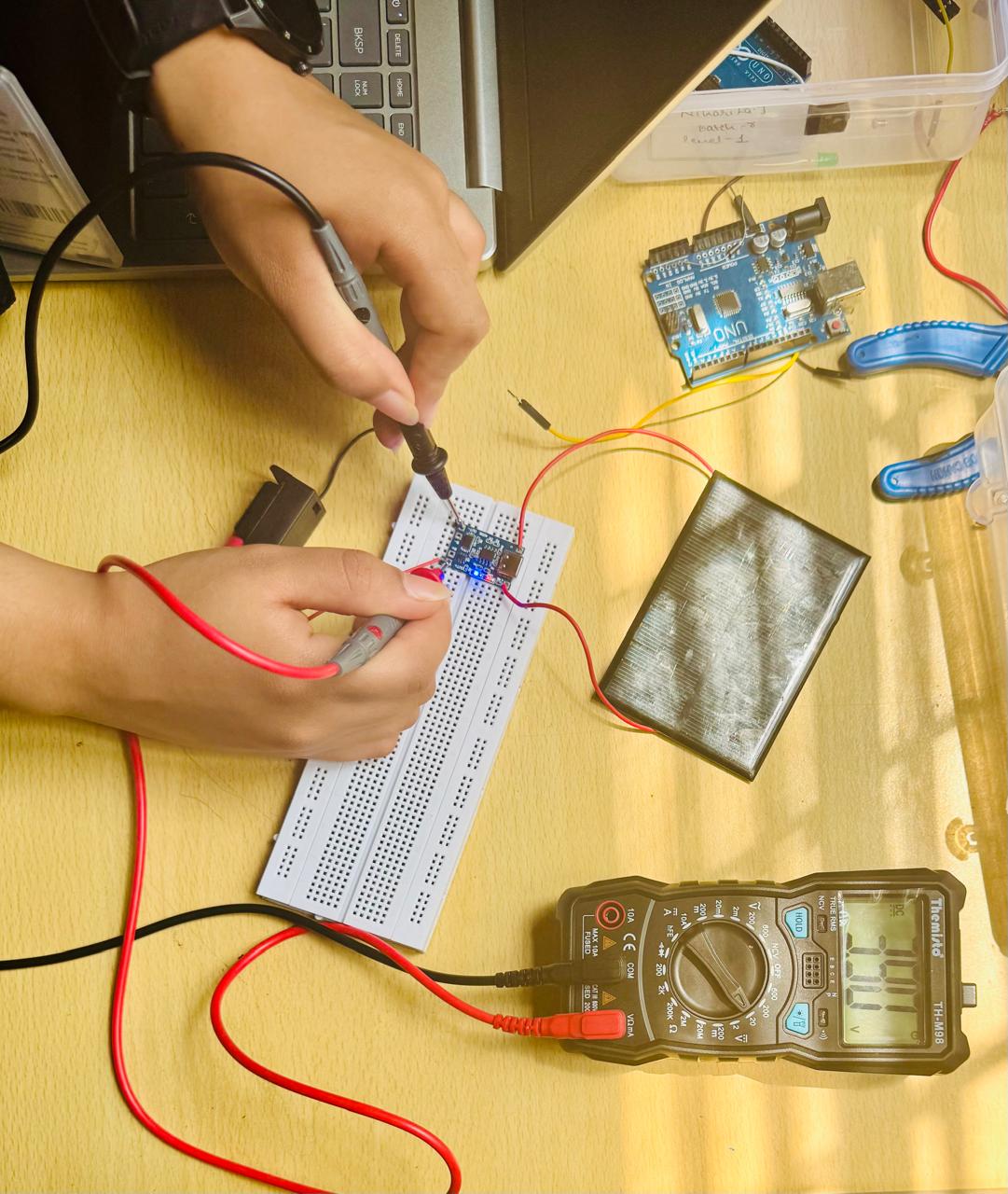
Objective: Charge a Li-ion battery using a solar panel and charging module.
Components: Solar panel, TP4056 solar charging module and Li-ion battery.
Working: The panel converts sunlight into electrical energy; the charging module regulates the output and supplies power to the battery.
Outcome: Demonstrated solar-based Li-ion battery charging.
Task 7 – Solar Tracker
Objective: Use LDRs, Arduino and a servo to orient a solar panel toward the strongest light source.
Components: Arduino Uno, LDRs, servo motor, solar panel, resistors, breadboard and jumper wires.
Working: Arduino compares the two LDR readings and rotates the servo toward the side receiving stronger light.
Outcome: Demonstrated automatic light tracking using dual LDRs and servo control.
Performance Video: YouTube Video
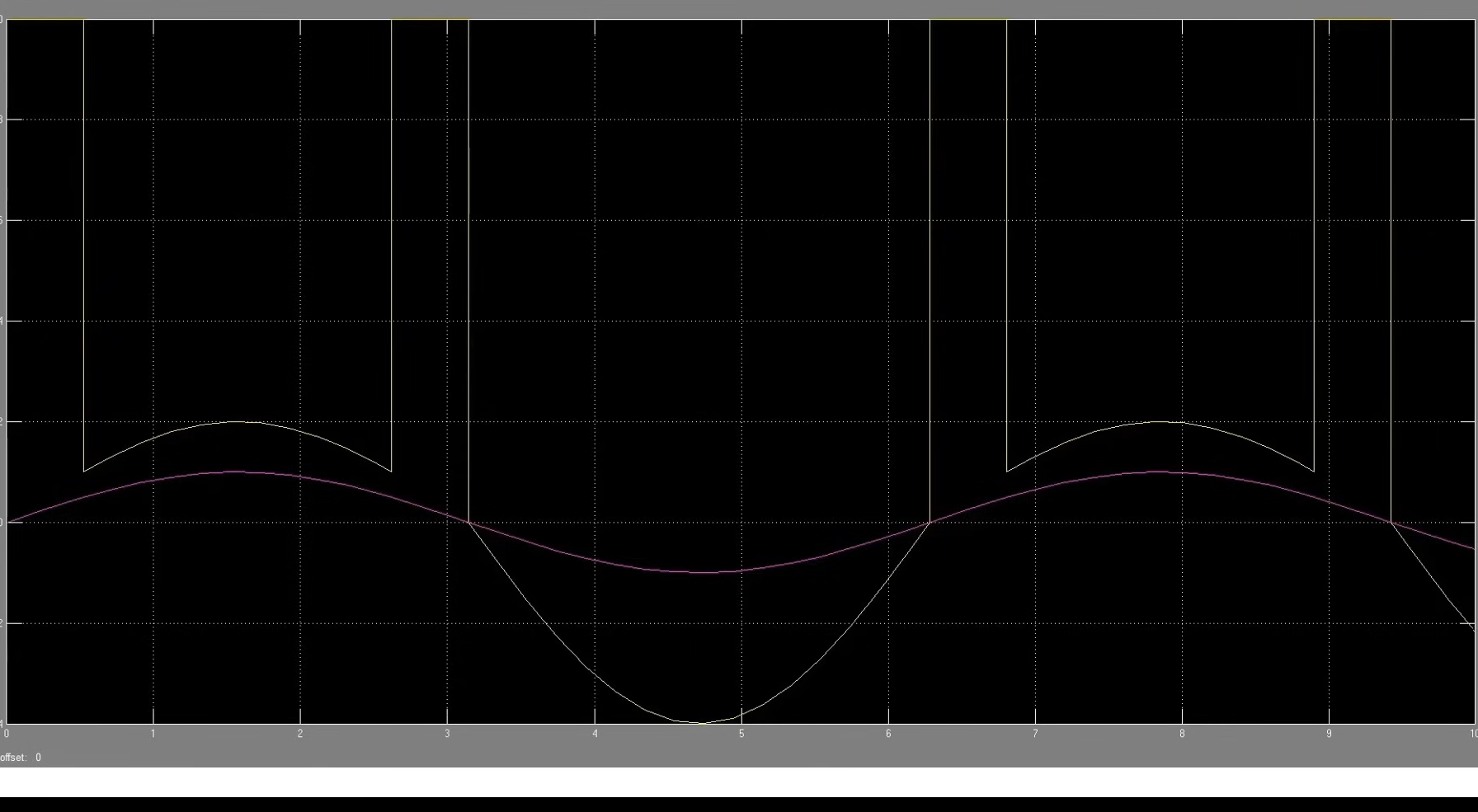
Task 8 – Simple Electric Circuits Simulation on MATLAB
Objective: Design and simulate electrical circuits in MATLAB Simulink and analyse voltage/current waveforms.
Software: MATLAB and Simulink.
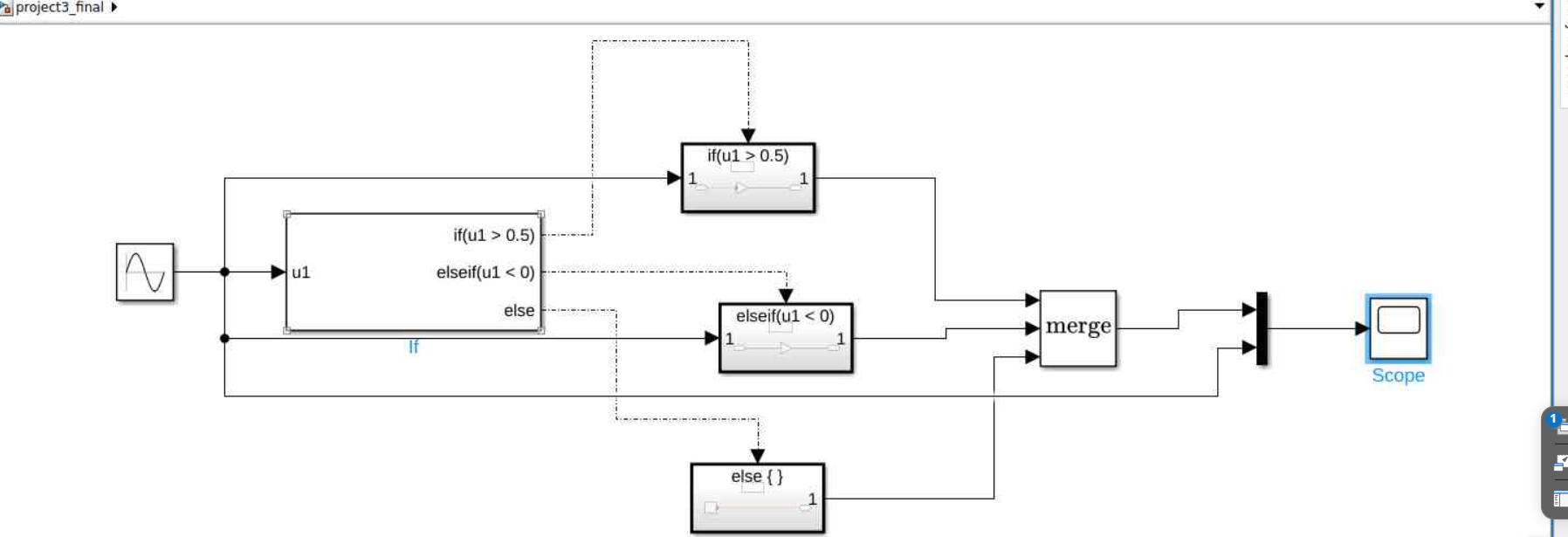
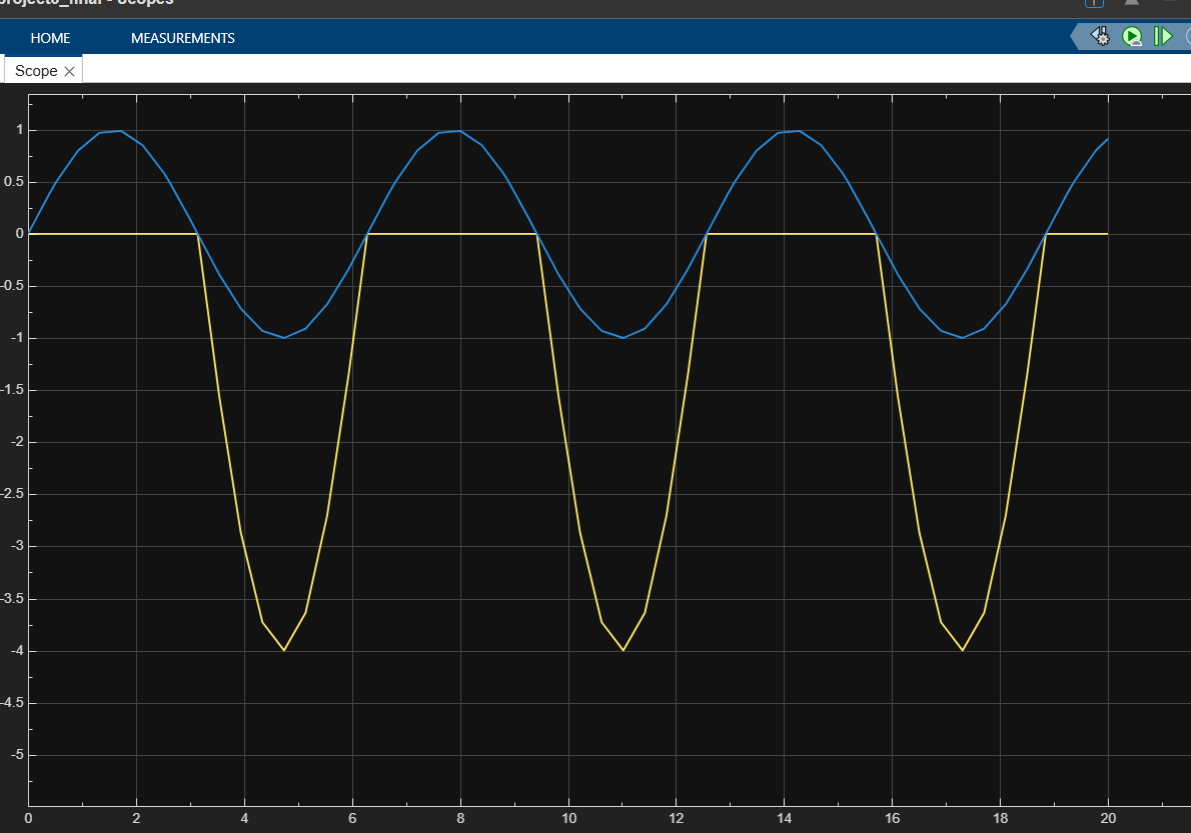
Working & Outcome: Created circuit models using Simulink blocks and used Scope blocks to observe sinusoidal, switching, current and RLC waveforms. Practised basic circuit modelling and waveform analysis.
Simulation Outputs:

Task 10 – Auto Night Lamp Using LED for Electric Vehicles
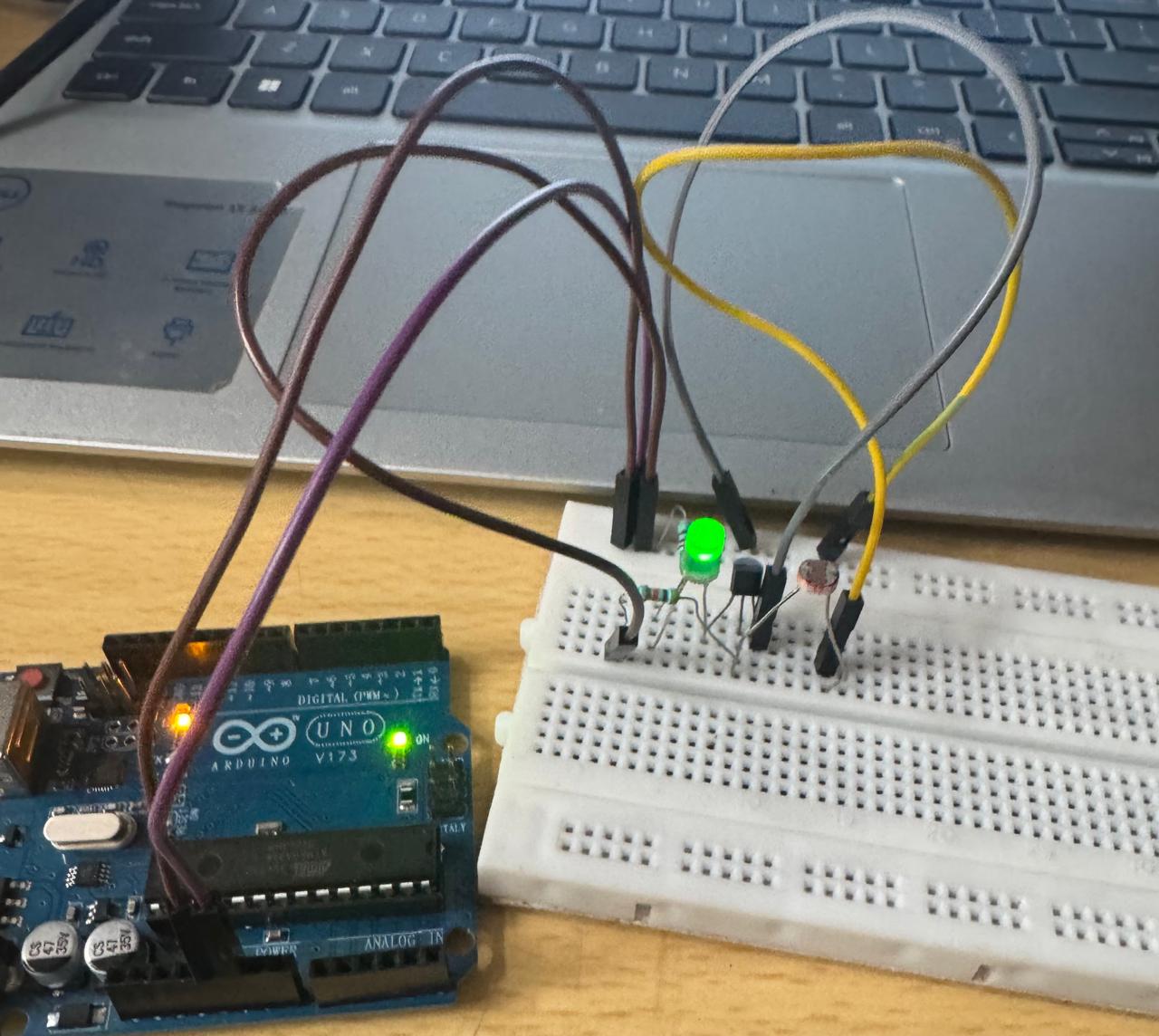
Objective: Build a light-sensitive LED circuit using an LDR and BJT to simulate an automatic EV headlamp.
Components: LDR, BJT transistor, LED, 10 kΩ and 220 Ω resistors, breadboard and jumper wires.
Working: In sufficient light, the LED stays OFF. When light decreases, the BJT switches ON the LED. A mobile flashlight was used to vary light conditions.
Outcome: Demonstrated an automatic night lamp responsive to light intensity.
Performance Video: YouTube Video
Task 11 – Buck Converter on LTspice
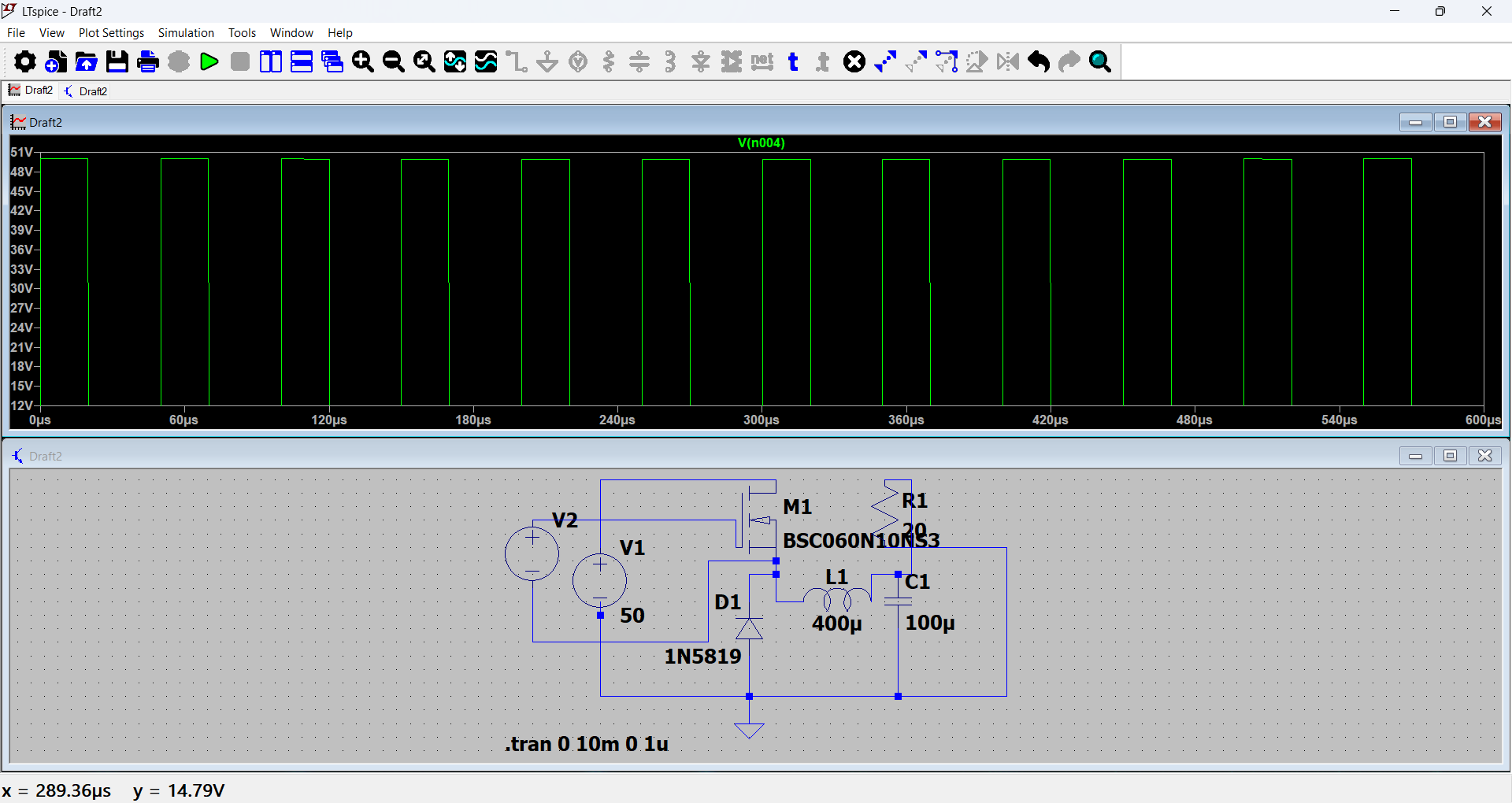
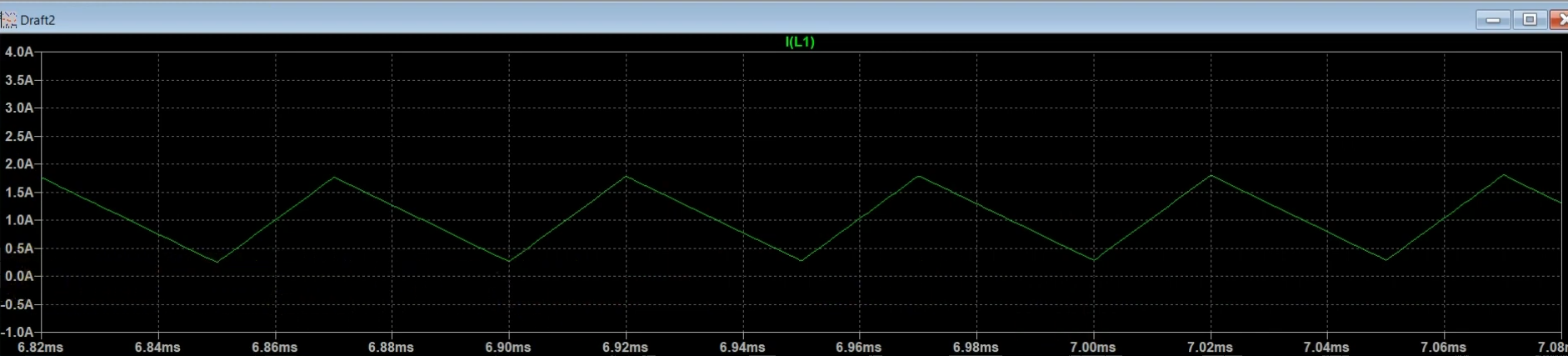
Objective: Simulate a DC-DC buck converter and observe step-down voltage conversion.
Components/Blocks: DC source, MOSFET/switch, diode, inductor, capacitor, load resistor, voltage/current probes and LTspice.
Working: The switching device controls energy delivery; the inductor stores and releases energy, the diode provides a current path when the switch is OFF, and the capacitor smooths output voltage. LTspice displays voltage and current waveforms.
Learning Outcomes: Understood buck-converter operation, step-down conversion and waveform analysis.
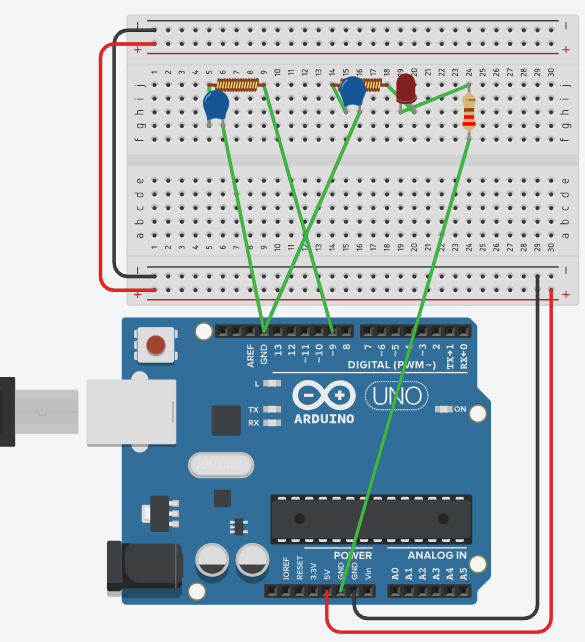
Task 12 – Wireless Charger Simulation on Tinkercad
Objective: Simulate wireless power transfer using transmitter and receiver coils.
Components/Blocks: Transmitter coil, receiver coil, AC/power source, LED, resistors and Tinkercad.
Working: Changing current in the transmitter coil creates a changing magnetic field, inducing voltage in the receiver coil to power the LED.
Learning Outcomes: Understood electromagnetic induction and the basic principle of wireless charging.
Task 13 – Transistors as Switches and Voltage Regulators
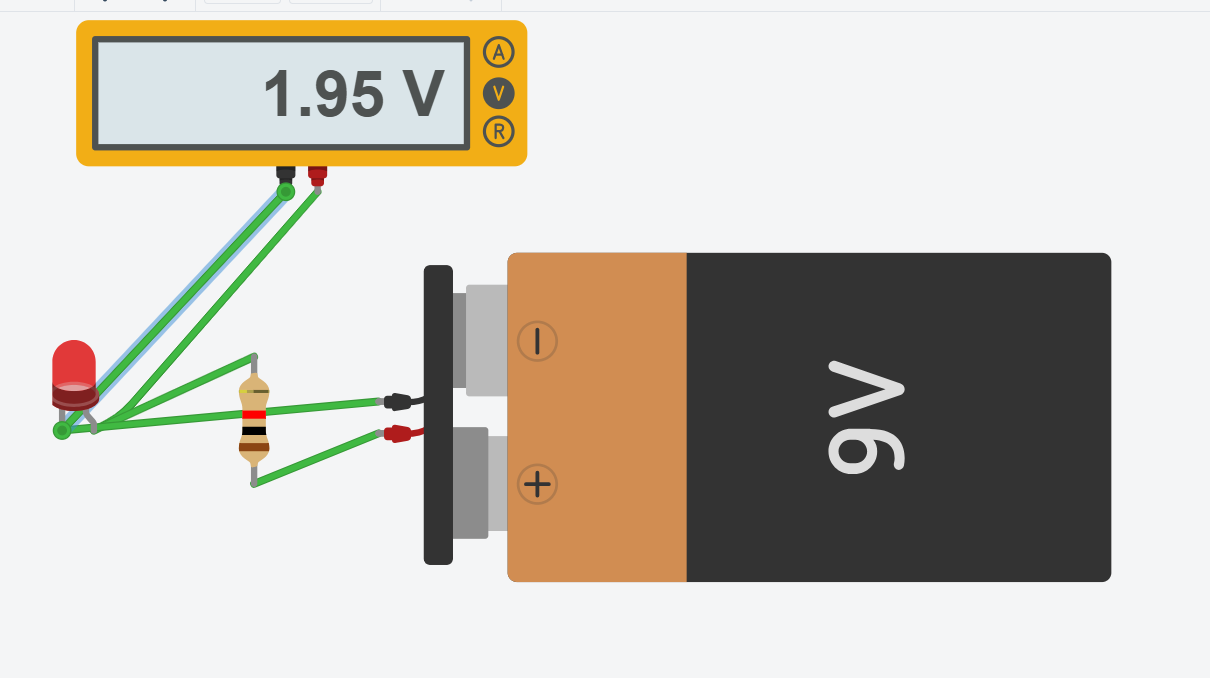
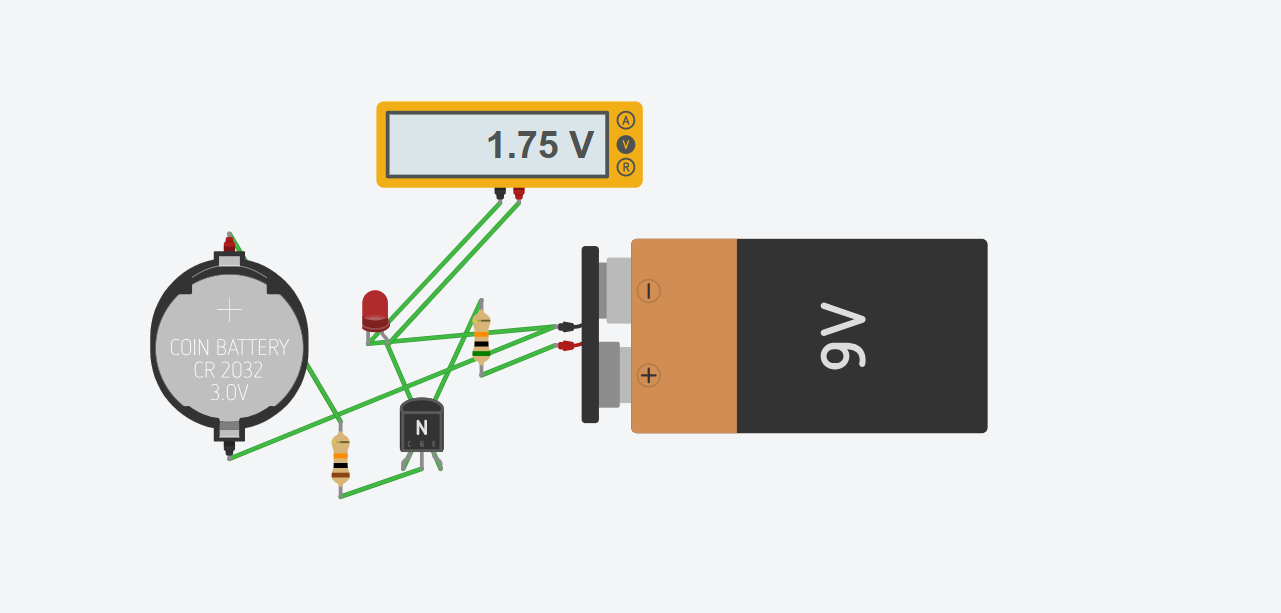
Objective: Use a transistor as an electronic switch and observe voltage drop in a simple circuit.
Components: Arduino, NPN transistor, LED, resistors, DC supply and Tinkercad.
Working: Arduino's HIGH/LOW signal controls the transistor, switching the LED ON/OFF. A second circuit compares LED-circuit voltage with the transistor included.
Learning Outcomes: Demonstrated transistor switching, digital control of a load and voltage drop. The first simulation measured approximately 1.95 V; the second measured approximately 1.75 V.
Simulation Outputs:
Performance Video: YouTube Video
Task 14 – LED Brightness Control Using PWM and MOSFET
Objective: Control LED brightness using Arduino PWM and an N-channel MOSFET.
Components: Arduino Uno, N-channel MOSFET, LED, resistor, jumper wires and breadboard.
Working Steps: Arduino generates a PWM signal and applies it to the MOSFET gate. The MOSFET rapidly switches LED current ON/OFF; a higher duty cycle makes the LED brighter, while a lower duty cycle dims it.
Learning Outcomes: Demonstrated PWM brightness control, MOSFET switching and the relationship between duty cycle and average power.
Performance Video: YouTube Video
Task 15 – AC-to-DC Conversion
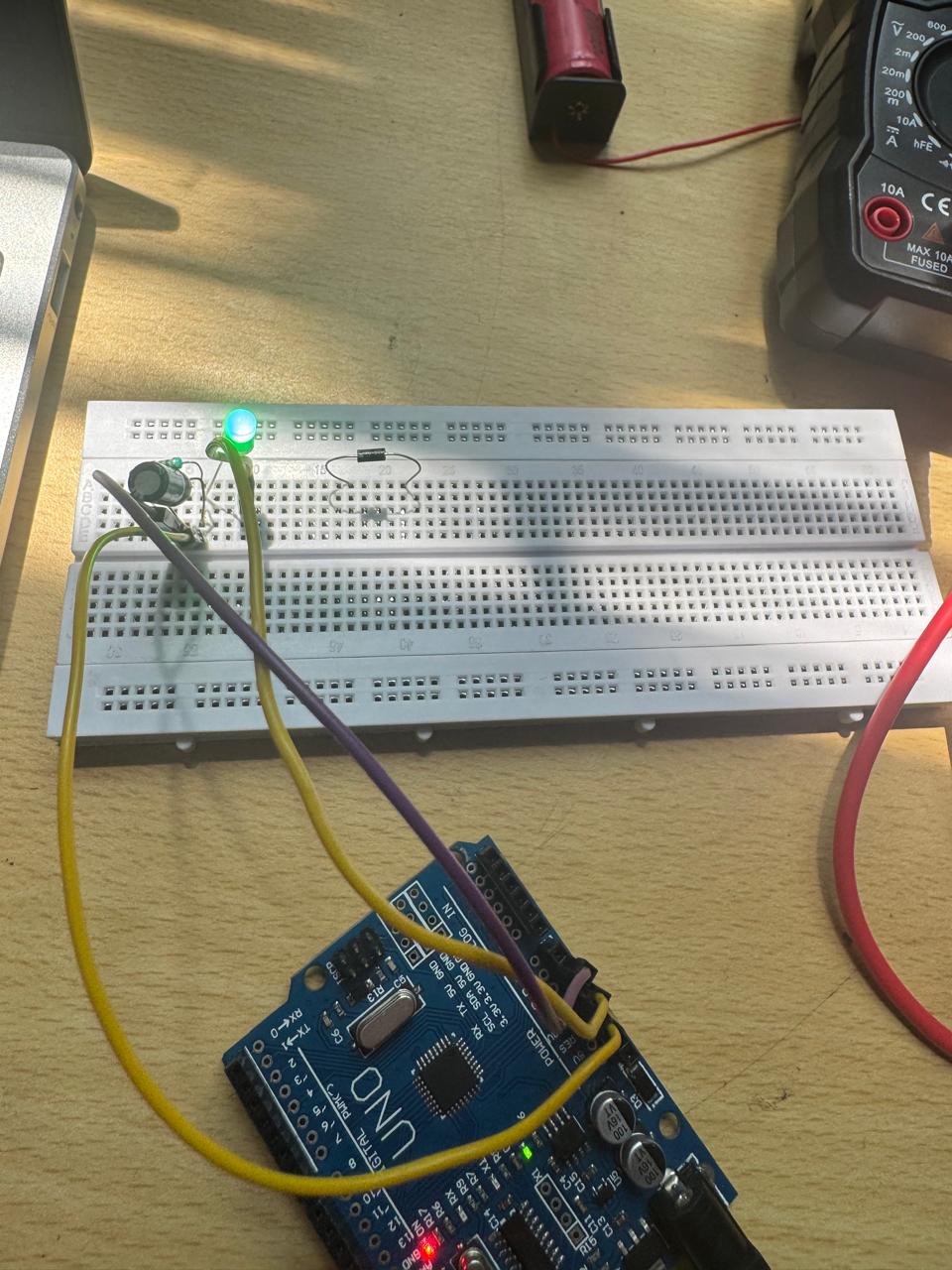
Objective: Demonstrate AC-to-DC conversion using a rectifier diode and smoothing capacitor, and compare output behaviour.
Components: Arduino Uno, diode, capacitor, green LED, resistor, jumper wires and breadboard.
Working: A diode rectifies the input signal; a capacitor charges near voltage peaks and discharges between them, reducing ripple and smoothing the output.
Tests & Comparison:
- Direct DC power: Connect Arduino 5V directly to the input node. The LED glows at maximum, constant brightness.
- Unfiltered rectified DC: Connect the PWM output through a diode to the LED. The LED is dimmer and flickers due to voltage variation.
- Filtered rectified DC: Add a capacitor across the output. The LED glows brighter and more steadily because the capacitor reduces ripple.
Outcome: Compared direct DC, unfiltered rectified output and capacitor-filtered output, observing the effect of rectification and filtering.
Performance Video: YouTube Video