
COURSEWORK
Vaishnavi's D-P-001 course work. Lv 1
| Vaishnavi G | AUTHOR | ACTIVE |
23 / 3 / 2026
Task 1: 3D Printing
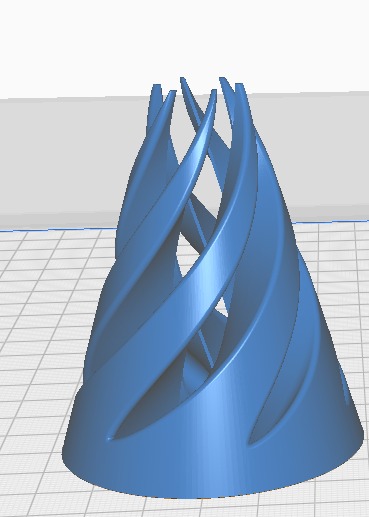
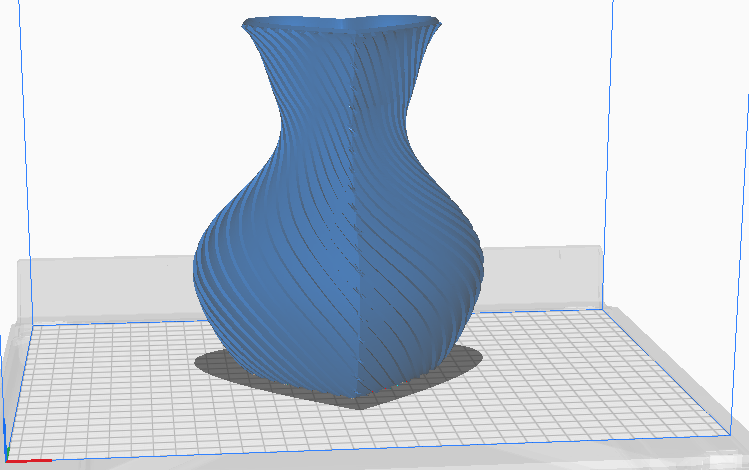
I understood the working of a 3D printer, including the use of STL files and the slicing process using Creality Slicer. The task involved following standard operating procedures and configuring printer parameters such as bed temperature, nozzle temperature, infill density, and material related settings for PLA filament. An STL file was obtained from an online source, sliced with appropriate parameters, and prepared for printing using a suitable 3D printing.
Task 2: API
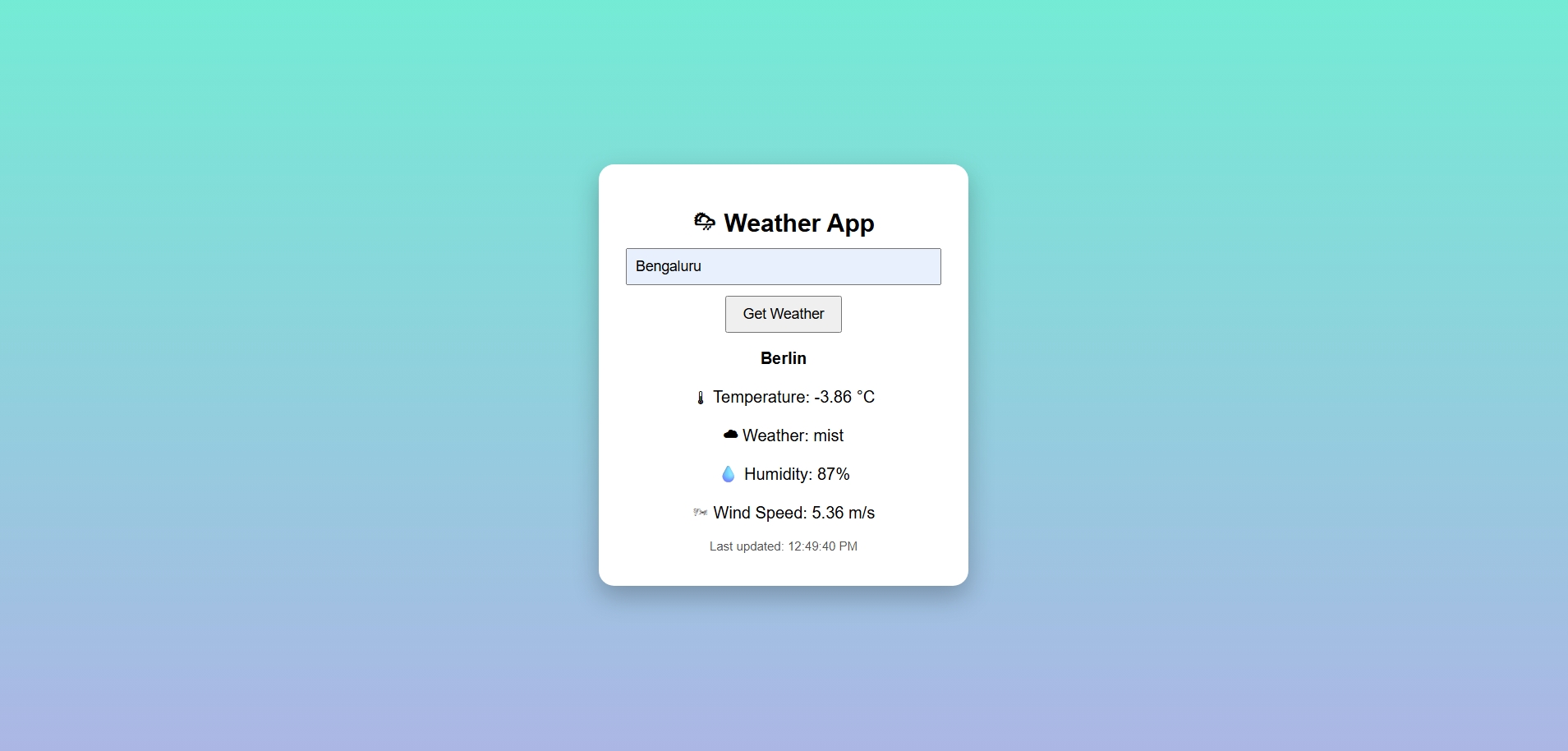
For this task, I built a small web app that shows real-time weather for any city using the OpenWeather API. I made it so I can type a city name and click a button to see the temperature, weather conditions, humidity, and wind speed. I also added a feature to refresh the data automatically every five minutes so it stays updated working on this, I got made it using html.
Task 3: Working with GitHub
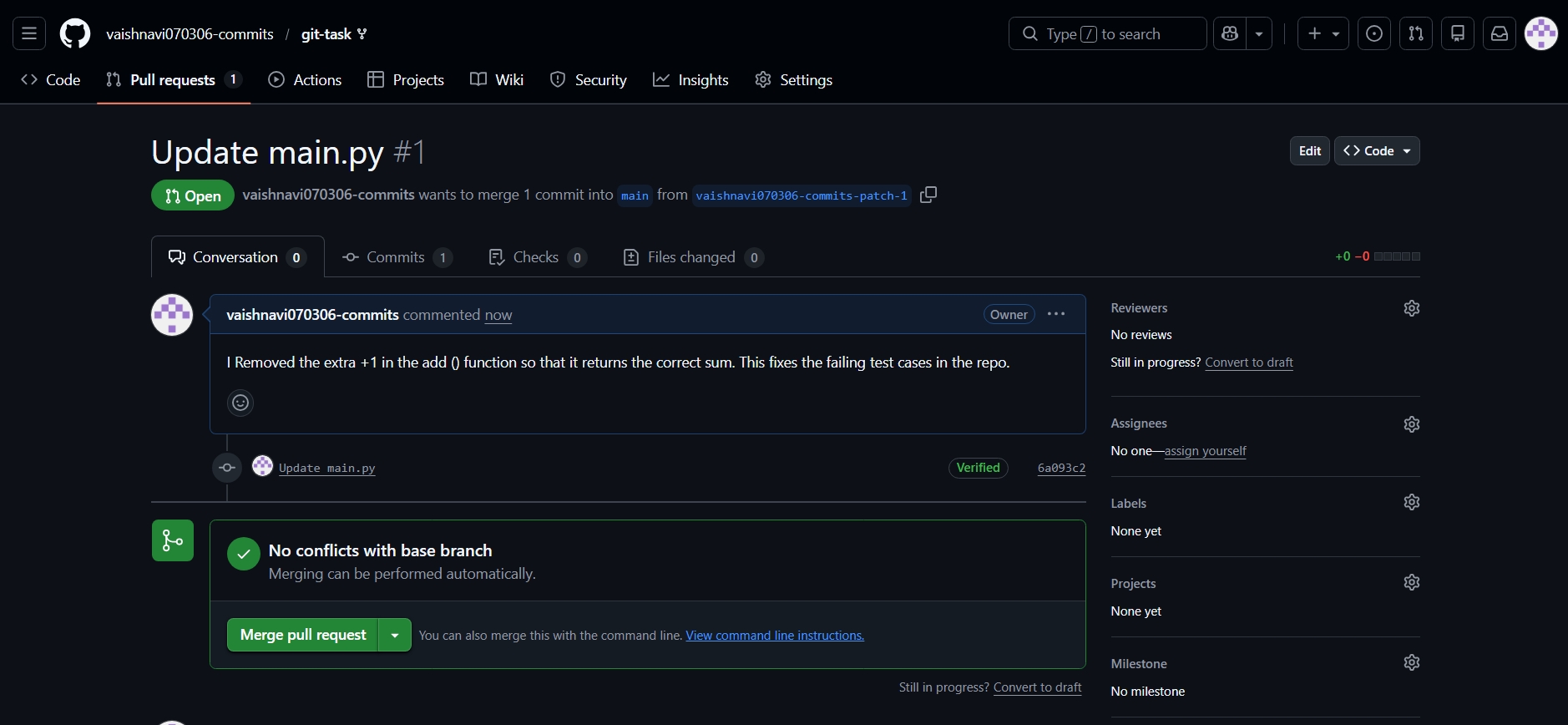
In this task, I identified and fixed a small bug in an existing GitHub repository. The issue was present in the add() function, where an extra operation caused incorrect output, and I corrected it to ensure the function worked as expected. Through this task, I learnt how GitHub workflows operate, including forking a repository, making changes on a separate branch, and creating a pull request to propose updates to the main repository. I also gained hands-on experience with repository management, code review processes, and collaboration using GitHub.
Task 4: Ubuntu Command Line Practice
In this task, I practiced creating multiple directories in Ubuntu. I used loops to generate a large number of folders automatically, which helped me understand how repetitive tasks automated and reinforced basic command line operations for can be managing and organizing directories efficiently.
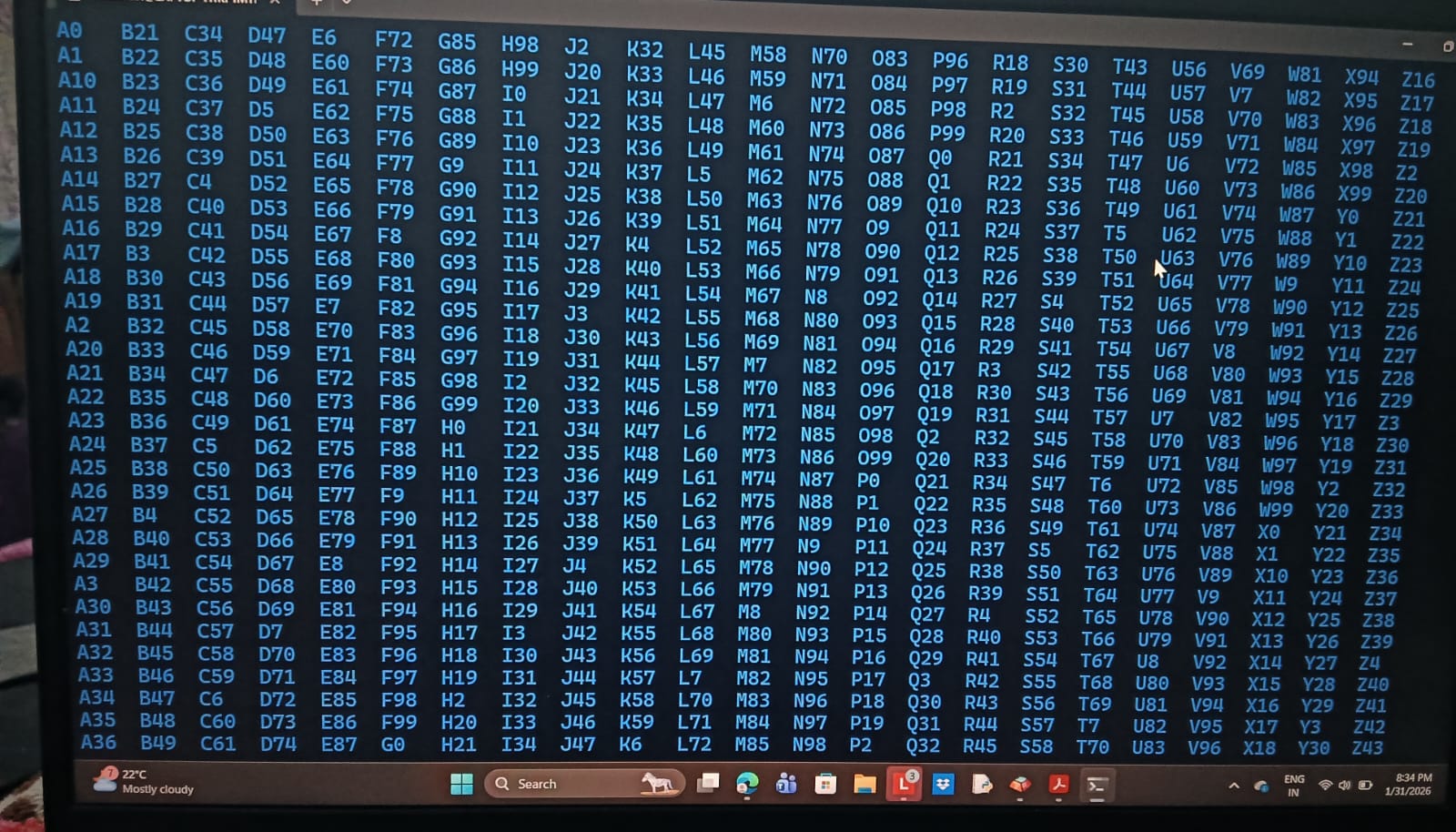
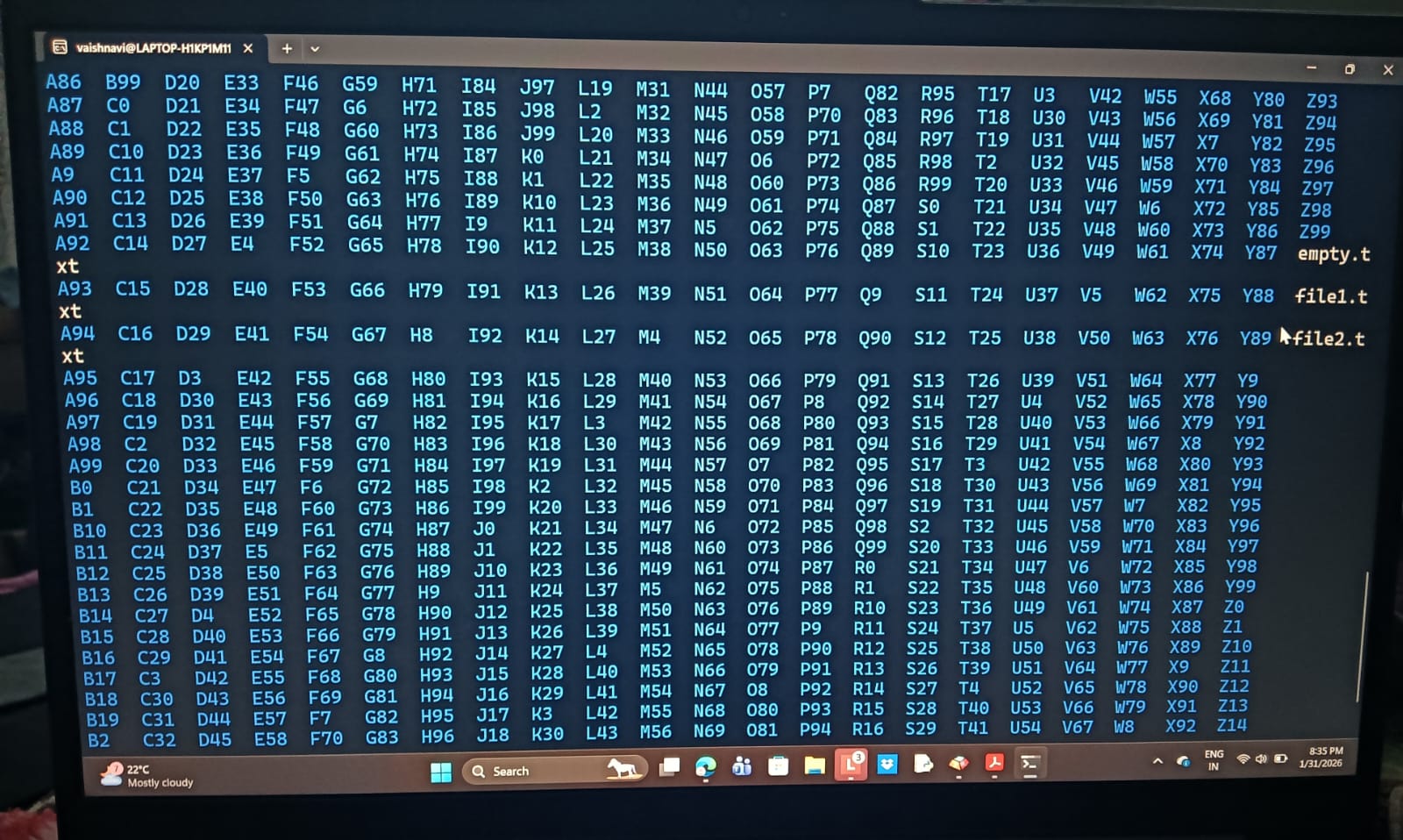
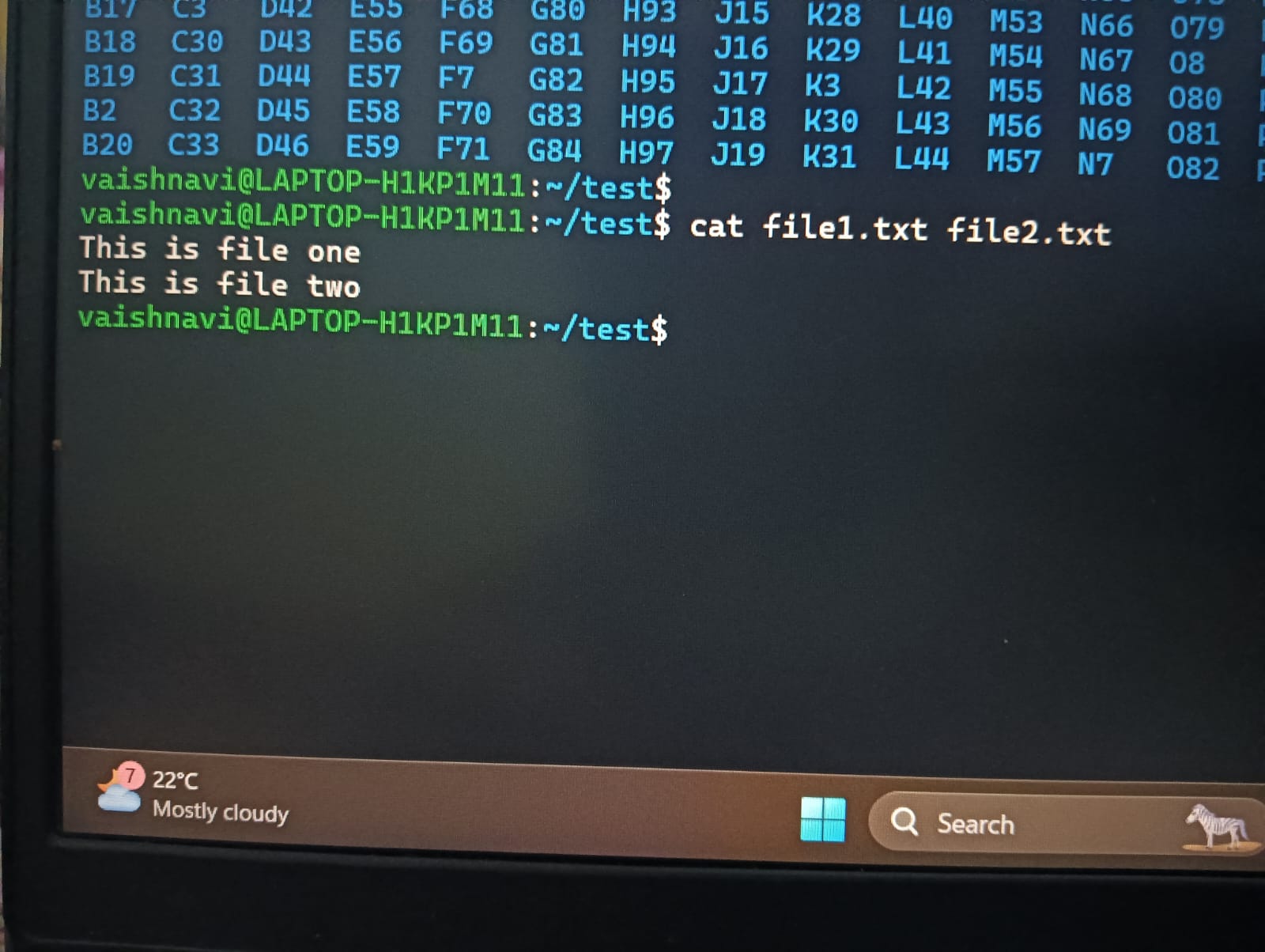
Another part of the task involved working with text files. I created two files and used the command line to combine and display their contents in the terminal. This exercise helped me get familiar with basic file manipulation and how commands can be used to work with text without relying on a graphical interface.
Task 5: Linear Regression From Scratch
For this activity,I worked with the California Housing dataset and trained a Linear Regression model using gradient descent. I also compared my results with scikit-learn's LinearRegression.
The model was able to capture the trend in the data, and the graph clearly shows how median income relates to house prices. This activity helped me understand how models learn from data and how easy it is to use libraries like scikit-learn for comparison.
.jpeg)
Task 6: Matrix Puzzle With NumPy & Matplotlib
In this task, I worked with a scrambled matrix using NumPy to understand its structure and orientation. I learnt how to load a .npy file and check the shape of the array before using it for visualization.
I used basic NumPy operations such as reshaping and rotating the matrix to decode the hidden image. With Matplotlib’s imshow() function, I was able to visualize the matrix and reveal the image. This task helped me build confidence in working with NumPy arrays and basic data validation

Here's the link to my Notebook
Task 7: Create A Portfolio Webpage
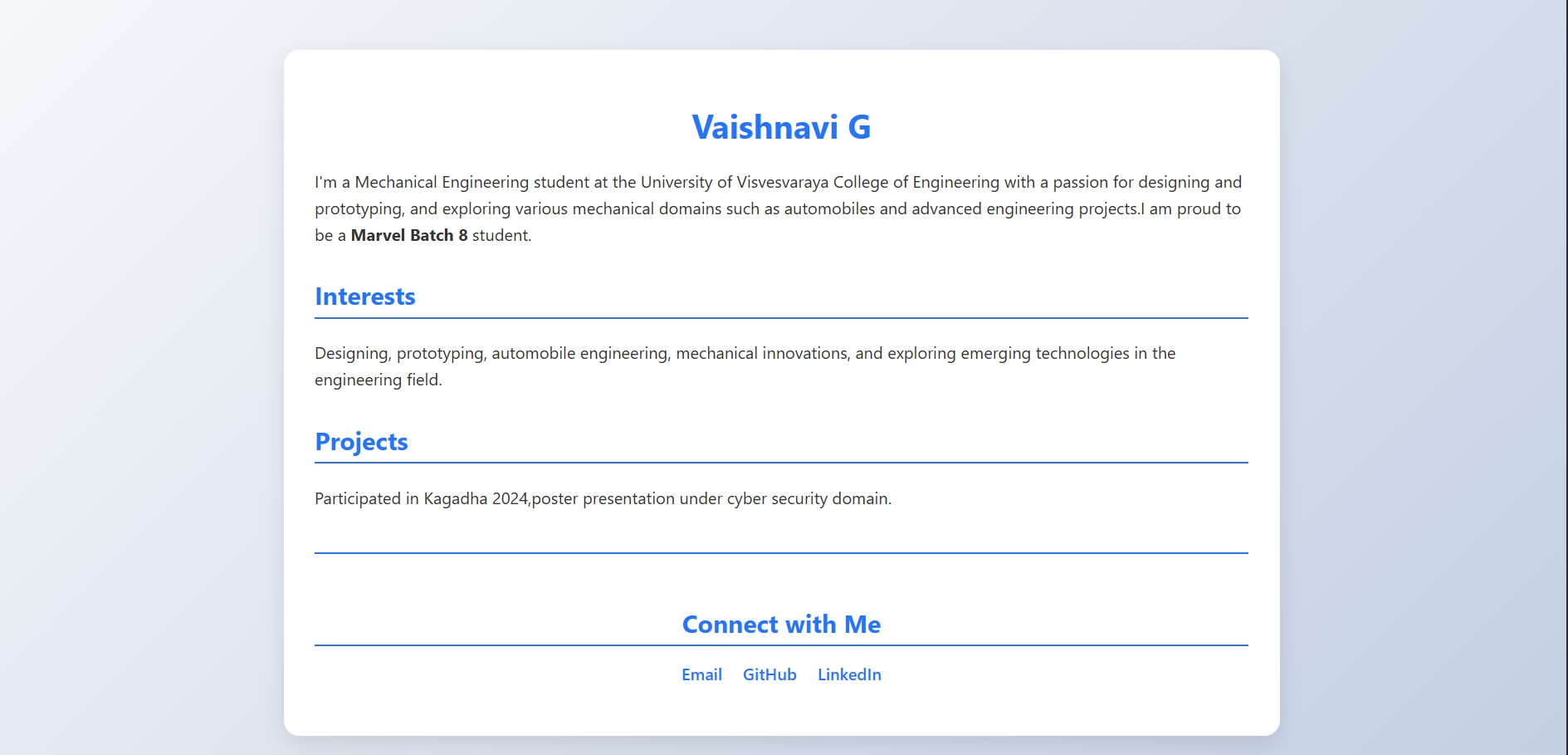
For this task, I have created a portfolio webpage using HTML. The purpose of the webpage is to showcase my profile, interests, projects, and social media profiles in a clean and professional manner.
Task 8: Technical Report Writing
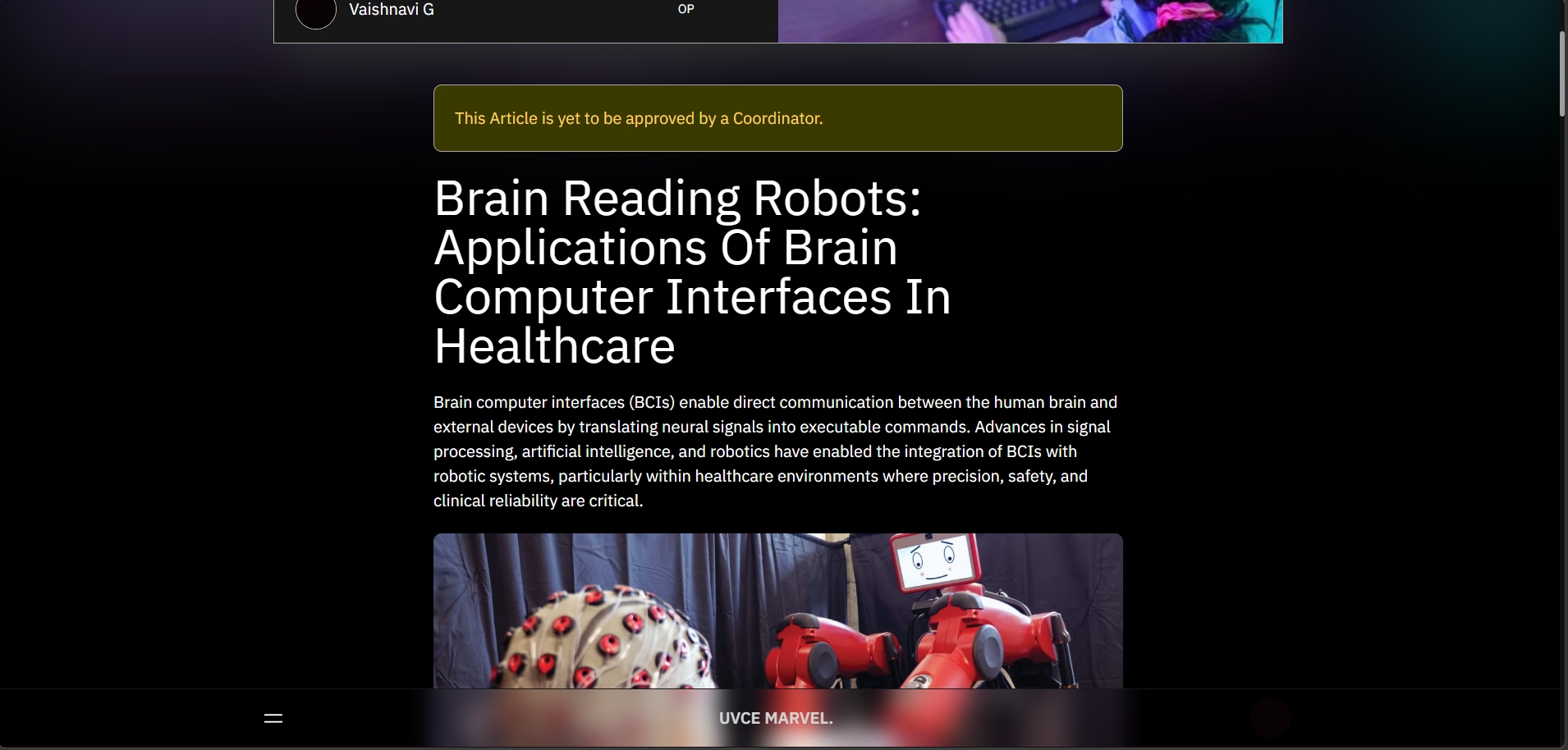
I have written an article on brain-reading computers focusing on the use of brain computer interfaces in healthcare. The article explains how brain signals are captured, processed, and used to control robotic and assistive systems. It discusses applications in rehabilitation, prosthetics, and patient support. The completed article has been uploaded to the MARVEL website for reference.
Task 9: Tinkercad
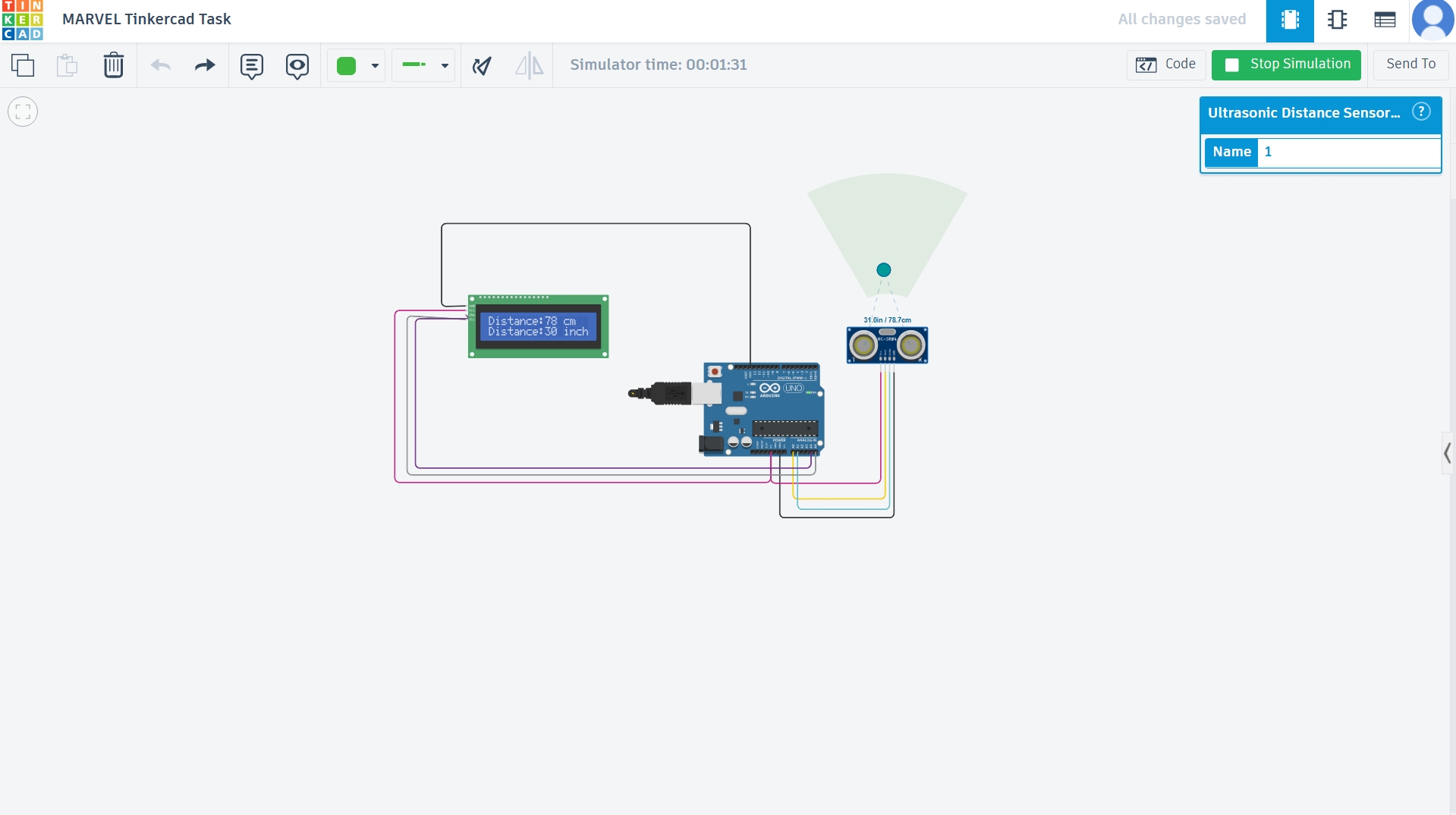
In this task, a Tinkercad account was used to explore the simulation environment and example circuits. A circuit with an ultrasonic sensor was simulated to measure the distance between the sensor and an object, and the results were displayed on the serial monitor. The ultrasonic sensor works by sending sound waves and calculating the time taken for the echo to return. A basic radar system was also implemented by attaching a servo motor to the sensor, allowing it to rotate and detect objects over a wider area. This experiment helped in understanding distance measurement, servo control, and how these can be combined for object detection.
Task 10: Speed Control of DC Motor
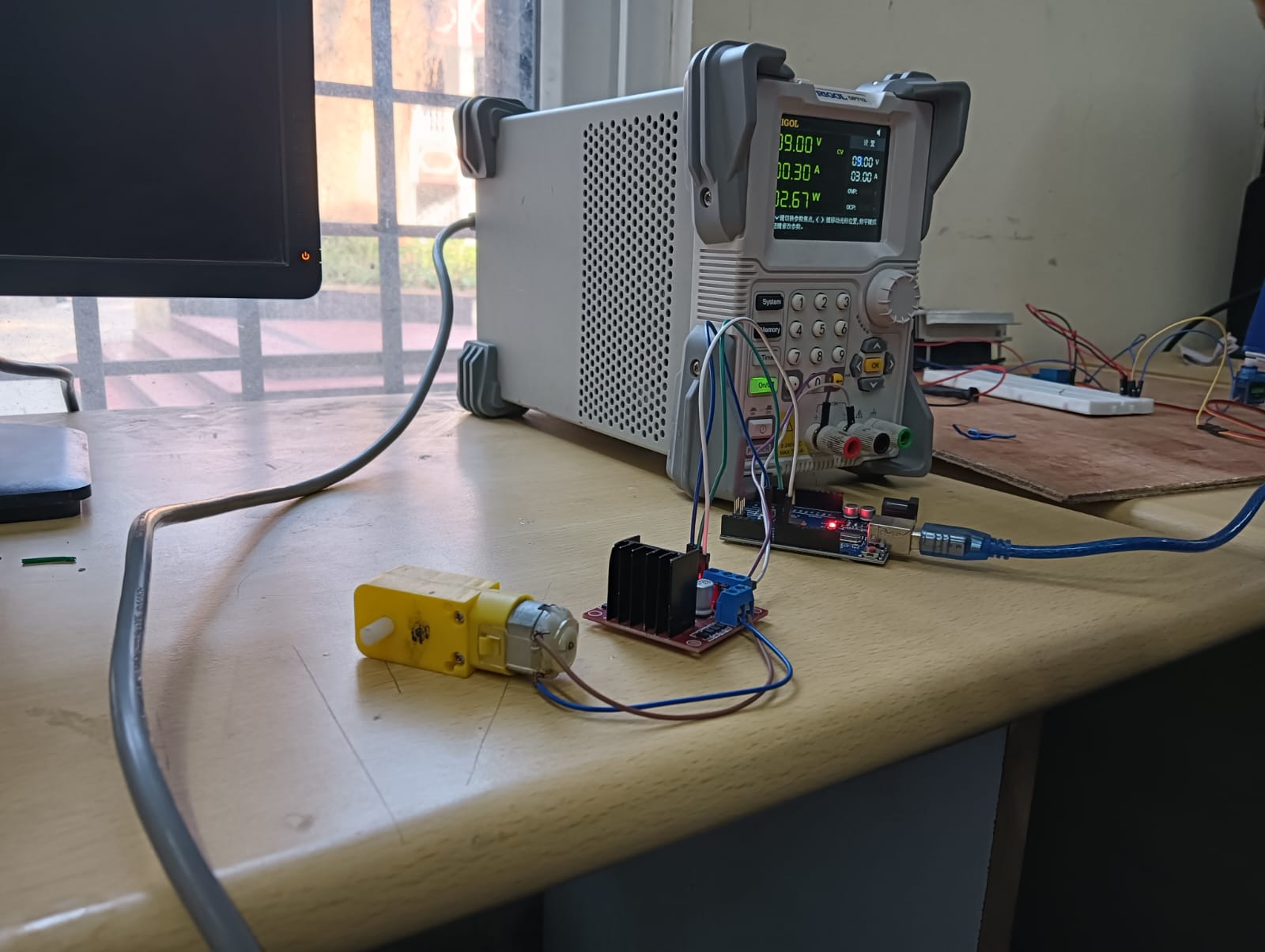
A 5V DC motor was controlled using an Arduino UNO and L298N driver to demonstrate speed and direction control. PWM signals adjusted speed, while the H-Bridge enabled forward and reverse motion. The motor responded smoothly and operated reliably, confirming effective motor control using this setup.
Task 11: LED Toggle Using ESP32
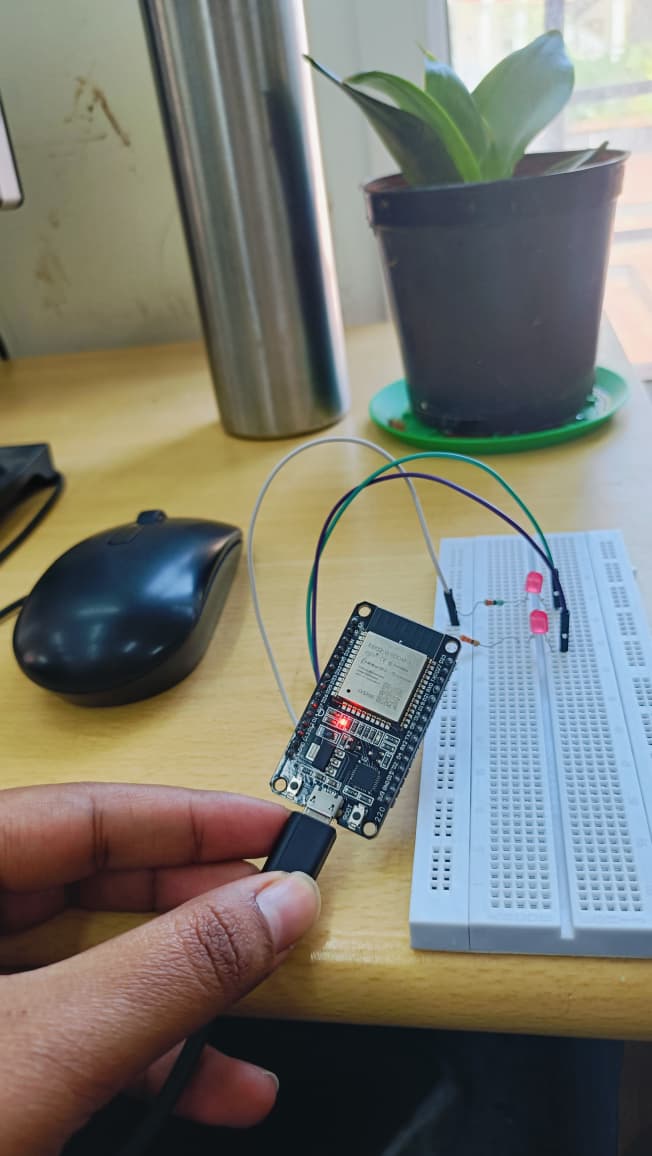
In this task, I learnt the working of the ESP32 microcontroller and how to create a standalone web server using it. I configured the Arduino IDE to support the ESP32 board and successfully uploaded the program. An LED was interfaced with the ESP32 and controlled through a web-based interface. The web server hosted on the ESP32 allowed the LED to be toggled ON and OFF using a browser. This task helped me understand web-based control using a microcontroller and basic IoT implementation.
Task 12: Soldering Prerequisites
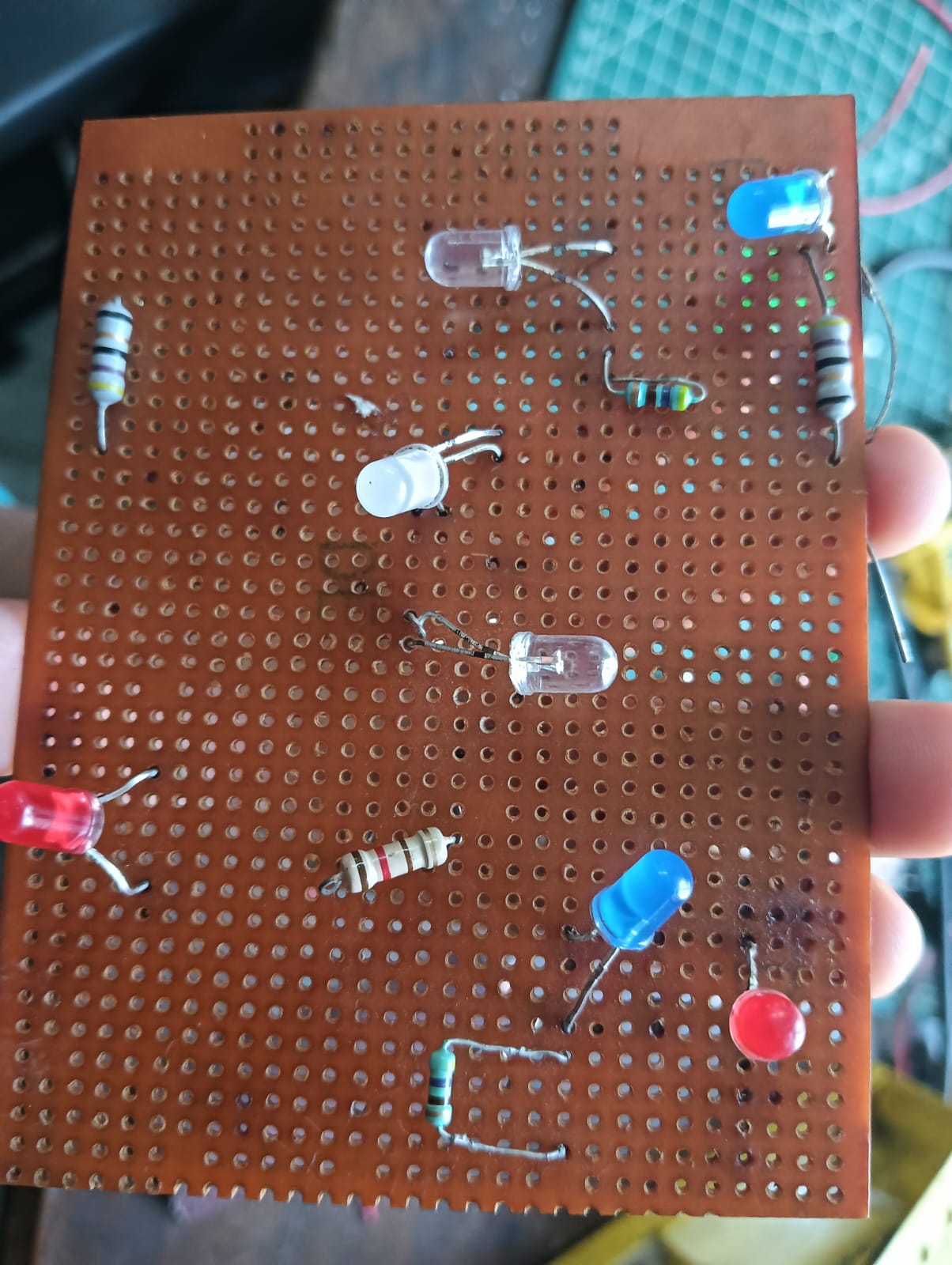
I studied the soldering equipment available in the marvel lab, including the soldering iron, solder wire, flux and learnt their functions.
I practiced basic soldering techniques on a perf board by assembling a simple LED setup under the supervision of a coordinator.
This experiment helped me understand proper handling and usage of soldering tools.
Task 13: 555 AC astable multivibrator with 60% duty cycle
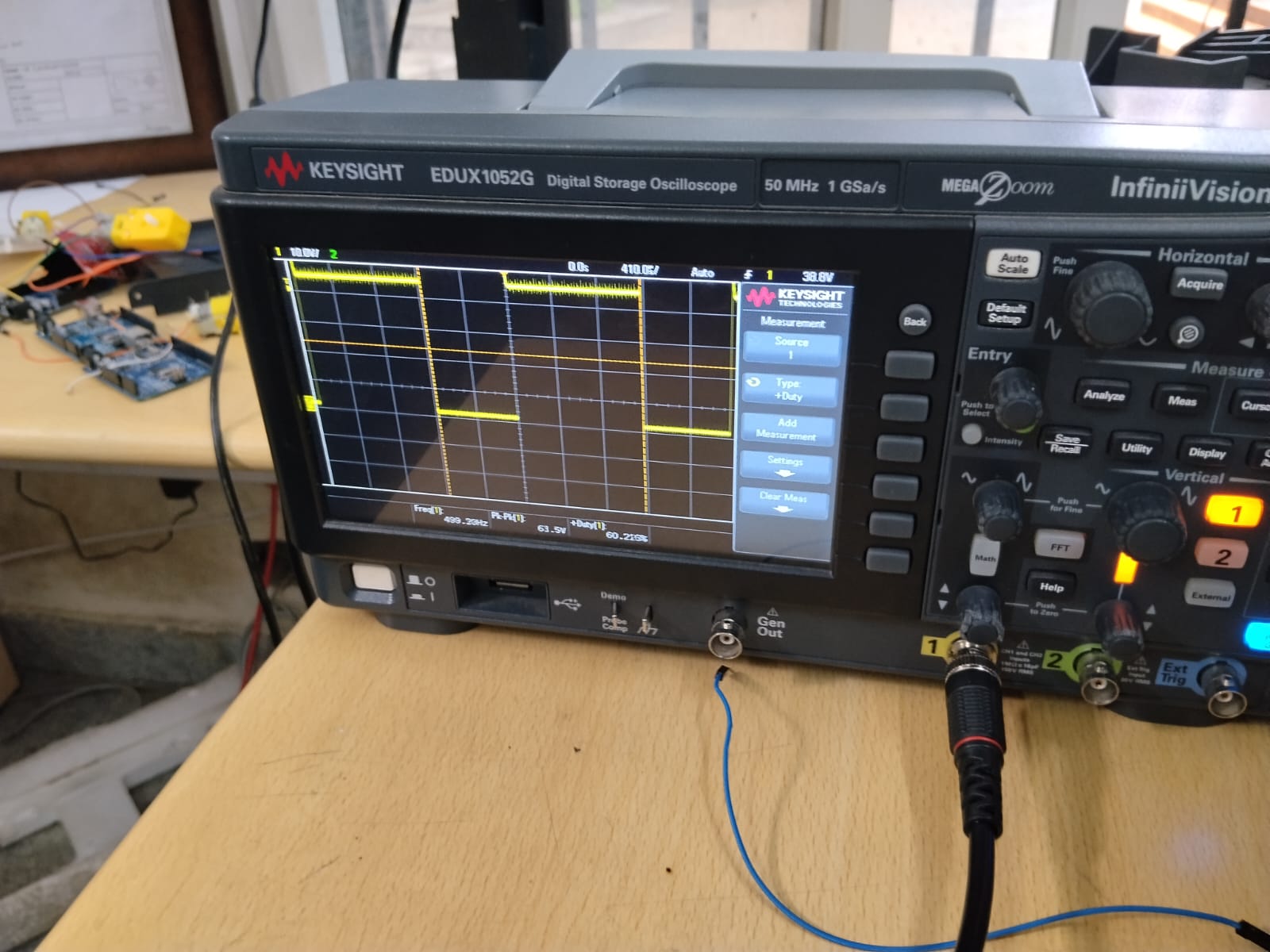
A 555 timer was configured in astable mode for a 60% duty cycle using R1 = 5kΩ, R2 = 10kΩ, and a 0.01µF capacitor. The circuit was built on a breadboard with pins 2 and 6 connected, resistors and capacitor placed as per astable configuration, and output taken from pin 3 with a 5V supply.
Task 14: Karnaugh Maps And Deriving Logic Gate
In this task, I designed a simple burglar alarm using two inputs: Door (D) and Key (K). The alarm turns ON only when the door is open and the key is not pressed. I created a truth table for all four cases
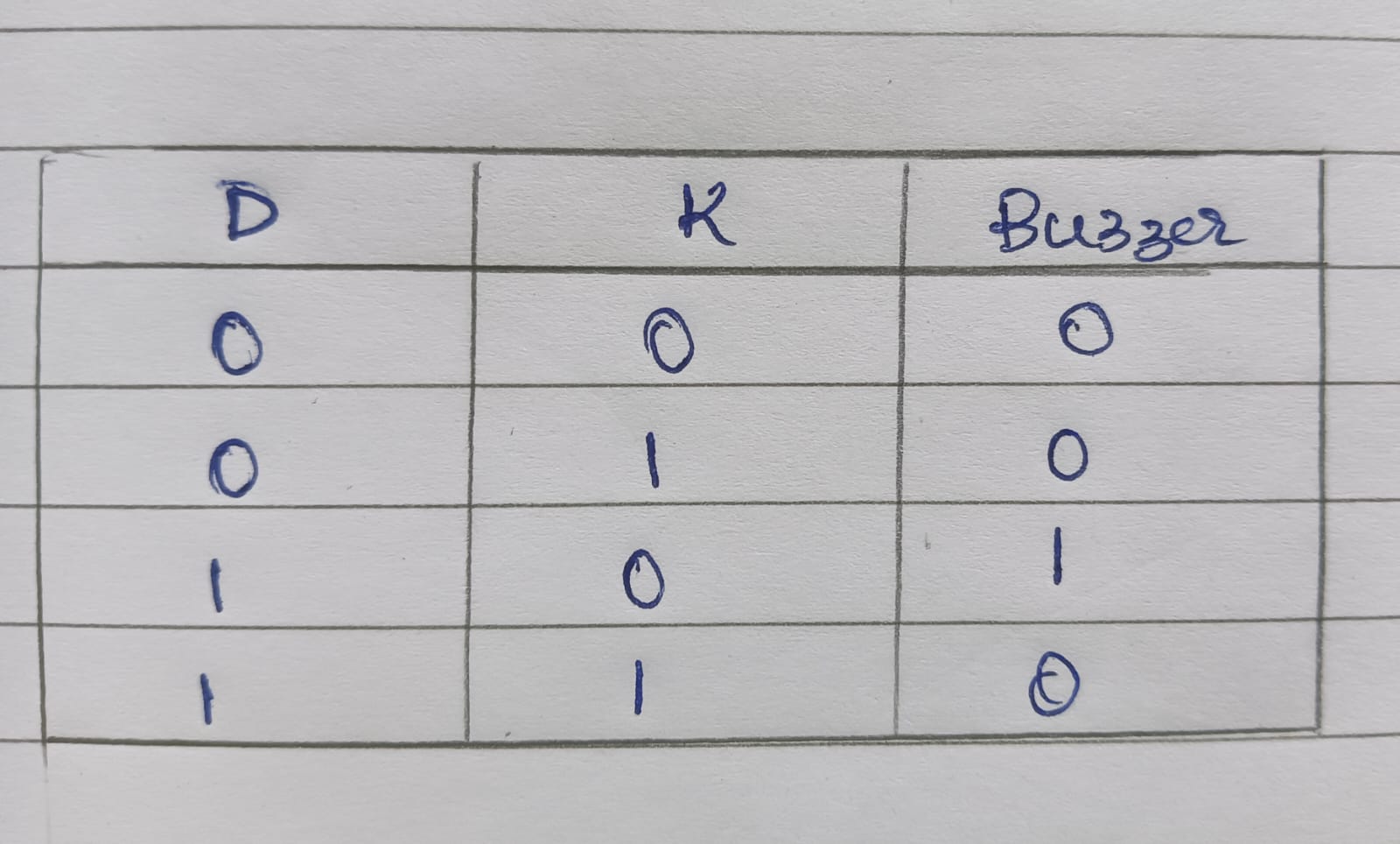
then used a Karnaugh Map (K-Map) to simplify the logic. The resulting Boolean expression is A = D · K̅
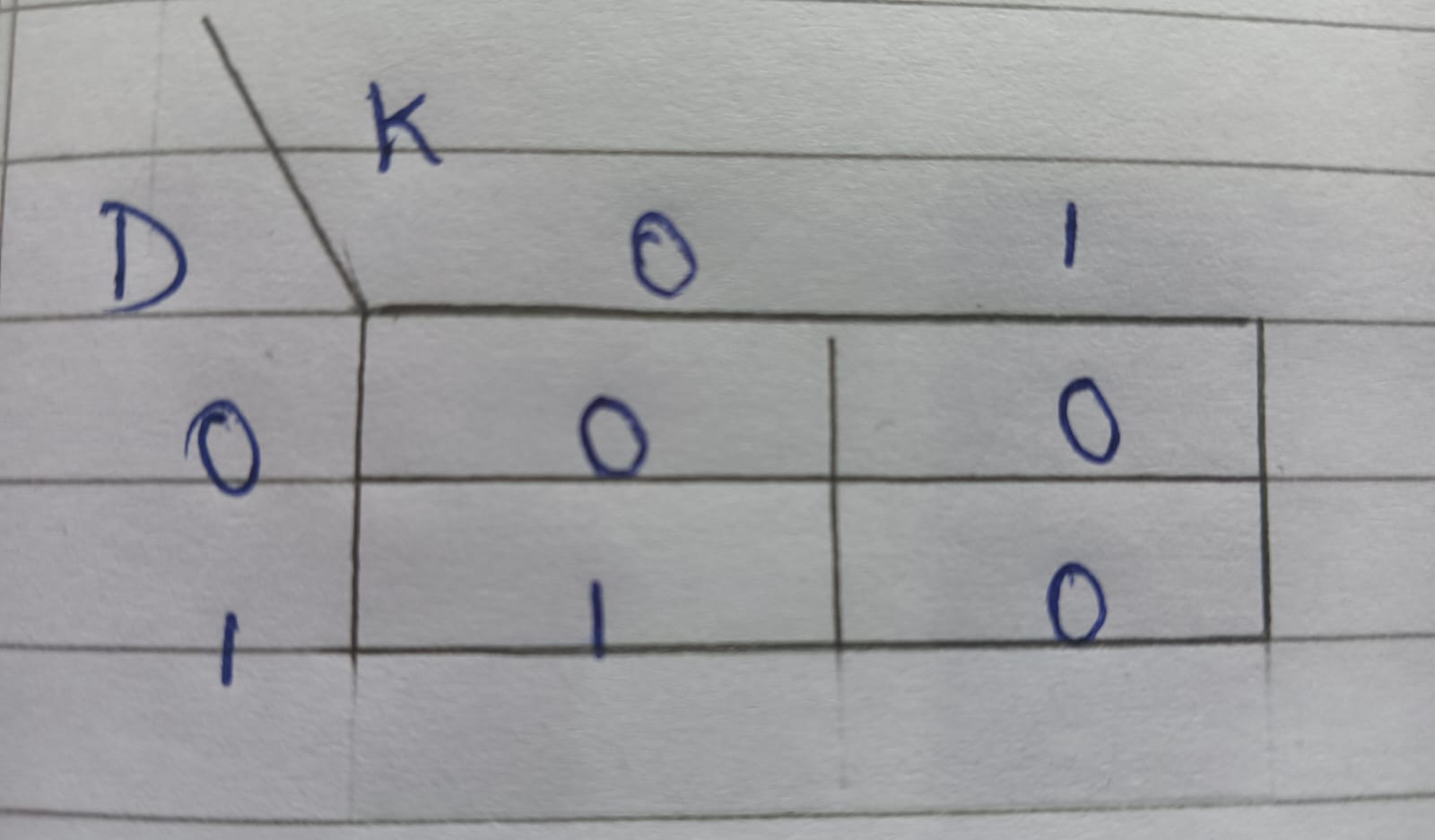
I implemented it using a NOT gate for the key input and an AND gate to drive the buzzer or LED. This exercise helped me understand how K-Maps simplify logic for practical circuits.
.jpeg)
Task 15: Active Participation
I participated in the bitcoin India Tour session that was held in our college campus,uvce.I got to learn about the importance of investment of gold in mutual funds
Task 16: Data Sheet Report Writing
The L293D is a dual H-bridge motor driver IC commonly used to control the direction and speed of DC motors. It allows a microcontroller or logic circuit to drive motors that require higher current than the controller can supply. The IC contains two full H-bridge circuits, enabling independent bidirectional control of two DC motors.
IC Configuration
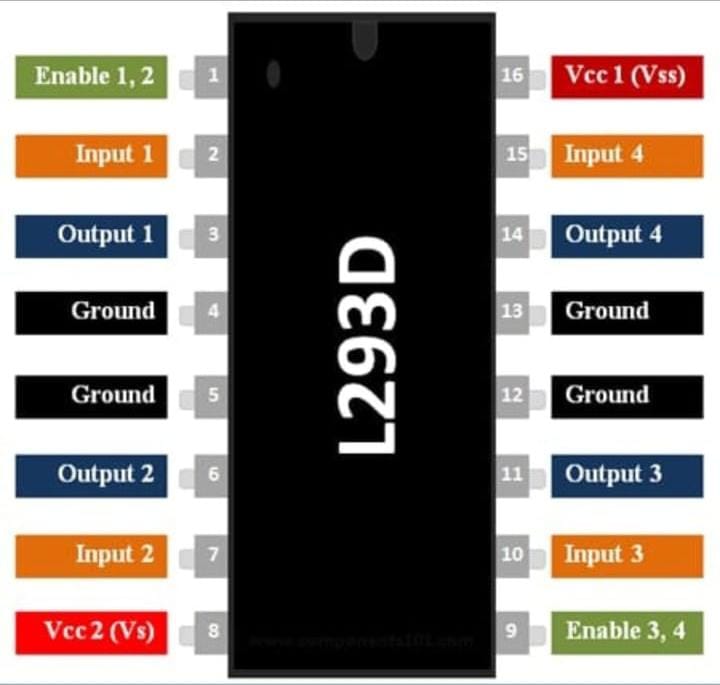
| Pin / Group | Description |
|---|---|
| Enable 1,2 (Pin 1) | Enables Output 1 and Output 2 |
| Input 1 | Controls Output 1 |
| Input 2 | Controls Output 2 |
| Output 1 | Motor terminal |
| Output 2 | Motor terminal |
| Enable 3,4 (Pin 9) | Enables Output 3 and Output 4 |
| Input 3 | Controls Output 3 |
| Input 4 | Controls Output 4 |
| Output 3 | Motor terminal |
| Output 4 | Motor terminal |
| Vcc1 (VSS) | Logic supply voltage |
| Vcc2 (VS) | Motor supply voltage |
| Ground | Common ground pins |
Internal IC Components
- The L293D uses Darlington transistor pairs to amplify current, enabling it to drive motors requiring high current.
- Each motor channel has a complete H-bridge, allowing current to flow in either direction through the motor.
- Clamp diodes are included internally to protect the IC from back EMF generated by inductive loads like motors.
- Two H-bridges allow independent control of two motors simultaneously.
H-Bridge Functionality
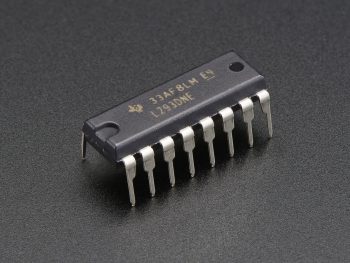
An H-bridge is a circuit that allows a motor to be driven forward or backward. In the L293D:
- Input pins control the direction of current through the motor.
- Enable pins turn the H-bridge on or off, and PWM signals applied to these pins allow speed control.
- The internal Darlington pairs increase the current capability of the IC, enabling it to safely drive motors up to 600 mA continuously and up to 1.2 A peak per channel.
PWM Speed Control
- Pulse Width Modulation (PWM) is applied to the Enable pins.
- By changing the duty cycle of the PWM signal, the average voltage applied to the motor changes, which controls the speed.
- This method allows smooth motor speed regulation without adjusting the motor supply voltage (VS).
Applications
- Robotics and automation projects
- Embedded systems requiring bidirectional motor control
- Educational experiments for motor interfacing
- Small electric vehicles or conveyor systems