11 / 10 / 2026
Task1 - LTspice and KiCad
Objective - Design and simulate a 555 timer-based astable multivibrator using LTspice to observe frequency and pulse width behavior. Use KiCad to create a schematic of an LED blinking circuit and design a PCB layout with proper footprints and routing. This task introduces simulation and PCB design fundamentals.
Learning -
Learned to design and simulate an astable multivibrator using a 555 timer in LTspice and KiCad.
Understood capacitor charging/discharging and generation of continuous square waves without an external triggering signal.
Learned to calculate frequency, time period and duty cycle using the 555 timer equations.


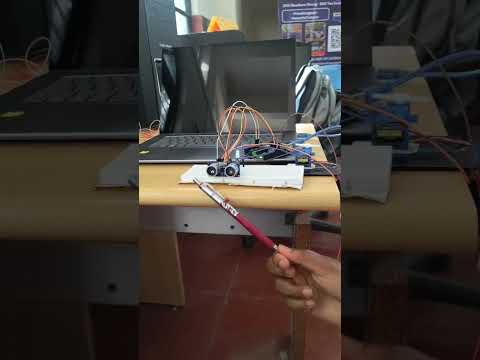
Task 2 - Point Turn of a Vehicle with Ultrasonic Sensor
Objective - Build an obstacle-avoiding robot using an HC-SR04 ultrasonic sensor, Arduino, and a motor driver. The vehicle should detect obstacles and perform a point turn by rotating in place to change direction. It combines sensor data processing with differential motor control
Learning -
Learned to interface an HC-SR04 ultrasonic sensor and servo motor with Arduino UNO and how the servo helps in directional control of the vehicle.

Task3 - Temperature and Humidity Detection
Objective - Use the LM35 analog temperature sensor to monitor ambient or localized heat.When temperature exceeds a threshold, turn on a LED using a BJT as a switch. In parallel, use the DH11 digital sensor to read and display temperature and humidity.
Learning -
Learned to interface LM35 and DHT11 sensors with Arduino UNO. Understood how temperature and humidity are sensed and processed by the Arduino.


Task5 - Battery Capacity Measurement
Objective - Monitor the voltage of a Li-ion battery using analog input on Arduino. Use a MOSFET as a switch to disconnect the load when voltage drops below a safe threshold. Ensures safe battery operation and demonstrates basic battery protection logic.
Learning -
Learned how to measure battery discharge and estimate its capacity using current and time. Understood the role of a MOSFET as an electronic switch for controlling the load. Learned the relationship (C=I x t) for constant-current discharge.

Task6 - Battery Charging
Objective - Charge the Li-on battery using solar panels and a solar charging module.
Learning -
Learned how a solar panel provides electrical energy for battery charging. Understood the role of the charging module in regulating the charging process. Learned to measure and compare the input and output voltages of the charging circuit.
.jpeg)
Task7 - Solar Tracker
Objective - Use LDRs and a servo motor controlled by Arduino to orient a solar panel toward the strongest light source. The system maximizes solar energy collection using dual LDR comparison logic and basic actuator control.
Learnings -
Learned to use two LDRs to detect the relative intensity of sunlight. Understood how Arduino compares the LDR readings and controls a servo motor. Learned how automatic panel positioning can improve the exposure to sunlight.


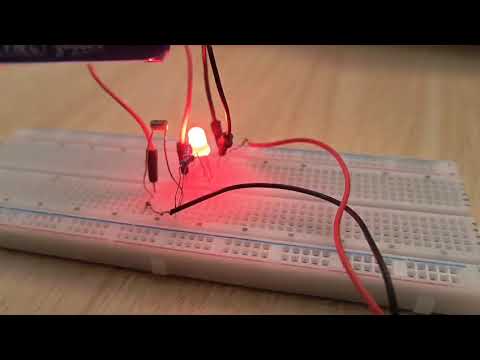
Task10 - Auto Night Lamp Using LED for Electric Vehicles
Outcome - Design a light-sensitive LED circuit using an LDR and a BJT transistor. The LED turns on when light levels drop, simulating an automatic headlamp system for EVs. Test using a mobile flashlight for light detection.
Learning -
Learned to use an LDR and BJT to build an automatic night lamp circuit. Understood how the LDR senses ambient light and controls the transistor. Learned how a BJT can act as a switch to automatically turn the LED ON/OFF.
Task11 - Buck Converter on LTSpice
Objective - Design and simulate a DC-DC buck converter in LTspice. Observe input and output voltages, inductor current waveform, and switching frequency. Understand step-down conversion and efficiency aspects.
Learning - Learned to design and simulate a DC-DC buck converter using LTspice. Understood the operation of the MOSFET, diode, inductor and capacitor during switching.


Task12 - Wireless Charger Simulation on Tinkercad
Outcome - Simulate inductive power transfer between a transmitter and receiver coil on Tinkercad using basic circuit blocks. Demonstrates wireless charging principles through virtual components and LED indication.
Learning -

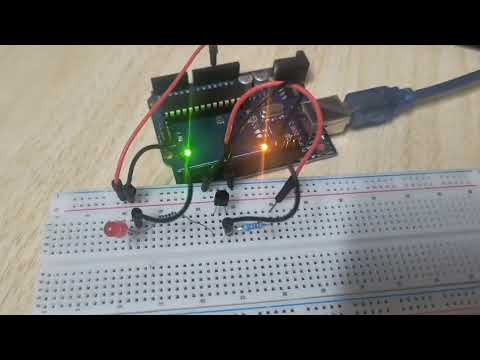
Task13 - Utilizing Transistors as Switches and Voltage Regulators
Outcome - Understand how transistors can be used as digital switches and basic voltage regulators. Begin by using an Arduino to send a digital signal to the base of a transistor to control an LED (ON/OFF). Then, explore how a transistor introduces voltage drop by simulating a circuit in Tinkercad—observe how voltage reduces across the LED after adding a transistor.
Learning -
Learned how transistors can be used as electronic switches and in voltage-control circuits. Understood how the transistor controls current based on its input/control voltage. Learned the basics of PWM and how Arduino can control output power and brightness.

Task14 - LED Brightness Control Using PWM and MOSFET
Outcome - Use an Arduino and an N-channel MOSFET to control LED brightness through Pulse Width Modulation (PWM). The Arduino sends a signal to the MOSFET’s gate, allowing current flow between the drain and source. By varying the PWM duty cycle, you can control the LED’s brightness—higher duty cycle means more brightness, and lower duty cycle means dimmer output.
Learning -
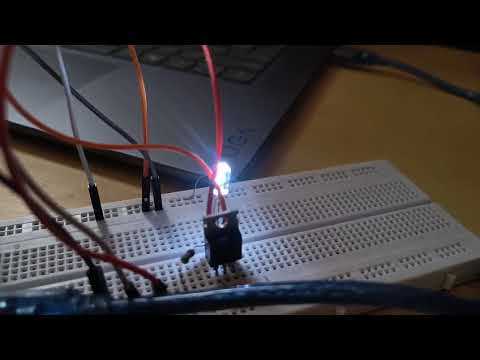
Task 16 - Generating AC-Like Signal Using a 555 Timer and Mosfets
Outcome - Use a 555 Timer IC to generate a square wave signal and drive two N-channel MOSFETs in a push-pull configuration. As the timer alternates between HIGH and LOW, one MOSFET connects the load to ground while the other pulls it to Vcc, producing an AC-like square waveform. The MOSFETs amplify the signal, enabling the circuit to handle higher current loads.
Learning -
Learned how a 555 timer can generate a periodic square-wave switching signal. Understood how MOSFET switching stages can alternate the polarity across a load. Learned the basic principle of generating an AC-like output from a DC source.


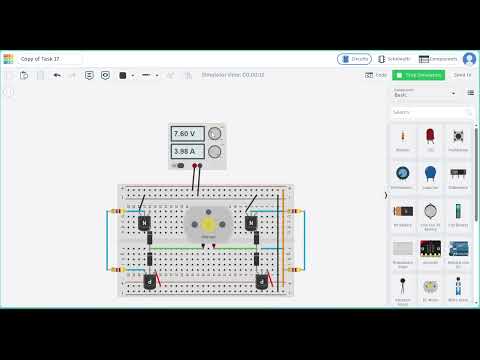
Task 17 - Building a Basic H-Bridge Motor Driver using MOSFETs
Outcome - You are required to design and build a basic H-Bridge motor driver circuit using N-Channel and/or P-Channel MOSFETs. The H-Bridge should allow you to control the direction of a DC motor using digital signals (e.g., from Arduino or switches).
Learning -
Learned the working principle of an H-bridge using four switching devices. Understood how changing the switching combination reverses current through a motor.