
COURSEWORK
Aadesh's D-P-001 course work. Lv 1
| Aadesh Rakesh | AUTHOR | ACTIVE |
22 / 3 / 2026
TASK 18: Sad servers - "Like LeetCode for Linux"
Objective:Troubleshooting scenario: Command Line Murders. Troubleshoot and Make Sad Servers Happy!
Methodology:
- So the task given is to find the murderer in the file by searching through all the clue and mystery using linux commands.
- Step-1 : I changed directory(cd) to the "clmystery".Then saw contents of it using ls command.

- Step-2 : I opened the instructions file to read it using the less command.
- Step-3 : By reading the instructions it is clear that we need to go to the "mystery" directory and see the "crime scene" file for all the clue.
- Step-4 : So I changed directory(cd) to "mystery" and saw all the contents using ls command.

- Step-5 : Then I concatenated(cat) the "crimescene" file and filtered out only the "CLUE"from it using the grep command.

- Step-6 :We got to know the witness name had "Annabel" in it, who had blond hair and had New zealand accent.
- Step-7 :Now we have to search the "people" file in "mystery" directory and filter out all the names which has "Annabel" in it, again by using grep command.
 From this we figured out that there are 4 people who has "Annabel" in their name. But by the "CLUE" (see step-5)
we know that the person is a female.
Therefore only "Annabel Sun" and "Annabel Church" can be a eye witness to the crime scene.
From this we figured out that there are 4 people who has "Annabel" in their name. But by the "CLUE" (see step-5)
we know that the person is a female.
Therefore only "Annabel Sun" and "Annabel Church" can be a eye witness to the crime scene. - Step-8 :Now we have to search their "streets" as mentioned beside their name.
For this we concatenated(cat) the "streets" file and show only the 40th line for "Annabel Sun" and 179th line for "Annabel Church".
This is done by using the head and tail command "n" option to select specific amount of lines.
 From this we get 2 interviews give by the two people.
 - Step-9 :Now I checked the "interviews" file in "mystery" directory and filtered out the two specific interview numbers.

- Step-10 :Now we figure out that the murderer drove a "blue honda" with number plate starting with "L337".
- Step-11 :Now I checked the "vehicles" file in "mystery" directory and filtered out for "blue honda" with number plate starting with "L337". Which gives us 6 names.
- Step-12 :From step 5, we know that the murderer has 4 specific memberships.
So we see the "memberships" file and search for each of the names.

NOTE: In Linux commands, /* is part of a pathname expansion (or "globbing") pattern, where the asterisk (*) acts as a wildcard that matches any number of characters (including zero), and the slash (/) specifies a directory separator.
- Step-13 : The above step is done for all the 6 names and the memberships are matched.
On matching we notice the name "Joe Germuska" as the culprit.

And the Sad Server is made Happy!
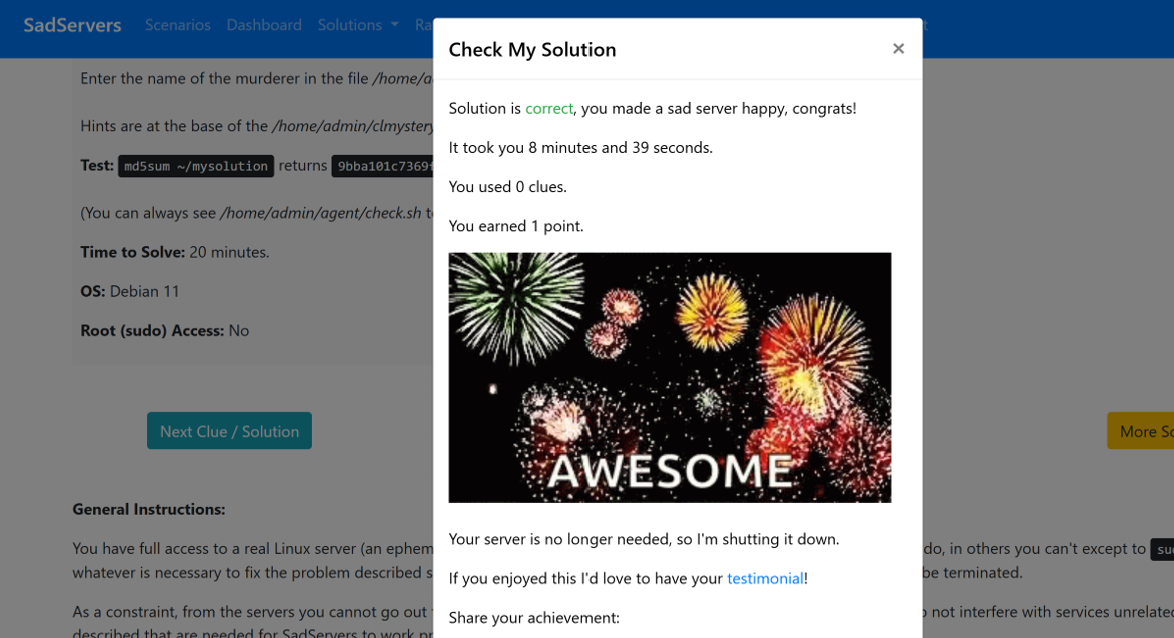
Learnings: This was my first experience with Sad Servers and I really enjoyed the challenge. I learnt many new linux commands and the use of these commands in specific conditions.
-
grep (global regular expression print) is used for searching text data for lines that match a specified expression or pattern. It was useful to search all the "CLUE" from the "crimescene" file rather than wasting time reading the whole file to search for it. Other used of grep was searching the "Blue Honda" from the "vehicles" file. cat vehicles | grep -C4 "Honda" | grep -C4 "Blue" was used to check the 4 lines which give the required details.
-
Other commands were less used to show contents of a .txt file , head and tail used to get specific number of lines from head and tail of the file.
TASK 1: 3D Printing
Objective: Understand the working of a 3D printer, check out the online resources. Understand what's an STL file, and then learn to slice it (using ultimaker or creality slicer).Go through the SOP'S regarding the 3d printer. Learn about bed temperature, infill density and other printer settings. Finally get an STL file from the internet, and slice it and put it for print. Outcomes & Learnings:
-
3D printing is the process of creating three-dimensional objects layer by layer from a digital model.
-
PLA (Poly-Lactic Acid) is the most used material for 3D printing .It is derived from renewable feedstock like corn and sugarcane, PLA is a bioplastic that breaks down thousands of times faster than petroleum-based plastics such as ABS (Acrylonitrile Butadiene Styrene) and PETG(Polyethylene Terephthalate Glycol-modified).
-
Bed temperature: PLA/PLA+ can be printed on an unheated bed, for best results we recommend and a bed temp of between 50°C - 60°C.
-
Slicing is the program that takes the 3D model and turns it into instructions that the printer can understand. It slices the model to hundreads of thin layers and tell the printer to print it step by step.A slicing software can also lets us adjust the temprature, print speed etc.
-
The Process:
- Make or download a 3D model (STL file).
- Slice the model using software like Ultimaker Cura or Creality Slicer to generate G-code.
- Set printer parameters and send the G-code to the 3D printer.
- The printer deposits material layer by layer to build the object.
-
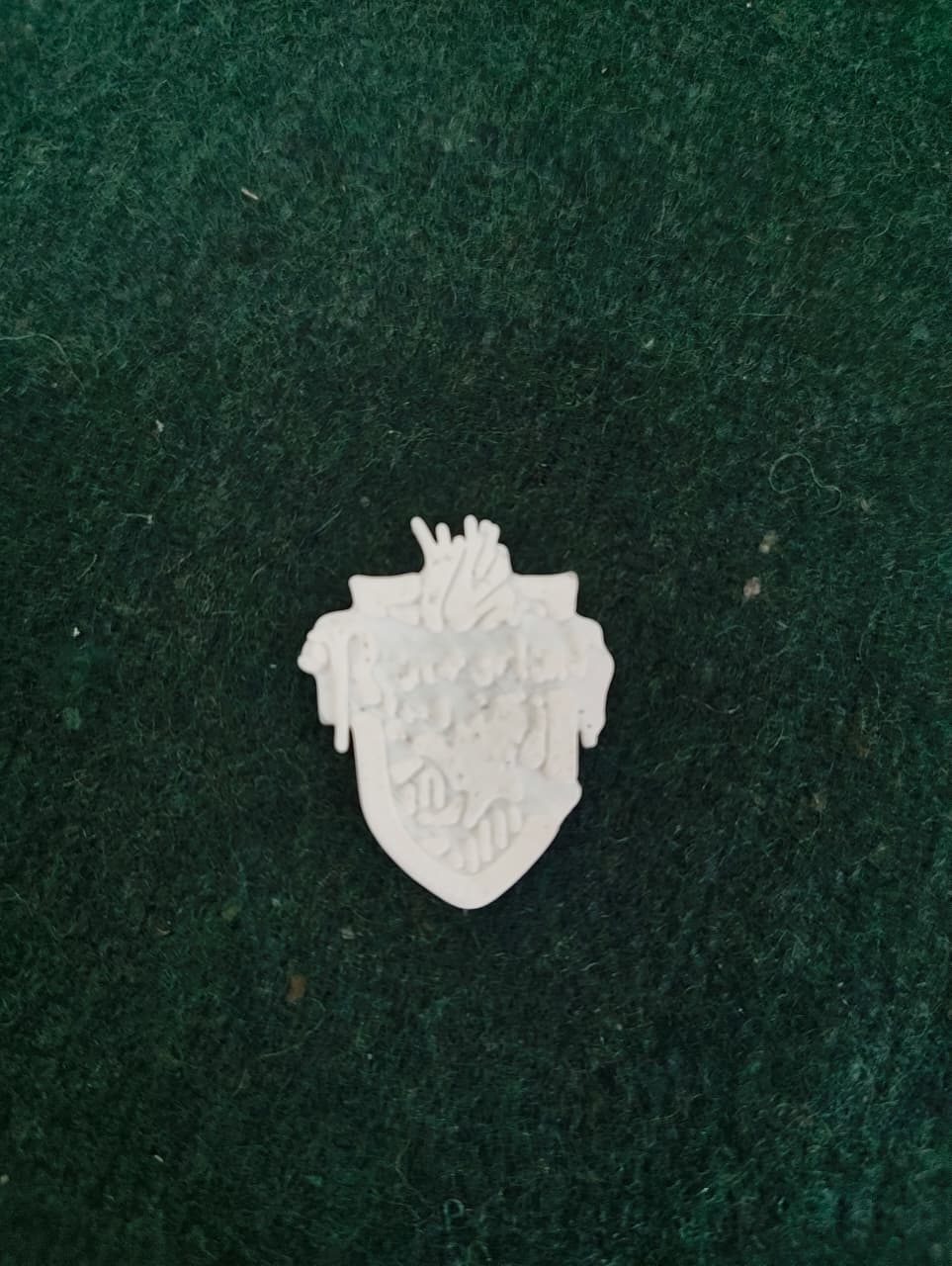
Here is a small Ravenclaw badge I printed:
TASK 2: API
Objective:What is an API? Learn the working of an API and its applications. Using any api of your choice, build an user interface(web app, mobile app, etc), where you can make calls and then display the necessary information.
Outcomes & Learnings:
- An API (Application Programming Interface) acts as an interface between different applications and allows them to share data and information.They enable applications and systems to communicate and share data efficiently.
The following image show a representation of how an API works:

- As part of this task, I developed a Pokemon api webpage which shows the stats of a pokemon by entering the name.
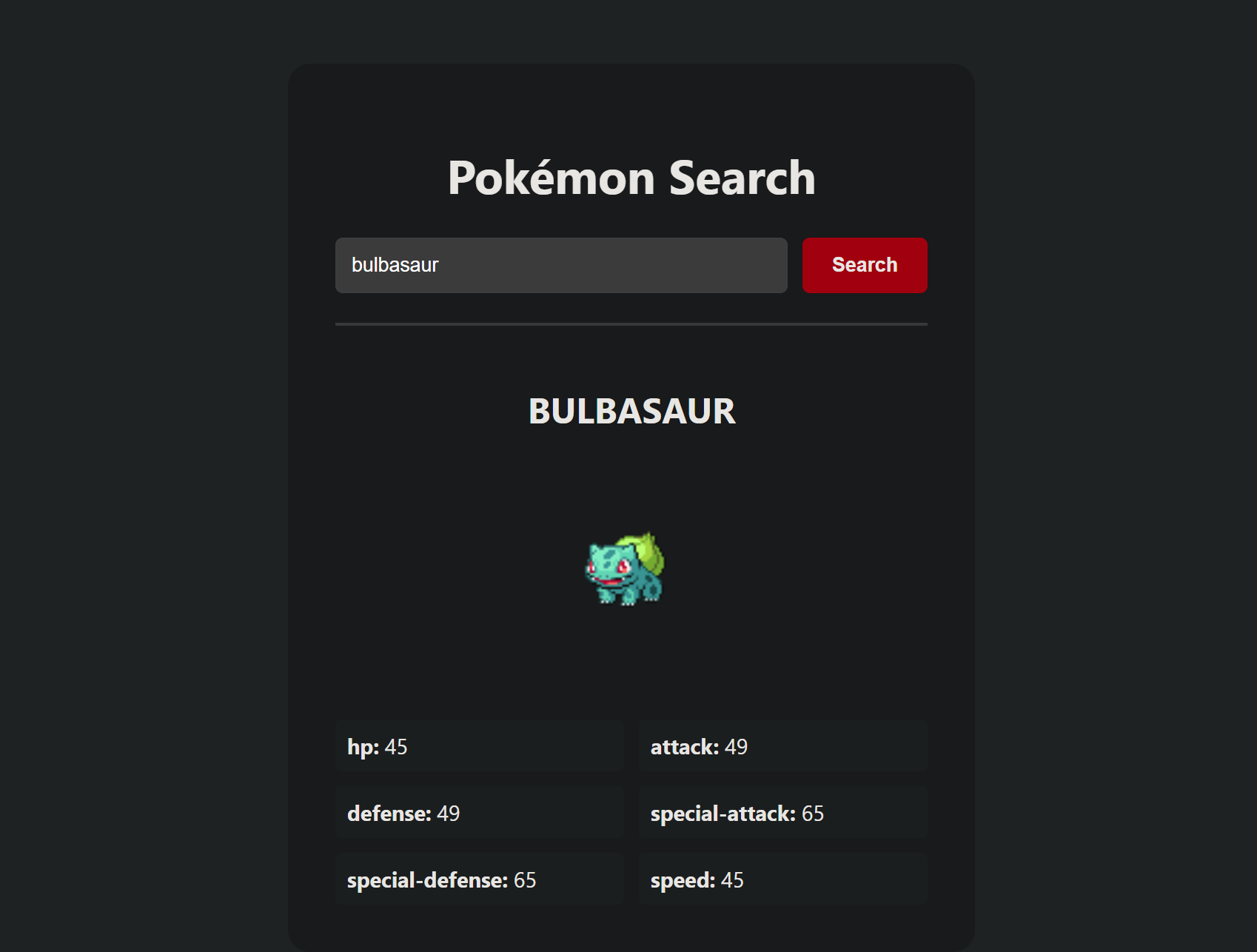 Click here to view the files i used for making it.
TASK 3: Working with Github
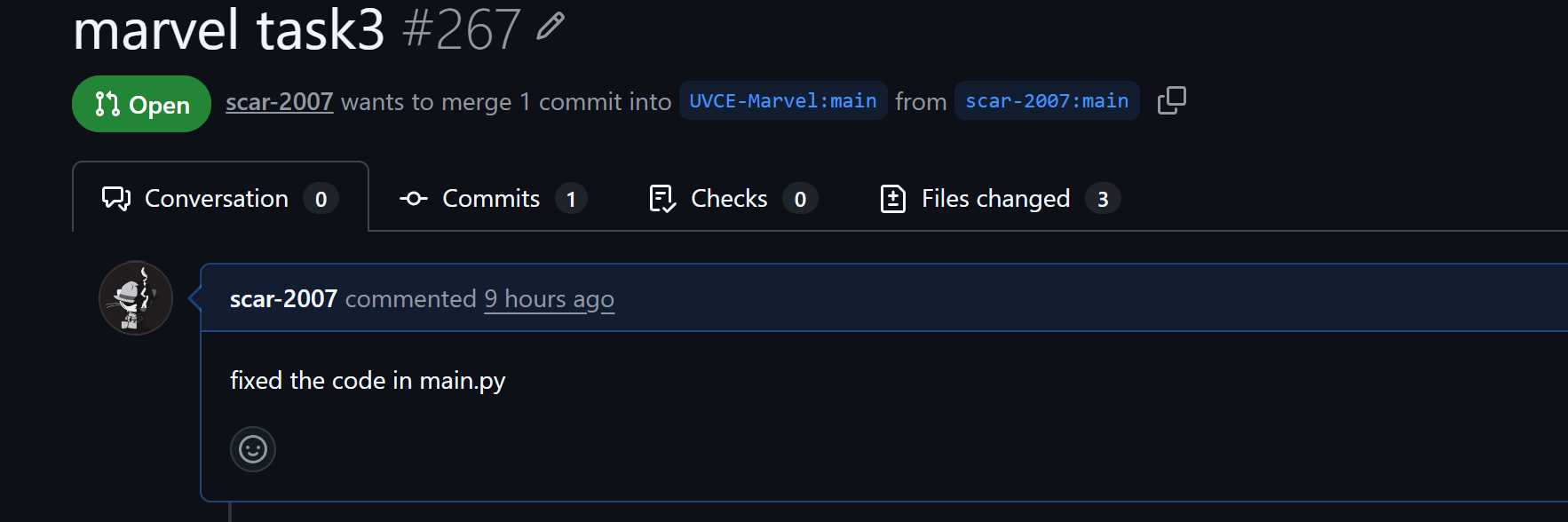
Objective:Familiarize yourself with GitHub integrated workflows (GitHub actions), Issues, and pull requests with this task. Given below is a git repository, go check it out and then perform the necessary tasks stated in the readme file.
Outcomes & Learnings:
- I learnt about the GitHub environment and made myself familiar with basic git commands
- I learnt how to create & delete my own repositories.
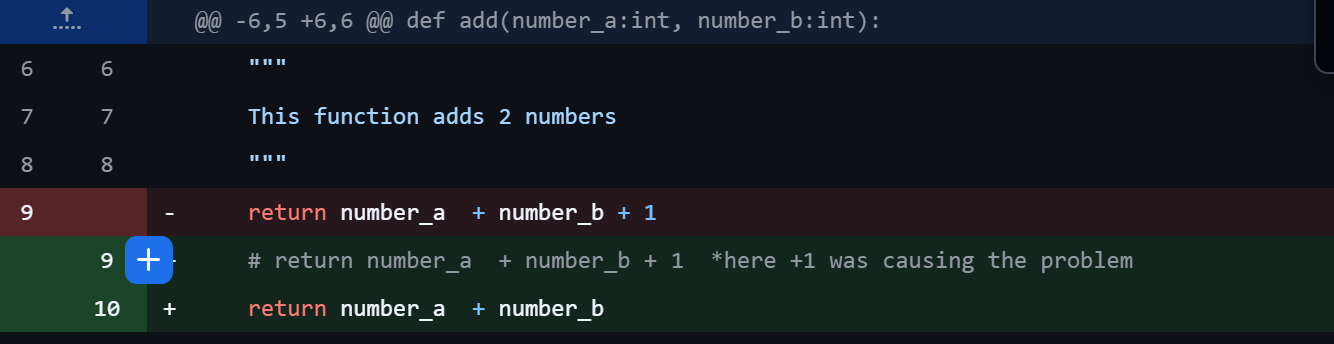
- I learnt about the fork and pull request. It is used to contribute to a public project by creating a copy of the project on the local computer and make updates. After making the updated it can be pushed back to them.
TASK 4: Ubuntu Command Line
Objective:Get familiar with the command line on ubuntu
Outcomes & Learnings: I learnt,
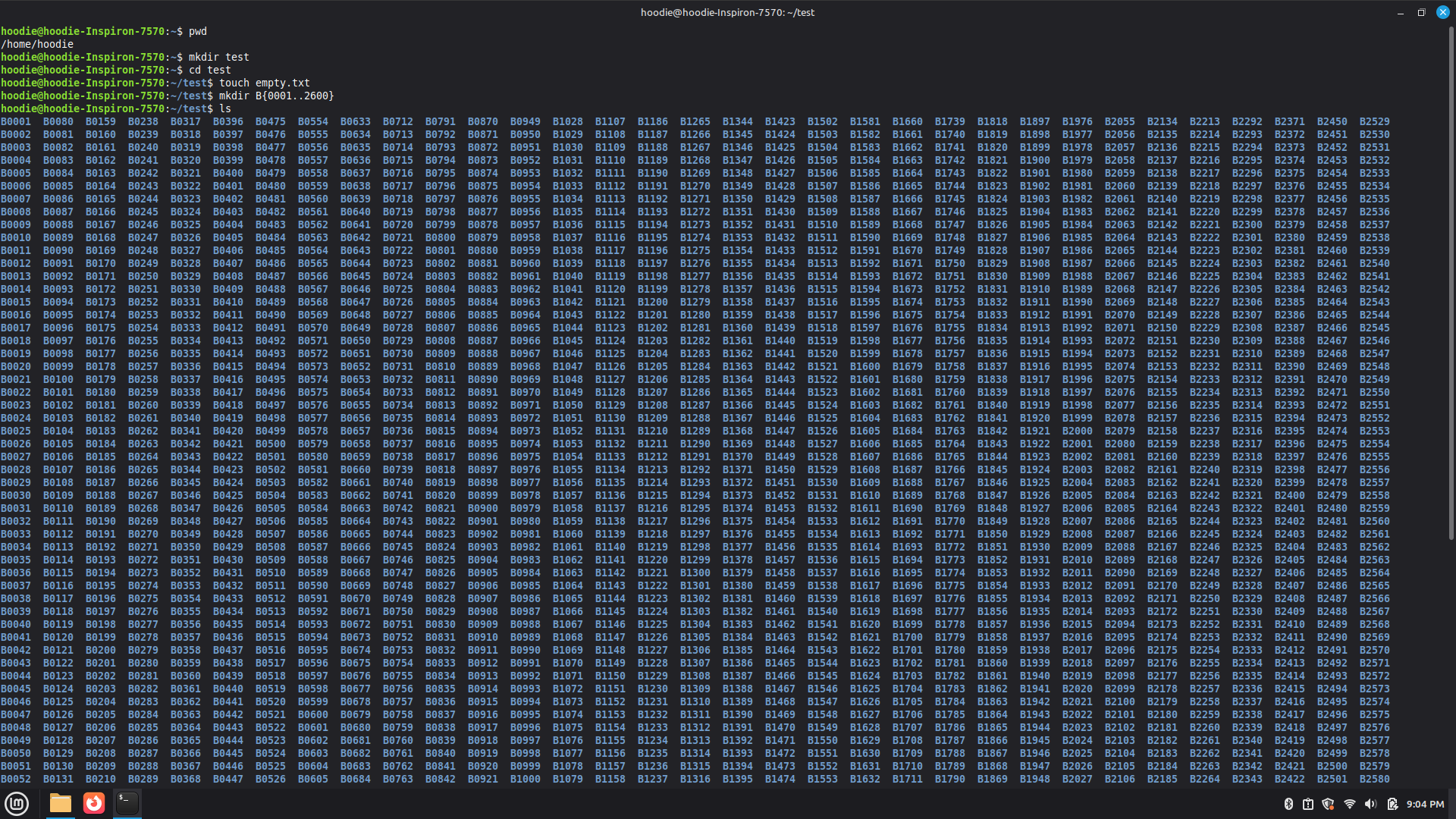
- To create a folder named test(mkdir command)
- To change directory into that folder(cd command)
- To create a blank or empty file without using any text editor(touch command)
- To create 2600 folders in this folder where each folder is named like . For example, M90 or B56.
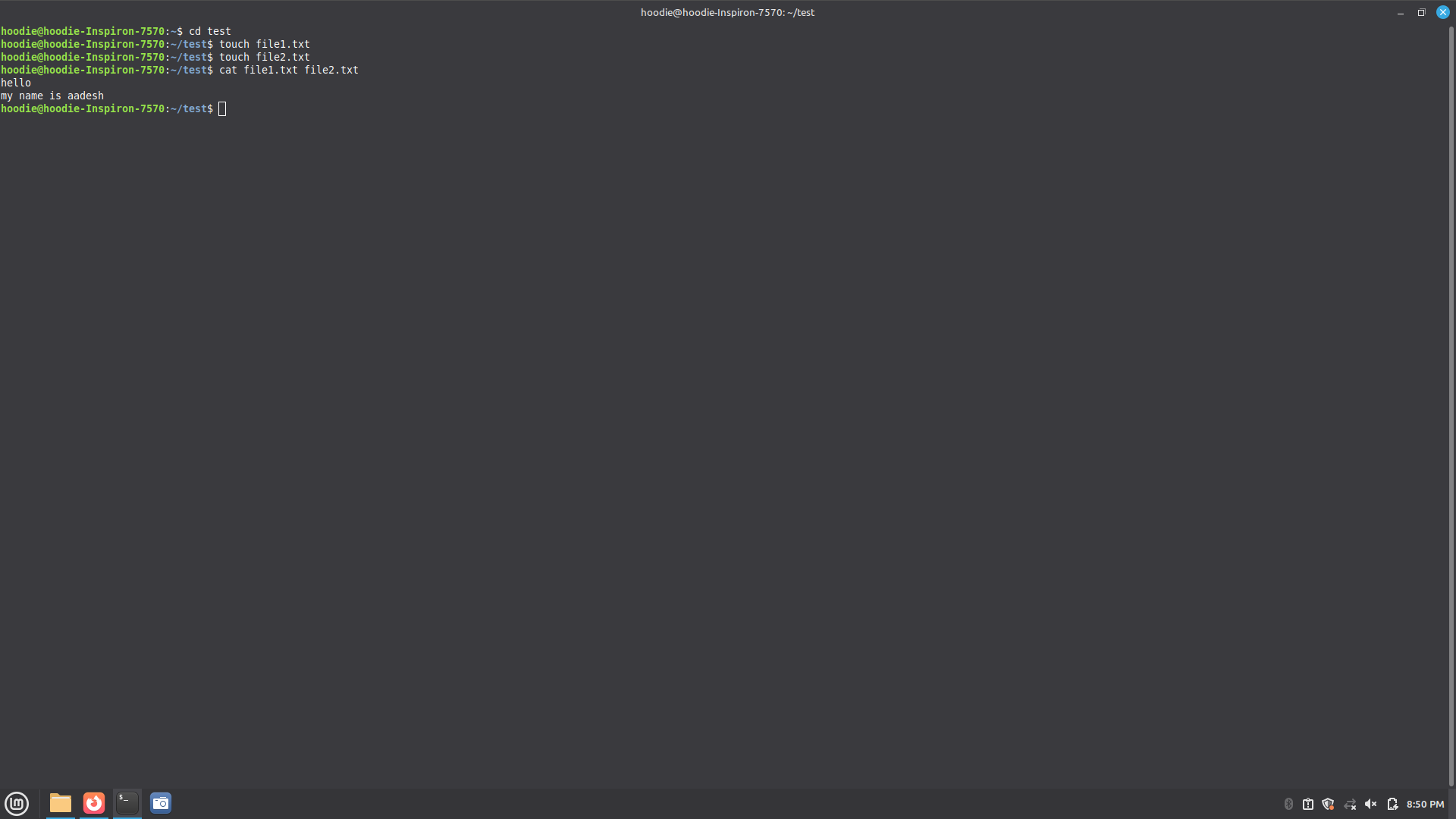
- To concatenate two text files containing any random text and display them on the terminal.
TASK 6: THE MATRIX PUZZLE
Objective:Get hands-on with NumPy and Matplotlib by solving a visual puzzle. You’ll be given a scrambled matrix, and your mission is to decode it into a hidden image using NumPy operations and visualization techniques.
Methodology:
- First I loaded a NumPy file containing a long string of numbers (likely 0s and 1s for a black-and-white image).
- At this point, the data is "flat",just one long row of pixels with no height or width defined. And on the terminal I print the original shape, which is (200,50) and the total number of elements, which is 10000 (200 x 50).
- Since images are 2D, I calculates the square root of the total pixel count to find the dimensions. In this case, there are 10,000 pixels or elements, so root of it will be 100. And it is reshaped into a (100,100) square matrix.
- Then I just swap rows and columns and used numpy slicing to get the orientation of the image correct.
- By doing all this we solve the matrix puzzle
initial:

final:

TASK 7: Create a Portfolio Webpage
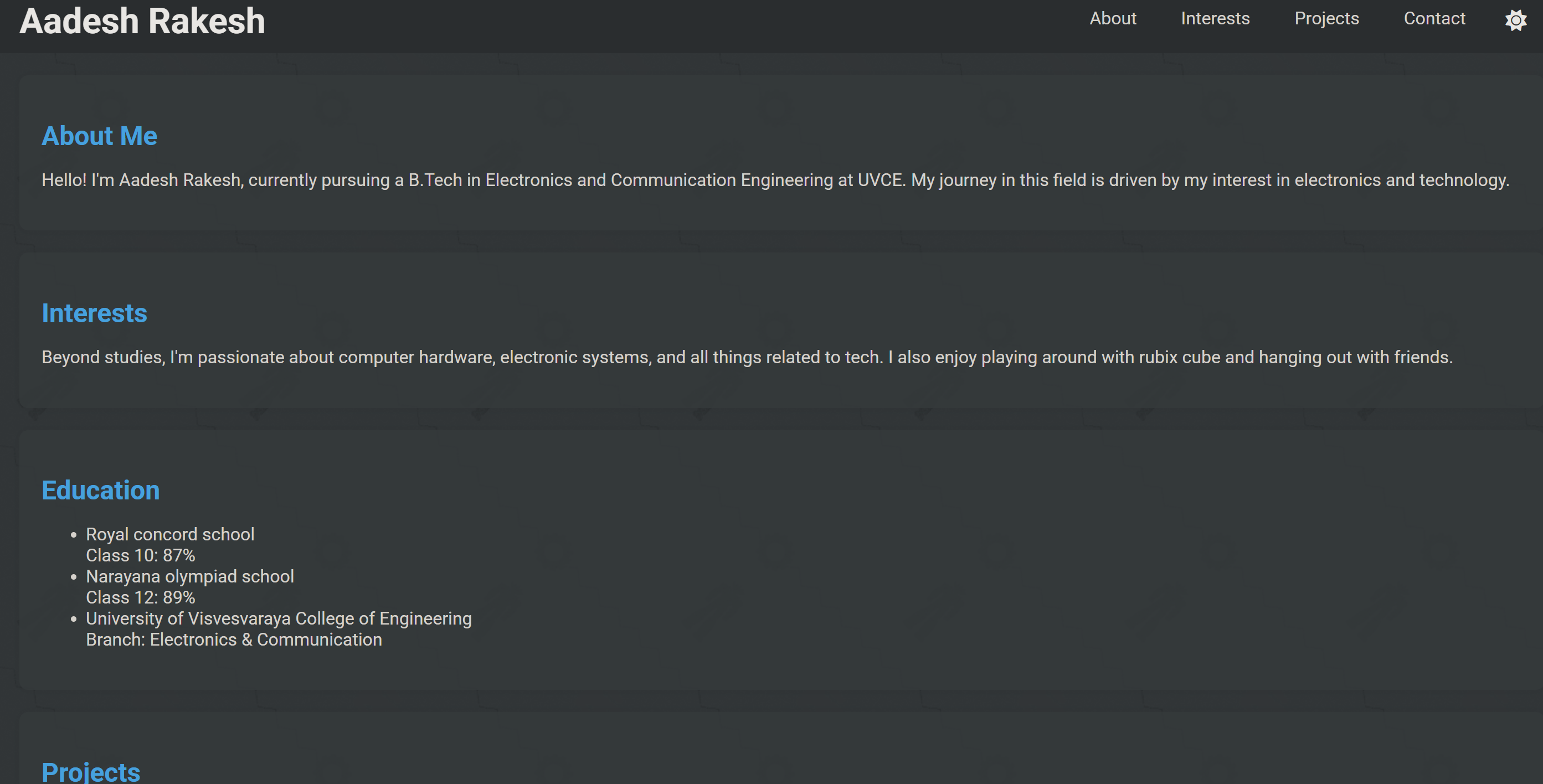
Objective:Create a website to showcase your portfolio - about yourself, interests, projects, social media profiles and more. It has to be responsive and also pushed to the git repository. CSS can be of your choice and any framework can be used.
Outcomes & Learnings:
I learnt html and a bit of CSS and JS to create this website.I even made an toggle between light and dark mode.
 Click here to view the files I used for making my webpage.
TASK 8: Writing Resource Article using Markdown
Objective:Write a technical resource article on a topic of your choice and post it on the MARVEL website.
Outcomes & Learnings:
My technical article is about Light fidelity(LI-FI), which is the transmission of data in the form of light. Click here to view my github repo. about it.
TASK 9: Tinkercad
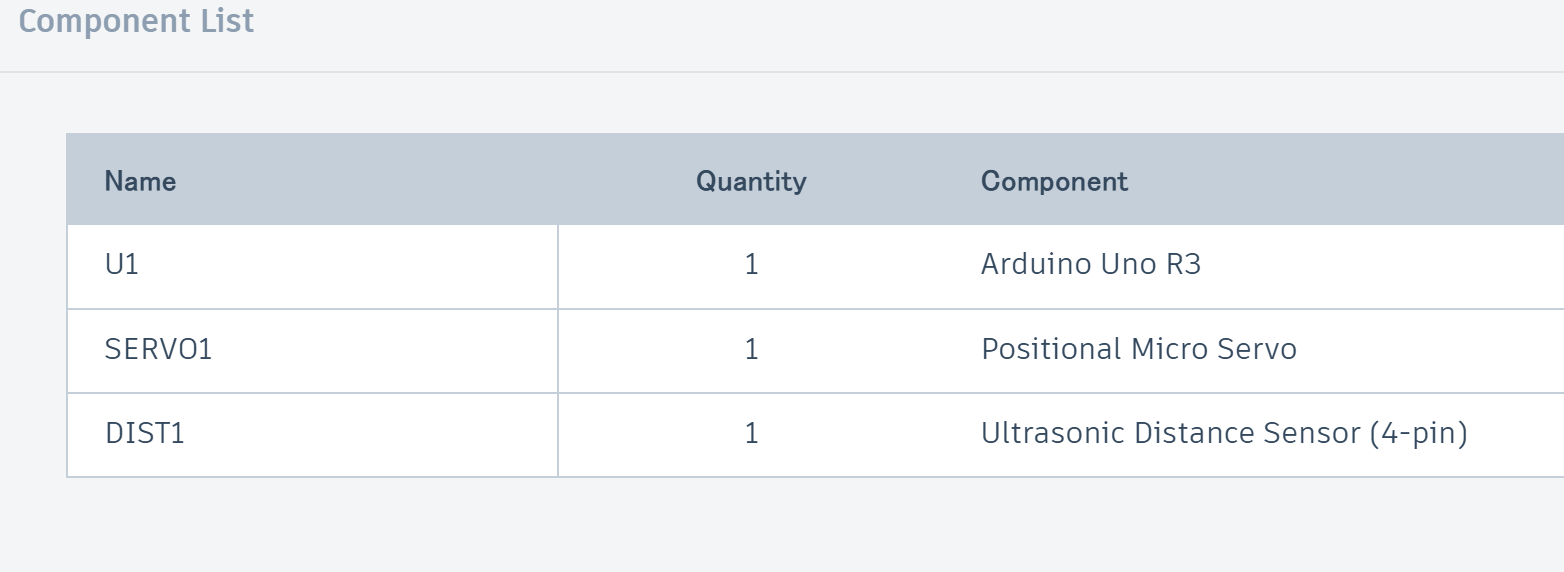
Objective:Create a tinkercad account, get familiar with the application, understand the example circuits given and simulate a simple circuit using an ultrasonic sensor to estimate the distance between an obstacle and the sensor.
Outcomes & Learnings:
-
Working of the Ultrasonic sensor:
 An ultrasonic sensor is essentially the "bat" of the electronics world. It measures distance by emitting high-frequency sound waves and timing how long it takes for the echo to bounce back from an object.The sensor doesn't actually tell you the "distance"; it tells you the time it took for the sound to travel. To get the distance, we use the speed of sound (v=343m/s (approx.) in dry air at 20°C).
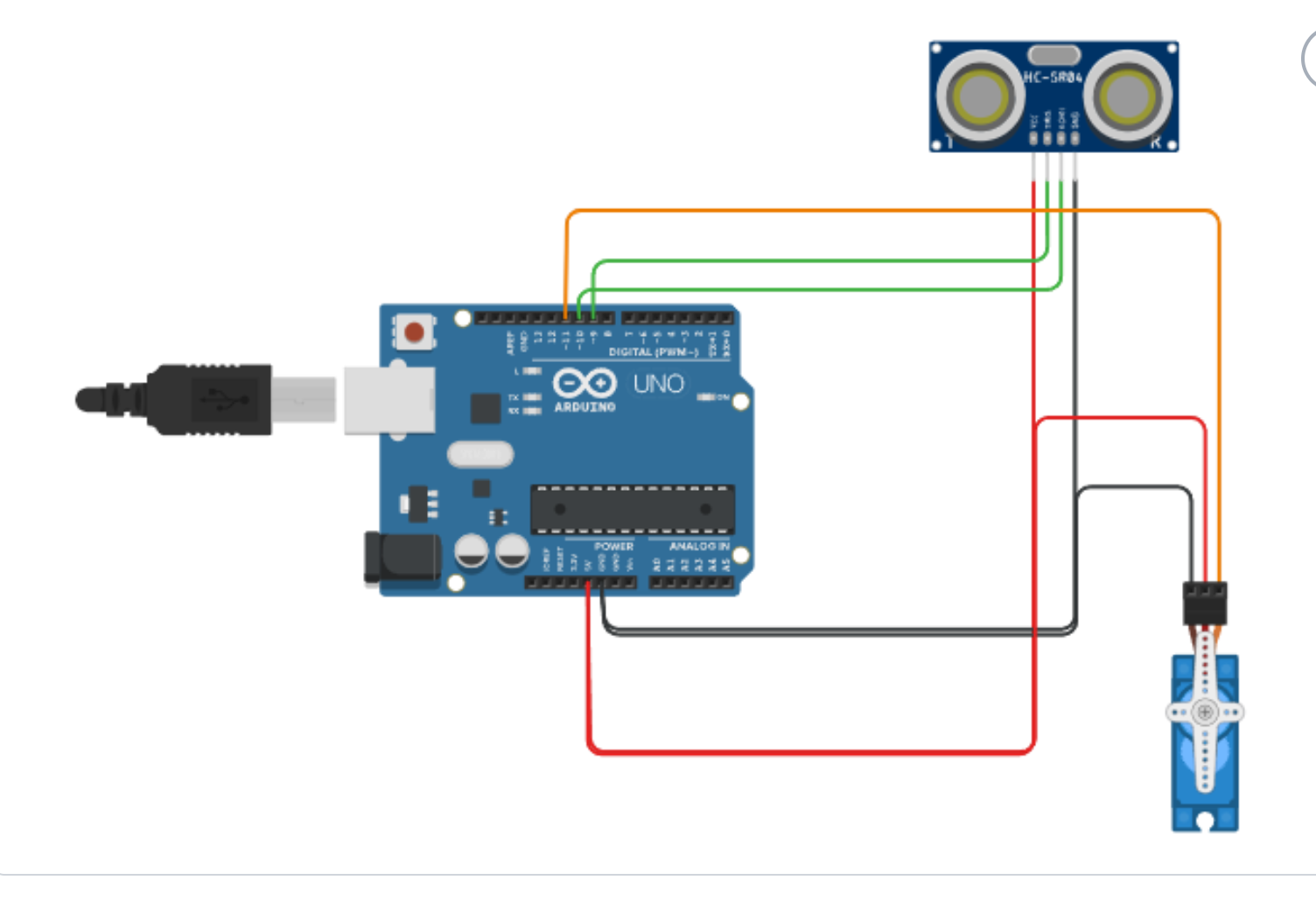
To increase the range and coverage area of the ultrasonic sensor, it can be mounted on a servo motor, allowing it to rotate. This setup enables the sensor to act as a radar, scanning a wider area and providing better distance measurements.
Here is a picture of my circuit made on Tkinkercad:
An ultrasonic sensor is essentially the "bat" of the electronics world. It measures distance by emitting high-frequency sound waves and timing how long it takes for the echo to bounce back from an object.The sensor doesn't actually tell you the "distance"; it tells you the time it took for the sound to travel. To get the distance, we use the speed of sound (v=343m/s (approx.) in dry air at 20°C).
To increase the range and coverage area of the ultrasonic sensor, it can be mounted on a servo motor, allowing it to rotate. This setup enables the sensor to act as a radar, scanning a wider area and providing better distance measurements.
Here is a picture of my circuit made on Tkinkercad:
Click here to view my simulation and observe the output on serial monitor.
click here to view other tasks