
Monika R's-Level 3 report
20 / 1 / 2026
Monika R-Level 3 Report
TASK 1: AWS Lambda
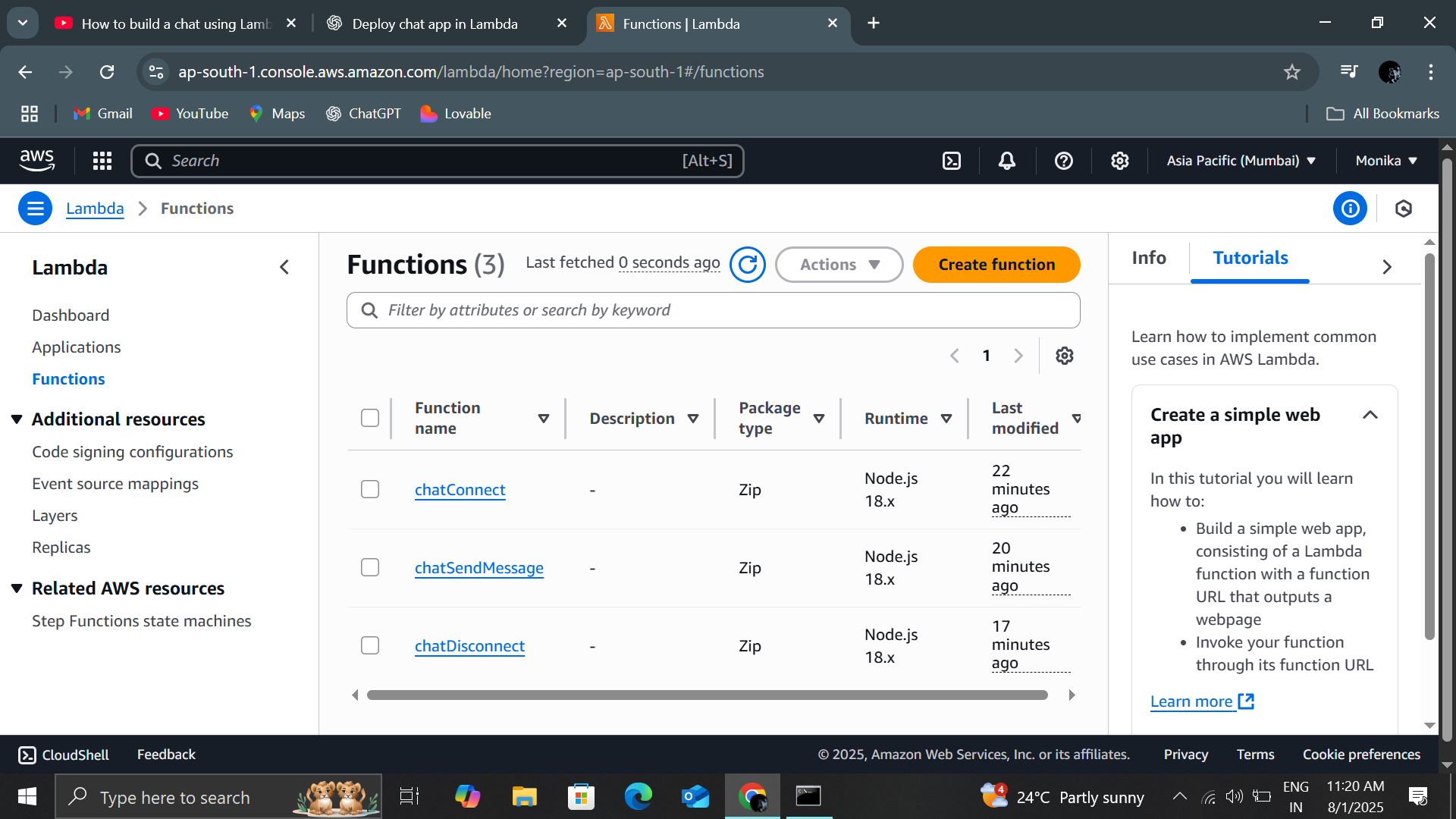
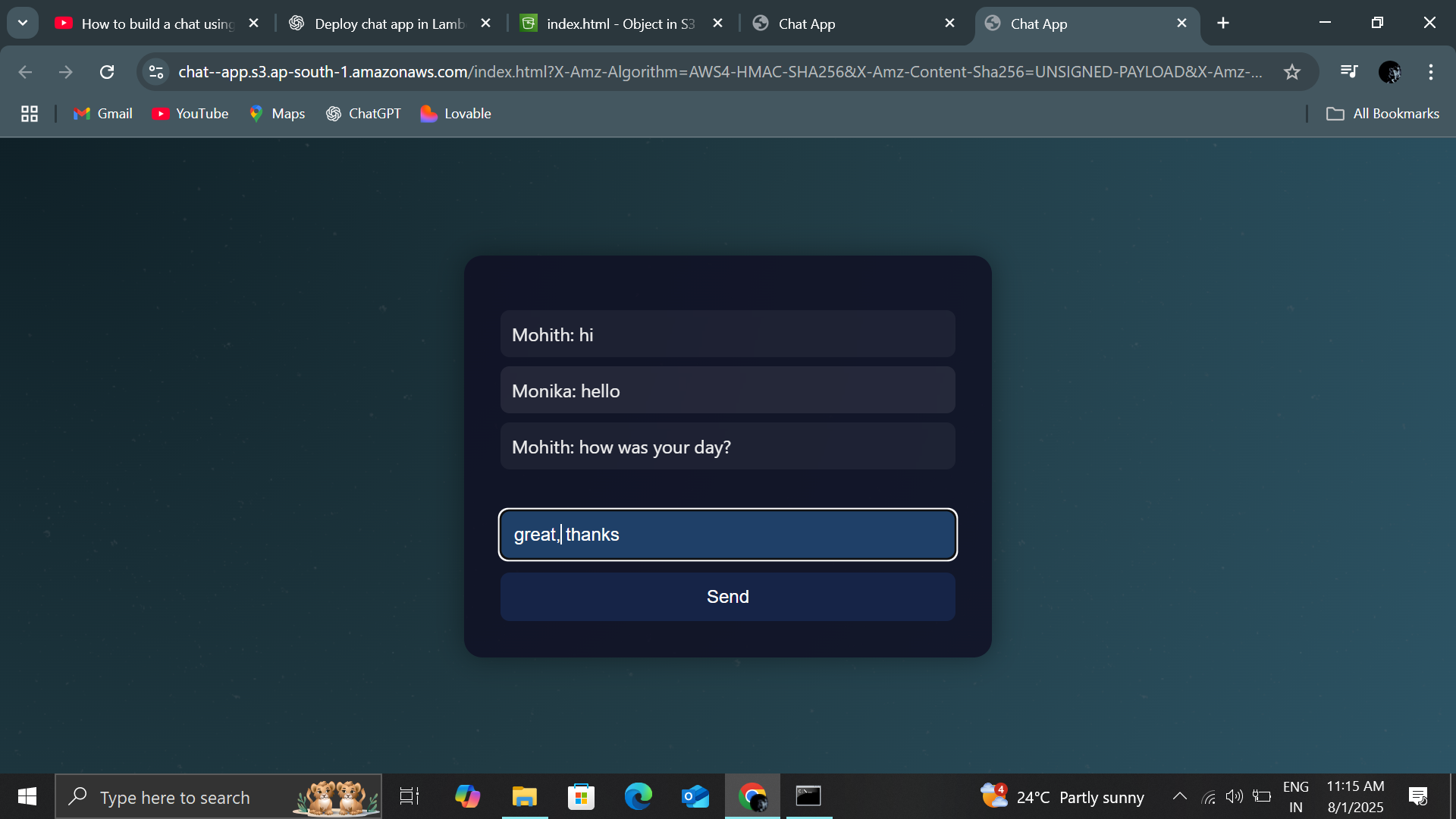
AWS Lambda is a serverless compute service that automatically runs code in response to events, without requiring you to manage the underlying infrastructure. It takes out the burden of provisioning, managing, and scaling servers, helping to focus on writing code. Through this task it was possible to understand how AWS lambda helps in making deploying and scaling of projects easier. I created three different lambda functions for connect, disconnect and message sending, API Gateway WebSocket for real time connection between clients and backend server and S3 buckets for static hosting.
TASK 2: CI/CD (Continuous Integration & Continuous Delivery) - Intro to Jenkins
Jenkins is a powerful tool that automates CI/CD pipelines allowing developers to just implement codes in github while the rest is handled by Jenkins as it connects with GitHub/GitLab/Bitbucket, runs your build, runs tests and deploys to servers or cloud.
Pipelines- A Jenkinsfile defines CI/CD steps as code, so it’s repeatable and version-controlled. It provides a workflow, including building code, running tests, deploying applications, and more.
Continuous Integration- Jenkins replaces manual pulling, building, and testing and every push is tested in the same environment (agent) and runs your build tool thus developers immediately know if their change broke the system and executes automated tests.
Continuous Delivery- After CI succeeds, the build is packaged and then deployed through target environment.
In this task, I set up and ran a CI/CD pipeline for a java file of tic-tac-toe in Jenkins


TASK 3: SSH
The Secure Shell Protocol is a cryptographic network protocol for operating network services securely over an unsecured network.
In this task, I created two EC2 instances and copied files from source server to destination server so that we can login to source server through the other server.


TASK 4: Terraform
Terraform is an Infrastructure as Code (IaC) tool. It creates and manages resources on cloud platforms and other services through APIs. It provides automation, consistency, version control, multi-cloud service, scalability. In this task, I built, change, and destroy EC2 using Terraform.


TASK 5: Wireshark
Wireshark is used for network troubleshooting, analysis, software and communications protocol development. It captures data from network interfaces and displays the raw traffic in a readable format.
We captured real network traffic and captured live Wi-Fi traffic using Wireshark. It helped in observing real packets instead of simulated data
Using filters and packet analysis, we detected TCP retransmissions, observed duplicate acknowledgements, identified out-of-order packets and found SYN retransmissions which helped us to see issues like packet loss, network congestion, Wi-Fi instability and connection setup failures.


TASK 6: Docker
Docker enables developers to build, share, and run applications by packaging them into standardized, isolated environments called containers. We learnt what Docker is and how it packages an application and its dependencies into containers for execution across different platforms. Also executed basic Docker commands such as docker run, docker images, and docker ps to manage containers and images.
I was able to successfully ran the hello-world container and run sample containers like Ubuntu and welcome-to-docker to understand container isolation, port mapping, and interaction using Docker Desktop.


TASK 7: Dockerize ( without using yaml file )
In this task, we created Dockerfile for backend application and learnt how to write a Dockerfile to define the environment, dependencies, and execution steps for a backend web application. And also learnt how to build a Docker image from a Dockerfile using the docker build command and to manage and run containers using only Docker CLI commands without using docker-compose or YAML files and how to create and use a custom bridge network to allow communication between backend and database containers. Also understood the importance of Docker volumes for persistent data storage, especially for database containers.


TASK 8: Web Scraping and Automation - Flight Ticket Price Analysis
Web Scraping is a technique that helps in process of extracting data or content from websites using various libraries of python.
Throughout the task, the errors were challenging and learning steps like real flight websites failed due to modern SPA design, controlled inputs, and anti-bot mechanisms also issues included city values not storing, search not triggering, wrong data extraction, slow loading, and ChromeDriver misconfiguration but these were solved by inspecting the DOM, fixing ChromeDriver setup, and refining element selectors thus a Selenium-friendly demo site (BlazeDemo) was used to ensure reliable automation and dynamic scraping and learnt the importance of proper environment setup, DOM analysis, and choosing suitable websites for automation tasks.


TASK 9: Hashing
Hashing refers to the process of generating a fixed-size output from an input of variable size using the mathematical formulas known as hash functions. I used hashlib library to create secure hash values of passwords with algorithm SHA-256, os.urandom() to generate random salt that provides cryptographically secure random bytes which helped in ensuring that even identical passwords generate different hashes.
Hashing is done to protect user passwords and to make sure passwords are never stored in plain text and even if the database is leaked, original passwords cannot be recovered and to prevent unauthorized access by making sure that only during login, passwords are rehashed and compared and no password decoding or retrieval is performed


TASK 10: NMap
NMap or the Network Mapper scans networks to find live hosts, open ports, running services and operating systems, helping us map networks, find vulnerabilities, and manage services by sending specially crafted packets and analyzing responses. We did various analysis with NMap which includes identifying open ports and running services on a system, detecting the operating system using network behavior and etc.
The Nmap aggressive scan that was taken identified multiple open ports associated with Windows system services and local web applications. Ports 135 and 445 indicate Windows RPC and SMB services, while ports 8080 and 9001 indicate HTTP-based services including a Jetty web server. OS detection successfully identified the host as Microsoft Windows 10. The scan results were saved and analyzed to assess potential security exposure.


