This Report is yet to be approved by a Coordinator.
12 / 6 / 2026
DevOps Internship Tasks Report
Task 1: Working with Git and GitHub Basics
Objective
To understand version control concepts and learn how Git and GitHub are used for collaborative software development.
Activities Performed
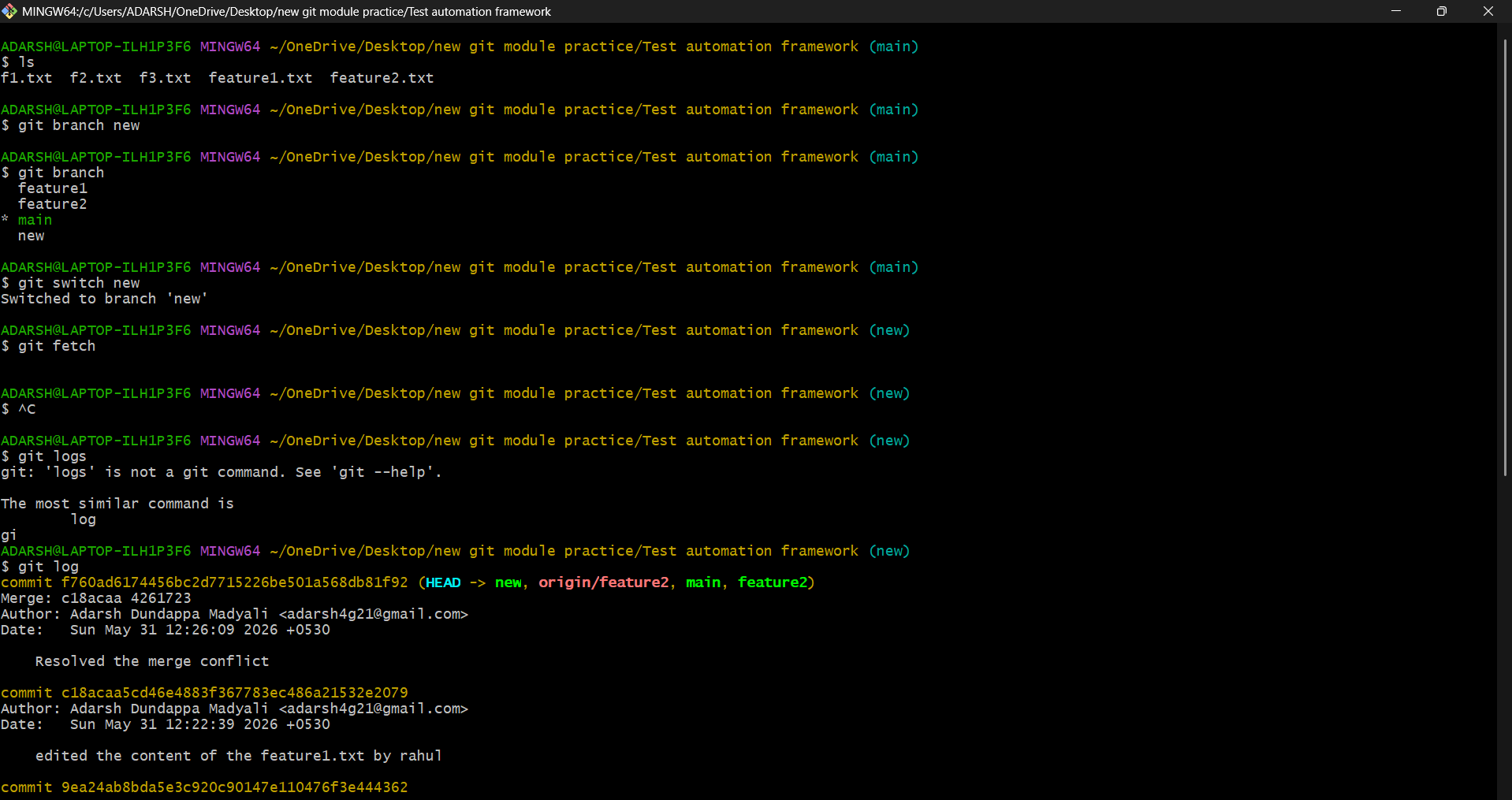
- Installed and configured Git.
- Created a GitHub repository.
- Cloned the repository to the local machine.
- Added and modified files.
- Committed changes and pushed them to GitHub.
- Created feature branches and merged them.
- Practiced resolving merge conflicts using Git Rebase.
- Learned Git Revert and Git Cherry-pick commands.
- Customized Git configuration settings.
Key Commands Used
git clone
git add .
git commit -m "Initial Commit"
git push origin main
git checkout -b feature-branch
git rebase main
git revert
git cherry-pick
Learning Outcomes
- Understood distributed version control systems.
- Learned branch management and collaborative workflows.
- Gained experience with conflict resolution techniques.
Task 2: Exploring Docker Fundamentals
Objective
To understand containerization concepts and learn Docker basics using Docker CLI commands.
Activities Performed
- Installed Docker on the system.
- Studied the differences between containers and virtual machines.
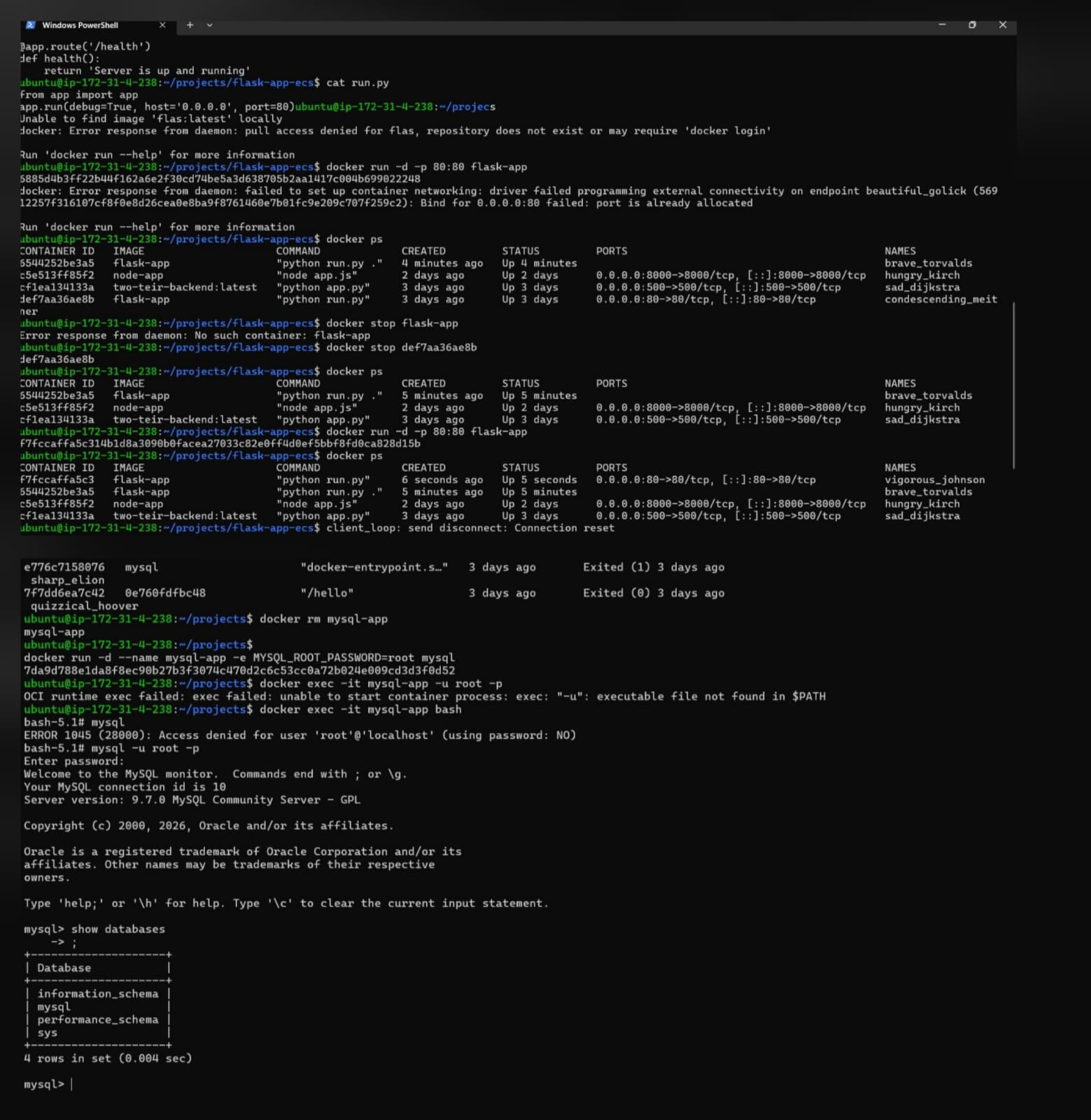
- Pulled the MySQL image from Docker Hub.
- Created and ran a MySQL container.
- Inspected running containers and viewed container logs.
- Connected to the MySQL container and verified database functionality.
- Managed container lifecycle operations such as start, stop, restart, and removal.
Key Commands Used
docker pull mysql

docker run -d \
--name mysql-container \
-e MYSQL_ROOT_PASSWORD=root123 \
-p 80:80 \
mysql

docker ps

docker logs mysql-container

docker stop mysql-container

docker start mysql-container

docker rm mysql-container
Learning Outcomes
- Understood the difference between containers and virtual machines.
- Learned how Docker images and containers work.
- Gained experience running and managing MySQL containers.
- Learned container lifecycle management and log inspection.
Task 3: Dockerize a Flask Application
Objective
To containerize a Python Flask application using Docker and deploy it locally.
Activities Performed
- Developed a simple Flask web application using Python.
- Created a Dockerfile for the Flask application.
- Built a Docker image from the Dockerfile.
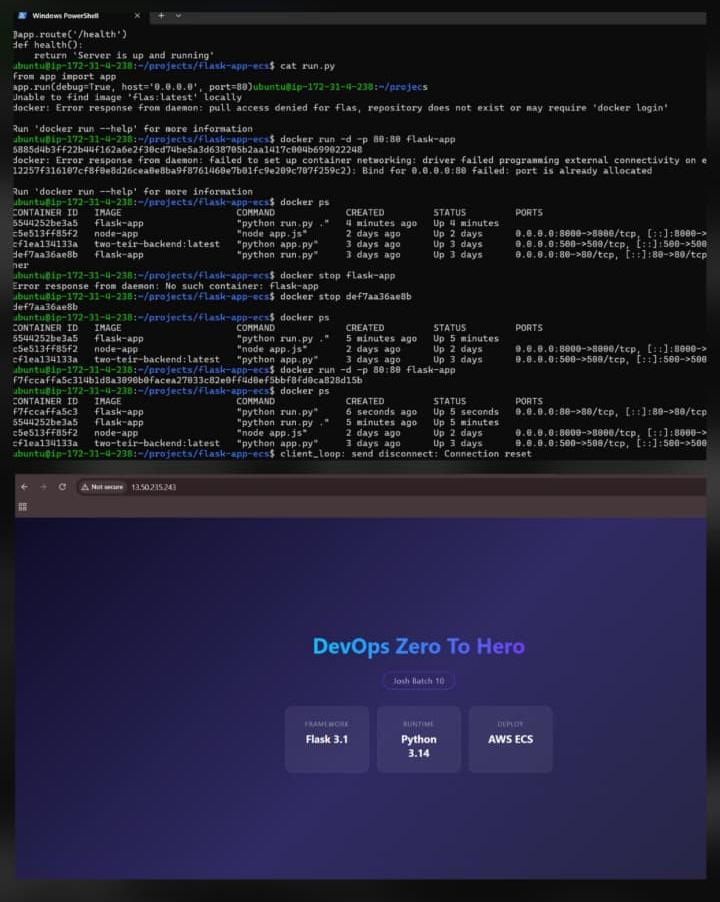
- Ran the Flask application inside a Docker container.
- Exposed container ports to the host machine.
- Verified successful deployment through a web browser.
Sample Dockerfile
FROM python:3.11-slim

WORKDIR /app

COPY requirements.txt .

RUN pip install -r requirements.txt

COPY . .

EXPOSE 5000

CMD ["python", "app.py"]
Commands Used
docker build -t flask-app .

docker run -d -p 5000:5000 flask-app
Learning Outcomes
- Learned how to containerize Python applications.
- Understood Dockerfile instructions and image layers.
- Successfully deployed a Flask application using Docker.
- Learned port mapping between host and container.
Task 4: Launch and Manage an AWS EC2 Instance
Objective
To launch and manage an AWS EC2 instance and deploy a web server.
Activities Performed
- Created an AWS EC2 Free Tier instance.
- Configured Security Group rules for SSH and HTTP access.
- Connected to the instance using SSH and a PEM key.
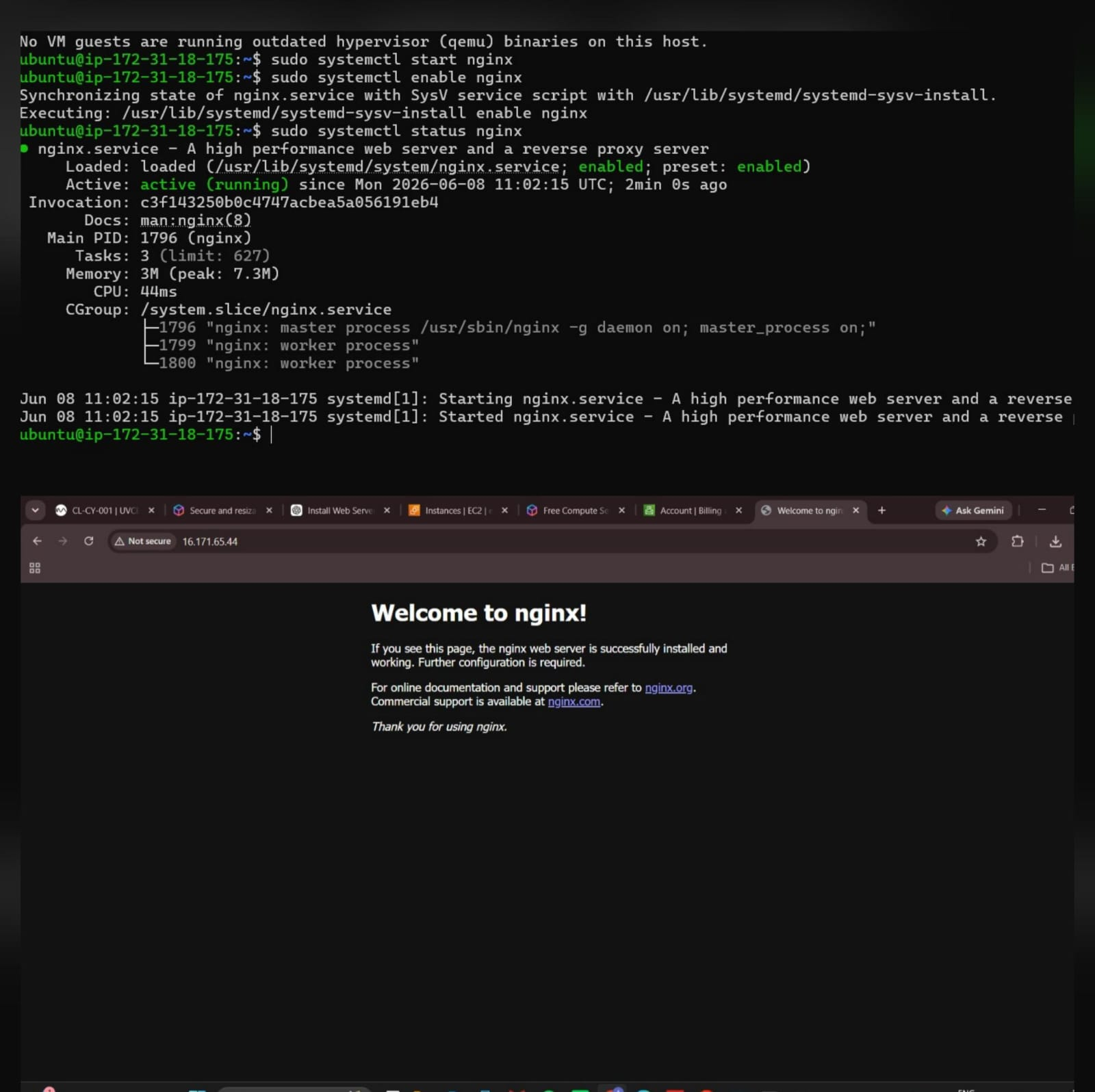
- Installed and configured the Nginx web server.
- Accessed the web server through the public IP address.
- Studied CPU and memory allocation in virtual machines.
Commands Used
ssh -i key.pem ubuntu@

sudo apt update

sudo apt install nginx -y

sudo systemctl start nginx

sudo systemctl enable nginx
Learning Outcomes
- Understood EC2 instance deployment and management.
- Learned SSH-based remote access.
- Successfully hosted a web server on AWS.
- Gained knowledge of cloud computing resources.
References
- Git Official Documentation
- Docker Documentation
- Docker Hub
- AWS EC2 Getting Started Guide
- Nginx Beginner's Guide