Vignesh's CL-CY Report (Level-1)
6 / 6 / 2026
CL - Tasks :
Task 1 : Working with Git and GitHub Basics
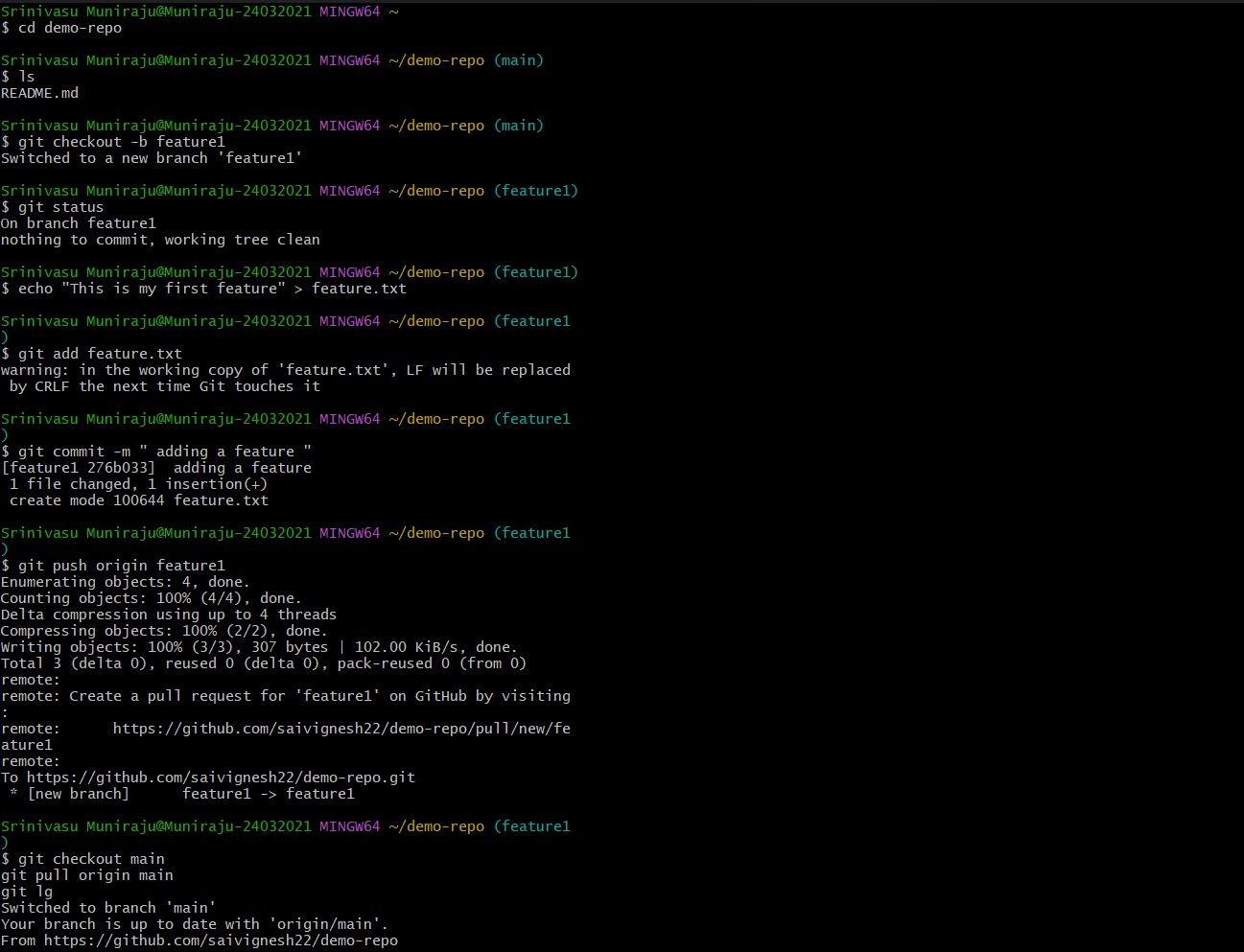
In this task , I learnt a lot about version control system, cloning repositories , conflicts arising when two branches are to be merged, forking, making a pull request(PR) etc.I created and managed branches for feature development, which helped me understand how multiple devs work on a project parallely without affecting the main branch.
I further learnt more git features such as git revert , git cherry pick , git rebase which increased my knowledge of git and how it helps in efficient managing and tracking of changes in the code.
I referred to a Youtube channel Apna College to learn all about Git and GitHub and practiced by creating a demo repo and performing all of the above mentioned on my own.
Task 2 : Exploring Docker Fundamentals
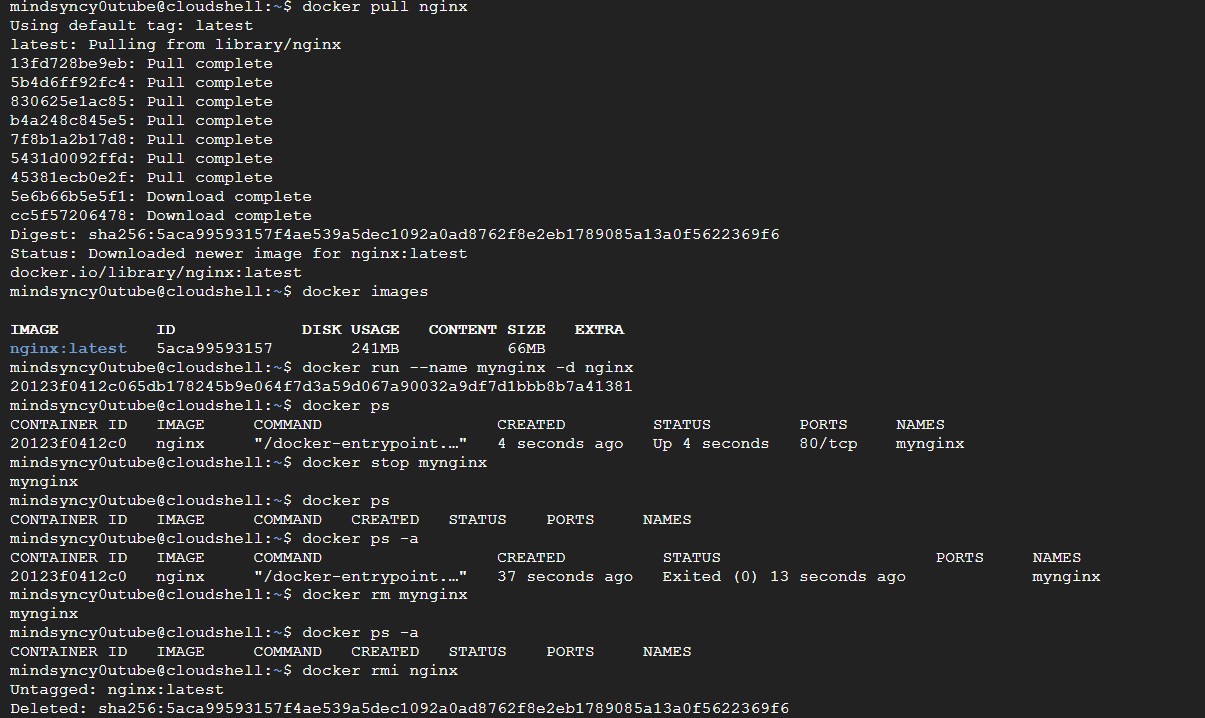
This task taught me a lot about docker containers , virtual machines , difference between containers and VM's . I learnt a few important docker commands all of which i implemented practically in the Google Cloud Shell Terminal since virtualization was not possible in my PC .
Furthermore I learnt more about images which can be fetched from Docker Hub and how to containerize it, how to manage container lifecycles by starting, stopping, restarting, and removing containers with appropriate Docker commands.
By this task I understood how docker simplifies software development, testing, and deployment across different environments.
Task 3 : Dockerize a Simple Application
Through this task, I learned how to dockerize and deploy a simple application and as mentioned earlier I did it using Google Cloud Console.
I created a Dockerfile, built the Docker image, and ran the application as a container within the Google Cloud environment. I also learned how to configure port mapping so that the application could be accessed through a browser. Additionally, I understood how Docker images are built in layers, where each Dockerfile instruction contributes to the final image.
This task gave me practical hands-on experience with Docker containerization.
.jpg)
.jpg)
Task 4 : Launch and Manage an AWS EC2 Instance
In this task, I learnt how to launch and manage an AWS EC2 virtual machine, select a suitable instance type, and configure its security group to allow secure SSH access.
I learned how to connect to the instance using a .pem key and execute commands remotely. I also installed and configured an Nginx web server and accessed the hosted webpage using the EC2 public IP address.
Finally, I gained a basic understanding of how CPU, memory, and CPU credits are allocated and utilized in cloud VMs, and how EC2 provides scalable computing resources.
btw a huge shoutout for the AWS session on EC2 instance and S3 buckets conducted by the AWS student builder group for a good intro to these topics.


Task 5: Kubernetes Basics and Writing Pod Specs
I learned the basics of Kubernetes again by using Google Cloud Console. I understood key Kubernetes concepts such as clusters, nodes, pods, and the control plane, and how they work together to manage containerized applications.
I created a pod specification using a YAML manifest to deploy an Nginx container and applied it to the Kubernetes environment using kubectl. I also learned how to use commands such as kubectl get pods and kubectl logs to check pod status and troubleshoot application logs.
This task gave me practical experience with Kubernetes YAML files, Pod deployment, container management, and monitoring applications in a cloud environment.


Task 6: Manage AWS S3 and IAM with CLI
In this task, I learned the fundamentals of AWS IAM, S3 buckets, and the AWS CLI.
- I created an IAM user and assigned appropriate S3 permissions using an IAM policy, gaining an understanding of users, policies, roles, and the principle of least privilege.
- I then configured the AWS CLI with the IAM user's credentials and verified the connection to AWS using the
aws sts get-caller-identitycommand.
This helped me understand how authentication and authorization work when accessing AWS services through the command line.
I created an S3 bucket, created a test file locally, and uploaded it to the bucket using aws s3 cp. I verified the uploaded object using aws s3 ls, downloaded it back to the local system, and confirmed its contents.
Finally, I deleted the S3 object and the bucket after completing the exercise. Through this task, I gained practical experience in cloud storage management, IAM based access control, AWS CLI operations, and secure management of AWS resources.


Task 7: Deploy a Containerized Application on Kubernetes
I learned how to deploy and manage a containerized application on Kubernetes using Google Cloud Console . I created deployment and service YAML manifests to deploy the dockerized application with multiple replicas and manage its availability.
I also learnt how to use kubectl to scale deployments up and down, monitor replicas, and understand how Kubernetes performs rolling updates. This task gave me practical experience with Kubernetes deployments, services, scaling, networking, and application management in a cloud environment.


Task 8: Use Kubernetes Secrets and Environment Variables
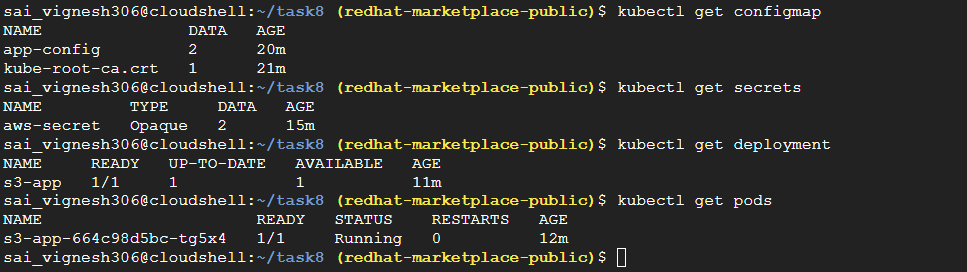
In this task, I learned how Kubernetes manages application configuration and sensitive information using ConfigMaps and Secrets. -I created a ConfigMap to store non-sensitive configuration such as the application name and environment.
- Created a Kubernetes Secret to securely store AWS Access Key ID and Secret Access Key instead of hardcoding them in the application or Deployment configuration.
- I then created a Kubernetes Deployment and used
configMapKeyRefandsecretKeyRefto inject these values into the Pod as environment variables. - After deploying the application, verified that the ConfigMap and Secret were successfully consumed by the running Pod using
kubectlcommands. - The IAM user was successfully identified.
Through this task, I understood the difference between ConfigMaps and Secrets and learned how Kubernetes can provide configuration and sensitive credentials to applications without directly hardcoding them.
Task 9 : Deploy an App to Push Files from Kubernetes to S3
- I learned how to integrate Docker, Kubernetes, AWS IAM, Kubernetes Secrets, and Amazon S3 into a complete file-upload application.
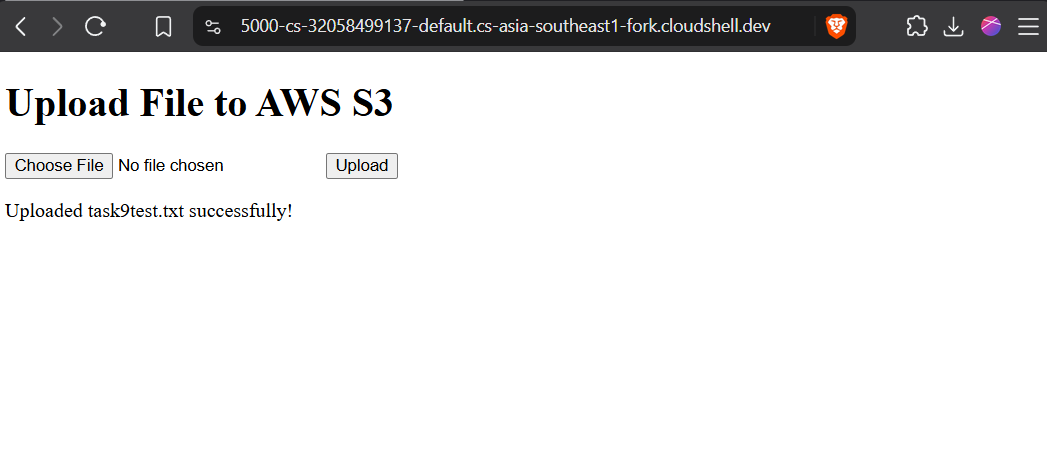
- Developed a simple Flask-based web application that allows users to select and upload files through a web interface. It uses boto3 library to communitcate with S3.
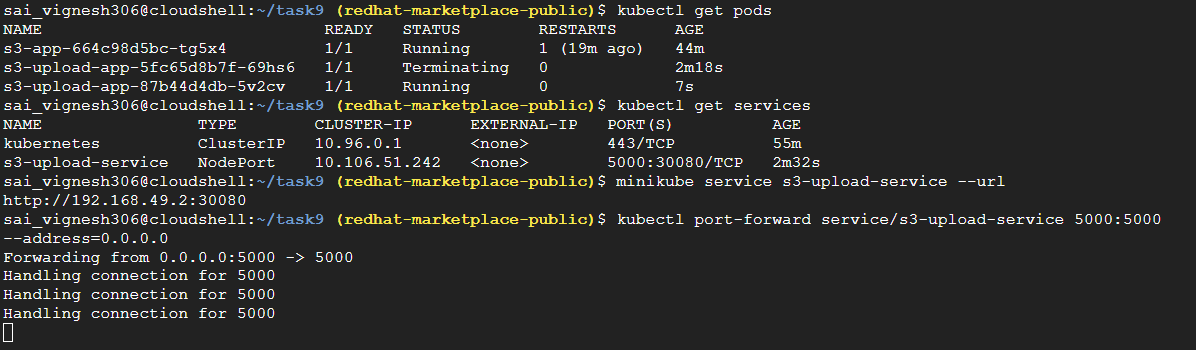
- I created a Dockerfile and containerized the Flask application along with its required dependencies. I then built the Docker image and deployed it on a minikube Kubernetes cluster using a Deployment.
- Used a Kubernetes Secret to provide the AWS Access Key ID and Secret Access Key to the application as environment variables instead of hardcoding them in the source code.
- A Kubernetes Service was used to expose the Flask application, and port forwarding allowed me to access the application through the browser(sice i was using google cloud console). -File was selected and uploaded in the application which used boto3 to store the file in configured S3 bucket. -Verified the same