
COURSEWORK
Syed's CL-CY-001 course work. Lv 1
| Syed mohammed Quadri | AUTHOR | ACTIVE |
Syed's CL-CY Report level-0 and level-1
22 / 3 / 2026
1 - 3D Printing(TASK 1)
This task provided a theoretical foundation in Fused Deposition Modeling (FDM) and the software-to-hardware pipeline. The primary focus was on translating digital 3D geometry into manufacturing instructions by processing .STL meshes through slicing software to generate precise G-code toolpaths. The study involved analyzing critical print parameters, including balancing infill density for structural integrity versus material efficiency, and understanding extruder and heated bed temperature calibrations for PLA filament. Finally, the lab's Standard Operating Procedures (SOPs) were reviewed to understand the protocols required for physical fabrication.
2 - API (TASK 2)
OVERVIEW
What is an API?.
API stands for Application Programming Interface. Interface can be thought of as a contract of service between two applications. This contract defines how the two communicate with each other using requests and responses.
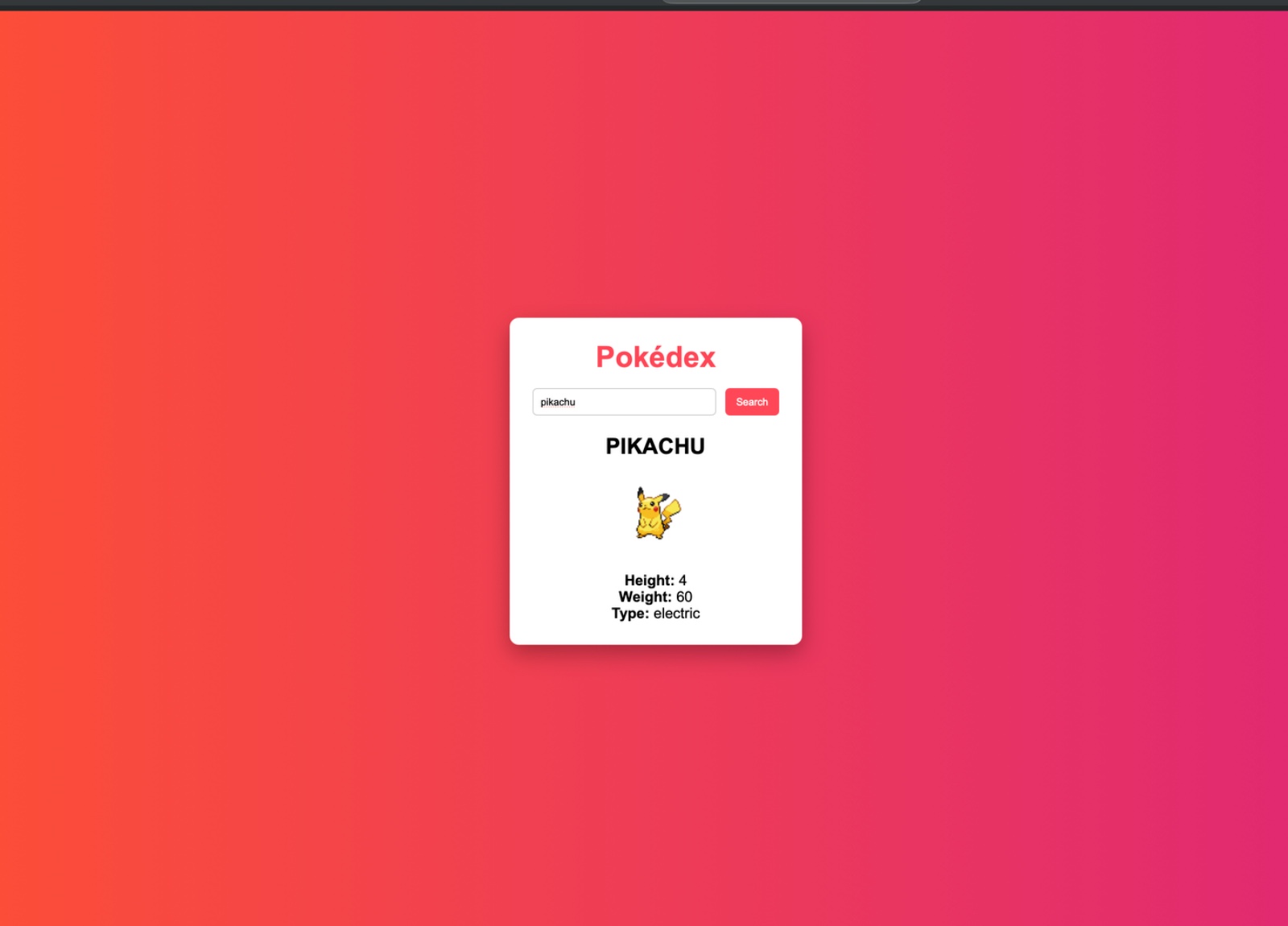
I created a pokedex API by integrating an external API to understand real-time data fetching.it basically works on The user enters a Pokémon name, and JavaScript sends a request to the PokeAPI. The fetched data is then displayed dynamically on the webpage.
Pokedex
FEATURES
- Search Pokémon by name.
- Displays basic details like name, height, weight, and type.
- Shows error message if Pokémon is not found
API output
3 - WORKING WITH GITHUB9 (task 3)
OVERVIEW
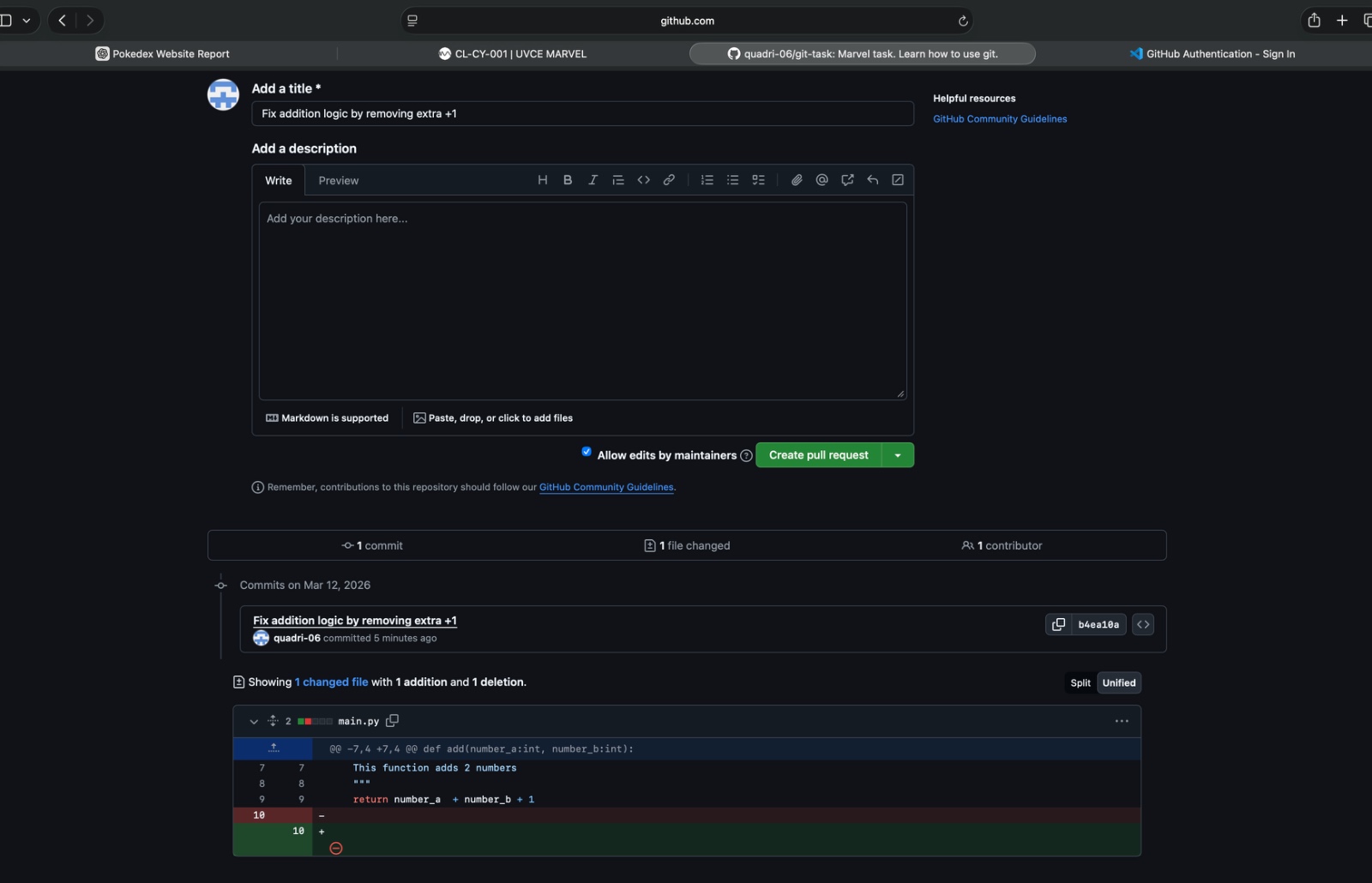
In this task, I familiarised myself with the GitHub workflow by forking, committing and creating a pull request. The task was to fix an addition error in a Python code which was causing it to fail test cases. This was executed by cloning the given repository, editing the segment causing the error and finally, submitting the changes via the pull request.
4 - Command Lines on Ubuntu (TASK 4)
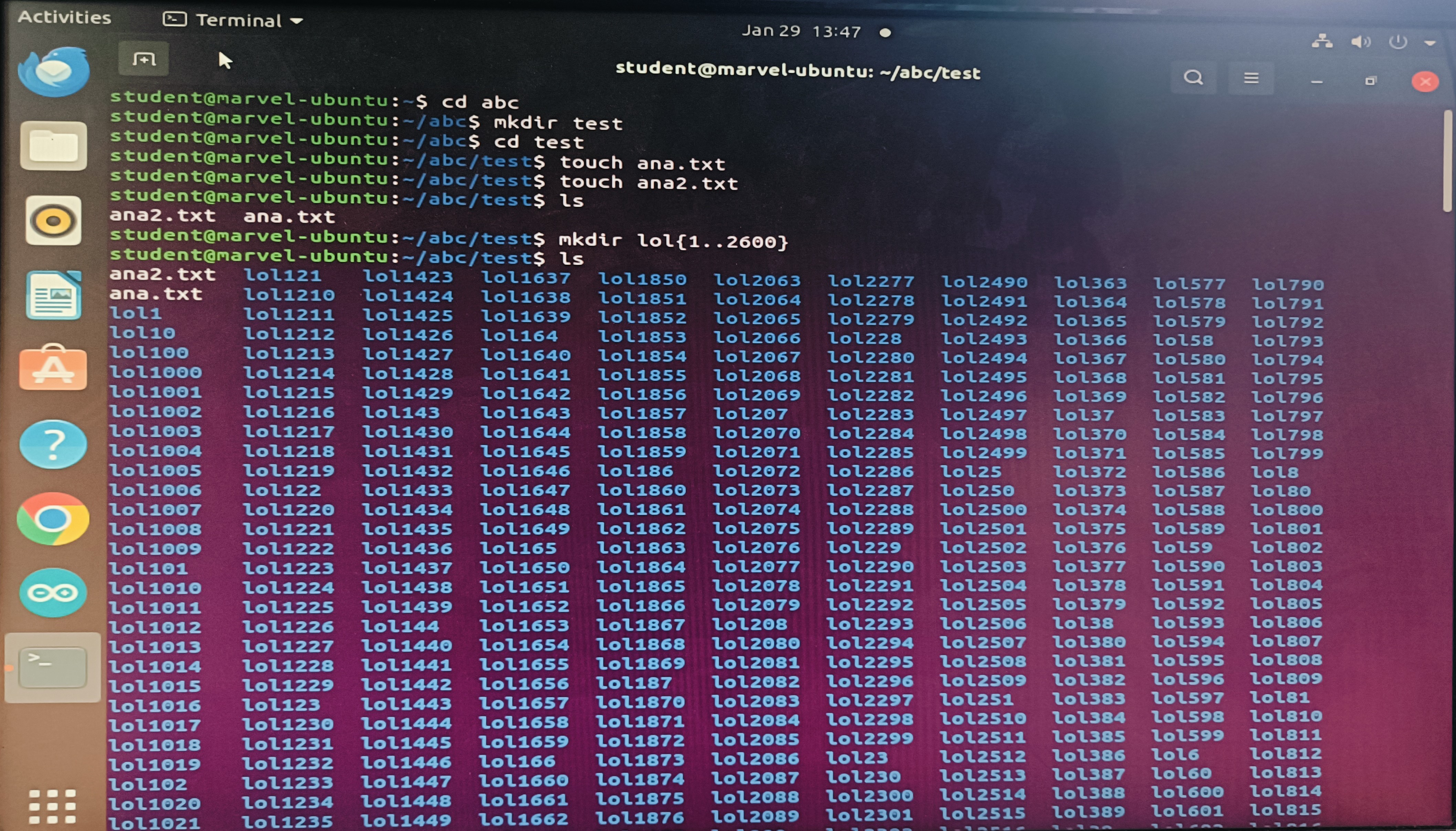
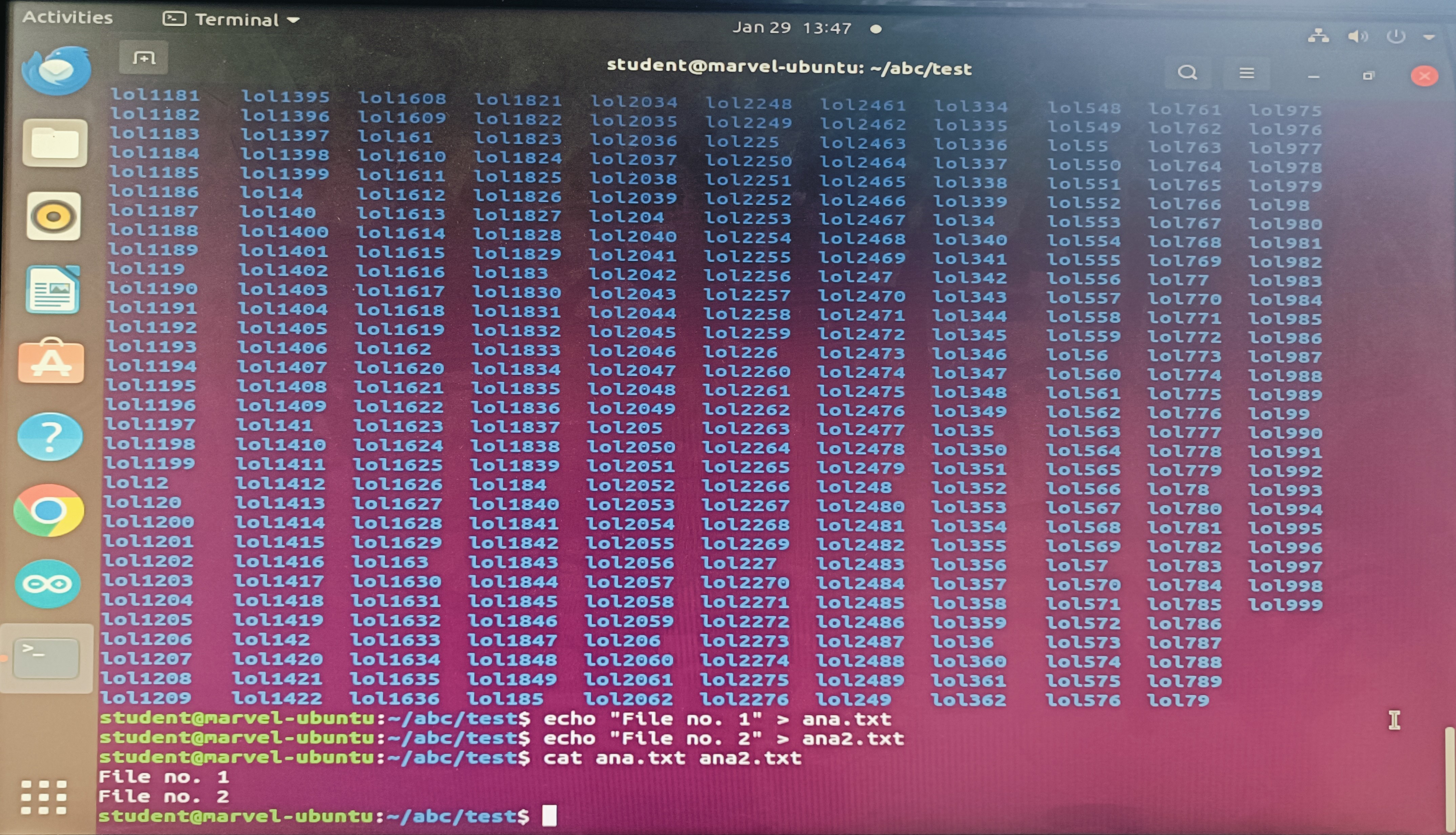
The task was to get familiarised with the Ubuntu command line interface and execute subtasks using command prompts. The following commands were used:
markdown.
- cd: Stands for change directory; it is used to navigate and switch between working locations. mkdir: Short for make directory; it is used whenever a new folder is to be created.
- touch: It creates a blank file of the specified format without opening any editor.
- ls: Short for list; it lists down the files and folders present in the current directory.
- mkdir folder{start..end}: Used to make multiple directories using one single command. Here, 'start' and 'end' are integer values which form the range boundaries.
- echo: This command writes contents into a file.
- cat: Concatenates the contents of multiple files and displays the final joined value
 .
.
5 - Linear Regression from Scratch (Task 5)
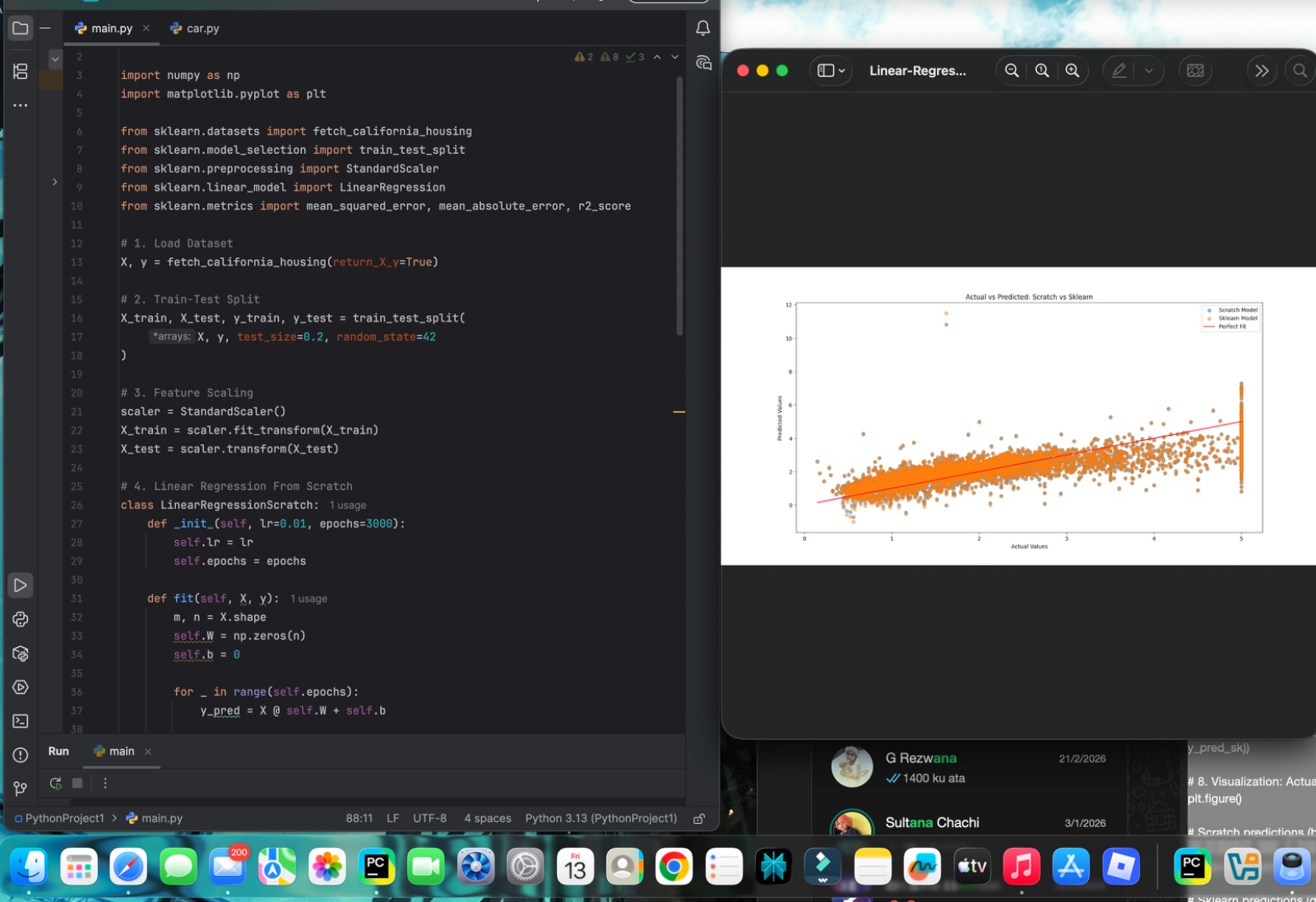
In this task, Linear Regression was implemented manually using Gradient Descent and compared with Scikit-Learn’s LinearRegression using the California Housing dataset. Features were standardised before training to ensure stable convergence.
The scratch model computed predictions, gradients and updated weights iteratively. Its performance was evaluated using MSE, MAE and R² score, and compared with the sklearn model.
Results:
Scratch Model -> R² ≈ 0.576
Sklearn Model -> R² ≈ 0.576
Both models produced nearly identical results, confirming the correctness of the manual implementation. The R² score indicates that the model explains about 57% of the variance in housing prices. An Actual vs Predicted plot further showed a positive linear trend with moderate scatter, reflecting real-world data complexity.
This task helped in understanding gradient descent, feature scaling and the advantages of built-in ML libraries.
6. The Matrix Puzzle (Task 6)
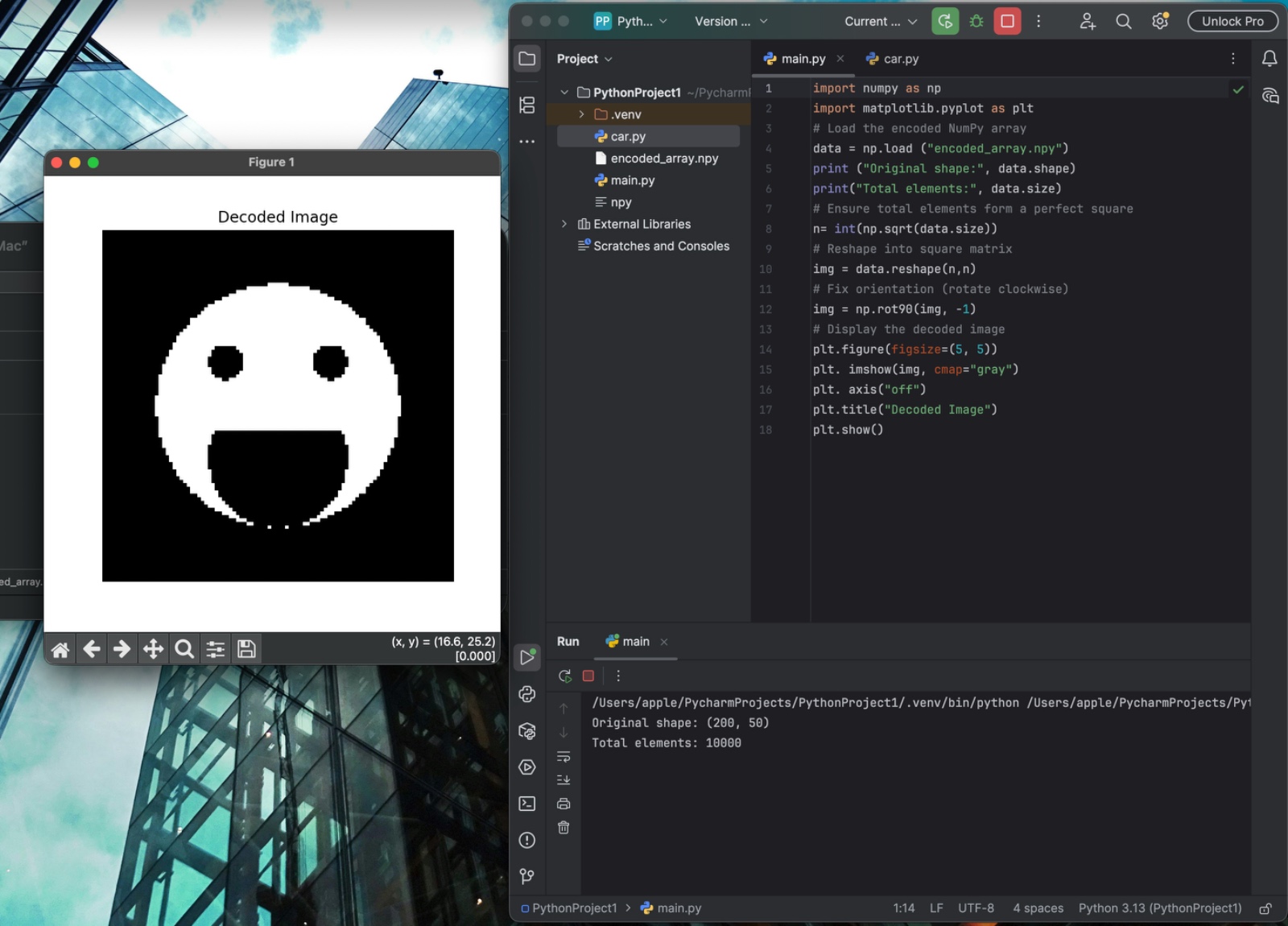
This task introduced me to practical NumPy operations such as reshaping, transposing and visualising matrices using Matplotlib. I explored how multidimensional arrays can be manipulated to reveal hidden patterns and images. I also understood how data orientation and structure affect visualisation, and strengthened my debugging and problem-solving skills using NumPy.
7. Portfolio Webpage (Task 7)
overview
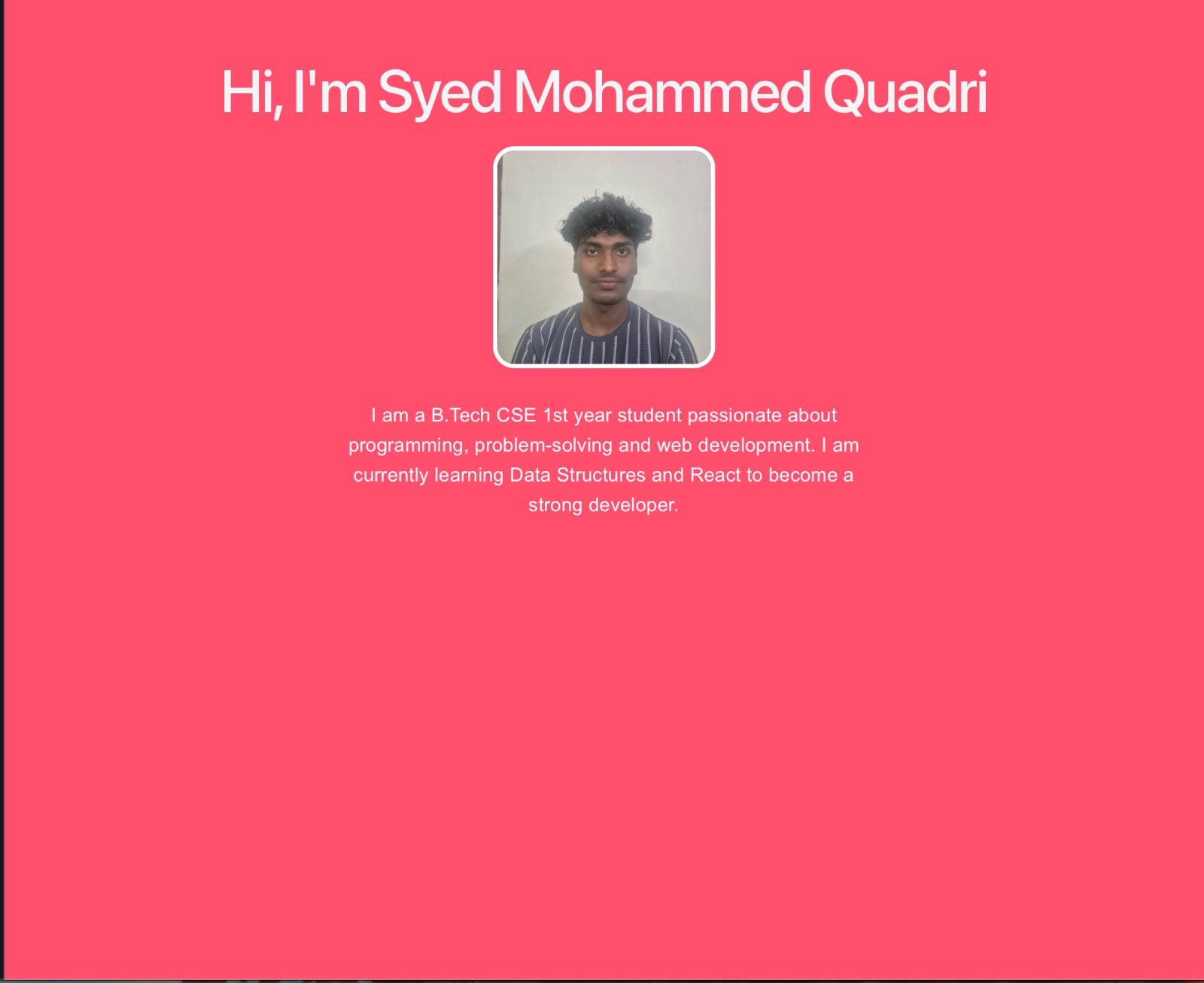
The Personal Portfolio Website is a responsive web application developed to showcase my academic background, technical skills, and projects. The main objective of this project is to create a professional online presence that represents my journey as a B.Tech Computer Science Engineering (1st Year) student.
This website serves as a digital resume and provides an organized platform to present my profile, skills, and interests in web development and programming.
Technologies Used
- React.js – For building the user interface using component-based architecture
- Vite – For fast development and build tooling
- JavaScript (ES6) – For application logic
- HTML5 & CSS3 – For structuring and styling the webpage
- Node.js & npm – For package management and development environment
Features of the Website
- Responsive homepage with profile picture
- Introduction section with personal details
- Clean and modern UI design
- Structured layout for future expansion (Projects, Skills, Contact, etc.)
- Fast loading using Vite development server.
8. Resource Article using Markdown (Task 8)
For this task, I wrote a beginner-friendly technical article titled The Future of Artificial Intelligence.Artificial Intelligence (AI) is rapidly transforming the world by enabling machines to learn, think, and make decisions like humans. From healthcare and education to business and automation, AI is shaping the future of technology and society. This article explores the potential advancements, opportunities, and challenges that AI may bring in the coming years.
CLICK HERE
9. Tinkercad (Task 9)
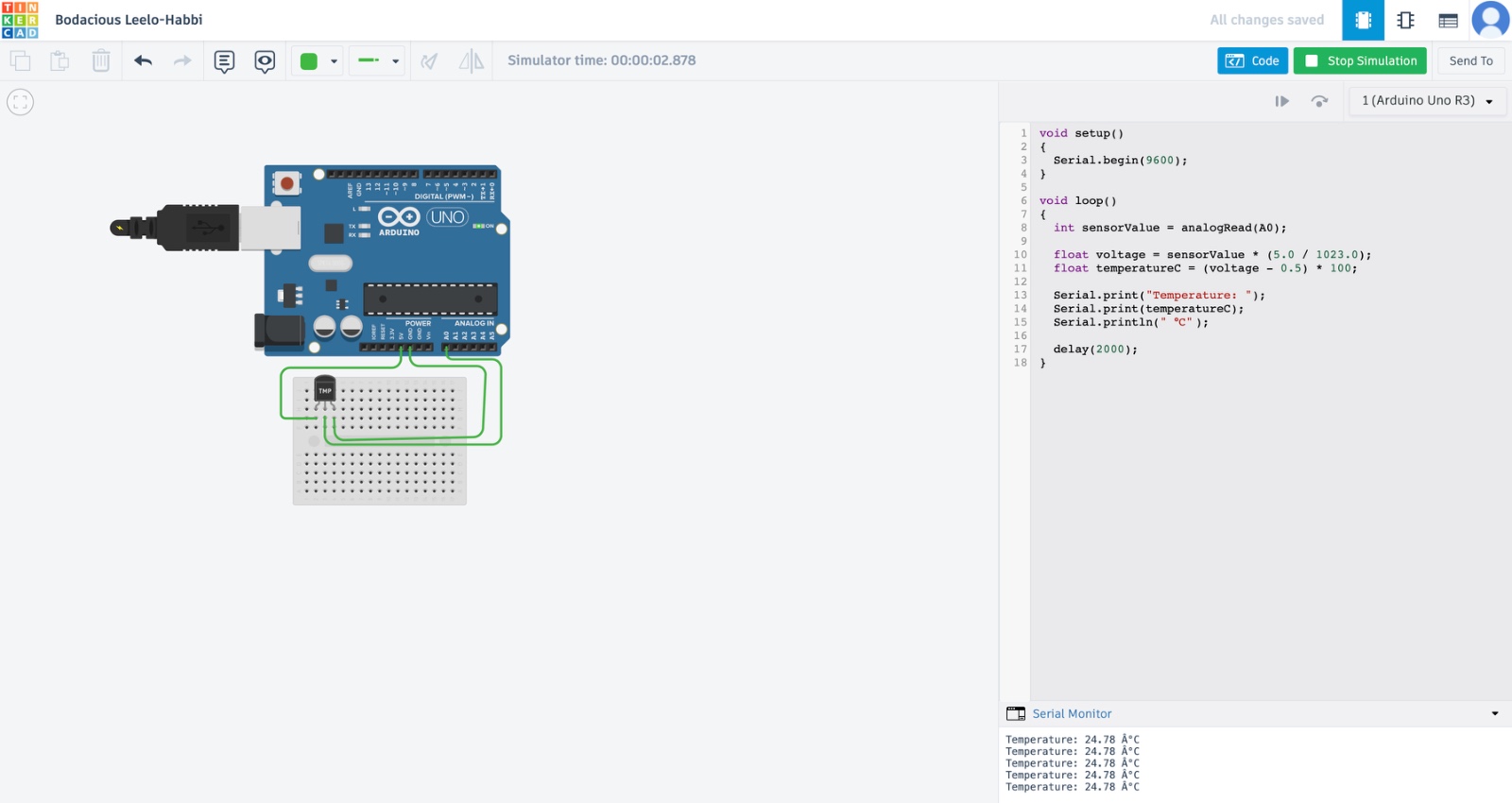
A Temperature Monitoring System using Arduino Uno is an embedded system project designed to measure and display temperature in real time. In this project, an Arduino Uno microcontroller board is used along with a TMP36 temperature sensor to detect surrounding temperature and display the readings in the Serial Monitor.
10. Speed Control of DC Motor (Task 10)
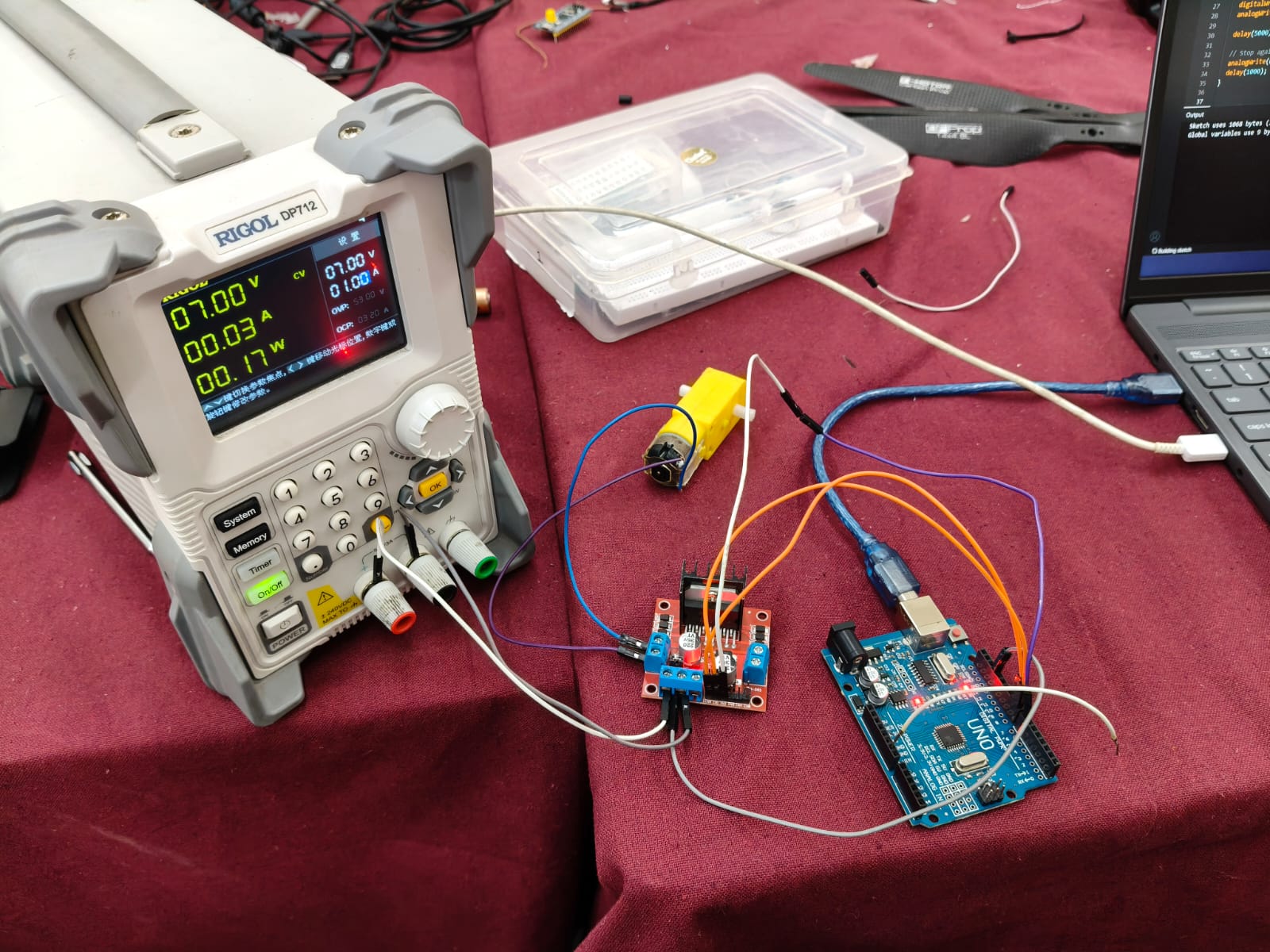
In this task, I learnt how to control a DC Motor using an Arduino UNO and** L298N motor driver**. The circuit was implemented on hardware, and the motor speed was controlled through Arduino programming. This activity introduced me to motor drivers and practical motor control, strengthening my understanding of embedded systems.
11. Soldering Prerequisites (Task 12)
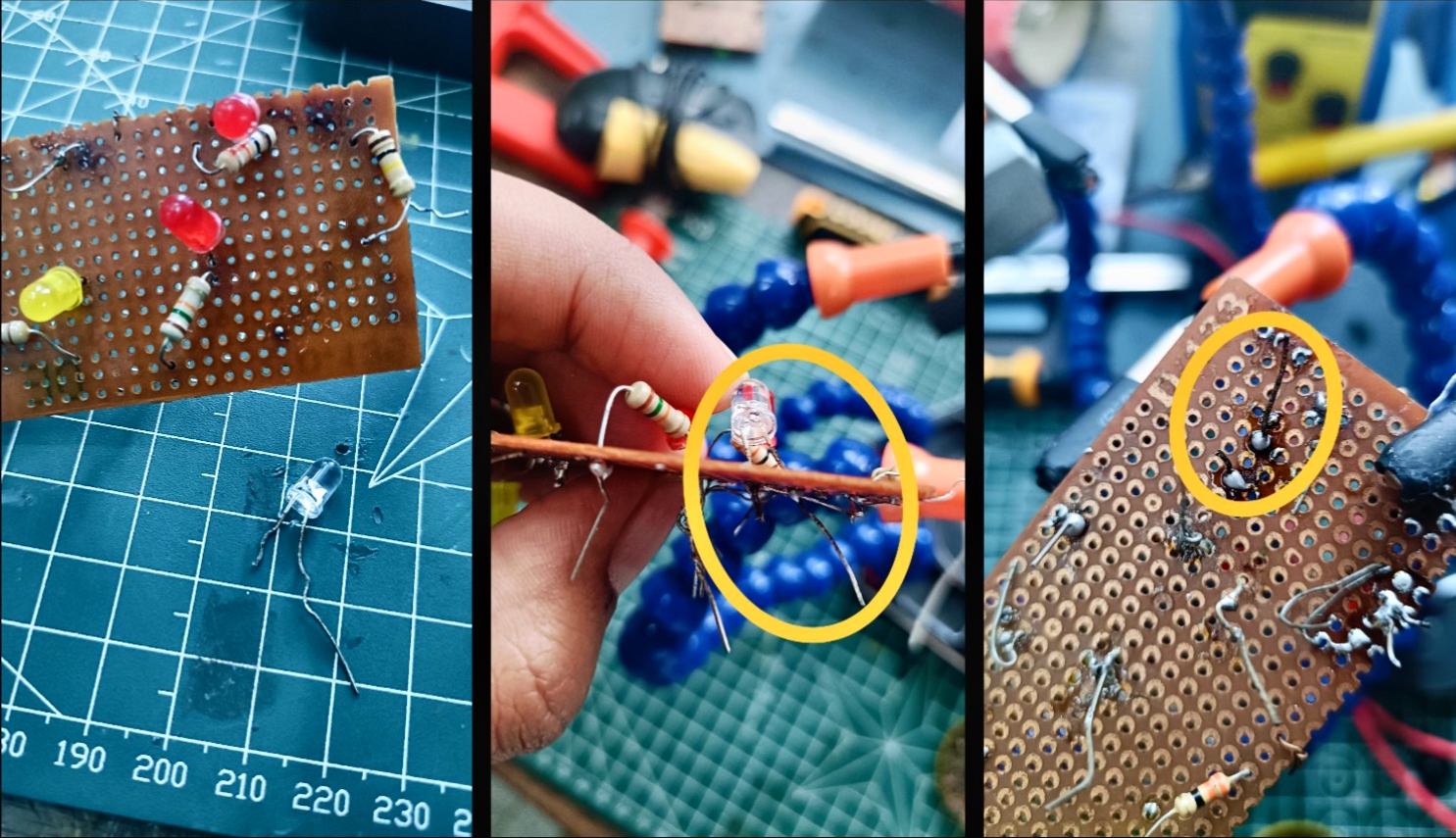
In this task, I got familiar with basic soldering equipment including the soldering handle, soldering wick, rosin flux, holder and electric supply. Under coordinator supervision, I practiced by desoldering an LED and soldering it back again. This task helped me understand proper soldering technique, heat control, component handling and the role of flux and wick in clean solder joints.
12. Karnaugh Maps and Deriving the Logic Circuit (Task 14)
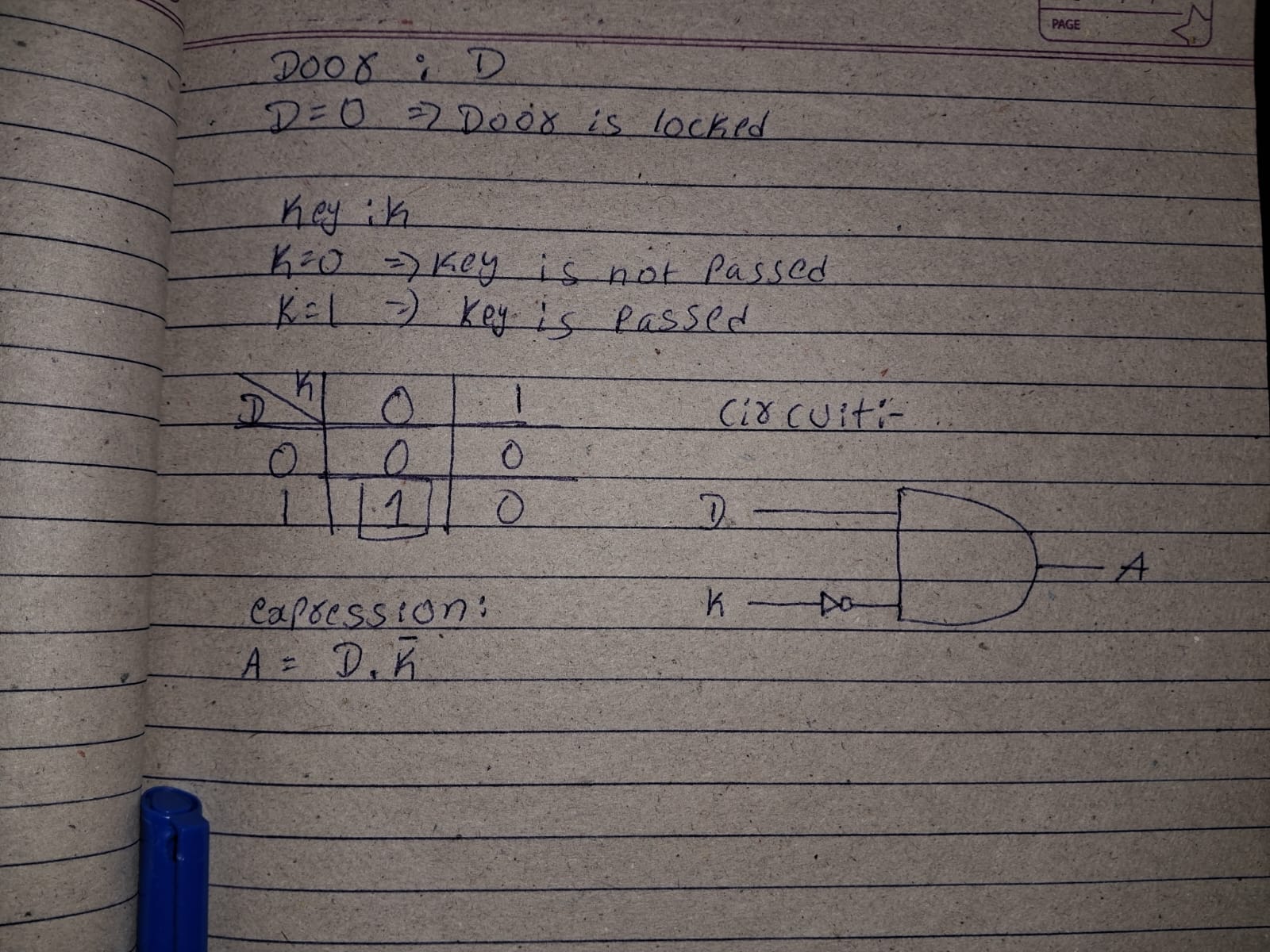
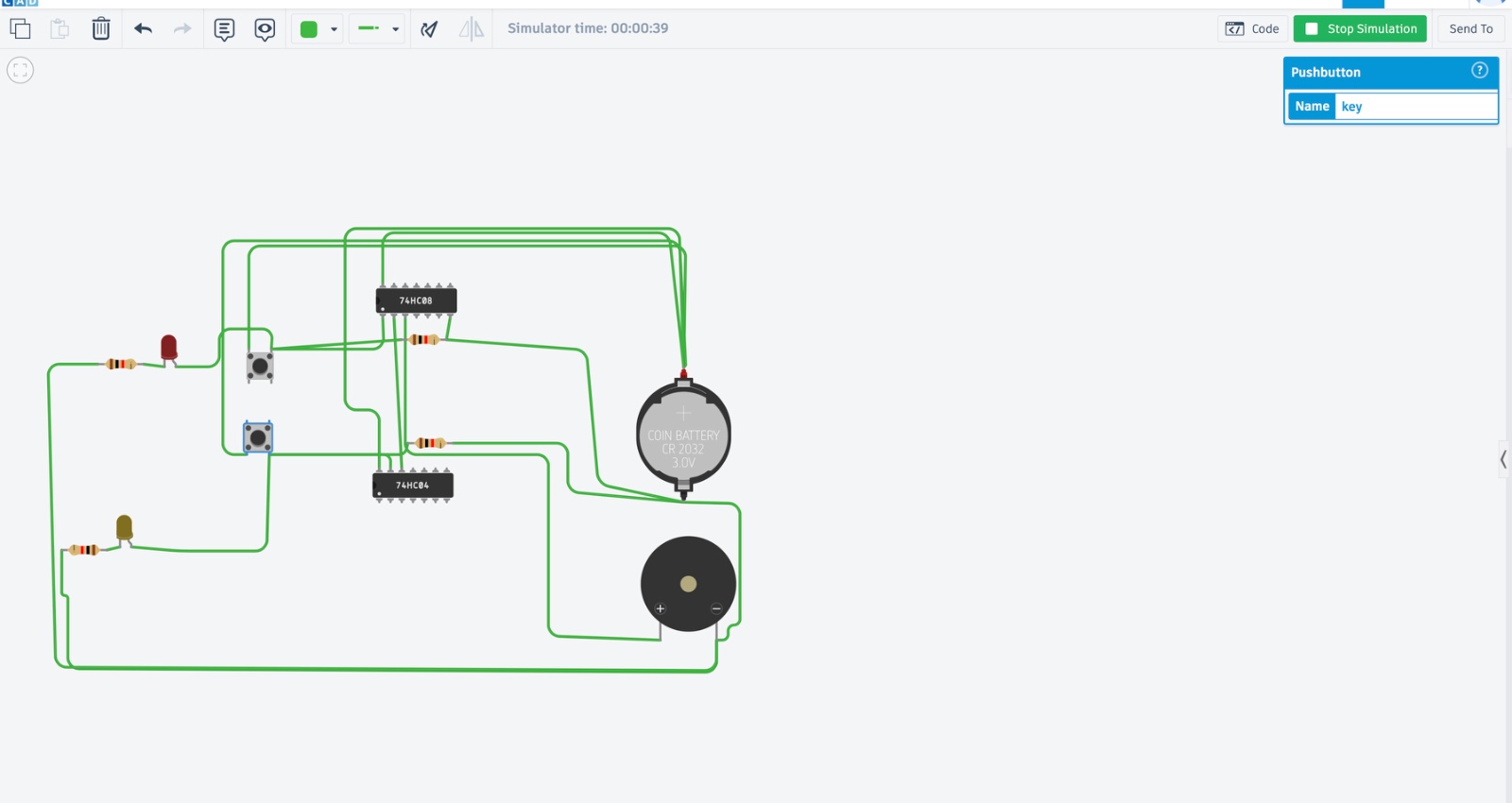
This task involved designing a simple burglar alarm using 2 input variables: door status and key press. Using Karnaugh Map, I derived the logic such that the alarm buzzes when the door is open and the key is not pressed. The logic circuit was also simulated in Tinkercad, helping reinforce Boolean simplification and basic digital logic implementation.
13. Active Participation (Task 15)
As part of active participation, I took part in CODESTORM 2026 is a fast-paced coding event that challenges participants to think critically, code efficiently, and perform under pressure across two intense rounds testing problem-solving, adaptability, and competitive spirit.
14. Sad Servers - "Like Leetcode for Linux" (Task 18)
his task involved completing the Command Line Murders scenario on SadServers, where Linux command-line tools were used to investigate structured files and identify the correct solution. Commands such as grep, cat, sort, uniq, awk and md5sum were used to extract relevant information, filter suspects based on given clues and verify the final result using checksum validation. Through this task, I gained practical experience in Linux file navigation, text processing and logical debugging, improving my ability to troubleshoot problems in a command-line environment.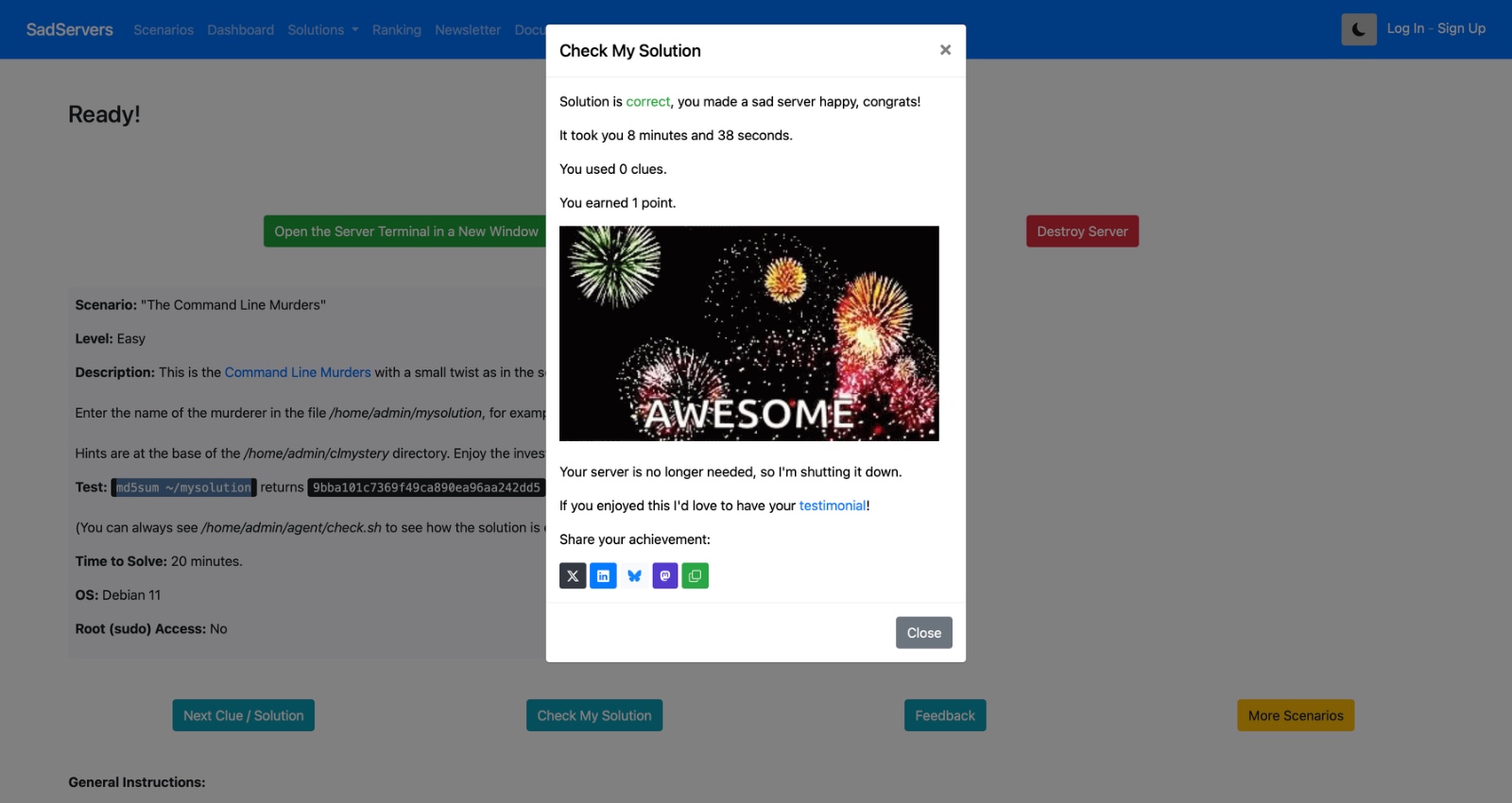 .
.
15. Making a Web App (Task 19)
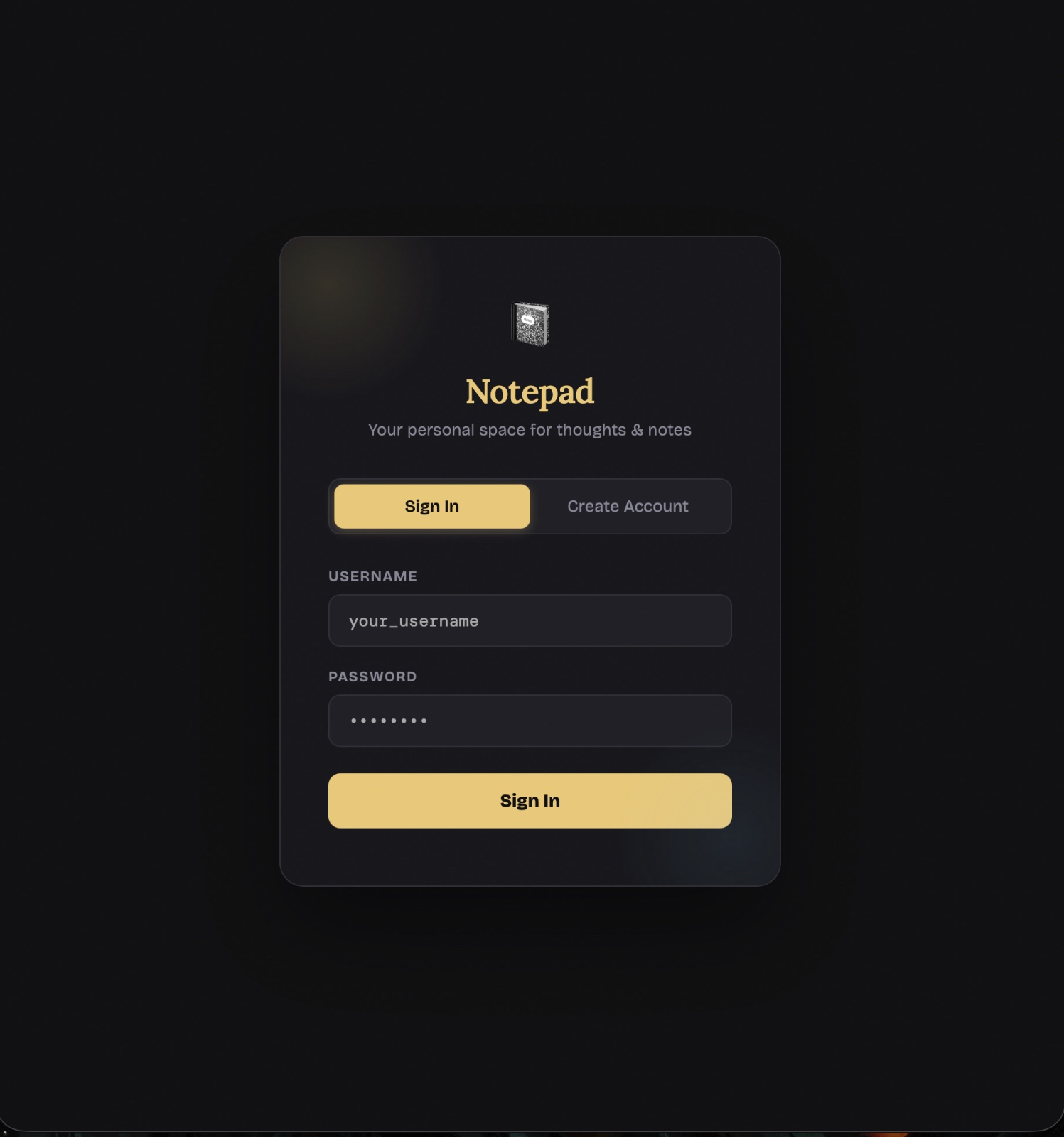
This report presents the development of Notepad, a personal notes web application built using Python (Flask) for the backend and HTML, CSS, and JavaScript for the frontend. The application allows users to register, log in, and manage their personal notes directly through a web browser. Key features include secure user authentication with SHA-256 password hashing, the ability to write and delete notes, and support for uploading .txt files as notes. Notes are stored on a per-user basis in a JSON file, ensuring a simple yet functional data management approach. The goal of this project was to build a lightweight, full-stack web application that demonstrates core concepts of user authentication and dynamic content management.
CLICK HERE
LEVEL-2
CL - Cloud Computing
Task 1: Working with Git and GitHub Basics
objective
To understand version control fundamentals, practice collaborative development workflows using Git and GitHub, and learn how to manage code repositories effectively in a team environment.
Descripction
Version control is the foundation of modern software development. In this task, we started by understanding the concept of distributed version control systems. We cloned an existing GitHub repository, made local changes, committed them with meaningful messages, and pushed the changes back to GitHub. We simulated collaborative workflows by creating feature branches, opening pull requests, reviewing changes, and completing the full development cycle by merging pull requests into the main branch.
.
Task 2 - Exploring Docker Fundamental
This task helped me learn how virtual machines differ from containers. A VM emulates an entire OS, which is resource heavy. A container shares the host OS kernel and only packages the application and its dependencies, making it much lighter and faster to spin up.
I pulled a postgres image from Docker Hub using docker pull postgres, and I observed how it gets installed layer by layer rather than a single blob.![alt text]() .
.
I also followed the tutorial resource to run the todo application using docker compose watch.
![alt text]()
The todo app ran successfully in the browser.
![alt text]() .
.
I also made a small modification to the app title to verify changes reflect after rebuild.
![alt text]() .
I used Docker Desktop to inspect the running containers, their CPU usage, and container IDs.
.
I used Docker Desktop to inspect the running containers, their CPU usage, and container IDs.![alt text]() .
For lifecycle management I practiced docker stop, docker start, docker restart, and docker rm to remove the container entirely.
.
For lifecycle management I practiced docker stop, docker start, docker restart, and docker rm to remove the container entirely.
for more "click here"