BLOG · 26/4/2026
Probation Coordinator Journal
 | OP |
1. ESP32-CAM Wi-Fi Surveillance Bot — Project Report
1. Project Overview
This project involves building a Wi-Fi controlled surveillance robot using an ESP32-CAM module. The bot streams live video over a local Wi-Fi network and can be driven remotely through a browser-based interface. It uses an L298N motor driver to control two BO gear motors, and an FTDI module is used to program the ESP32-CAM.
2. Components Used
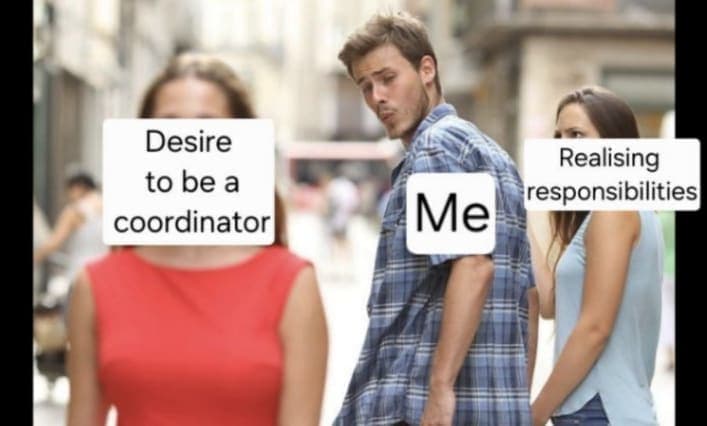
| Component | Purpose |
|---|---|
| ESP32-CAM (AI-Thinker) | Main controller + camera + Wi-Fi |
| FTDI USB-to-Serial Module | Programming the ESP32-CAM |
| L298N Motor Driver | Controls direction and speed of motors |
| 2× BO Gear Motors | Drive the robot wheels |
| 7–12V Battery Pack | Powers the L298N and motors |
| Jumper Wires | Connections between components |
3. Circuit Connections
3.1 FTDI → ESP32-CAM (Programming)
| FTDI Pin | ESP32-CAM Pin | Note |
|---|---|---|
| GND | GND | Common ground |
| 5V | 5V | Power supply |
| TX | U0R (RX) | Cross-connection |
| RX | U0T (TX) | Cross-connection |
| GND | IO0 | Only during upload — remove after |
Important: IO0 must be connected to GND before powering on to enter flash/boot mode. Disconnect it after "Done uploading" appears, then press Reset on the CAM.
3.2 ESP32-CAM → L298N Motor Driver (Runtime)
| ESP32-CAM GPIO | L298N Pin | Function |
|---|---|---|
| GPIO 12 | IN1 | Motor A direction |
| GPIO 13 | IN2 | Motor A direction |
| GPIO 14 | IN3 | Motor B direction |
| GPIO 15 | IN4 | Motor B direction |
| GND | GND | Common ground |
ENA and ENB on the L298N can have jumpers installed for full-speed operation.
3.3 L298N → Motors & Power
| L298N Pin | Connects To |
|---|---|
| OUT1, OUT2 | Motor A terminals |
| OUT3, OUT4 | Motor B terminals |
| 12V | Battery pack positive |
| GND | Battery pack negative |
| 5V out | Can power ESP32-CAM during runtime |
4. How It Works
4.1 Uploading Code
The FTDI module acts as a USB-to-Serial bridge. When IO0 is pulled LOW (connected to GND), the ESP32-CAM enters bootloader/flash mode and accepts code from the PC via the FTDI. Once upload is complete, IO0 is disconnected and the board is reset to run normally.
4.2 Wi-Fi Connection
On boot, the ESP32-CAM connects to a local Wi-Fi network using credentials stored in the code. Once connected, it prints its IP address to the Serial Monitor. Any device on the same network can access the bot through this IP in a browser.
4.3 Web Server
The ESP32-CAM runs a lightweight HTTP server using esp_http_server. It serves three routes:
/— Serves the HTML control page with video and buttons/stream— Delivers the live MJPEG video stream/control?cmd=forward— Receives motor commands via URL parameters
4.4 Live Video Streaming (MJPEG)
The camera continuously captures JPEG frames and sends them as a multipart HTTP response — a format called MJPEG (Motion JPEG). The browser treats the /stream URL like a live `` source, updating continuously without needing JavaScript video libraries.
4.5 Motor Control
When a button is pressed on the webpage, a fetch() request is sent to /control?cmd=direction. The ESP32-CAM reads the command and sets the IN1–IN4 GPIO pins HIGH or LOW accordingly. The L298N interprets these signals and drives the motors in the correct direction.
| Command | IN1 | IN2 | IN3 | IN4 |
|---|---|---|---|---|
| Forward | HIGH | LOW | HIGH | LOW |
| Backward | LOW | HIGH | LOW | HIGH |
| Left | LOW | HIGH | HIGH | LOW |
| Right | HIGH | LOW | LOW | HIGH |
| Stop | LOW | LOW | LOW | LOW |
5. Key Concepts
5.1 UART Serial Communication
UART (Universal Asynchronous Receiver-Transmitter) is the protocol used between the FTDI and ESP32-CAM. TX and RX are always cross-connected — one side's transmit pin connects to the other's receive pin. Baud rate (115200) must match on both sides.
5.2 GPIO (General Purpose Input/Output)
The ESP32-CAM's GPIO pins are used to send digital HIGH/LOW signals to the L298N. These pins are configured as outputs in code using pinMode() and controlled with digitalWrite().
5.3 HTTP and REST-style Control
Motor commands are sent as simple HTTP GET requests with URL query parameters (?cmd=forward). This is a lightweight REST-like pattern — no WebSockets or complex protocols needed for basic control.
5.4 MJPEG Streaming
Rather than a proper video codec, MJPEG sends individual JPEG images in rapid succession inside a single HTTP response with multipart/x-mixed-replace content type. It is simple to implement and works natively in most browsers.
5.5 H-Bridge Motor Control (L298N)
The L298N uses an H-bridge circuit internally. By toggling pairs of input pins (IN1/IN2 for Motor A, IN3/IN4 for Motor B), current flows through the motor in either direction, enabling forward and reverse. Two H-bridges in the IC allow independent control of both motors, enabling turning.
5.6 Bootloader Mode
Microcontrollers like the ESP32 have a built-in bootloader — a small program that runs before the main firmware and listens for new code over UART. Pulling IO0 LOW at boot tells the ESP32 to enter this mode instead of running existing firmware.
6. Challenges & How They Were Solved
| Challenge | Solution |
|---|---|
| Upload failing with "No serial data received" | Used FTDI instead of ESP32 Dev module — simpler and more reliable |
| Which FTDI pin to use for power | Used dedicated 5V pin, not VCC (which is logic-level only) |
| IO0 timing confusion | IO0 → GND before upload, disconnect only after "Done uploading", then reset |
| TX/RX confusion | Always cross-connect: TX → RX and RX → TX |
7. Possible Improvements
- PWM speed control — Use
analogWrite()on ENA/ENB to vary motor speed instead of full on/off - WebSocket control — Replace HTTP polling with WebSockets for lower-latency, smoother control
- Pan/tilt camera mount — Add servo motors to move the camera independently of the chassis
- Password-protected interface — Add basic HTTP authentication to prevent unauthorized access on shared networks
- Higher resolution streaming — Upgrade to
FRAMESIZE_SVGAif network bandwidth allows - OTA (Over-the-Air) updates — Use ESP32's OTA library to upload new code over Wi-Fi without FTDI
8. Summary
This project demonstrates the integration of wireless networking, video streaming, serial communication, and motor control on a single low-cost microcontroller. The ESP32-CAM handles everything — web server, camera, Wi-Fi, and GPIO — making it a capable platform for IoT and robotics projects. The browser-based interface requires no app installation, and the MJPEG stream works on any modern device on the same network.
Project completed using: ESP32-CAM (AI-Thinker), FTDI, L298N, 2× BO Motors
2. Cloud Communication & Data Logging using ESP32 and ThingSpeak
Objective
- Send sensor data (Temperature, Humidity, Soil Moisture) from ESP32 to ThingSpeak.
- Retrieve the data using Python.
- Visualize the data using graphs.
- Build a regression model between Humidity and Soil Moisture.
Components Used
- ESP32 microcontroller
- DHT11 sensor (Temperature & Humidity)
- Capacitive Soil Moisture Sensor
- ThingSpeak (Cloud Platform)
- Python (Pandas, Matplotlib, Scikit-learn)
Methodology
1. Data Collection
- Connected DHT11 and soil moisture sensor to ESP32.
- Programmed ESP32 to read sensor values.
- Sent data to ThingSpeak using HTTP API every 15 seconds.
2. Cloud Storage
- Created a channel in ThingSpeak with 3 fields:
- Temperature
- Humidity
- Soil Moisture
- Verified live data updates through ThingSpeak graphs.
3. Data Retrieval
- Used Python and
pandasto fetch data from ThingSpeak using API. - Converted the data into a structured dataset (DataFrame).
4. Data Visualization
- Plotted:
- Temperature vs Time (line graph)
- Humidity vs Soil Moisture (scatter plot)
- Used
matplotlibfor plotting.
5. Regression Model
- Applied Linear Regression using
scikit-learn. - Defined:
- Input (X): Humidity
- Output (y): Soil Moisture
- Generated regression line to analyze relationship.
Result
- Successfully transmitted and stored sensor data in the cloud.
- Visualized trends in temperature and moisture.
- Built a regression model showing relationship between humidity and soil moisture.
Conclusion
This project demonstrates how IoT devices can send real-time data to the cloud and how that data can be analyzed using Python and basic machine learning techniques.
Learning Outcome
- Basics of IoT data communication
- Cloud data storage (ThingSpeak)
- Data visualization using Python
- Introduction to Linear Regression
3. Syllabus Updation
Task Name
How to train your Model (reference from "how to train your dragon")
Brief description
Here using Esp32 and mpu6050, we obtain values of pitch, roll and gyromag in serial monitor for different positions of mpu6050 say vertical, horizontal and sideways. Then we collect the readings in serial monitor into a csv file. We repeat this process until we have enough data for each classifications say v1,v2...v10 , h1,h1...h10, s1,s2...s10. Later we feed the value to Edge impulse AI, specify the classification and train a model with basic settings. Next we deploy the model, deploy the model as in we export it as a library for arduino ide and make a new code that could print the classification. Now we upload the code, with have the model included in header. Once uploaded, we can see the model will be able to recognise the position of the imu and print it in serial monitor saying what position it is in. It works dynamically and spontaneously, updating position each second or so depending upon the window size.
Component and cost
Requires Esp32 and MPU6050, costing about 400- 450 inr in total.
Objective
To Familiarize with AI model and leverage their pattern recognition abilities.
Disclaimer
This project can be done just by if/else statement using angles, but i intended this way as i consider this as one of the eaiest, fastest and efficient way to learn edge impulse.
4. Budgeting
https://docs.google.com/spreadsheets/d/1rdtC-op6_tGzWYQqM9M3RP0c7xCmZ4scFGQaa0tfchc/edit?usp=sharing
5. Sorting
https://docs.google.com/spreadsheets/d/1aEesR3JpLlr_WLPtL9spo4-I-S9QVIIMO3CZQaBroYI/edit?usp=sharing
6. Daily Diary (my contributions)
28th and 29th march
Shifting and Arrangement of new marvel
1st april
Sorting components in component cupboard
11th april
SP road, budgeting of components
13th april
Started group technical task, prepared the physical structure of the bot, soldering motor wires, placing components on chasis etc
14th april
We were able to get the standalone webserver up and running, but movement and livestream was still pending
16th april
I was gaining insights on how to perfom individual task by seeing other pc do it
18th april
- Finished my individual technical task
- Rebuilt the whole bot by myself, met the criterias mentioned by buddy i.e to make it stream and make it move
today
LoL making this report for second time after accidenly closing tab
7. Article
Now that the journey has come to an end, i feel a touch of sorrow and excitement at the same time. Sorrow beacause the enthusiasm i started with, now realises that it needs to crush its own pc teammates to get hold of the throne, but excitement on the other hand is due to the anticipation of who the person will to get his hands on the throne. Honestly speaking, every pc had their unique spark, something special of their own, reassuring that no matter who gets to be the coordinator amongst ourselves, marvel will be on the right hands. Speaking timid of myself, i embarked on this journey just so i'd get another reason to wake up everyday, work hard and get better. Else im partly lost and clueless. It was surprising to see the efforts put by everyone, different character, different personalities and different approach but the same goal. I would be happy to be the coordinator but more sad to let go other three who accompanied till now. If i had the abilities to bend rules, maybe id make all four of us stay as a pc until the graduation. If the final decision takes time, i clearly get it, no wonder one would have a hard time to choose one amongst the four best. Ill keep it short so there'd be more room for other interesting articles, once for all GGs.